Managing Meetings
Adding, editing, deleting, and bulk-managing meetings.
160 questions — sourced from GitHub discussions & issues.
Home/list page doesn't reflect changes to meetings, doesn't search using pulldowns
Show question & answer
Question
Hi! Super grateful for this wonderful plug-in.
However, for some few weeks I have had a few problems with the plug-in's "home" or meeting-list page (due to WP update?).
-
When I update a detail in Dashboard/Meetings/Edit Meeting, the new detail appears in that meeting's individual page, but not on the meeting-list page. E.g., the Sunday 7:30pm meeting "Twin State Group Speaker Meeting" has the correct address on its page, but an incorrect (old) address on uppervalleyaa.com, the meeting list page. I have tried creating new "test" meetings. Their pages work--- e.g., https://uppervalleyaa.com/meetings/test --- but they don't appear on the uppervalleyaa.com list page.
-
The pulldown sorting menus on uppervalleyaa.com have stopped working, e.g., pulling down "Tuesday" has no result.
I tried deactivating all plug-ins, turning them on again. Tried saving all permalinks.
Trying to eliminate all possibilities that might be affecting the list page, I attempted to delete the FAQ-suggested customizing codes // Make meeting page front or home page. add_action('pre_get_posts', 'tsml_front_page'); // Make any day the default day of week. $tsml_defaults['day'] = null; from the functions.php using Theme Editor (which was used to add them; the site worked fine with them, but I was trying everything) caused the following error message: Unable to communicate back with site to check for fatal errors, so the PHP change was reverted. You will need to upload your PHP file change by some other means, such as by using SFTP
Checking the php with the PHP COMPATABILITY plug-in gets message that 12 Step Meeting List plugin may not be compatible, with 1 error and 1 warning: 143 | ERROR | Function set_magic_quotes_runtime() is deprecated since PHP 5.3 and removed since PHP 7.0 1934 | WARNING | INI directive 'safe_mode' is deprecated since PHP 5.3 and removed since PHP 5.4
I contacted my hosting service (1&1 Ionos) and they ran diagnostics, found no issues other than something wrong with the plug-in--- but they couldn't define or fix that and said I needed to bring it to the plug-in team's attention.
That's it! This is way beyond me. Any help would be MUCH appreciated.
Bill for UpperValleyAA
.
Answer by @brianw-area24
Hi Bill,
Thanks you for the detailed description of the problem, and including the URL to your site, that helped a lot.
It sounds like you may have 2 separate issues, but they both seem to be permissions related. I'll address them separately below.
First, when you edit a meeting, and the change shows on the details page, but not on the listing page. The TSML keeps a cache file with meeting information. When it gets the meetings for the list of meetings page, it reads this file, if it's available, which saves it from having to read all that information from the database. This cache file is supposed to get re-written every time you update a meeting. It sounds like this file isn't being rewritten, so the list page is reading old information from this cache file. Here's what I'd like you to do for testing:
- Go to the WordPress Dashboard
- Edit a meeting
- Click on Update button, you don't need to change anything, just click Update
- Check the date on the cache file, it's located at wp-content/tsml-cache-<unique-code-here>.json
After doing the update, this file should have gotten rewritten, so have a recent update date. My guess, yours will have an old update date. If so, it means that your web server doesn't have permission to write to this file anymore. Either the file permissions have changed, the owner of the file has changed, or something else has changed causing these permission issues.
Likewise, I think the second issue, the dropdown lists not working, is also a permissions issue. I say this because, I turned on the web console on my browser. Then I went to your meeting list, and selected Tuesday, and the console showed an error of "POST https://uppervalleyaa.com/wp-admin/admin-ajax.php [HTTP/2 401 Unauthorized 154ms]" See the attached image. This indicates to me that the web server isn't able to use the admin-ajax.php file.
My suggestion would be to go back to your host provider, with this additional information, and see if they can find something. Hopefully they will.
Brian W.
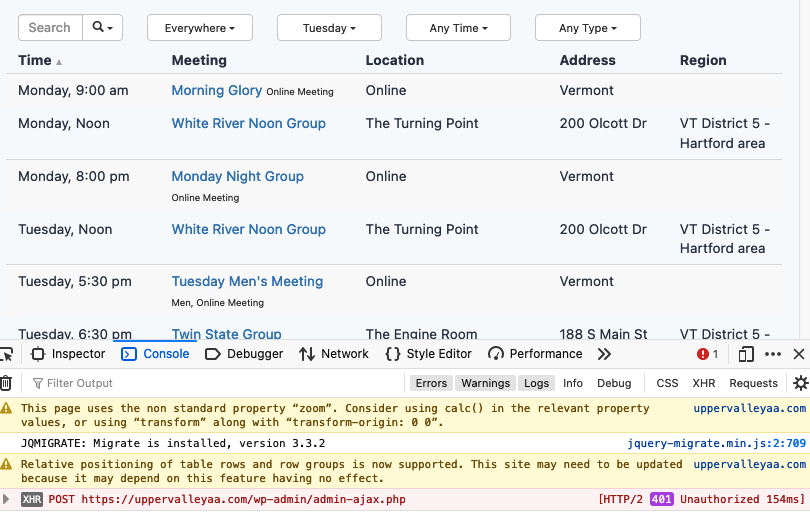
tweaking an address in the TSML
Show question & answer
Question
I have a meeting that occurs in a shopping mall. There are 5-6 buildings with multiple storefronts that all use the same address. GPS takes those using it to the driveway, which is 1/4 mile and 3 buildings away from the actual meeting location. Can I add actual GPS coordinates to take users directly to the door where the meeting is happening? If not, any other suggestions?
Answer by @tech2serve
There isn’t really an easy way to do this other that to pick an address closest to the actual meeting location. We do have an open issue to improve the ability to add specific coordinates, but not sure when that will get worked on, if ever.
I travel around a lot, and have run across the issue you’re describing. Don’t each of the storefronts have a suite number/letter that can be used to identify it in the notes, or perhaps has part of the address?
Sometimes I’ve found you can use Google’s Plus Code to trick the address. Go to maps.google.com and enter the address in question, perhaps a marker, and then try to get a closer address. Sometimes using Street View will reveal a closer usable address that can be entered.
Another thing you may want to do is to report the issue to Google, especially if each of the buildings has some sort of identifier (A, B, C?)
Unable to Publish New Meetings
Show question & answer
Question
I have 61 published meetings, however just recently (within a week) I have not been able to Publish new meetings. When I try to create a new meeting, I enter in all the details as I normally would, however the "Publish" button is grayed out, and it automatically saves it as a draft. I am also unable to update the automatically saved draft. I have tried backing out into the list of meetings to edit the status manually to "Publish", however this does not resolve the issue. When I try to preview the meeting, the status shows as "Temporarily Inactive".
- OS: macOS Big Sur 11.4
- Chrome Browser
- Version 92.0.4515.107
Answer by @tech2serve
Most likely this is an issue with geocoding. Something has changed with your configuration perhaps?
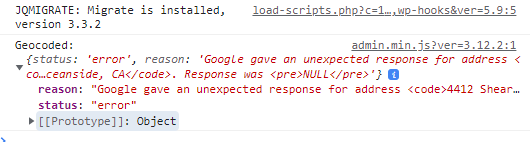
In your browser, open up the developer's console and watch for errors when you enter the address for the meeting. Note any errors and bring them back here if you aren't able to figure it out yourself.
On the plugin's Import & Settings page, note what is entered for the Geocoding Method:
- Legacy--Should be okay, but if you're getting an error, we need to figure out what is causing it. One possibility is a conflict with another plugin.
- Google--This should only show as an option if you've entered a Google API key above. This is really an advanced user option, and should generally be avoided unless you really know what you're doing. You have to configure the API key through the Google's developer console specifically for geocoding in addition to mapping. If you choose to use this, you'll need to login into your Google Developer's console to troubleshoot geocoding issues.
- Beta API Gateway--This is the preferred option because it helps us test out our system in development and gives us a better ability to troubleshoot behind the scenes.
For most users, the simplest configuration is Mapbox (access token) for mapping and either Legacy or Code for Recovery's API Gateway for geocoding. You can still configure the system to use Google for mapping if you wish, but it is still easier to use options 1 or 3 for geocoding.
Make sure you're configured with one of those options and the problem should clear up. If it doesn't, come back with the displayed errors.
Issue Connecting TSML Meetings to the Meeting Guide App
Show question & answer
Question
Background:
aaplacer.org (AA Placer) is the website for CNIA Area 07, District 21 in Northern California. We launched our website in June 2020 and installed the TSML WP plugin to serve as our meeting directory.
aasacramento.org (CCFAA) is our Intergroup/Central Office; they, too, use the TSML WP plugin as their meeting directory for all the regions they cover within the area, including the area covered by AA Placer. We now have identical meetings posted in our respective TSML meeting directories. CCFAA adopted the TSML WP plugin before AA Placer launched our website.
Issue:
The Meeting Guide app is pulling the bulk of AA Placer meetings from the CCFAA TSML directory. We would like Meeting Guide to connect to AA Placer for all AA Placer meetings. Right now, some connect to AA Placer, while others connect to CCFAA. We have confirmed that for the meetings we share, we have the correct address programmed in each of our directories.
Here's an example of "what works", or a meeting that connects to AA Placer in the Meeting Guide app. Interestingly, ALL Rocklin Fellowship meetings connect to AA Placer in the app. Here's their respective listings on each website:
Rocklin @ AA Placer Rocklin @ CCFAA
Here's an example of what we don't want, an AA Placer meeting connecting to CCFAA.
Roseville @ AA Placer Roseville @ CCFAA
Question:
Based on what I've provided thus far, does anyone know of a fix for this? Do you need more information? Is this a known issue? I doubt we're the only District sharing meeting information with their Intergroup. I'd like to understand how other regions are solving this issue.
All assistance, feedback, etc. appreciated! Thank you for your service!
Webmaster, aaplacer.org
Answer by @joshreisner
Hi @AAPlacer, this is the support site for TSML - we don't / can't control which meetings are listed in the Meeting Guide app. Please contact GSO at appsupport@aa.org to discuss it.
Their policy is documented here: https://meetingguide.aa.org/duplicates - as it says there, they are able to change listings when there are specific complaints about the data, but you will need to demonstrate that the CCFAA data is incomplete in some way. In the case you point to, it looks like you have a 7th Tradition link that CCFAA does not, so I would mention that in your email to them.
When you're noting specific instances, be sure to include the specific addresses, cities, and location names, because that will help them identify which meetings you want changed.
Please note it is against their policy to blanket-change all listings on the grounds that one group claims it has authority over a specific geography. There are many such areas.
Also note it's possible to import meetings from one data source to another. It might be worth opening a dialogue with CCFAA to see if they would be interested in importing your listings, so that they are better aligned.
Districts do not import correctly
Show question & answer
Question
I did an export of lincaa.org. I added "District XX" to every record in the .csv file. I made sure that every "District XX" was added to TSML. I imported the .csv file using the option "delete all meetings, locations, groups, districts, and regions". Almost no meetings have any district information.
I did an export of Area 41 meetings. Edited the ,csv file to delete all Lincoln meetings. Copied all Lincoln meetings from the lincaa.org export and pasted them to the Area 41 .csv. I checked the Area 41 .csv and every row had "District XX" in the "District" column. I imported the Area 41 .csv. Very few Lincoln meetings have any District information.
I think there is a bug somewhere. What can I do to help you find and correct it?
Thanks.
Answer by @YodelingCowboys
SOLVED!!!!
I figured out the undocumented feature. For a meeting to be "part of a group", there must be a "Group Name". Understandable for groups that have multiple meetings.
But for a group that only meets once a week, it must also be "part of a group" with a "Group Name" in order to have any district.
Perhaps the "Meeting Name" should auto-populate the "Group Name."
Question is why can't an "individual meeting" be part of a district? This I think is a bug.
On Thu, Aug 26, 2021 at 7:04 AM Tech2Serve @.***> wrote:
> I think there is a bug somewhere. What can I do to help you find and > correct it? > > Thanks. > > One of us will try and duplicate what you're experiencing on a dev site. > It may be a few days before I have time, but I'll try. > > Given that we have a number of users who successfully do routine imports > of their data, I believe we should focus on your site and any errors you > can see. > > Please open a dev console/JavaScript console for your browser. How to do > this depends on your browser, and you should use your favorite search > engine to figure that out. Afterwards, try the import again and see if any > errors get displayed. > > Also, you can send a copy of your csv file to @.*** so > we can inspect the sheet. > > — > You are receiving this because you authored the thread. > Reply to this email directly, view it on GitHub > <https://github.com/code4recovery/12-step-meeting-list/discussions/509#discussioncomment-1238990>, > or unsubscribe > <https://github.com/notifications/unsubscribe-auth/ANKN4H3TROHI52LKRWLNOE3T6YUWPANCNFSM5CZXVGUQ> > . > Triage notifications on the go with GitHub Mobile for iOS > <https://apps.apple.com/app/apple-store/id1477376905?ct=notification-email&mt=8&pt=524675> > or Android > <https://play.google.com/store/apps/details?id=com.github.android&utm_campaign=notification-email> > . >
Using import to make multiple updates without dupes or deleting.
Show question & answer
Question
I want to add website URLs to many of my meetings. So what I'd like to do is:
- Download all the meetings in a CSV. Done.
- Add the URL to the "Website" column. No problem.
- Re-upload the CSV and commit all the updates in one step. This one is tricky.
When I want to upload a CSV, I have three options:
- don't delete anything - This is no good because it creates duplicates of all my meetings and I have to then delete all the dupes.
- delete only the meetings, locations, and groups for the regions present in this CSV - I don't know what this means but it looks like it's going to delete all the meetings in a certain region.
- delete all meetings, locations, groups, districts, and regions - This one is bad. Deleted everything. Luckily, I was able to put it all back with the CSV.
Is there a way to just make updates with having duplicates created? Or do I need to delete everything and then replace everything with the downloaded CSV? (The latter option is terrifying.)
Thanks!
Answer by @tech2serve
Hi @michaelvenzor,
Option three is probably what you want to be using, and so we need to figure out what you experienced. If you don’t have a dev site, you might want to get one as this really reduced the stress of testing new approaches :-)
Option three does indeed delete existing meetings, but it replaces them with everything in your csv file. So unless you’ve made a mistake in the csv file, it should import with the previous data (from your download) and contain the new website URLs you added.
If this didn’t happened, what errors did you see? Try again with the developer console open so you can see any errors thrown there. Given that we have a lot of users who routinely import their data in this fashion, I’m confident you can get this working on your site. We just need to figure out what went wrong.
Location Information Not Updating
Show question & answer
Question
Hi,
The location information is not updating to "yes" for "Can I currently attend this meeting in person?" for two of our meetings. The two meetings are at the same location. This is not happening for other meetings at other locations. Every time I select "yes" and click "update", the selection reverts back to "no".
This meeting https://albuquerqueaa.org/meetings/serenity-group-3/ shows as Temporarily Inactive when it is active.
This meeting https://albuquerqueaa.org/meetings/progress-not-perfection-2/ shows as Online when it is both online and in-person.
I believe I am using plug-in version 3.12, and WordPress version 5.8.1.
Thank you
Edit: I am now having a similar issue with this meeting: https://albuquerqueaa.org/meetings/serendipity-group/, where I am trying to add a URL in the Meeting Information, but every time that I put in the URL and click 'update', the URL goes away and the meeting is not updated.
Answer by @tech2serve
Hey @ljmorrone,
Please open up a debugging console, check "yes" then re-enter the address for the meeting as "601 Montano Rd NW, Albuquerque, NM". In the debug console, you should see a geocoded object that you can expand. Screen cap that, and post it here please. It should look similar to this, but it may say "cached"
<img width="563" alt="image" src="https://user-images.githubusercontent.com/31904316/140625335-5f6ed971-aeb5-452f-8b13-bad072039dc7.png">
If you see any errors in the console, please post those here too.
Please confirm you're entering these manually and not importing a CSV file? Is this meeting part of a Group?
We've seen this behavior one other time if I recall correctly, and it turned out we had to override the address. However, this situation looks a little different, so I want to see what is in your cache.
If it ends up looking correct, then perhaps we'll have to look closer at your database. In general, if you select "yes" for attending in person, and the address is specific (i.e., not approximate because you've entered a complete street number and name), the meeting should publish without the TC type.
@code4recovery/twelve-step-meeting-list
Meeting import: confused
Show question & answer
Question
Hi team,
I have an issue with importing from a CSV file. It is not so much a discussion topic, but a bug... I think...
I had not used that import feature for awhile, but since the formatting and syntax are preprogrammed in my external datasource, I used the existing logic.
I found the following unexpected behaviour: Everything seems to be imported properly, but the group information (in the bottom of the back end of the listing) seems to be set to the default value "Individual meeting" and not accept group contact information anymore. When I toggle that value to "Part of a group", the information I expected to see on the website is not displayed, even though it was part of the CSV file.
That information is essential for my listings not in the least because it contains the official unique WSO ID for each group.
In the example sheet for import I don't see anything referring to this contact information setting. I think it used to be that if there was a value in the 'group' section of the CSV file, it would automatically toggle to 'Part of a group' and display what I need to be displayed.
This is now no longer the case. There is also no datasource in the plugin that I can fill myself with group contact information. I do not keep personal details on file for groups, but I do use the group notes section for valuable information.
From what I can see during my testing, the group name IS preserved somewhere in the backend of the plugin. Because when I prepared a new upload for the same group, and still did not get what I wanted, I entered the group name manually and it was recognised by the plugin. However, the related information (District and group notes) no longer showed up.
I use the import functionality in the plugin for bulk imports. I expect one to be coming when the vast majority of my meetings is in-person again. I then will need to adjust the group information in my external datasource and upload it to the website via the plugin. In my external datasource that is done within 5 minutes. It would be counter productive to do the bulk import and then still have to browse through each individual meeting (I have well over 300!), using the painfully slow and wonky Wordpress interface.
So please: HELP!
I can see one of two changes, if your team is willing to look into this:
- the toggle is automatically set to 'part of group', when there is a value in group name (not to be confused with the meeting name, which is often different from the group name)
or
- the toggle is integrated in the import procedure and can be declared by me, so that the interface understands to set it and thus can display information properly on the front end.
For your reference, I am adding the CSV and 3 screenshots for your reference. If there are any questions, please let me know.
Oh and before I forget: I am the website coordinator for an Al-Anon Area website with hundreds of meetings. When I mention the unique ID for groups, I am referring to our WSO ID - I assume in AA you have the same thing that might be referred to as GSO ID. That value is still sorely missing from the plugin, by the way. I have asked to include it in its own box many times, to no avail. Which is why I add it to the group notes so new GRs and other members in service are able to find it in their meeting listings and use it in all communications about their groups to others in service and to our World Service Office (WSO).
Because I am not an AA website, I do not have to worry about keeping information in sync with the AA mobile meeting app. Which is why I have no problem with deleting all meeting content and refreshing it with a bulk upload. I often adjust individual meetings manually in Wordpress, but if there are many, that is just a major pain in the you know what...
Thanks for your consideration.
Import file in csv format:
[LTL2.csv](https://github.com/code4recovery/12-step-meeting-list/files/753011
…
Answer by @brianw-area24
Thank you for including the example import file, it does help when we have information like this because we can see better what's going on.
When I opened that file, it looks like some of the information is in the incorrect columns.
- Sub District contains "Group ID: 30769637, District 22. Meeting type: Al-Anon. Focus: Regular. Open to Families and Friends of alcoholics only." I'm thinking this column should be empty
- Group Notes contains "Families and Friends Only,English", I'm thinking it should contain the information that's in the Sub District Column
- Types is empty, but should contain "Families and Friends Only,English"
After correcting the columns, it appears to import correctly on my test site.

Duplicate meeting lists
Show question & answer
Question
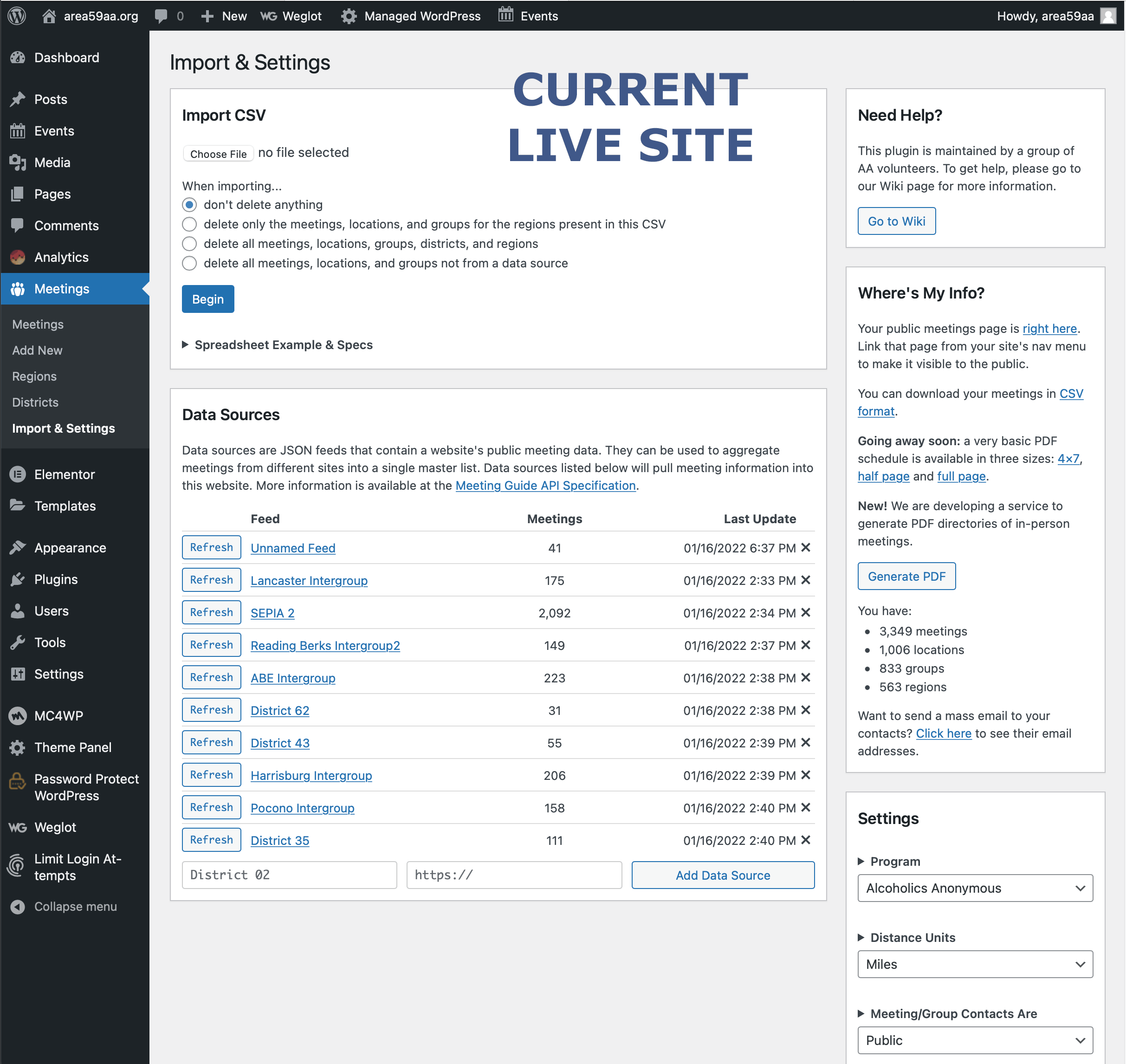
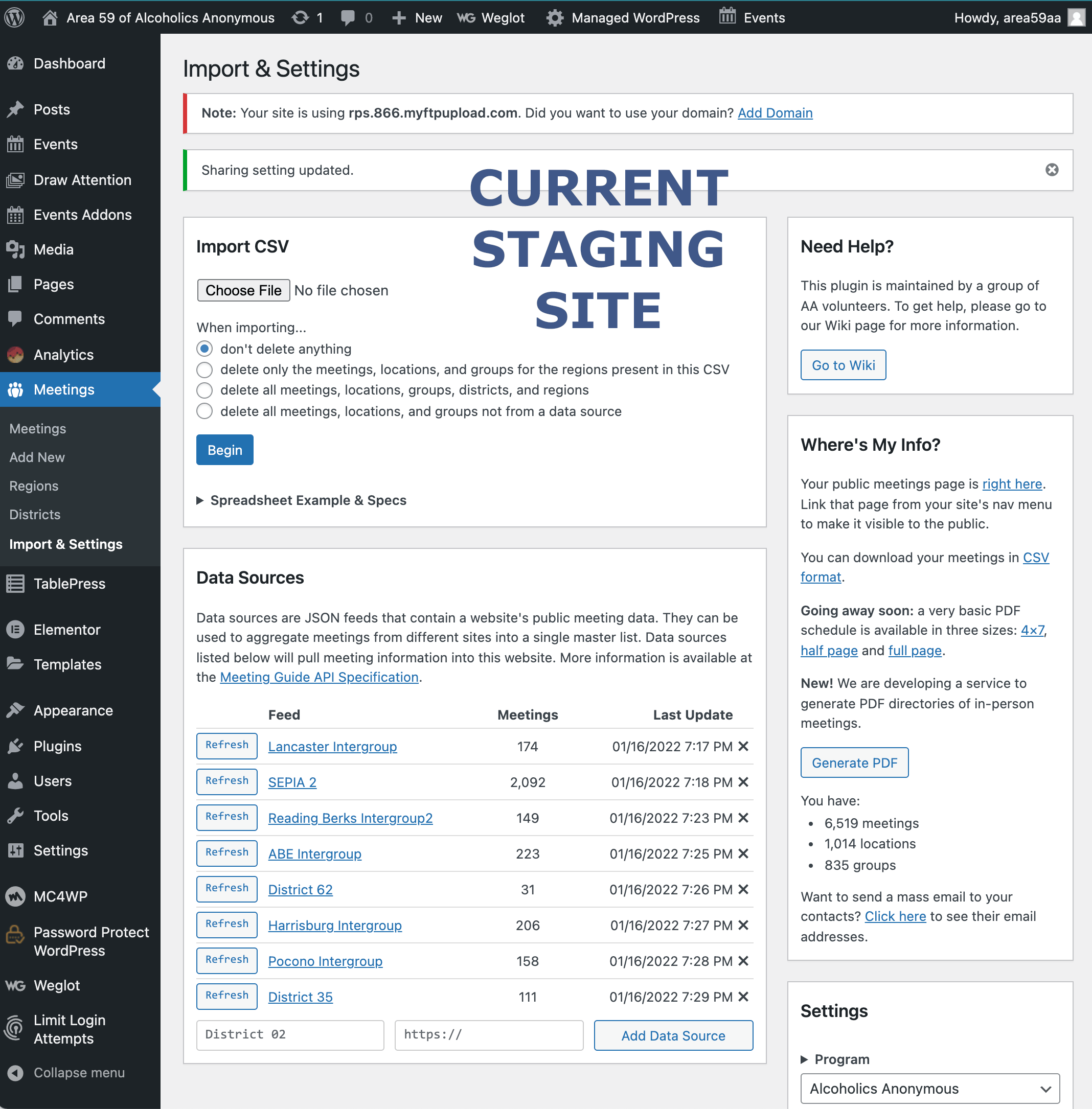
I seem to have created a duplicate set of all our meetings on our Area website (currently in staging). Originally I used a CSV file of the meetings from our live website during development. We are nearing go-live so I recently copied the URL (generated by clicking on the data source links) one by one and then added those current data sources.
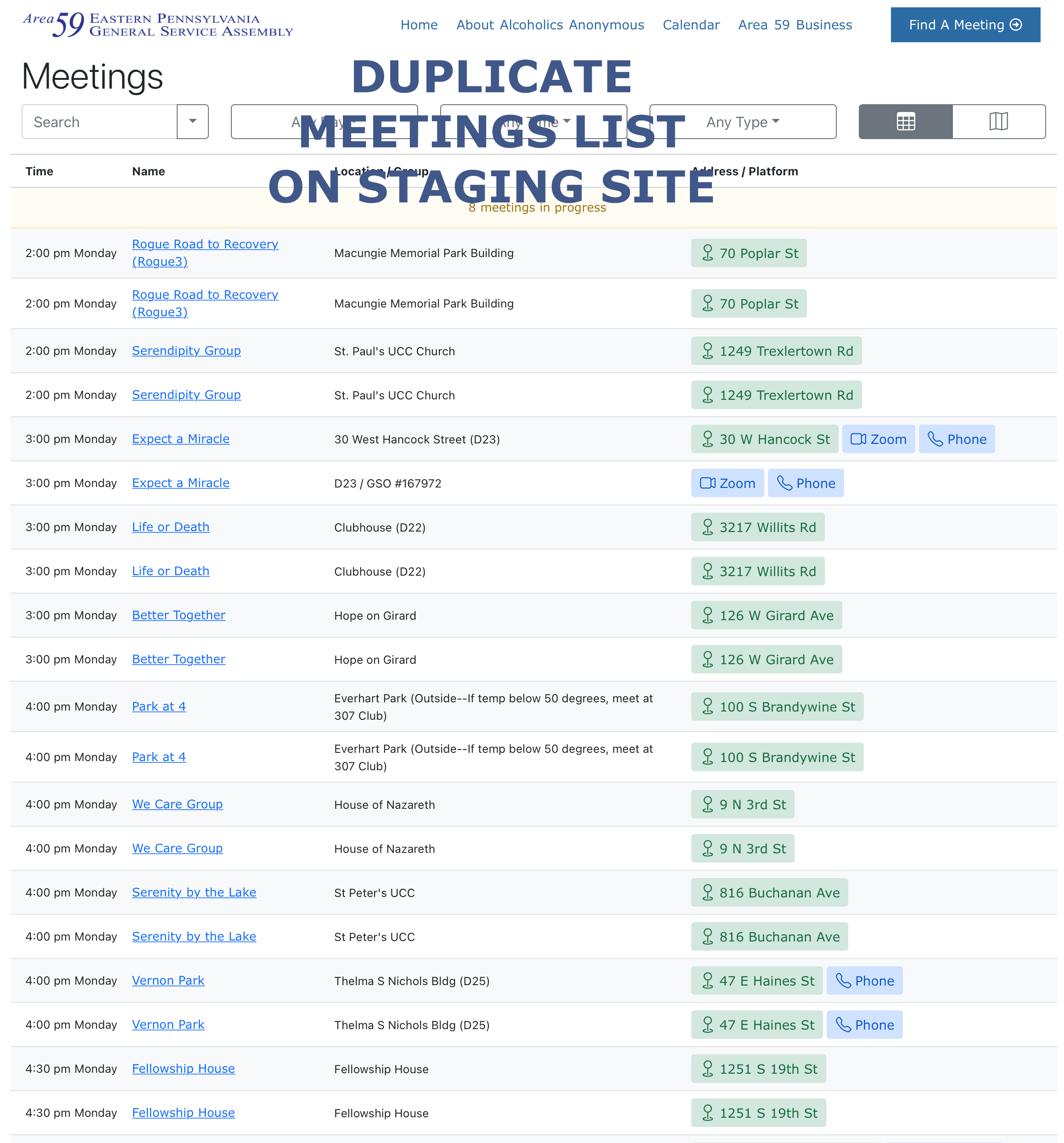
But now I have two copies of nearly every meeting:
- 3,349 Live site
- 6,519 Staging site
Seems I've got one from the CSV import (a somewhat older list), and the current feed, but they've combined ..? I've tried to "Bulk Action > Delete" but that only moves a screen-full of meetings to the Trash. :( Is there a way to delete just the CSV data?
I've attached images of our live site, staging site, and duplicate listing for visual reference. Any help would be greatly appreciated.
Thank you! scott_fritzinger@me.com webservant@area59aa.org
Answer by @brianw-area24
I'm hoping all your meetings come from the feeds. If so, there is a pretty easy answer. If not, then don't do what I'm suggesting here because this will delete those additional meetings...
If all your meetings come from feeds, try this.
- Download your meetings in CSV format
- Modify this CSV file, and delete all but 1 meeting
- Import this modified CSV file, deleting all meetings, locations, and districts
- Manually delete this one meeting
- Refresh all your feeds
This is an easy way to remove all your meetings, then refresh them from the feeds. However, if your have meetings don't come from the feeds, this will delete those meetings also.
Brian W
Why can't I enter a valid address into TMSL?
Show question & answer
Question
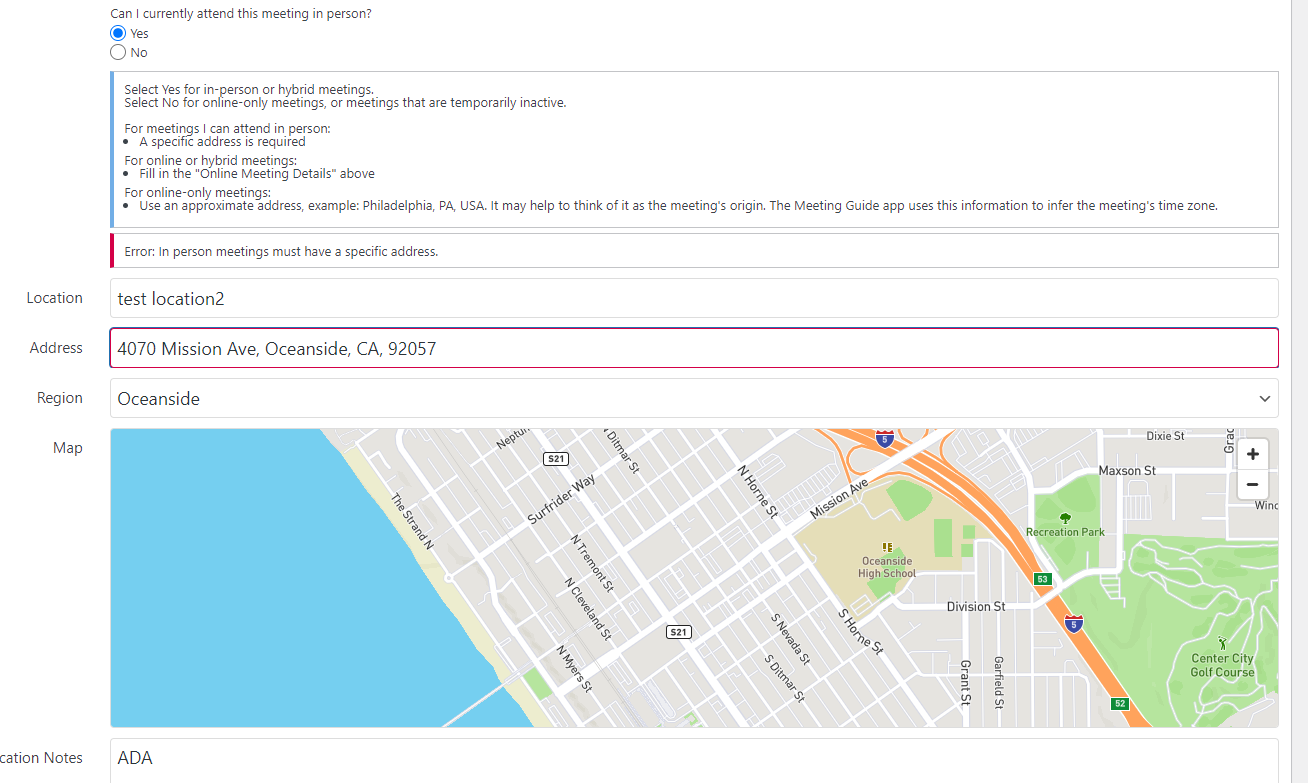
I am attempting to add a new meeting to TMSL. It does not seem to allow me to enter a valid address. The only way I can enter new addresses is by using a LOCATION that is already defined.
https://ncsandiegoaa.org/meetings WP v 5.9 TMSL v 3.12.2
Answer by @mikec-ncsd
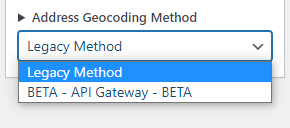
I found the Address Geocoding setting set to BETA. I switched it back to legacy and it seems to work. Does this mean the BETA version doesn't work?
[Bug]: Update Button is grayed out. Will not update.
Show question & answer
Question
Contact Details
Website With Issue
What happened?
Update Button is grayed out. Will not update. Using WP version 5.9 TSML Version 3.12.2 Tried using Safari and Chrome
Add and Trash Meetings works.
Thanks for everything you do.
TSML Version
Latest (default)
Wordpress Version
Latest (default)
What browsers are you seeing the problem on?
Chrome, Safari
Relevant log output/errors
No response
Answer by @brianw-area24
Had another site this work on, so thought I'd throw out another suggestion. In the Imports & Settings page, what do you have for Address Geocoding Method? If you have the Beta - API Gateway, lets try changing that to Legacy and see if that helps.
Brian W.
Can a meeting says it's a group but not belong to a district?
Show question & answer
Question
TMSL v3.13 added a fix to the dropdown list. See #586 which brought up the issue of when someone added or edited a meeting and selected group it defaulted to the word "District" if one wasn't selected from the dropdown list.
But now if I don't select a district from the dropdown, it defaults to "None" and displays it as blank.
Shouldn't the admin have to select one of the districts from the dropdown? Can a meeting says it's a group but not belong to a district? I'm not so sure that's the way it works, but TSML v3.13 allows that to happen.
What it doesn't allow is to select Part of a group, but not enter a group name. In that case radio button switches from Part of a group to Individual meeting when I try to save it. And that is the way it should be. But why isn't that the case also for defaulting to None for District from the dropdown list?
I would like to suggest an error flag come up when someone tries to save a meeting entry that doesn't select from the District dropdown to alert them they must, or revert back to Individual Meeting. And perhaps also add flag when someone tries to save a meeting entry that doesn't have a group name entered even though they selected Part of a group. Right now, it just reverts back to Individual Meeting without any explanation.
Answer by @kiyote33
I've heard others suggest the same thing in the past. When we approached GSO about it at our region forum, the reply we got is that they have no strict definition differentiating a group and meeting. A Group usually has a regular scheduled meeting, but GSO has no interest in dictating this definition. Groups, districts, and areas are free to decide for themselves on this matter.
Code4Recovery's plugin is being used by other recovery programs, so we need to be mindful of putting logic in place which has rules which might not be supported by all, now and in the future.
Changing Meeting Type (Global)
Show question & answer
Question
Hello - I'd like to revise the checkbox meeting type on the 'Add Meeting' function from LGBTQ to LGBTQIA globally for existing meetings with LGBTQ selected and of course future meetings.
Thank you, Curt
Answer by @joshreisner
ah ok! i'll transfer the issue back. sorry i misread.
changing it on your site: do you have access to add code to your theme's functions.php file? if so, then you can change the meeting type how you want by adding this code. this will have the intended effect of changing existing and future meetings to use this label
if (function_exists('tsml_custom_types')) \{
    tsml_custom_types(array(
        'LGBTQ' => 'LGBTQIA',
    ));
\}
Meeting list is empty
Show question & answer
Question
Contact Details
Website With Issue
https://district12.eamo.org/meetings/
What happened?
We use hostgator as our host. They recently updated us to PHP 7.4 and our TSML UI has stopped working. All of the meeting data is still in the database, but the WP Plugin isn't displaying the meetings on our website.
We tried downgrading to PHP 7.3 but didn't seem to help. We made sure WP, pro theme, and all plugins are up to date. Any suggestions to try?
TSML Version
Latest (default)
Wordpress Version
Latest (default)
What browsers are you seeing the problem on?
Firefox, Chrome, Safari, Microsoft Edge
Relevant log output/errors
No response
Answer by @kiyote33
A review of the eamo.org website shows our plugin working correctly. The page source shows it updated to [3.14.1]. Unless we hear otherwise, we can close this discussion as resolved by the latest patch.
District without a website wants to add their meetings to our Area site & TSML
Show question & answer
Question
Area 59, has a small district without a website, (our only one). They recently provided a list of their meetings with basic information, which has been saved as a CSV file (attached) District-50-Meeting-Listing-APR-15-2022.csv Is this sufficient information for TSML?
Answer by @kiyote33
Area-59-District-50-APR-16-22 (c4r).csv Hi @fritzisa, I updated your file with the conference_url and phone columns for online meetings as for some reason they are missing from the spec. I've also adjusted the types fields to valid types which will show up correctly in the types field. Hope this helps...
3.1.4. Updating Meetings through TSML UI
Show question & answer
Question
I was in the habit of updating meetings by bringing up the meeting in the front end of WordPress and then select edit meeting. Using the new UI isn't as easy.
Though I know many users seem to like to do mass updates by uploading CSV files, I have been doing them directly through WordPress. For some reason that I cannot recall, I was told this was the better way of updating the meetings.
Using the WordPress dashboard is clunky to find the meeting to edit. There's just a limited amount of fields to sort by: meeting name, day, time, region, date published (which gets changed every time an import is done). It was so much easier to go to the meeting page, select the day I was looking for and then select the meeting to edit.
Is there any plan in the works to make editing meetings easier through WordPress?
Answer by @joshreisner
sounds like a good feature. it should be possible with some TSML javascript to watch the query string and add/update a link in the admin toolbar.
before we do that, if you're comfortable opening the javascript console, i've created a ticket to log the edit_url when present
before that works in TSML, we're also going to need this ticket to be completed
3.1.4. TSML Legacy showing Updates, Not TSML UI
Show question & answer
Question
Trying to test out the differences between the two on staging site -- especially the way it works on mobile. I noticed when viewing a meeting on mobile it said "Updated Invalid Date". So I reimported CSV data (delete all meetings, locations, groups, districts, and regions). It reports the exact number of meetings correctly in the dashboard. It looks fine in Legacy. However, TSML UI shows all the old meeting data. I can toggle back and forth between legacy (which shows fine) and UI (which shows all old data). Purging cache makes no difference. And it still shows on mobile "Updated Invalid Date".
Is there a lag time between an actual update and what is displayed in UI?
Answer by @joshreisner
interesting! i created an issue for the updated date problem
re the time lag, your browser tends to cache the JSON file. this will be cleared when you quit and reopen the browser, or if you do a hard refresh. in chrome i believe this is command shift r. it can differ between browsers.
there are cache-busting techniques that TSML could implement, like appending the last modified date of the query string of the cache address, eg /wp-content/tsml-cache-238f7s7.json?79823479238749249
Meeting Lists Brings Up Wrong Day.
Show question & answer
Question
This issue has been going on and off, but more on beginning in the past couple of weeks.
People go to our website to find a meeting. There’s a big fat button on the page that says find a meeting. This is the link: https://sussexaa.org/meetings/
But it’s not bringing up the correct day. Without realizing it they’re scrolling down the list and don’t see the meeting that they’re looking for. Then they go to the top and select the right day (which people didn’t need to do before) and it doesn’t show up the correct day until they hit refresh. And sometimes refresh makes no difference. It’s stuck on the wrong day.
At first I thought it was a user error or two or three, but it is happening with increasing regularity.
This is happening on iOS devices using safari. I thought it was their browser cache that needed refreshing, but it’s happening to too many different people.
The site is using the legacy UI and version 3.14.2. I can verify the same issue they’re seeing.
It’s almost like it’s not syncing with today’s date and time because even when I go to this link: https://sussexaa.org/meetings/?tsml-time=upcoming it shows meetings for starting at 630 PM. But right now it’s 9:25pm and we have no more meetings today.
Refreshing makes no difference.
The Upcoming Meetings Widget is also out of sync. It’s showing meetings from 8 this morning instead of displaying no more meetings today.
When I view same meeting data on my staging site using TSML Ui, all shows correct. I’d like to start using TSML and have just been waiting for some changes.
i’ve been hearing a lot of complaints and it’s really frustrating to figure out what’s going on. I’m gonna tell people to start using the Meeting Guide app and not the website until we can get this resolved.
Answer by @joshreisner
hi viv, yes i see it's showing Tuesday for me on your website. i'm not aware of this happening other places. it's working properly on our demo site for example.
do you have a caching plugin installed? i suspect that's probably what's going on, since the time it's showing is in the past.
sometimes websites have the timezone set incorrectly (on wordpress general settings) but in those cases the time is usually ahead.
TSML-UI edit Missing
Show question & answer
Question
For some reason my live site is not able to show TSML-UI edit. It's missing from the admin bar at the top. It shows up fine on the staging sites.
I have installed the latest TSML plugin version (3.14.4) and have it set to run TSML-UI, but even opening the Java Script console within a meeting doesn't show the edit.
Only two lines are displayed.
JQMIGRATE: Migrate is installed, version 3.3.2 app.js?ver=6.0:2 TSML UI meeting finder: https://github.com/code4recovery/tsml-ui
Any idea what I can do? This is the actual site I would like to edit meetings on. I have already checked the active plugins on the live site against the staging sites and they are the same.
Answer by @joshreisner
i see it in the console on your production site, is that what you were talking about?
<img width="1466" alt="Screen Shot 2022-06-26 at 5 29 12 PM" src="https://user-images.githubusercontent.com/1551689/175840292-996003d5-f483-4890-94a5-19e4a0f1e77e.png">
New meeting type: Lecture
Show question & answer
Question
I was asked to add a new meeting recently, and the organizer said it was an "Open Lecture" meeting. Not sure what that is or means, but perhaps you could add Lecture to the types list.
Cheers, Mike
Answer by @joshreisner
Hi Mike, we follow GSO's lead now with regard to AA meeting types. If you want you could reach out to app support (appsupport@aa.org), but in my experience they have not added any new types.
If you want you can check out the first item in our FAQ for instructions on how to add a custom type to your website.
When picking a code, please be sure to pick one that's not already on this list of types currently in use. Doing so would cause that type to show up in the app. That's currently happening in some places 😢 .
Adding Permanent Electronic Meetings
Show question & answer
Question
I am the Group Records Coordinator for an Al-Anon Area. I use the TSML meeting finder on our area website. The Area will be voting on adding meetings that meet only electronically, Permanent Electronic Meetings, to the area service structure. I believe the motion will pass. Since these groups have no physical meeting space, not even a city or location, how will I be able to add these PEMs to the TSML meeting finder?
Vicki Bauer
Answer by @joshreisner
Hi Vicki,
Every meeting has some relationship to geography by virtue of having a timezone. Further, most sites have some level of geographic focus.
We recommend you continue adding approximate locations to these meetings. These can be very broad, such as a city or a state. Often this is the place of origin of a meeting. Anywhere within the meeting’s timezone.
Add New issues
Show question & answer
Question
Hi there, I'm testing the Add New meeting.
When I click "Add New" and get to the CPT screen, I see the Publish button. However, if I add incorrect data (I believe) into the URL field for Zoom or wrong format for the Phone number / password field or if I choose Region first for entering an address, the Publish button goes away and gets greyed out and I can only save it as a draft.
The problem is that when I remove the information, the Publish button doesn't come back. It stays greyed out. So, I have to start all over again with a new post. This is a pain to lose all the work I've done so far (and more importantly, I don't want others to have to do that).
Maybe I'm missing something?
Also, what is the correct way to fill in an address? It seems that no matter what I add first or how I add it (format-wise), I get the greyed out Publish button. I tested it with my address knowing it's a real address and I got the greyed out button. That could be because I'm in a state that the website/site doesn't cover but please let me know the parameters.
Can you advise/help and also let me know what the correct formats are for URL/Zoom, phone number, address?
Thanks in advance!
Answer by @joshreisner
hm, sorry to hear you're having trouble. sounds like there might be a geocoding issue? If you go to Meetings > Import & Settings -> Settings -> Address Geocoding - what's that set to? You might try changing the value of that to see if it helps.
If not, could you attach a screenshot or tell us what values you're entering? We can give it a try on our demo site
Some meetings in TSML not showing up in Meeting Guide
Show question & answer
Question
I'm hoping you can shed some light on a recent problem with meetings not being picked up from TSML into Meeting Guide. A few weeks ago, a nearby District (14) just outside our coverage area (Portland, OR) asked to be included in our listings so their members could find meetings on their phones. They sent their list of meetings in a CSV they had carefully formatted so it appeared to conform to the data requirements for TSML uploads. It looked fine to me.
I uploaded the file and the meetings were added as expects - visible in the TSML backend listing and on the website but they never were picked up in Meeting Guide. I tried some simple changes to the location information, thinking the geolocation was thrown off, but no help. I deleted the meetings from District 14 but now we're finding that about 500 of our total 1100 meetings in TSML are now gone from Meeting Guide.
It seems (?) as though the District 14 upload introduced some formatting glitch into the database that has affected other meetings as well. I have attached copies of the District 14 CSV, an older TSML CSV backup from last July, and a TSML backup from today, since the problem started. I don't know what to look for at this point, hoping you might. Thanks!
Theron PDXAA.org
[District 14-meeting data dist 14 11-10-22.csv](https://github.com/co TSML backup-meetings-2022-12-13.csv de4recovery/12-step-meeting-list/files/10222187/District.14-meeting.data.dist.14.11-10-22.csv) TSML backup-meetings-2022-07-22.csv
Answer by @joshreisner
Hi @Spsrky have you reached out to appsupport@aa.org? They can provide you with a report of which meetings are not being listed and why. We don't have access to that information.
Most likely the top reason will be conflicts with another office. Also you may be listing meetings outside the coverage boundary that they have set for you. Finally, keep in mind that you only ever see 500 meetings a time using the app. You will need to search in a new location (not filter) to see meetings that are further away.
Editing Address
Show question & answer
Question
I am having a problem with our website "www.puebloaa.org". The address for our club is wrong. Whenever I edit the address to the correct address, it reverts back to the wrong address and shows this address for all meetings at the club. Is there any way that I can edit this information?
Answer by @tim-rohrer
My first guess is that something isn't happening with the geocoding, but I have some questions to ask to make sure I understand the situation. If you can post some screen caps, that might help.
So you type in the new address, and it reverts right away? Or does it geocode and show on the map. Afterwards, you click Publish or Update, and then it reverts?
What is the address you're trying to enter?
TSML 3.14.8
Show question & answer
Question
I did do the update and see that the fix was added so I don't have to go to the meeting list from the admin side to edit a meeting. It is now there on the WP Admin Dashboard.
I also see the option to switch from legacy to beta geocoding is no longer.
But can you tell me what the following means and if I should pay attention?
- Upgrade dev dependencies
- Overriding theme files no longer overrides TSML UI setting
- Remove automatic taxonomy pages
- Add ability for meetings page to be appended to site URL (rather than blog URL)
Thank you.
Answer by @joshreisner
uh no not really! we'll announce it if there's a major change that affects lots of users. these were all pretty niche issues which are visible under Issues > Closed and/or Pull Requests > Closed
going forward i'll try linking these changes to the issues they address so you can see more info if you're curious
Not able to add new meetings to Tennessee AA / Map Issue
Show question & answer
Question
We are having a problem with the maps again.
When we are trying to put in a new meeting, once we put in an address, the does not maps to pull up and I am unable to publish a new meeting. The only thing in the console is "Uncaught (in promise) Error: A listener indicated an asynchronous response by returning true, but the message channel closed before a response was received"
Also, I am no longer able to add a new region....says "Sorry, you are not allowed to edit terms in this taxonomy."
Answer by @joshreisner
hi jesse, re the regions, we just fixed that in the latest update out last night, sorry about that.
regarding the other error, there are two ways to fix it:
- keep using google maps but go into the google API console and enable the Geocoding API, or
- switch over to mapbox
see this topic for more info on that: https://github.com/code4recovery/12-step-meeting-list/discussions/1014#discussioncomment-4496125
Problem with Bulk Action remove meetings
Show question & answer
Question
Hello, my name is Britt and I am new to using TSML and have noticed an issue that I wanted to see if anyone else had noticed.
I had entered our entire District meeting list and noticed some duplicates so I want to the meetings list and filtered the meetings by region to find the duplicate meetings and remove them. I found the meetings I wanted to remove and checked them.
Then I selected the bulk action "Move to Trash" option and clicked apply. Once I did this, my entire meeting list disappeared from the website.
I then went to the trash area and found the meetings there, selected them all and clicked "restore". The meetings then moved to a "drafts" category (not published) and, lo and behold, my entire meeting list re-appeared on the website. I left the duplicate meetings in the "drafts" area and they don't appear on the website so - mission accomplished. But, I noticed that error with the bulk action button and wanted to see if anyone else had noticed this?
Note: when I remove a meeting individually (send it to the trash folder) - this doesn't cause my entire meeting list to disappear. It seems that only using the bulk action button does that.
Anyone else notice this issue? Any suggestions?
Thanks a lot!
Answer by @joshreisner
hm, sorry that happened to you @brittbuhl ! i was just able to recreate your experience on our demo site. i think the main use-case works (check a few meetings, delete, refresh meetings page) but i encountered the problem when i specifically:
- used the filter to filter to a specific region
- checked the "select all" checkbox
- bulk actions > move to trash
- it says no meetings entered yet, but un-filtering shows that all the remaining meetings are still there
- go to meetings page, it says "No meetings were found matching the selected criteria."
i can restore the right meetings by editing and saving changes on a single remaining meeting, i don't need to actually move the deleted meetings from the trash, so i suspect we have a bug that just invalidates our local cache.
i'll make a ticket to get it fixed! thanks for reporting the issue
Bi Weekly Occurring Every 1st and 3rd Sunday Meeting
Show question & answer
Question
Hi everyone never had to ask a question here before support is awesome. How ever I have a new Step Study Group that is only going to meet on the 1st and 3rd Sunday of the month. If I add the meeting to the meeting list it only gives an option for what day.
Is there a way to list this meeting to only show on selected weeks or a way to hide it from the output on the weeks it does not meet?
WordPress Current version: 6.1.1
12 Step Meeting List Version 3.14.12
Thanks Chuck
Answer by @joshreisner
Hi Chuck, our interface is designed for weekly recovery meetings -- we don't have a way to hide meetings on certain weeks.
We recommend creating a separate page for any meetings that don't meet every week, or, if your website has an events calendar, try using that.
Some sites choose to list the meeting anyway with a mention in the meeting name and the notes, usually in all caps. We recommend against that because it can be confusing to some new members who aren't reading attentively.
Also if you're syncing up with the Meeting Guide app, that also doesn't have a way currently of listing non-weekly meetings.
12 Step Meeting List in Google Sites?
Show question & answer
Question
Hello:
I'm trying to put together a basic website for our local area. The only thing I don't know how to do is add the meeting list to the site. Can this be done with your plugin? If so, any tips on how to do it?
Thanks for any help!
Answer by @joshreisner
The plugin needs WordPress, and so it can't be installed with Google Sites. However a member recently created this resource https://stack.pugetsoundaa.org/ which describes how they used Google Sites in their local area.
Add Thai to meeting types [Feature Request]:
Show question & answer
Question
Contact Details
Requested Feature/Enhancement
We are in the process of rebuilding aathailand.org in WordPress using TSML. We would like to request that the Thai designator be added to meeting types so that it will be available on the Meeting Finder app as well as our website.
Answer by @joshreisner
hi joe, we request that people open discussions, not issues.
we have an open pull request to add several new types that the General Service Office is reviewing, i've added Thai to that request
in the meantime, you can add thai as a custom type to your website with the following code:
if (function_exists('tsml_custom_types')) \{
    tsml_custom_types(array(
        'TH' => 'Thai',
    ));
\}
Help with websites
Show question & answer
Question
Hi, we have the TSML plugin and it has been wonderful except that we have areas with their own website and meeting information. If an area requests us to list their website instead of the meetings, we do. This shows up very strangely on the TSML. I have changed some of the files to list attendance option "No" to say "See Website" and "Inactive" to say "See Website" with only a little luck. I think there is more that I would need to change in the plugin files and I am not sure what that may be. Also, I am not a programmer so I am thinking there may be a code in the functions file I could add, but have no clue what that may be either. Also when the meeting shows inactive, the state is greyed out. We would like to not show the city and state when we upload these meetings as the website can represent a whole state. Such as Alabama meetings are not just in Birmingham. Please help as I would like these meetings to be reflected the way the fellowship would like them to look and have received numerous concerns with the website listings.
The website is https://heroinanonymous.org/meetings/ Wordpress 6.2.2 PHP 7.4.33
Answer by @tim-rohrer
Hi @hawswebmaster,
This is a tricky issue. Do you know why the states (areas?) don't want to list actual meetings on the HAWS site? If they were willing, and maintained their own sites in TSML (or in some other database), you can simply add them as a JSON feed to your site. Then simply refresh from time-to-time. Both websites show the same data for an area. Easy peasy. This would work well for Arizona as they are already using TSML. This approach is the least amount of work for you in the long run.
Another option is to accept management of the area's meetings on your site, but use CSV files to import them. Or, grant the area access to your site and they can manage just those meetings. You can still have another menu on your site for links to their websites; we consider this very important for finding the meetings in local areas.
As a consumer of meeting information, I would be confused by seeing links in the meeting finder. My opinion/experience and nothing more. I believe the best approach is whatever makes the meeting data the most accurate and easiest to access for the end users.
I suggest examining the goals for the HAWS site. If it is to have a complete listing of all HA meetings across all areas, asking local intergroups to get their meeting data into JSON feeds is probably the best; but maybe you're way past this already? :-) If that is the case, and the areas are adamantly against it, the easiest solution is just to leave them off your meeting finder and then link to their sites with a banner or another menu item.
If you still want to hack the plugin, @anchovie91471 has provided some hints to get you started. You also have the option to fork the repo and make the changes you desire (if you're a developer and comfortable with such work). However, we've found this isn't usually the best for groups because they have trouble with maintaining changes, but it can be done.
HTH, -Tim
[Feature Request]: How to add/edit meetings that will remain electronic?
Show question & answer
Question
Contact Details
Requested Feature/Enhancement
Can you let me know how you want electronic meetings to be registered? Especially when it comes to the 'location' details. Al-Anon has voted in several options for electronic groups. Only two will apply to Ontario South. Meetings can be part of a new electronic district, or they can stay a part of the physical district they originally came grom. In both cases there will be no address.
Anything else besides the address that is specific to these types of meetings?
Answer by @joshreisner
hi @OSAwebsite we ask that plugin users create discussions, rather than issues, thanks. i've converted this issue to a discussion
to list a meeting in our plugin it needs to have some kind of geographic place associated. in the case of online-only meetings, we recommend an approximate location within your service area, like Ontario, Canada or Toronto, ON, Canada
Unable to edit or add new meeting
Show question & answer
Question
Hello, I am seeking help as to why I cannot edit or add a meeting. I searched this site and saw a similar issue, but not quite the same one. I checked to see if their solution would work for me and it did not.
I edited a virtual meeting to include in-person, and after clicking “update,” the address field went blank, and my change would not take. So I went to “add post” to add a new meeting, and after publishing it, I see it on the list behind the scenes, but it does not show up on the meeting list that people see. When I click “edit” or “view” on the post, I get the message, “meeting not found.”
Our website is aa-palmbeachcounty.org. It is on Wordpress Version 6.4.1, the User Interface Display is set to TSML UI, and the version of the 12 Step Meeting List plug-in is 3.14.25.
I thought about restoring the site to the November 7th backup, since we were able to add a meeting on that day without a problem, but since I don’t know much about this sort of thing, I decided to ask here first. Any help you can give is greatly appreciated.
Thank you,
Susie
Answer by @joshreisner
hi @SusiePBCaa ok we have a change that we think will fix the issues on WordPress.com. if you're so inclined, you can read about it here, but the tl;dr is that since it's a big refactor we need to test it thoroughly before we roll it out to all users.
if you would like to help us test we would welcome that. you could download this ZIP file:
12-step-meeting-list.zip and then
on your site go to Plugins > Add New Plugin > Upload Plugin > Replace existing plugin
if you do that please let us know how it goes, but feel free not to and the update should roll out in a few days as a regular plugin update
Unable to edit meeting address
Show question & answer
Question
Hello, I am seeking help as to why I cannot edit or add a meeting. I have reviewed previous discussions and, while I see similar posts, I don't see this specific problem.
I edited a meeting to change the meeting's address, and after clicking “update,” the address field went blank, and my change would not take. So I went to “add post” to add a new meeting, and after publishing it does not show up on the meeting list.
Our website is kerncountyaa.com. It is on Wordpress Version 6.4.1 and the version of the 12 Step Meeting List plug-in is 3.14.25.
We are using a Mapbox access token and Legacy UI.
I deactivated all the plugins that press would allow (some it won't let me), and, again, also tried to add the meeting as a new one. No success. The only weird thing I saw in the console is rest-proxy/?v=2.0:16 WebSocket connection to 'wss://public-api.wordpress.com/pinghub/wpcom/me/newest-note-data' failed: Any suggestions?
Thank you, Brian A.
Answer by @joshreisner
hi @shaggione ok we have a change that we think will fix the issues on WordPress.com. if you're so inclined, you can read about it here, but the tl;dr is that since it's a big refactor we need to test it thoroughly before we roll it out to all users.
if you would like to help us test we would welcome that. you could download this ZIP file:
12-step-meeting-list.zip and then
on your site go to Plugins > Add New Plugin > Upload Plugin > Replace existing plugin
if you do that please let us know how it goes, but feel free not to and the update should roll out in a few days as a regular plugin update
Want to add media to a meeting
Show question & answer
Question
Hi everyone,
On the meetings, I am able to a button to "add media" but when I click on it nothing happens. I'd really like to be able to upload groups flyers for special events or for monthly speaker meetings right to their meetings. Is there any way to do this?
Any help would be appreciated.
We still operate in Legacy UI, but will be making the switch to TSML UI in the near future.
Answer by @joshreisner
the plugin doesn't support adding flyers or other related materials to meeting listings.
most AA intergroups use a calendar plugin to promote one-off events like that, example: https://aasanjose.org/events, which uses the https://theeventscalendar.com plugin
Cloned site to dev site. Dev site about to go live. How to reconnect Meeting Guide App
Show question & answer
Question
I cloned the live site to a dev site on a new host (Siteground). While in dev, I removed sharing to Meeting Guide App and GSSA (Georgia State Service Assembly). We're ready to make the dev site the live site. How do I re-add Meeting Guide App and GSSA to those authorized to access the restricted feed?
This seems the right order of operations:
- On Siteground, I'll change the domain from the temp domain to atlantaaa.org.
- Change DNS to point atlantaaa.org to new host IP
- Now, with permanent URLs in place, reconnect Meeting Guide and GSSA to our restricted feed
Answer by @joshreisner
i'd:
- go to Meetings > Settings
- select "Restricted" under Feed Management if it's not already
- create an Authorized App link for Meeting Guide
- copy the URL of that link and test it here: https://meetingguide.org/validate
- if that works, resubmit the connection form and let them know about the new link
- create an Authorized App link for Area
- copy the URL of that link and send it to them
<img width="518" alt="Screenshot 2023-12-20 at 11 16 42 AM" src="https://github.com/code4recovery/12-step-meeting-list/assets/1551689/2b905f41-89de-4eee-a82f-37f89ef08a38">
Disable cache? (tsml-cache-f39852333f.json)
Show question & answer
Question
Anyone know if there is a way to disable the cache json file that is in the wp-content folder? I keep having to delete it so that deleted meetings don't continue to show in the search results.
/public_html/wp-content/tsml-cache-f39852333f.json
Answer by @richieboo
Mystery solved. Some things never change, I am the problem. (I am an alcoholic, and Richie is my problem)
I created my problem with define('EMPTY_TRASH_DAYS', 0) thinking that 0 would disable the option. Never picked up that the changing of the language to "Delete Permanently" meant what it reads.
So, just updated to define('EMPTY_TRASH_DAYS', 999999);
But, always good to find bugs. If someone really does want to delete permanently, apparently this breaks the updating TSML cache file.
Thanks for reading!
Meeting List with Divi and Shortcode?
Show question & answer
Question
We are using the Meeting List plugin with Divi theme and page builder.
I wanted to add a graphic page title to the Meetings page. I attempted this by building a template with the Divi Theme Builder and the shortcode [tsml_ui] and this is what I got. <img width="1212" alt="Monosnap CECDA Staging 2024-02-14 21-10-26" src="https://github.com/code4recovery/12-step-meeting-list/assets/159723102/33caf6f8-34ae-4492-a040-c0250994e670">
I was surprised to see that most of the filters from the default view have disappeared, we seem to be left with just the "Type" filter, not location, day or time. The region for each meeting and the map view are also missing.
Is there a way to configure the displayed filters for the shortcode? Is there another shortcode?
I have seen some other sites that have added a page title above the archive without changing the display or filters of the meeting list. Is there another way to do this in Divi that I am not thinking of?
Bonus question: is there a way to suppress the display of the title "Meetings" which is currently part of the meeting list itself? If we add the graphic header, it is no longer needed.
Thank you all so much!
Answer by @willinrecovery
Thank you @joshreisner and @kiyote33.
Based on Josh's most recent comment, I gave up on trying not to generate the h1 at all. To avoid having two h1s, I changed the visible "h1" to an h2 and made the actual h1 generated by the plugin invisible.
I had added the meeting list to the page using the shortcode in a Divi code module.
I then added the following in the custom CSS > Free-Form CSS panel: selector h1 { display: none; }
<img width="610" alt="Monosnap CECDA Staging 0 2024-02-17 15-45-39" src="https://github.com/code4recovery/12-step-meeting-list/assets/159723102/5e4c27b5-248d-4764-bf40-9784dcd3954a">
This successfully made the h1 invisible and now the visible header looks like an h1 but is really an h2.
<img width="1224" alt="Monosnap CECDA Staging 0 2024-02-17 15-50-17" src="https://github.com/code4recovery/12-step-meeting-list/assets/159723102/4f380b57-4933-4e88-b77a-168a6f614dea">
Thanks so much to everybody for your service. This plugin is such a great help!
Update Button Grayed out for Online Only meetings
Show question & answer
Question
When I edit any online-only meeting (“Can I currently attend this meeting in person?” is set to NO), the Update button is not clickable; it's grayed out.
And nothing I do or change makes it clickable again besides changing the meeting to hybrid (“Can I currently attend this meeting in person?” is set to YES).
But even if I do that, when I change it back to NO, the Update button grays out again.
I've searched for a similar issue and found one other post, but no answers help as of yet. Is anyone else experiencing this issue?
My URL is https://brooklynintergroup.org/brooklyn/meetings/
Answer by @michaelvenzor
Thanks, that got me looking closer. Got it. The issue was that the "location" I was using for all Online Meetings was "Flatbush, Brooklyn, NY, USA" and it was being flagged as a not approximate address. I changed them all to "Brooklyn, NY, USA", which is approxmiate, and it works now.
Custom Meeting Type questions
Show question & answer
Question
- Has something changed in the handling of custom types? I have been using
tsml_custom_typesin functions.php to add several custom types (e.g.,MNTH) that aren't in the shipping set. Recently (not sure with which release) the types are not being recognized in TSML feeds: they show up in the meeting listing in a line at the bottom of the Notes as a literal (e.g.,MNTH). Neither the code nor the feed has changed. - Is the list of custom types handed to
tsml_custom_typesadditive to or an update applied to the shipped types, or does it replace it? I ask because I would like to remove one of the shipping types and I'm wondering if that's possible.
Additional info: Our program type is Al-Anon, in case that matters. I'm happy to provide code and/or a link to the site and/or screenshots if that's helpful.
Answer by @brotskydotcom
Thanks for the quick response!
Re my question 1: It turns out this was the same issue I previously wrote about in #1590: only now running in the init hook is too late and I have to run my customization in the plugins_loaded hook. I have updated that discussion to reflect this learning.
Re my question 2: Thanks for your answer. It still leaves me with the question of whether there's a way to remove an existing type. I suspect not and that this is by design.
Same slug allowed in multiple data sources?
Show question & answer
Question
Our Al-Anon district wants to add a new data source to our TSML meeting lists, but the new data source has one or two slugs that match the slugs for our existing data source. Does the plugin allow the same slug in different feeds, and if so does it modify the slugs in some way locally? If this is not allowed, does the plugin signal an error on import?
Answer by @gkovats
Yep, what @anchovie91471 said. If you have say breakfast-club locally and breakfast-club coming in from an import, the plugin will generate a new, non-conflicting slug for the imported meeting like breakfast-club-2. It'll keep track which one it had to rename to continue using the new slug in future imports.
Edit Sorry, correction, you shouldn't have to change anything in the import meetings, your site will generate new slugs when there's a conflict basically.
Is there a way to add "Phone" meeting type to join "Online" and "In-Person" at the top of the facet dropdown?
Show question & answer
Question
<img width="476" height="432" alt="image" src="https://github.com/user-attachments/assets/5619c4be-e0ba-44b7-840b-cbe8f22a7f63" />
I understand there is a way to add a custom "Phone" type to our plugin for discovery, but currently Phone meetings seem to be categorized under the umbrella of "Online" -- is there a way we can have phone meetings be a top level category along with Online and In-Person?
Answer by @anchovie91471
We don't provide a way to add anything above the divider in the UI.
A phone meeting is considered (for the purposes of TSML) the same as Online. If you enter your phone number into the provided phone field, it will mark it "online", which is a catch all term for "This meeting has a way to attend that isn't in-person".
As you mentioned, you are free to add the extra "Phone" type, but it will still mark it "Online" and that will not appear above the divider.
You can override the word "Online" with these instructions: https://wordpress.org/plugins/12-step-meeting-list/#my%20meeting%20type%20isn%27t%20listed%21 but if you do, ALL meetings will say PHONE, including meetings held on Zoom or other video platforms as it's a global language override
<img width="966" height="110" alt="Screenshot 2026-01-23 at 9 19 21 AM" src="https://github.com/user-attachments/assets/5d85e9ad-f9c1-42a1-aaf6-4a36ecccf419" />
How do I add static text on the list page, before or after the meeting list?
Show question & answer
Question
Hello,
I am new to this plugin and was wondering how I add static text area on the list page, before or after the meeting list?
Thanks, Troy
Answer by @joshreisner
Hi Troy,
You can use widgets at Appearance > Widgets to add, for example, a text widget. We generally recommend below the meeting list, because remember that most of your users are using a mobile device, so adding text above pushes the interface down.


how do i add the district number in the meeting form?
Show question & answer
Question
I need to add the district number for a meeting, but can't find where to do this. Can you instruct me please?
Answer by @Grateful-Viv
You add your district numbers under Meetings > Districts
When you go to edit/add a meeting that is part of a group, toggle on the field part of a group, then enter Group Name and select the District number from the dropdown.
meeting guide shows not supported
Show question & answer
Question
My wordpress is the latest version and meeting guide shows not supported and if I add a meeting and publish its status is DRAFT
Answer by @brianw-area24
Although the plugin page on WordPress.org doesn't show it, the 12 Step Meeting List (TSML) plugin does work with with the latest version of WordPress.
In my experience, when a new meeting gets switched to Draft mode, it's because one of the or more of the fields aren't filled out completely, usually something with the address.
If you can post here what information you're trying to put in, I would be happy to do more testing for you.
Brian W
[Feature Request]: Front End form for delegating meeting data entry to end user.
Show question & answer
Question
Contact Details
Requested Feature/Enhancment
Please add this cool feature!
TSML Version
Latest (default)
Wordpress Version
Latest (default)
Answer by @kiyote33
Hi Pamela, @pruggear
Sorry for the slow response to this issue. The ability to delegate meeting data entry to an end user is inherent in your WordPress website, simply by setting the permissions for a specified user to the role of an editor, which allows database write permissions to users in that role on some of the available website features including the 12 Step Meeting List.
Please note: For our work flow, we’re asking that user issues be opened inside of Discussions first. The maintainers will then migrate the details to an Issue when appropriate. I will convert this issue to a discussion topic for posterity, Thanks!
Remove "Add to Calendar"
Show question & answer
Question
Hi! Does anyone know of a way to remove the "Add to Calendar" button from the meeting page?
Answer by @anchovie91471
We try to present a consistent user interface and experience across sites that use TSML so there isn't an easy way to remove the button. If you can find out from the intergroup what issues they might be having that causes them to want to remove a feature, we can consider adding a setting or fix the issue.
Otherwise, the only way to remove it is via a CSS rule that simply hides it (note, this could cause future features to be hidden so use at your own risk):
#tsml-ui div div div div button \{
    display: none;
\}
Again, we would prefer to better know the needs/issues underlying the request and fix them with in a more reliable and predictable way.
Thanks!
Heading on the meetings page
Show question & answer
Question
I would like to add a heading to the meetings page that would appear over the meeting finder itself. Can that be done? Thanks.
Answer by @SIA-WEBSUP
@schedules000 , take a look at the following discussions and see if they answer your question:
- https://github.com/code4recovery/12-step-meeting-list/discussions/1678
- https://github.com/code4recovery/12-step-meeting-list/discussions/1423
- https://github.com/code4recovery/12-step-meeting-list/discussions/1295
Not updating phone app since updating TSML
Show question & answer
Question
Since updating to V3.11.2 I'm not seeing meeting data transfer to the phone app. Ive edited meeting times and info, and even added a brand new one, and 2 days later the old info is still on the app.
from Readingberksintergroup.org
Describe the bug A clear and concise description of what the bug is.
To Reproduce Steps to reproduce the behavior:
- Go to '...'
- Click on '....'
- Scroll down to '....'
- See error
Expected behavior A clear and concise description of what you expected to happen.
Screenshots If applicable, add screenshots to help explain your problem.
Desktop (please complete the following information):
- OS: [e.g. iOS]
- Browser [e.g. chrome, safari]
- Version [e.g. 22]
Smartphone (please complete the following information):
- Device: [e.g. iPhone6]
- OS: [e.g. iOS8.1]
- Browser [e.g. stock browser, safari]
- Version [e.g. 22]
Additional context Add any other context about the problem here.
Answer by @joshreisner
hi @RBIWebsite did you report this yet to appsupport@aa.org? there are lots of reasons why a listing might not update in meeting guide, and they are the best equipped to know what's going on
Problem with permalinks
Show question & answer
Question
This has been a circus. I added meetings to TSML as "individual meeting" and also added a district number and published the meeting. The district disappeared. Tried to change to "part of a group" and added the district again and updated. It reverted to "individual meeting with no district. So I exported to .csv, edit that file to add the district numbers, and imported. Again, the meetings were all "individual meeting" with no district number.
Next I deleted TSML, reinstalled, added the districts, and again imported the .csv file. No change -- all individual meetings without district numbers. No idea how but I ended up in the permalinks settings. It was a custom setting and I failed to write it down. I googled how to reset and everything I looked at said to set it to plain and save. I did and had to play around with the menu to get the meeting list to display. Had to turn off caching and clear my browser cache. The link for the meetings page changed from https://lincaa.org/meetings to https://lincaa.org/?post_type=tsml_meeting. When I click on a meeting name, instead of https://lincaa.org/meetings/<meeting-slug>, it is now https://lincaa.org/meetings/<meeting-slug>/?post_type=tsml_meeting. Hence, I get 404 errors.
What can I do to get the permalinks corrected?
Thanks, Charlie
Answer by @YodelingCowboys
I took the easy way out. I left the permalinks alone. I deleted TSML, reinstalled TSML, imported my meetings, and now everything works as expected. So far. Newbie errors but slowly I learn.
I can't add or update any meetings on the plugin
Show question & answer
Question
Hi all - I can't update any meetings on the plugin right now. I also can't switch a meeting from a draft to published - the publish button either stays grayed out, or in the case of draft-to-published, the publish button sometimes appears to be active but is inop. Can I please get some help with this? Thank you! (I also commented in #683)
Best -
Jodie Schanhals Northern Michigan Central Office info@nmcentraloffice.org 206.310.1833
Answer by @brianw-area24
I'm curious what option you have selected for "Address Geocoding Method" in the Imports & Settings page? If you're using the Beta API Gateway, does it make a difference if you change this to Legacy?
How to duplicate a meeting?
Show question & answer
Question
Is it possible to duplicate a meeting as a way of adding a new entry? For example, we have a meeting on on Monday, then they want to extend it to several more days - is there a way to duplicated the existing meeting so I only need to change the day for the new entry? I searched but couldn't find this. Thanks!
Answer by @Grateful-Viv
Not sure if it works, but perhaps you could try a plugin (assuming you’re using Wordpress) like Post Duplicator. See https://wordpress.org/plugins/post-duplicator/
Possible Security Risk - unauthorized admin access
Show question & answer
Question
Got an email from a user indicating that they found they can get admin access to the site by using this code in the address bar: <code>https://www.pdxaa.org/wp-admin/post.php?post=38876&action=edit</code>
This takes you to the edit page for that meeting but appears to allow admin access to the whole site dashboard. I am not able to reproduce this on a clean browser that does not have my history. Has anyone encountered this?
Answer by @kiyote33
Hi @Spsrky,
I'm not able to get admin access using the posted link https://www.pdxaa.org/wp-admin/post.php?post=38876&action=edit. I simply get redirected to the login, which is what I'd expect.
How to add the meeting list?
Show question & answer
Question
Hey folks, I am new to this plugin and trying to figure out how to add the actual meeting list to the site.
I can see how to preview an individual meeting but not how to add the whole list. Is there a shortcode? Or is the page automatically generated somehow?
If the latter, how do I figure out the URL for the meeting page?
Thank you so much!
Answer by @anchovie91471
It's automatically generated. yourdomain.com/meetings.
You can also find a link to it on the import & export settings page in Wordpress.
Hope this helps!
How to get online meeting out of draft?
Show question & answer
Question
I am trying to add a virtual meeting and I can't seem to get it out of draft.
When I hit publish, the form refreshes but it remains in draft.
I cannot see any error messages, but I do see that the radio button for "Can I currently attend this meeting in person?" keeps reverting back to "Yes"
Has anyone else run into this problem? Anyone found a solution?
Thank you so much!
P.S. This is a great plugin!
Answer by @willmunroe
It seems I figured it out.
I had put something in "Location" but not address. When I put something in both, I was able to publish.
Thank you so much for your help!
Custom text new TSML UI
Show question & answer
Question
Just switched from the old UI to the new TSML UI. Looks so much better :) But the widgets, like 'Meetings Top' and 'Meeting Detail Bottom' don't seem to work on the new UI. Is there any way to add custom text to the meeting list and meeting detail pages?
Answer by @joshreisner
The Meetings Top and Meetings Bottom widgets should be working in TSML UI, but the Meetings Detail Top does not - this is because it is a single-page app
[Bug]: Critical Error when saving a meeting
Show question & answer
Question
Contact Details
Website With Issue
What happened?
When we update a meeting, we are getting a WordPress critical error. It looks like a ton of data is being pulled out and back into memory. We can increase the sites memory but this seems odd for simply editing a meeting.
Thanks for your help, Jesse
What browsers are you seeing the problem on?
Firefox, Chrome, Safari, Microsoft Edge
Relevant log output/errors
[proxy_fcgi:error [pid 2963511:tid 2963631 [client 136.62.253.207:0 AH01071: Got error 'PHP message: PHP Fatal error: Allowed memory size of 268435456 bytes exhausted (tried to allocate 20480 bytes) in /home/641749.cloudwaysapps.com/yjtfyhafuk/public_html/wp-includes/meta.php on line 1194', referer: https://austinaa.org/wp-admin/post.php?post=115739&action=edit
Answer by @joshreisner
hey @lionssharedigital - we haven't made any recent changes to this - perhaps this could be caused by another plugin that was updated recently? or something on the host?
not sure as yet we have enough info to investigate - havent encountered any issues when saving on our demo sites or heard other reports
some things to try: deactivate other plugins temporarily, enable WP_DEBUG in wp-config.php temporarily, install Query Monitor
TSML UI Region Drop Down Question
Show question & answer
Question
Hello, I am currently using the TSML UI to add my meetings and would like to make the dropdown for the filter to be collapsable and not have the count next to each region and subregion. How do I go about doing that? Thanks.
Answer by @joshreisner
we do have an issue for that which you can follow and chime in on: https://github.com/code4recovery/tsml-ui/issues/411 - we don't have an ETA on that or a developer assigned to take on the work yet
Please add meeting type "Sign Language" for Al-Anon
Show question & answer
Question
The TSML meeting types for the Al-Anon program do not include a type for "Sign Language", but that's an official "accommodation" that a meeting can have on al-anon.org (along with Beginners and Child Care and so on). Can we get a Sign Language code added to the standard distribution?
(See the WSO's al-anon meeting search page for all the official WSO meeting attributes.)
Answer by @SIA-WEBSUP
@brotskydotcom , PR has been opened to add this type to Al-Anon program. We'll let you know when the change makes it to a release.
[Feature Request]: Add Marijuana Anonymous
Show question & answer
Question
Contact Details
No response
Requested Feature/Enhancement
https://marijuana-anonymous.org wants to explore switching to TSML
let's add these meeting types from their meeting finder:
<img width="651" alt="Image" src="https://github.com/user-attachments/assets/2451e566-31c9-4815-ad13-857696dac511" />
let's skip Business for now and try to use the same codes where possible as AA
Answer by @joshreisner
the hierarchy i recommended above also grouped Africa, Asia / Pacific, and Europe together, this would help with the list length! also probably South America. or you are welcome to change the name of USA to something that will alphebetize higher, maybe add a flag emoji in front?
you don't need to add an override conditionally - not sure where you got that idea. just add it to your theme's functions.php as the link suggests.
$tsml_conference_providers = array_merge($tsml_conference_providers, [
    'ma-online.org' => 'MA Online'
]);
for some of these meetings it could be useful to reach out to them and let them know that the meeting finder is changing, and that going forward, for a meeting not to show up as Inactive, it needs to be associated with a valid address and/or URL. let them know it's still fine to withhold access by password protecting like i described above. maybe just start with one meeting and see what the reaction is? https://env-marijuanaanonymousorg-stgredesign.kinsta.cloud/meetings/?type=inactive&meeting=102865-264
alternatively, perhaps it's time to course-correct, if the plugin is not working for you! you could potentially hold off until we figure out a way to add better support for meetings that wish to withhold access, or also you're welcome to customize the software to better fit your needs.
in this case you'd change the code in TSML UI - we can show you how to alter it to meet your needs. you'd essentially just build a new version of it and point your WordPress to use that version instead by adding a new constant to your wp-config.php
i'm sorry that it we didn't catch this capability gap sooner in the planning process.
incidentally: we've released the version with MA in it, so you should be able to update the plugin now without fear of losing your local changes.
Meeting Info Doesn't Publish
Show question & answer
Question
For some reason, all of a sudden, I can't add information to my meetings and either publish or preview.
Answer by @dennisguilbault
ok i uploaded and installed the WP Force SSL & HTTPS SSL Redirect plugin and now it's working fine. I guess i missed this before. Sorry for any inconvenience.
Add Area information
Show question & answer
Question
Is there a way to add an Area field? We share our website between the 2 areas in MN, so searching and filtering meetings on District returns meetings for the district in both areas.
Answer by @joshreisner
Districts can be hierarchical. You can go to the Meetings > Districts menu and make it
- Area 35
- District 01
- District 02
- Area 36
- District 01
- District 02
Does that help?
[Bug]: PHP error e trim
Show question & answer
Question
Contact Details
SLACK
Website With Issue
eatingdisordersanonymous.org
What happened?
Since an update circa January 1, 2025, the meeting list page on the EDA website is not displaying to end users and is giving slightly different errors on different browsers as follows:
Safari TypeError: undefined is not an object (evaluating 'e.trim') Firefox TypeError: e is undefined Chrome TypeError: Cannot read properties of undefined (reading 'trim')
When we go to check meetings as WP admin, everything looks ok until you go to add or edit a meeting:
Unfortunately, I have not been able to reproduce this in a development environment. Below is a stack trace from SiteGround, our Wordpress servicer.
We're still using v3.16.6 because updates trigger the bug, but otherwise:
WordPress version 6.8 Active theme: Enfold (version 5.1.2) PHP version 8.2.28
What browsers are you seeing the problem on?
Safari, Chrome, Firefox
Relevant log output/errors
An error of type E_ERROR was caused in line 137 of the file /home/customer/www/staging9.eatingdisordersanonymous.org/public_html/wp-content/plugins/12-step-meeting-list/includes/admin_meeting.php. Error message: Uncaught TypeError: count(): Argument #1 ($value) must be of type Countable|array, null given in /home/customer/www/staging9.eatingdisordersanonymous.org/public_html/wp-content/plugins/12-step-meeting-list/includes/admin_meeting.php:137
Stack trace:
#0 /home/customer/www/staging9.eatingdisordersanonymous.org/public_html/wp-admin/includes/template.php(1456): {closure}(Object(WP_Post), Array)
#1 /home/customer/www/staging9.eatingdisordersanonymous.org/public_html/wp-admin/edit-form-advanced.php(721): do_meta_boxes(Object(WP_Screen), 'normal', Object(WP_Post))
#2 /home/customer/www/staging9.eatingdisordersanonymous.org/public_html/wp-admin/post.php(206): require('/home/customer/...')
#3 {main}
  thrown
Answer by @joshreisner
thanks @gkovats 🙌
@gobborg it will be in the next release, but fyi we have a lot of changes on main that we're working on, so a release is not imminent - my recommendation for now is to edit your site's variables.php to make the same change in this PR
Name of meeting not presenting in "meeting" pages
Show question & answer
Question
Add a description
Hi,
It doesn't look like anyone is having this problem but.... (probably something Im doing) I cant work out what though? Could I borrow thoughts please?
Symptom: When we visit any "meeting" listing page we don't see the meeting "name" but we continue to see the block we add to the "meetings home page"
Example of what I'm calling a meeting listing: https://codauk.org/meetings/?meeting=online-tuesday-lgbtqi
Example of what I'm calling the the meetings home page https://codauk.org/meetings/
The text block on the meetings home page is placed as a wordpress widget - in the "meetings top" location
I cant recall adding any CSS - that could cause the meeting "name" to not present.
Kate F
Answer by @gkovats
Hey @k8fish3r , I see the meeting title here:
<img width="1228" height="598" alt="Image" src="https://github.com/user-attachments/assets/646d4b80-bd5a-444f-b7dc-cf61bb6a5bf8" />
But the font is smaller because of a custom CSS on your site: https://codauk.org/?custom-css=19ff7d92d5
Without those styles, the title looks like: <img width="1157" height="204" alt="Image" src="https://github.com/user-attachments/assets/ec195bb6-6cfd-4952-885b-dd0808acc463" />
This style here is specifically affecting it:
/* MEETINGS - make the meeting name present on the listing page - TEST */
#tsml-ui > div h1{
font-size: 2rem !important;
    margin-bottom: 1rem !important;
    font-weight: bold !important;
    }

/* MEETINGS started repeating welcome block */
As for the widget "Meeting Top", seems you should be able to update that as you'd like, don't see a problem there apart from maybe it's a little large, and steals focus from the meeting title.
Hope this helps.
Adding/Updating Online Meeting Issue
Show question & answer
Question
Using TSML v3.14.4
I was testing out the columns on a staging site (see #806) and the issue became apparent when I tried to change the location name of an online meeting. The attendance-option was "tc". Below is a screen shot of what it looked like before any changes were done.
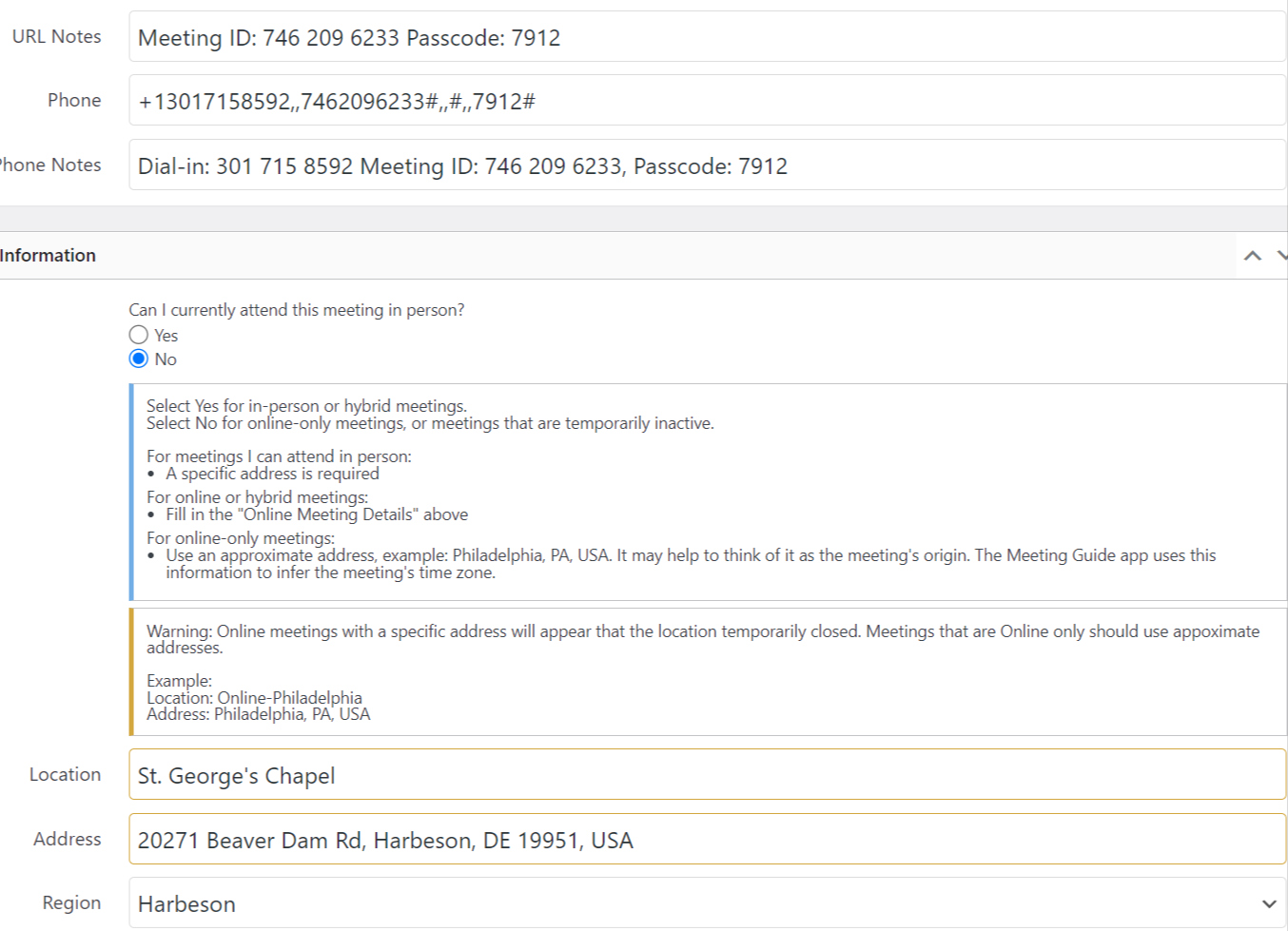
Then I changed Location Name and used an approximate address. See below.
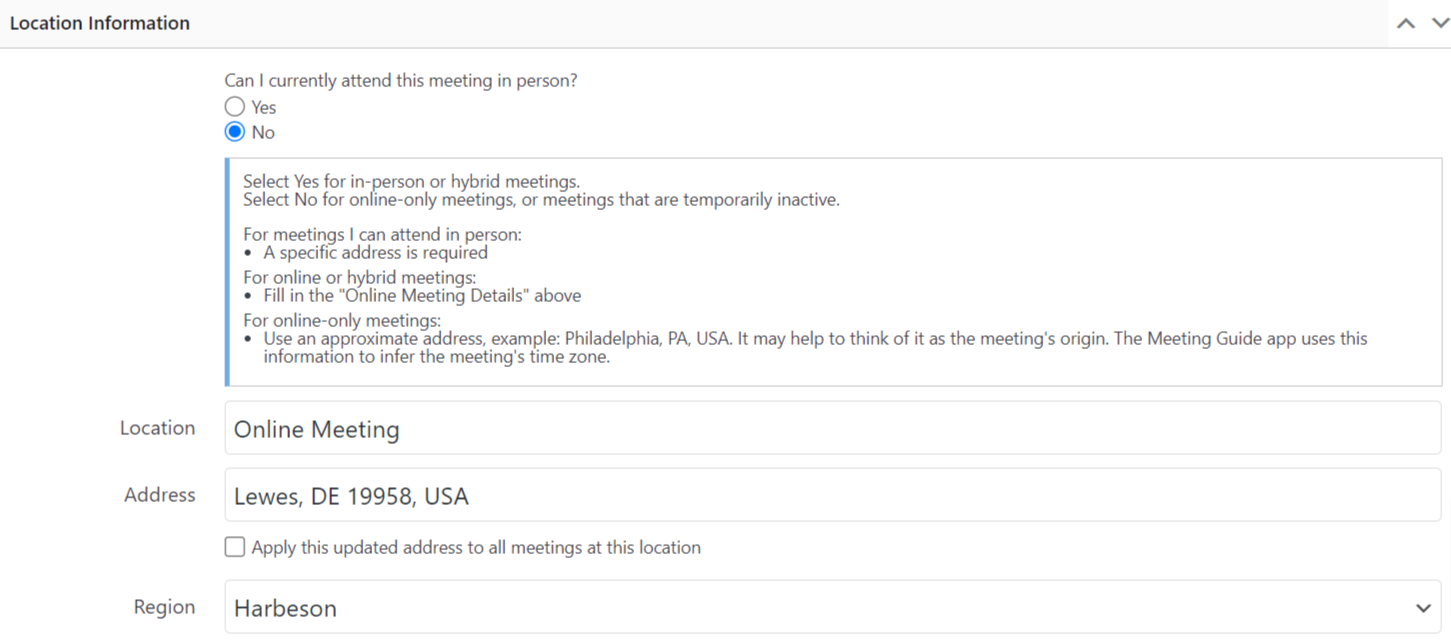
After Update, the location name and address reverted back to what it originally and set "Yes" to Can I currently attend this meeting in person?
So I tried to edit another meeting on another staging site that didn't have this added to the wpconfig.php file. Changed location name to something unique like Early Birds Online and used Bethany Beach, DE as the address.
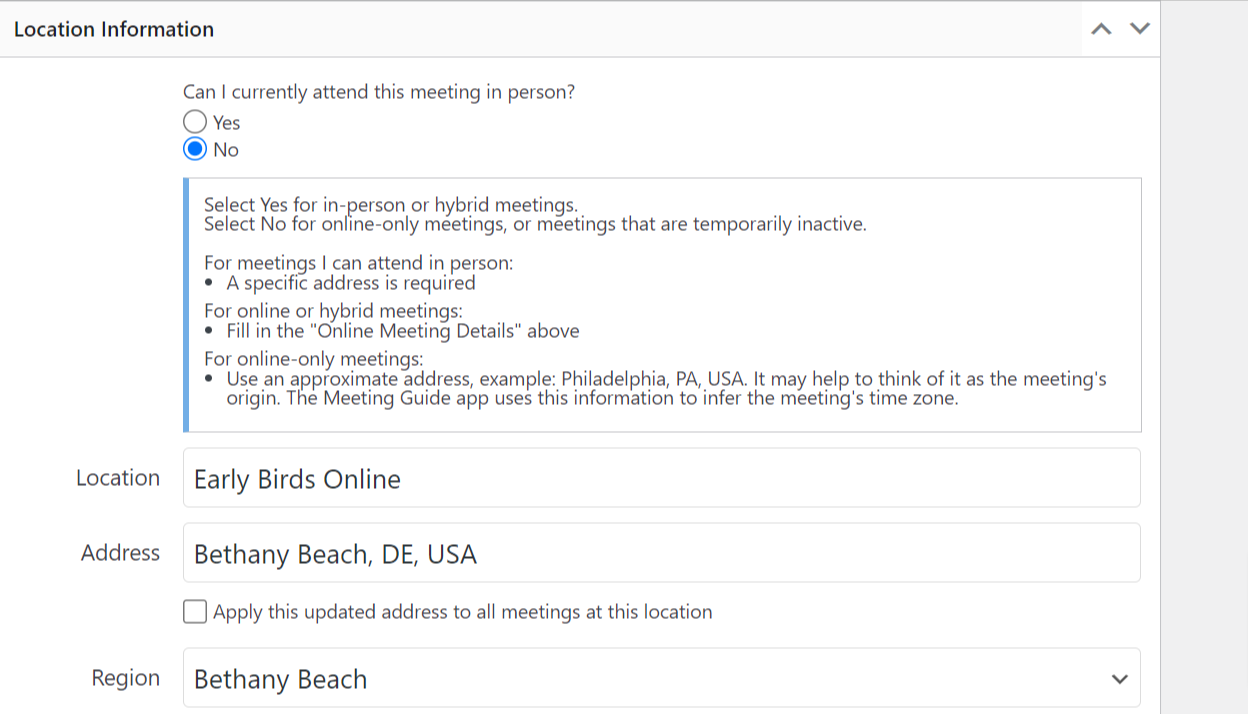
And it did the same thing. Reverted back to it's former address and changed "Yes" to Can I currently attend this meeting in person?
Then I tried to add a new test meeting. And even though it published, it removed the location, address and region. And set "Yes" to Can I currently attend this meeting in person?
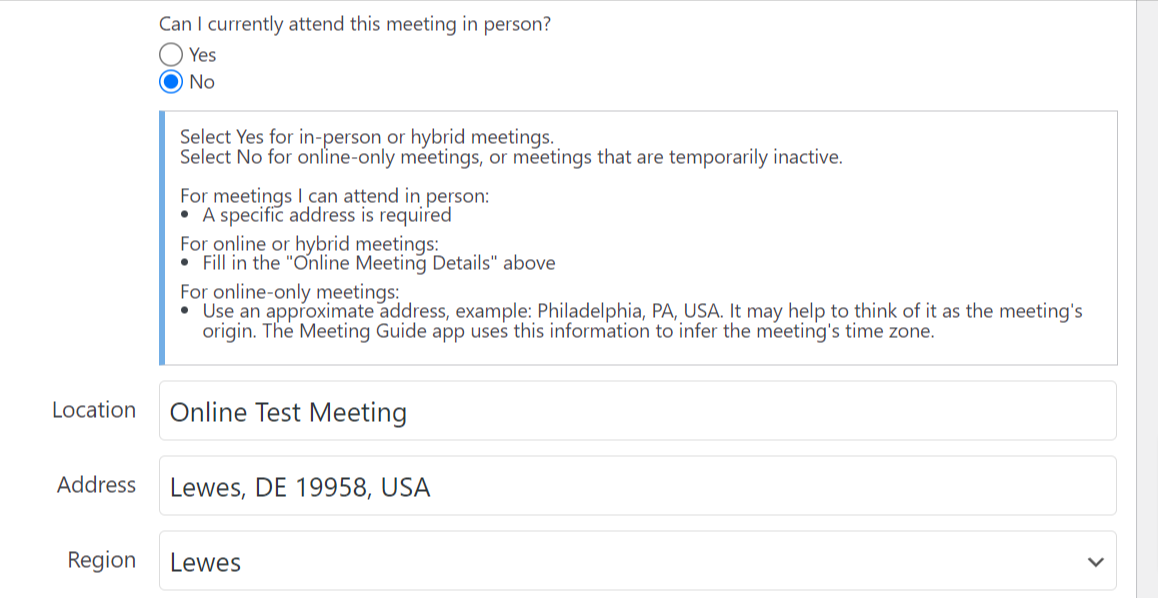
The weird thing is it shows up on the list of meetings as an online meeting. And when I edit, even though the update is displaying it incorrectly, the data displayed is also showing it correctly. And this is true on either staging site.

Update: After a few edits, it is now showing these meetings as hybrid. :(
I downloaded the CSV, and it is retaining the address of the location.
Answer by @tech2serve
First, I apologize that nobody has replied to you yet.
I do confess I'm having trouble understanding the issue, or the question.
Since I know more work has been done to the code regarding display of the location name, are you still experiencing the issue with the latest version of TSML?
If so, it might help to just pick one meeting that is giving you fits, open a javascript/debug console, and try making a screen recording of the steps you're taking, to include clicking on the debugging variable in the console.
Were these meetings previously in-person and now you're effectively trying to take them to purely online?
Using general area rather than actual address
Show question & answer
Question
I use TSML for a non-AA 12-step fellowship. Most of our groups do not want to list the actual address of the meeting. In the past, I've been able to just provide the general area, like "St. Louis, MO" rather than the exact address. The meetings I created in the past in this way still display properly in TSML, but if I attempt to edit one of these, I get an error "In person meetings must have a specific address." and can not save the updates.
Is there a way to disable this requirement? Any work arounds?
Thanks Richard H.
Answer by @kiyote33
Hi @rpjonjubilee, With the advent of the recent pandemic, we were forced to modify the behavior of our software to handle online meetings, in-person meetings, inactive meetings, and a combination of them which we refer to as "hybrid meetings". The requirement for in-person meetings to have an actual address is there to ensure all in-person meetings can be found. One option I've seen to bypass this rule is to use a common location address with a location note stating " IMPORTANT ** The physical address listed is for administration purposes ONLY. No in-person meetings are actually held at this location.**" Hope this helps...
Imported group region information is not imported
Show question & answer
Question
Contact Details
Website With Issue
al-anon.alateen.on.ca
What happened?
I put this in as a bug, because I feel this is unexpected behaviour, or at least, should be described in the Import information section of the tool.
Here is what happened: I made a change to a meeting, that impacted information present in the group section of the website listing of meetings. The impact was on the list of regions for a particular district. To save myself the trouble of having to go through the list of meetings and correct the regions where meetings are held, I first deleted all meeting for that district. I then performed an import, with no deleting of listings. The import csv showed the new list of regions for all meetings in that district. However, the region list was not updated correctly after re-importing all meetings of this district.
I experimented with this unexpected result and found out that the import will ONLY work if I first remove the incorrect region from the region table, add the new region to it and then perform an import with no delete (I had, after all, deleted all meetings for the affected district before performing the import).
What is the best way to update this kind of information. Should I have corrected the regions first, or should I have chose the option to delete the meetings that are present in the csv? Or is it reasonable to expect the import to add new regions automatically? And accept the information in the import, as it has been set out?
I hope this makes sense. I would expect that, at all times, an import is reflected in the resulting web listings. That is, after all, why we perform an import.
I now feel insecure that the list of regions per district is correct for my entire list of meetings. Which means, I will be inclined to perform a re-import of the entire list of over 300 meetings in my area.
Thanks for considering this topic.
Nicky Yours in service
What browsers are you seeing the problem on?
Chrome, Safari, Microsoft Edge
Relevant log output/errors
No response
Answer by @anchovie91471
Nicky,
I'm having some difficulty understanding the steps you took as described. Would you mind posted some screenshots that highlight or circle the affected areas of your site so I'm sure I'm understanding what happened?
i.e. When you mention the "group section" do you mean the Group/Location column of the meetings table? You mentioned the "list of regions for a particular district", are you referring to the listing on the left side of an individual meeting page?
Also, can you include the CSV file you attempted to import?
Thank you! Anthony B
Meeting data disappeared from the backend.
Show question & answer
Question
I'm using this plugin for a Canadian district. The meeting schedule still presents on the website but the data seems to have disappeared from the back end. Any idea what the problem could be? Thanks for your attention to this.
Answer by @kiyote33
Hi @FoxyCat111, If I understand your situation correctly, your data has disappeared when you try to access your meeting information through the WordPress admin Meetings menu. Is that correct? Could you relate what activities you were doing when this situation occurred?
Unable to update meeting address. Showing incorrect town when I edit and update meeting it reverts back to incorrect address
Show question & answer
Question
Hi,
I'm running into an issue with a meeting with an incorrect address. The meeting is listed with an incorrect town and when I go into edit the meeting and update with the correct address it reverts back to the incorrect town again. Can't seem to figure out what's causing the issue.
Here is a link to the meeting listing in question. I am currently using the meeting notes to alert people but would like to resolve the issue https://capecodaa.net/meetings/bass-river-morning-group-3/
Any help would be greatly appreciated, Thank you Joe
Answer by @joshreisner
hey @JoeBryan7873 the google service we use for address lookups is amazing 99.9% of the time, but there are a few that are just wrong, sorry about that. we have a little help article about this
add this code to your theme's functions.php file, then go back and edit the meeting, and paste in the address 288 Main St, West Dennis, MA 02670, USA
if (function_exists('tsml_custom_addresses')) \{
    tsml_custom_addresses(array(
        '288 Main St, West Dennis, MA 02670, USA' => array(
            'formatted_address' => '288 Main St, West Dennis, MA 02670, USA',
            'city' => 'West Dennis',
            'latitude' => 41.6647071,
            'longitude' => -70.1705627,
            'approximate' => 'no',
        ),
    ));
\}
How to Fix Meeting List Cut Off using WP Divi Theme
Show question & answer
Question
https://recoverydharma.org/meetings/?tsml-day=4
The theme or the footer and mtg list widget don't seem to work well together and info is being cut off with no ability to see additional meetings in the list. In this case you can see the full meeting address being cut off in URL above but if I add additional meetings the view won't expand the page height nor allow scrolling. I figure this is a CSS tweak due to conflict between theme and plugin but wanted to ask for help. I am using the legacy theme as the new 12 step mtg list theme breaks the view even more.
Answer by @joshreisner
hm, pretty sure we have lots of other sites using divi without problems, i remember portland aa was using it way back, so i don't think this is specific to all divi sites.
the theme looks pretty weird with that footer floating in the middle of the screen! i notice this is true also on regular pages when they don't have enough content
the theme appears to be solving the footer overlap issue by giving the #main-content a lot of bottom margin, but our page doesn't have a #main-content div - you might try adding that via CSS:
#tsml \{
  background-color: white;
  margin-bottom: 350px;
\}
also i'd suggest that background because on mobile the theme makes the page background black
<img width="1840" alt="Screenshot 2024-03-06 at 3 05 15 PM" src="https://github.com/code4recovery/12-step-meeting-list/assets/1551689/933c523d-284c-4df7-8651-37065fe4aa5a">
Alateen Listings
Show question & answer
Question
For safety reasons we are not directly listing zoom links on our Alateen meeting listing, I am using a button to get people to an Alateen info page where they can contact the Alteen coordinator for zoom links. If I don't add a zoom link in the TSML UL the meeting lits as inactive.
I want to list these to direct to a specific page, mention the city/region but some are online only so I have to list them as not in-person and that is not working for me. How can I get it to say online with just the city no specific address?
Thanks
Rose L
Answer by @joshreisner
hi rose, this issue came up before, did this solution stop working? https://github.com/code4recovery/12-step-meeting-list/discussions/1037
linking to an explanation page on your website would be clearer for users i think
How can I have a published status for a meeting? I only show Draft or Pending Review
Show question & answer
Question
I am working on the website socalda.org It's for Southern California DA meetings. I want to use your plugin. But when I create a new meeting or edit an existing meeting the status is Draft or Pending Review. How can I make this meeting published so it will show up in the list? I attached 2 pics to show the issue. Any help is much appreciated.
Answer by @joshreisner
hi! if it's an in-person meeting did you enter the address? or if it's an online meeting is there an approximate location entered?
here's what an in-person meeting looks like for me:
Data Source Name on Meetings Page
Show question & answer
Question
Our Area Website currently has Outside Sources that are imported. I would like to display the Data Source Name as a column on the WP Meeting and Edit Meeting pages.
https://area22indiana.org/wp-admin/edit.php?post_type=tsml_meeting
https://area22indiana.org/wp-admin/post.php?post=91217&action=edit
The Alert does not identify the Source. This meeting was imported from an external data source. Any changes you make here will be overwritten when you refresh the data.
<img width="435" alt="image" src="https://github.com/user-attachments/assets/a9272218-3322-4df8-9006-cf150455c028">
Answer by @joshreisner
uh well we just added a feature for this actually, unless i'm misreading. if the remote sites use the "entity information" panel on their meetings > settings screen, then the info will show up on the meeting details page on your website
Plugin Update Failed from TSML 3.14.22 to 3.14.22
Show question & answer
Question
AA District 12 Area 21 (East Central Illinois) website https://www.aa-eci.org Meeting page https://www.aa-eci.org/meetings
WP version 5.8.10 -
PHP 7.4.33 I know, I should be using a newer version, but I cannot update the PHP, so I am trying with plugins first.
But when I have attempted to update TSML I get the following error message
*
Update failed: The update cannot be installed because we will be unable to copy some files. This is due to inconsistent file permissions.
At first I thought it was a bug with the update. But I haven't been able to update TSML for over a year. I can update and add new meetings in the version I am using now.
How do I find file permissions and search for inconsistencies? Thank you for any help
Answer by @tim-rohrer
I suspect you'll need to go into the hosting site files and check permissions in the wp-plugins folder. My guess is that they somehow got modified.
The specifics of how to do this depend on your hosting service. I suggest asking them to help reset the folder permissions.
How do i EDIT the page where the meetinglist is shown
Show question & answer
Question
Hi, I love the plugin! I would like to be able to edit the page on wich the meeting list is shown. I use Wordpress and de Divi builder, thats a front-end builder. Is there i way i can, for example, put some text about the meetinglist and a link to a pdf. ?
Hope someone can help me out with this. Hermen
Answer by @joshreisner
hi hermen,
the /meetings isn't a "page" per se in wordpress, it's more like a blog, which is why it's not editable in the normal way. you can however use widgets to add a message above the meeting list - Appearance > Widgets > Meetings Top
please be mindful of your mobile users - our experience shows that 75-80% of recovery website users are on a mobile device and yet most trusted servants only focus on the desktop view. adding content above the meeting list can make it harder for these users to find a meeting. we recommend taking a screenshot of the page before and after making changes so you can compare
Printable Meeting List not Updating after Meeting List Change - Deletion
Show question & answer
Question
I have an issue with the Printable Meeting List generated by the Online Meeting List function not updating after a change, specifically a meeting deletion.
We are running version Version 3.14.13 of the 12 Step Meeting List plugin, and version 6.17 of WordPress.
I completed the two-step process for deleting the meeting:
-
Click on the 'Trash' link beneath the meeting entry, as shown here in the 'trash1.png' file, then click on the 'Trash link' above all meeting entries on that same page, to get to the Trash file. https://atlantaoa.org/wp-admin/edit.php?post_type=tsml_meeting
-
Click on the 'Delete Permanently' link and then 'Apply' as shown here in the 'trash2.png' file.
The meeting, which was in Columbus, GA, no longer shows in the online listing here: https://atlantaoa.org/meetings/
but it still shows in the Printable Meeting List PDF that is generated from the list here: https://atlantaoa.org/wp-content/uploads/atlanta-meeting-list.pdf
The Printable Meeting List PDF seems to update properly when we add a meeting, but not when we delete one. <img width="422" alt="trash2" src="https://github.com/user-attachments/assets/69368904-2dff-4f5e-9fb6-310df56740d2" /> <img width="475" alt="trash1" src="https://github.com/user-attachments/assets/53f2e054-dc34-4f13-9091-a21f7d0949de" />
Answer by @SIA-WEBSUP
@Queeckdraw ,
The plugin didn't generate that PDF you linked to.
I'm not sure how that PDF was generated, but however it was, it was uploaded to the website... and is a static file... not dynamically generated.
I would ask whoever else maintains the website how that PDF was generated and re-create it.
I see the revision date on that doc is quite recent;
Timezone Terror! (Halloween edition)
Show question & answer
Question
Greetings all!
I am a new webmaster for an AA area that spans Eastern and Central time zones. We have four intergroups from which we collect TSML data daily that span both. The inconsistency in how intergroup data is being entered is creating some challenges, and our TSML timezone setting may compound them. I would appreciate some clarification on how the TSML timezone setting (in settings) impacts data exported, imported, and viewed. Let's start by assuming that all sites involved have up-to-date TSML plugins.
-
Our area website timezone is set to Eastern. Is it safe to assume that meetings that have a blank timezone are treated as being Eastern? Is this also true for meetings sync'd from intergroups in Eastern AND CENTRAL timezones that have no timezone set?
-
Are meeting times adjusted by web browsers or by the Meeting Guide App based on the user's current time zone? What if the meeting's timezone is blank? Does the timezone setting in the TSML plugin have any impact on this conversion?
-
If we change our current timezone setting in TSML web plugin settings to blank, how will meetings that have no timezone set appear? Will that appearance change when viewed on a client in another timezone?
-
Does setting the timezone in Settings alter the timezone field when data is being pulled, whether it's destined for an area or the Meeting Guide app? How will the Meeting Guide interpret a meeting in which the source TSML plugin's timezone setting is blank AND the meeting has no timezone set?
-
I rembemer seeing a post from I don't know how long ago that says that timezones are interpreted at least partly from the settings of the web server that is being queried for meeting data. Is this still the case?
Your answers will help me determine how many of the hundreds of meetings will need to be updated to include a timezone, and whether switching from Eastern to Blank is appropriate in our situation. It will also guide our requests to the intergroups we are pulling our data from.
Thanks in advance,
Sean
Answer by @joshreisner
hey,
if you are listing across timezones, then the next question is are you using Legacy UI or TSML UI? If Legacy then you don't need to do anything, meeting times are all listed without regard to timezone.
The Meeting Guide app (to jump to question 4) fully ignores whatever timezone you have set. Also the timezone of your server has no bearing / has never had a bearing.
The only way that the WordPress Settings timezone comes into play with Legacy is with the Upcoming Meetings widget / Upcoming meetings view. In that case, you really want that to be set correctly.
If you're using TSML UI then timezones are important, because it puts the meetings in chronological order, and there is an Add to Calendar feature. Since you're listing across timezones then there are two scenarios:
-
You can set your TSML Meetings > Settings > Timezone to Eastern (New York) and meetings will all be treated as Eastern time - you just need to set the timezone for all locations in Central (including all the imported locations). This means that meetings will be displayed on the site in Eastern time (a Noon meeting in Chicago will show up as 1pm on your site). If someone is looking at your site in Chicago at noon the listings would be starting at now aka 1pm). If they add a meeting to their calendar it will be correctly at noon.
-
You can set your TSML Meetings > Settings > Timezone to blank, then all the locations need to have a timezone set or they won't appear. Meetings will show up in the user's timezone. If three people look at the same time they will see the same meetings, but the time will say eg Noon in Chicago, 1pm in NY, 10am in LA.
i hope this helps. I think I addressed each of your questions just not in the same order, sorry
TSML "Import Data Sources" duplicating fields
Show question & answer
Question
** The images in here have failed to copy paste. See https://docs.google.com/document/d/1DgWuN0Uo8aPzW9hxyYMcr8PiJlLn201TZKNr9xpZMUQ/edit?usp=sharing
What happened on Friday when we were re-importing the feeds
This is what it was like
![][image1]
But then when we imported a CSV of our meeting list, minus two districts we are now going to import with “delete all meetings, locations, and groups not from a data source” selected and got this. We tried “delete all meetings, locations, groups, districts, and regions” but got the same thing except the old Blueridge data sources showed 0 meetings.
![][image2]
Weird behavior 2025-11-02
Plugin Version 3.19.7
If I click “Refresh” on one of the upper or lower aablueridge.org sources I get “Your meeting list is already in sync with the feed.’
![][image3]
If I try to delete one of the upper or lower aablueridge.org sources it deletes the lower one. I clicked “X” on the first one:
![][image4]
I can delete the newer, lower ones. I clicked “X” on the top of the bottom group and it deleted:
![][image5]
Now if I try refreshing one of the top ones (I tried refreshing the top one) It successfully refreshes:
![][image6]
And for the kicker: we can’t delete the upper data sources. I clicked “X’ next to the second of the upper group and OK to “Remove the aablueridge.org feed?” but when the page reloads it’s still there:
![][image7]
The four data sources in question do come from the same host:
- https://aablueridge.org//wp-admin/admin-ajax.php?district=district-26-winchester&district-35-fauquier&district-39-piedmont&district-40-skyline&district-unknown&action=meetings
- https://aablueridge.org//wp-admin/admin-ajax.php?district=district-35-fauquier&district-39-piedmont&district-40-skyline&district-unknown&action=meetings
- https://aablueridge.org/wp-admin/admin-ajax.php?district=district-39-piedmont&district-40-skyline&district-unknown&action=meetings
- https://aablueridge.org/wp-admin/admin-ajax.php?district=district-40-skyline&district-unknown&action=meetings
Any ideas as to what is causing these issues? Thank you!!!
Answer by @sblack4
Ok, so I ran normalize-data-sources.php to fix some encoding issues The duplicates were caused by URLs stored with inconsistent formats:
- HTML entities (& vs &)
- Double slashes (// vs /)
- Different URL encodings Solution: Created a one-time normalization script that:
- Normalizes all data source URLs (decodes HTML entities, removes double slashes)
- Identifies and merges duplicates (keeps the entry with the most recent last_import timestamp)
- Updates meeting post meta to reference normalized URLs
- Saves the cleaned-up data sources array To fix existing duplicates:
wp eval-file normalize-data-sources.php
This reduced my data sources from 15 to 10 by removing 5 duplicates. The script is safe to run multiple times and shows what changes it makes.
before
WP Engine:13306/wp_aavirginia/vvx_options/ https://phpmyadmin.wpengine.com/index.php?route=/table/sql&db=wp_aavirginia&table=vvx_options
Showing rows 0 - 0 (1 total, Query took 0.0194 seconds.)
SELECT option_value
FROM wp_aavirginia.vvx_options
WHERE option_name = 'tsml_data_sources';
a:15:\{s:61:"http://vadist15aa.org/wp-admin/admin-ajax.php?action=meetings";a:7:\{s:6:"status";s:2:"OK";s:11:"last_import";i:1763716849;s:14:"count_meetings";i:58;s:4:"name";s:11:"District 15";s:16:"parent_region_id";i:-1;s:13:"change_detect";s:7:"enabled";s:4:"type";s:4:"JSON";\}s:66:"https://harrisonburgaa.org/wp-admin/admin-ajax.php?action=meetings";a:7:\{s:6:"status";s:2:"OK";s:11:"last_import";i:1763716861;s:14:"count_meetings";i:34;s:4:"name";s:26:"District 22 (Harrisonburg)";s:16:"parent_region_id";i:-1;s:13:"change_detect";s:7:"enabled";s:4:"type";s:4:"JSON";\}s:63:"https://aaheartofva.org/wp-admin/admin-ajax.php?action=meetings";a:7:\{s:6:"status";s:2:"OK";s:11:"last_import";i:1763716929;s:14:"count_meetings";i:133;s:4:"name";s:31:"District 09 (Heart of Virginia)";s:16:"parent_region_id";i:-1;s:13:"change_detect";s:7:"enabled";s:4:"type";s:4:"JSON";\}s:168:"https://aablueridge.org//wp-admin/admin-ajax.php?district=district-35-fauquier&district-39-piedmont&district-40-skyline&district-unknown&action=meetings";a:7:\{s:6:"status";s:2:"OK";s:11:"last_import";i:1761937015;s:14:"count_meetings";i:49;s:4:"name";s:15:"aablueridge.org";s:16:"parent_region_id";N;s:13:"change_detect";N;s:4:"type";s:4:"JSON";\}s:117:"https://aablueridge.org/wp-admin/admin-ajax.php?district=district-40-skyline&district-unknown&action=meetings";a:7:\{s:6:"status";s:2:"OK";s:11:"last_import";i:1761937015;s:14:"count_meetings";i:51;s:4:"name";s:15:"aablueridge.org";s:16:"parent_region_id";N;s:13:"change_detect";N;s:4:"type";s:4:"JSON";\}s:195:"https://aablueridge.org//wp-admin/admin-ajax.php?district=district-26-winchester&district-35-fauquier&district-39-piedmont&district-40-skyline&district-unknown&action=meetings";a:7:\{s:6:"status";s:2:"OK";s:11:"last_import";i:1761937015;s:14:"count_meetings";i:62;s:4:"name";s:15:"aablueridge.org";s:16:"parent_region_id";N;s:13:"change_detect";N;s:4:"type";s:4:"JSON";\}s:142:"https://aablueridge.org/wp-admin/admin-ajax.php?district=district-39-piedmont&district-40-skyline&district-unknown&action=meetings";a:7:\{s:6:"status";s:2:"OK";s:11:"last_import";i:1761937015;s:14:"count_meetings";i:25;s:4:"name";s:15:"aablueridge.org";s:16:"parent_region_id";N;s:13:"change_detect";N;s:4:"type";s:4:"JSON";\}s:73:"https://www.aadistrict30va.org/wp/wp-admin/admin-ajax.php?action=meetings";a:7:\{s:6:"status";s:2:"OK";s:11:"last_import";i:1763716962;s:14:"count_meetings";i:93;s:4:"name";s:27:"District 30 (Fredricksburg)";s:16:"parent_region_id";i:-1;s:13:"change_detect";s:8:"disabled";s:4:"type";s:4:"JSON";\}s:90:"https://sheets.code4recovery.org/storage/1LzVrSE-t-iYMnSmiZtg8449rctjJ8Xn9l-nz9_t4H6k.json";a:7:\{s:6:"status";s:2:"OK";s:11:"last_import";i:1763717027;s:14:"count_meetings";i:64;s:4:"name";s:31:"District 38 (His
…
<div class="c4r-source">Source: <a href="https://github.com/code4recovery/12-step-meeting-list/discussions/1818">Discussion #1818</a></div>
</details>
### Regions (in WP backend) doesn't show any number under Meetings header {#regions-in-wp-backend-doesn-t-show-any-number-under-meetings-header}
<details>
<summary>Show question & answer</summary>
**Question**
I noticed this morning on my Area site that if you go to wp-admin/edit-tags.php?taxonomy=tsml_region&post_type=tsml_location the Meetings header isn't showing how many meetings exist in a Region.
Anyone else seeing this behavior?
**Answer** _by @joshreisner_
i see em myself - i guess its kinda weird that San Jose says 0 - is that not what you're seeing?
<img width="1728" height="1083" alt="Screenshot 2025-11-09 at 12 23 29 PM" src="https://github.com/user-attachments/assets/dc3ff3a2-1f8e-42f7-8fda-b8c714cb09eb" />
<div class="c4r-source">Source: <a href="https://github.com/code4recovery/12-step-meeting-list/discussions/1823">Discussion #1823</a></div>
</details>
### I'm starting over from scratch after challenges {#i-m-starting-over-from-scratch-after-challenges}
<details>
<summary>Show question & answer</summary>
**Question**
Greetings,
I'm the web servant for D22 here in Oregon. I am a humble amateur web developer and built our site in 2019 when the WordPress app was in its infancy. I jump through many hoops to get the Meeting Guide app up and running on our site (https://aa-oregon-yamhill.org/). Over the past several weeks, I suddenly lost the ability to add new meetings. Afterward, the meetings page stopped showing up on the mobile version. I tried everything, watched endless videos, and still couldn't make it work. I've reuploaded the app, and am reuploading our meetings. My question is: I believe I need a bit of code to add to the CPANAL, right/wrong? I don't have that or have instructions. Would someone be able to set me in the right direction?
Tim Y.
Webservant
District 22 of AA, Oregon
**Answer** _by @joshreisner_
i think there could be a cache plugin interfering with TSML UI - i'm seeing an error in the javascript console and it appears app.js is being loaded from a local cache, rather than from tsml-ui.code4recovery.org. do you know what plugin could be doing that?
<img width="1728" height="1083" alt="Screenshot 2025-12-08 at 9 37 23 PM" src="https://github.com/user-attachments/assets/2ec8efb2-85a2-4d60-85d3-68ad7c44b8b6" />
<div class="c4r-source">Source: <a href="https://github.com/code4recovery/12-step-meeting-list/discussions/1844">Discussion #1844</a></div>
</details>
### Export/Import CSV either duplicates or deletes unpublished meetings {#export-import-csv-either-duplicates-or-deletes-unpublished-meetings}
<details>
<summary>Show question & answer</summary>
**Question**
The Meetings->Import & Export screen allows one to import/export CSV. Consider the case where we make no changes, we just export the meeting list as CSV and re-import it. The Import CSV menu allows for three options:
> When importing...
> 1. don't delete anything
> 2. delete only the meetings, locations, and groups for the regions present in this CSV
> 3. delete all meetings, locations, groups, districts, and regions
Option 1 has the negative consequence of duplicating all published meetings. Option 3 has the negative consequence of deleting all unpublished meetings (marked as draft or private). Option 2 both duplicates and deletes. This feels like unintended behavior to me. I thought I would post it in Q&A before opening an Issue as I'm not 100% sure this is in fact unintended.
I think it would be better if either:
a) "export CSV" exported all meetings including their Status (Published, Pending Review, or Draft) and Visibility (Public, Password protected, or Private).
b) "import CSV" with delete enabled would leave draft/private meetings alone.
**Answer** _by @joshreisner_
hi @AATokyo thanks for the suggestion
between those two options would you have a preference?
i typically think of CSV import / export as being a rare occurrence. wondering if you could tell us more about your use-case? are you trying to edit meetings in bulk in a spreadsheet?
<div class="c4r-source">Source: <a href="https://github.com/code4recovery/12-step-meeting-list/discussions/1859">Discussion #1859</a></div>
</details>
### Need help - All Locations duplicated as Appointment - yet JSON file looks ok {#need-help-all-locations-duplicated-as-appointment-yet-json-file-looks-ok}
<details>
<summary>Show question & answer</summary>
**Question**
Is there an issue with the plugin with the latest version 6.9.1? All of my location are duplicate as "By Appointment". After screening the data I found no special characters in the meeting times or spaces where they shouldn't be.
If anyone could help I would be very grateful.
Meeting finder link as an example:
https://nenyaa.org/meetings/?tsml-day=any
**Answer** _by @joshreisner_
hi! it looks like all these duplicate meetings are in your JSON - eg
{ "id":1506896, "name":"1st Methodist Church by Appointment", "slug":"1st-methodist-church-2", "updated":"2026-02-04 00:08:00", "location_id":1494558, "url":"https://nenyaa.org/meetings/1st-methodist-church-2/", "author":"Records Chair", "location":"1st Methodist Church", …
maybe there was a weird import around feb 04? not sure how you manage your meetings - if you're importing from a remote source for example. i've seen this happen when someone accidentally renames the `Day` or `Time` column on a Google Sheet for example
<div class="c4r-source">Source: <a href="https://github.com/code4recovery/12-step-meeting-list/discussions/1880">Discussion #1880</a></div>
</details>
### Contact Information not on Add Meeting Form {#contact-information-not-on-add-meeting-form}
<details>
<summary>Show question & answer</summary>
**Question**
Hello. We just installed version Version 3.19.11 of TSML, and we no longer see fields for contact information on the Add New Meeting form. Previously, there were fields for Name/Email, Phone, etc. that were displayed on the Meeting Listing page. Now, there are no fields, and no display. Is this by design? Are we supposed to just type contact information in the Location notes? We are on WordPress version 6.9.4.
**Answer** _by @pjaudiomv_
Make sure in **WordPress Screen Options** the _"Contact Information"_ meta box is checked. If it is unchecked like in the image below then you wont see the contact fields. Additionally in the Plugin settings Settings → Contact Visibility → Public you will want that to be set to public for info to display on meeting list itself.
<img width="1094" height="322" alt="Screenshot 2026-04-11 at 2 18 19 PM" src="https://github.com/user-attachments/assets/be222465-29bf-49ac-a815-9f866058bab0" />
<img width="517" height="346" alt="Screenshot 2026-04-11 at 2 22 24 PM" src="https://github.com/user-attachments/assets/1fab16ec-857d-420a-9a8a-d79afffa2c79" />
<div class="c4r-source">Source: <a href="https://github.com/code4recovery/12-step-meeting-list/discussions/1918">Discussion #1918</a></div>
</details>
### Not A Bug! About data maintenance {#not-a-bug-about-data-maintenance}
<details>
<summary>Show question & answer</summary>
**Question**
This is not a bug, it is a question about how best to enhance data maintenance in the TSML plugin.
A new user has asked me for assistance and because they had a reasonably organised Excel sheet, I agreed to help out.
I myself use a database (FileMaker) to maintain data in an offsite location.
But what about users that do not have FileMaker? Or have no knowledge to build something similar that can help with keeping their website updated?
Here is what I did: I used my existing database, since both the new user and I are in Al-Anon areas.
I imported and cleaned their data and was able to create an acceptable CSV output that I then loaded into the plugin on a staging site.
So now.... how do I maintain the meeting pages?
My user has hundreds of them. They can do maintenance online, but the Wordpress user interface does require a lot of patience. It is not always a quick thing. Importing is much quicker. Even though deleting a large bunch of meetings can result in an error 503 of the website. Which is very annoying. I am, as they will be, on a shared hosting plan and of course the vultures of the hosting provider are bugging me to upgrade to another plan with one tongue, and with the other telling me that refreshing 300 plus meetings once a week 'should never be a problem'. But it was. Painfully so.
So... what are the options for non technical users that want to have their meeting details offsite and online?
How do people do that right now?
My own MO is:
I have created direct links to the meeting details pages based on the post ID of the meeting.
That links give me access to that page within a couple of seconds. In Wordpress/in the plugin I have to go to the meetings list, find my meeting and then click that meeting to go to the details. Can take a long time depending on the day.
I also have links to other pages and this works so well that I do not often do refreshes by import anymore.
But it may be necessary to do that when I have, for example, an entire district that needs replacing. I am not willing to take 1-5 minutes per entry for editing details via the Wordpress/plugin interface. It is too much work.
This is nobody's fault, I realise Wordpress is focussed on data publishing and not on database type of queries and actions.
But I wonder if the plugin team has thought about improvements there, if at all possible.
My biggest wish would be that in some way or the other we would get an entry box for the unique meeting ID. For AA this is the GSO ID for us Al-Anons it is the WSO ID. And when we re-import a meeting, the plugin could then see if that meeting already exists and just overwrite it with the new import.
Right now the three options at import do not work as I expect.
When I perform two imports with exactly the same content, the plugin or Wordpress do not see that this is not a new entry. So I end up with two listing each. Which is why I usually delete the meetings I am going to replace and then import.
I would love to hear from others about this issue. Maybe I am overlooking something that new users might find useable?
Any input most welcome!
Cheers
**Answer**
Hi @OSAwebsite,
It doesn't look like you had any takers for a convo, but I'll share a couple of my thoughts.
A lot of sites, some pretty darn large, use the TSML admin page for managing all of their meeting information, and then use the csv export feature to make archived copies for other uses. These sites use the csv import feature for the initial set up of the site, and then only if they need to restore it. Frankly, this is the recommended approach for most sites.
Another approach available that some areas use (but I truthfully don't know how many) is what we could call a federated system whereby the area (probably a capital A area, or a large Intergroup or Central Service Office) has districts maintain their databases (again, most likely using the admin page) which are then fed via JSON to the larger, more visible, website. Federation in this manner spreads out the workload and leaves managers closer to the meetings keeping them up-to-date.
Code for Recovery is developing some additional tools for managing meetings that are in the alpha/experimental stages. In particular, we've got one that will use a Google Sheets doc to provide meetings to a front-end. Once released, a user should be able to simply maintain the spreadsheet. Of course, that does mean putting your data with Google, and some users aren't too crazy about that. Nonetheless, it is a start.
If you have suggestions or feature requests for TSML, please look through/search the existing issues to see if it exists; if so, feel free to comment on the thread. If not, feel free to open a new issue. We're a pretty small group, but we do want to improve the plugin without bloating it or causing breaking changes.
<div class="c4r-source">Source: <a href="https://github.com/code4recovery/12-step-meeting-list/issues/167">Issue #167</a></div>
</details>
### Scrub plugin code for deprecated jQuery functions/calls. {#scrub-plugin-code-for-deprecated-jquery-functions-calls}
<details>
<summary>Show question & answer</summary>
**Question**
Just updated to v3.8.0 and received this error: /wp-content/plugins/12-step-meeting-list/assets/js/admin.min.js: jQuery.parseJSON requires a valid JSON string when attempting to edit a meeting.
Error only occurs when editing a meeting. Does not occur in dashboard.
WordPress v.5.5.1.
**Describe the bug**
A clear and concise description of what the bug is.
**To Reproduce**
Steps to reproduce the behavior:
1. Go to '...'
2. Click on '....'
3. Scroll down to '....'
4. See error
**Expected behavior**
A clear and concise description of what you expected to happen.
**Screenshots**
If applicable, add screenshots to help explain your problem.
**Desktop (please complete the following information):**
- OS: [e.g. iOS]
- Browser [e.g. chrome, safari]
- Version [e.g. 22]
**Smartphone (please complete the following information):**
- Device: [e.g. iPhone6]
- OS: [e.g. iOS8.1]
- Browser [e.g. stock browser, safari]
- Version [e.g. 22]
**Additional context**
Add any other context about the problem here.
**Answer**
My apologies for creating extra work.
Please see #159 which was an issue submitted before we released 3.8.0. We included a patch in this last release that we thought fixed the issue, but apparently we need to do more work.
<div class="c4r-source">Source: <a href="https://github.com/code4recovery/12-step-meeting-list/issues/168">Issue #168</a></div>
</details>
### Meetings on one street will not update {#meetings-on-one-street-will-not-update}
<details>
<summary>Show question & answer</summary>
**Question**
**Please help**
The location information is not updating to "yes" for "Can I currently attend this meeting in person?" for two of our meetings. The two meetings are at the same location. This is not happening for other meetings at other locations. Every time I select "yes" and click "update", the selection reverts back to "no".
This meeting https://albuquerqueaa.org/meetings/serenity-group-3/ shows as Temporarily Inactive when it is active.
This meeting https://albuquerqueaa.org/meetings/progress-not-perfection-2/ shows as Online when it is both online and in-person.
I am having a similar issue with this meeting https://albuquerqueaa.org/meetings/serendipity-group/, where I am trying to add a URL in the Meeting Information, but every time that I put in the URL and click 'update', the URL goes away and the meeting is not updated. I created a new meeting listing with the same information, but ran into the same problem. This meeting and the two meetings linked below are on the same street: Montaño Rd NW in Albuquerque. This meeting is not at the same location as the other two, but is on the same street. Any insight in how to get these meeting listings up-tp-date and accurate would be greatly appreciated.
I believe I am using plug-in version 3.12, and WordPress version 5.8.2.
Thank you!!!
_Originally posted by @ljmorrone in https://github.com/code4recovery/12-step-meeting-list/discussions/561_
**Answer** _by @Gary4593_
word press 5.8 does not support meeting guide as of yet - I had my wordpress auto updated and have the same issue - when I go to publish a meeting it stayed in draft which was not available prior - my meeting do not show up - wordpress updated messed it up and even after going back to 5.6 - My meetings do not appear - frustrating!!!
<div class="c4r-source">Source: <a href="https://github.com/code4recovery/12-step-meeting-list/issues/579">Issue #579</a></div>
</details>
### [Bug]: import erroring out after WP update. {#bug-import-erroring-out-after-wp-update}
<details>
<summary>Show question & answer</summary>
**Question**
### Contact Details
sgibson71@gmail.com
### Website With Issue
https://pa-al-anon.org/
### What happened?
Member teied to upload the csv file. It cleared the dB but failed to update the meeting data.
Could it be an issue with the newly updated version of WP we just installed.
The front end is thowing this error:
Configuration error: data is not in the correct format.
### What browsers are you seeing the problem on?
Chrome
### Relevant log output/errors
_No response_
**Answer** _by @joshreisner_
just released `3.14.18` which should hopefully fix this issue - could you test it out?
you may not even need to reupload your csv, when i was testing it, it picked up the upload in progress and applied it
<div class="c4r-source">Source: <a href="https://github.com/code4recovery/12-step-meeting-list/issues/1185">Issue #1185</a></div>
</details>
### Adding daily meeting {#adding-daily-meeting}
<details>
<summary>Show question & answer</summary>
**Question**
Hi! We have a meeting that meets at the same time every morning. Is there a way to add that as one meeting that meets 7 times? Or do I need to create 7 meetings?
Thanks!
**Answer** _by @joshreisner_
youve got to add it 7 times - sorry
the thread right below this one is a request to [create a "duplicate meeting" button](https://github.com/code4recovery/12-step-meeting-list/discussions/1476) which we will add at some point soon ;)
<div class="c4r-source">Source: <a href="https://github.com/code4recovery/12-step-meeting-list/discussions/1501">Discussion #1501</a></div>
</details>
### Limiting editors {#limiting-editors}
<details>
<summary>Show question & answer</summary>
**Question**
I'd like to limit editors to the districts they're from so that the rep from District 20 can just edit meetings in District 20. Can that be done"?
**Answer** _by @joshreisner_
yes, you can do this! assign the district 20 user an `author` role - any meeting they create will be editable by them. you (as an admin) can change the author of existing meetings using the author panel. if it's not showing, go under "Screen Options" to show it. you'll want to make sure that all the district 20 meetings have the district 20 user selected.

no other plugin should be necessary, but installing other plugins may help more finely-tune user permissions
<div class="c4r-source">Source: <a href="https://github.com/code4recovery/12-step-meeting-list/discussions/1602">Discussion #1602</a></div>
</details>
### Multiple Recovery Meeting Type Feeds {#multiple-recovery-meeting-type-feeds}
<details>
<summary>Show question & answer</summary>
**Question**
Would like to have two feeds
One for AA, that one works awesome
How can I add a second feed for NA meetings?
**Answer** _by @joshreisner_
Twelve Step Meeting List currently only supports listing one program type at a time which can be switched on the Meetings > Settings screen.
<img width="419" alt="Screenshot 2025-03-31 at 8 01 48 PM" src="https://github.com/user-attachments/assets/9baf10ce-c178-4128-97d3-0f2637a594c7" />
Could you tell us more about your use-case? Are you trying to import or export more than one type of meeting? Can you use separate WordPress installs for these two meeting finders? We would not want people to be confused about what types of meetings were listed, and think that having separate web pages might make the most sense to people.
<div class="c4r-source">Source: <a href="https://github.com/code4recovery/12-step-meeting-list/discussions/1654">Discussion #1654</a></div>
</details>
### PDF booklet of meetings within 10 miles of a town in CT {#pdf-booklet-of-meetings-within-10-miles-of-a-town-in-ct}
<details>
<summary>Show question & answer</summary>
**Question**
I've prototyped an HTML file that generates a PDF listing meetings within 10 miles of a selected town in CT. It pulls meeting data from ct-aa.org.
It requires simple, separate geolocation data to drive the query, that I massaged from avaliable sources.
It could easily be adapted to other regions.
How can I make it available?
**Answer** _by @anchovie91471_
Since you already have a github account you can create a repository and upload your file to share with people. You'll want to make the repository public so people can find it:
1. Click the + icon (top-right) → New repository
2. Give it a name, check "Add a README file", then click Create repository
3. On your new repo's page, click Add file → Upload files
4. Drop your file in, scroll down, and click Commit changes
To edit your README.md so your repo has some description of the file and what it does and how to use it:
1. Click README.md in your file list
2. Click the pencil icon (top-right of the file)
3. Make your edits, then click Commit changes
<div class="c4r-source">Source: <a href="https://github.com/code4recovery/12-step-meeting-list/discussions/1879">Discussion #1879</a></div>
</details>
### Existing group information gets overwritten {#existing-group-information-gets-overwritten}
<details>
<summary>Show question & answer</summary>
**Question**
Adding the name of an existing group to a different meeting overwrites the previous group information. For example, if I have a Monday Meeting entry that includes group information for The Gagglers Group (to include a description, contact information, etc), and I go to record their Tuesday Meeting, when I add The Gagglers Group in the group information block, whatever I type (or don't type below), overwrites the existing post records for The Gagglers Group.
====
BTW, I've forked 12-step-meeting-list, and I'm starting local branch work to see if I can add to group management functions. I raise this issue no so much as to ask for a fix, but to start conversation about how the groups should be handled by the plugin.
If I understand the basic structure, because groups are unique post types, we should be able to tie individual meetings to groups through meta data. Doing so, we should be able to change the meeting entry/edit form to have a drop-down to let users select which group a meeting is associated with. Likewise, we should be able to let the user add a group, and then bulk add meetings for that group, I think...
Any objections/thoughts about this basic approach?
**Answer** _by @joshreisner_
Yes, I think you’re describing the intended behavior. Group names are unique, so if you add a new meeting, and use an existing group name, if you change the group description or contact information, this will then apply to all meetings that share this group.
I don’t think we need a new dropdown form element, the autocomplete appears to be working well.
I don’t know how bulk-adding meetings would work, other than using the import feature.
> On Sep 20, 2017, at 11:59 AM, tech2serve <notifications@github.com> wrote:
>
> Adding the name of an existing group to a different meeting overwrites the previous group information. For example, if I have a Monday Meeting entry that includes group information for The Gagglers Group (to include a description, contact information, etc), and I go to record their Tuesday Meeting, when I add The Gagglers Group in the group information block, whatever I type (or don't type below), overwrites the existing post records for The Gagglers Group.
>
> ====
> BTW, I've forked 12-step-meeting-list, and I'm starting local branch work to see if I can add to group management functions. I raise this issue no so much as to ask for a fix, but to start conversation about how the groups should be handled by the plugin.
>
> If I understand the basic structure, because groups are unique post types, we should be able to tie individual meetings to groups through meta data. Doing so, we should be able to change the meeting entry/edit form to have a drop-down to let users select which group a meeting is associated with. Likewise, we should be able to let the user add a group, and then bulk add meetings for that group, I think...
>
> Any objections/thoughts about this basic approach?
>
> —
> You are receiving this because you are subscribed to this thread.
> Reply to this email directly, view it on GitHub <https://github.com/meeting-guide/12-step-meeting-list/issues/16>, or mute the thread <https://github.com/notifications/unsubscribe-auth/ABetSdIrFKs21NRHBdOr5LhYbZ_svx2Iks5skWCdgaJpZM4PeUye>.
>
<div class="c4r-source">Source: <a href="https://github.com/code4recovery/12-step-meeting-list/issues/16">Issue #16</a></div>
</details>
### Duplicate listing {#duplicate-listing}
<details>
<summary>Show question & answer</summary>
**Question**
If I perform a "near me" search for any type of meeting, any day at any time, I get at least one duplicate meeting (same record, based on the slug). If change only the day to the day when that meeting happens, I only get one of that meeting in the list. I have seen this with 3 meetings loaded, and I have seen it with 295 meetings loaded.
I am on the latest version with a couple of changes (I changed "Region" to "Town" in the UI. I didn't change any queries), but this happened before I did that as well. The code is available in my fork [cauk-it/12-step-meeting-list](https://github.com/cauk-it/12-step-meeting-list).
I'm happy to demo, if you need me to, but I'm attaching a couple of screen shots.


**Answer** _by @joshreisner_
Interesting. That's the first time I'm hearing that issue. I can't recreate it on websites in my area, do you think I could get a temporary WP login so I can see the I can test out the issue on your site? My email is info@meetingguide.org. Thanks.
I'm assuming that if I do a "near location" search it'll do the same thing.
I don't see why a customization would affect this, but perhaps there's something odd in the data?
I think we should start by querying your JSON feed to see if the results pop up twice there. Your feed would be something like https://cocaineanonymous.org.uk/wp-admin/admin-ajax.php?action=meetings -- if you can issue me a temporary login I can take a look. Alternately if you don't want to do that I can give you some more instructions on what to look for.
<div class="c4r-source">Source: <a href="https://github.com/code4recovery/12-step-meeting-list/issues/26">Issue #26</a></div>
</details>
### Venue gets deleted when saving a new meeting {#venue-gets-deleted-when-saving-a-new-meeting}
<details>
<summary>Show question & answer</summary>
**Question**
Our "where to find" coordinator reported this to me, and I have verified it. In creating a new meeting, the venue information disappears after the first save (Publish), and the meeting is saved as a draft. When the meeting details are then updated to add the *same* venue info as before, the venue is still there after second save (Update).
Note: We *are* working with a fork of `12-step-meeting-list`, but the only change has been the label "Regions" in the lists has been changed to "Towns", so I hope it's not that that's causing it, but maybe it is? Which would be inconvenient. The idea of a "region" has been left alone everywhere else in the code. See the comparison [here](https://github.com/meeting-guide/12-step-meeting-list/compare/master...cauk-it:master) to see if it's relevant.
Steps to reproduce:
1. Add a meeting and save as usual.
2. Save.
3. The venue disappears.
4. Re-add the venue information.
5. Save again.
6. The venue is back.
Thanks very much for this wonderful plugin. We have received nothing but praise from most members around England and Wales for the new meeting list!
**Answer** _by @joshreisner_
Hm, yes, definitely an issue in the main branch. Thanks for letting me know. I'll fix it as soon as I can.
FYI you don't need to fork the plugin to change that text.
```php
if (function_exists('theme_override_tsml_strings')) \{
function theme_override_tsml_strings($translated_text, $text, $domain) \{
if ($domain == '12-step-meeting-list') \{
switch ($translated_text) \{
case 'Region':
return 'Town';
\}
\}
return $translated_text;
\}
add_filter('gettext', 'theme_override_tsml_strings', 20, 3);
\}
Saved a Zoom meeting URL to one meeting, then updated another (same location) but most recent URL post wins
Show question & answer
Question
Describe the bug I updated Meeting A and entered a URL for the Video Conference Details. I then updated Meeting B and entered a different URL for the Video Conference Details. Both meetings are in the same location. Checking Meeting A, I see that it now has the Zoom meeting link (URL) for Meeting B
To Reproduce Steps to reproduce the behavior:
- Log in to the WordPress Administration web page.
- Click on 'Meetings'
- Locate the meeting you want to edit; begin editing.
- Scroll down to 'Contact Information'; the bottom two fields under 'Video Conference Details' are URL and Phone.
- Put the information for a Zoom meeting into the URL field. For example, https://zoom.us/j/760741434
- Click the Update button to save the changes (it is in the opposite sidebar, up near the top).
- Start to repeat the process from step 2 - click on 'Meetings' in the WordPress Administration sidebar.
- Locate another meeting. Note that this problem may depend on the other meeting being at the same Location or as a part of the same Group.
- Begin editing the other meeting.
- Repeat step 4.
- Put in the information for a different Zoom meeting into the URL field. For example, https://zoom.us/j/664622100
- Click the Update button to save the changes.
- Click on 'Meetings'
- Locate the first meeting you edited.
- Examine the field near the bottom under 'Video Conference Details': URL
Expected behavior The first meeting URL field should show https://zoom.us/j/760741434
Unexpected behavior The first meeting URL near the bottom shows https://zoom.us/j/664622100
Screenshots If applicable, add screenshots to help explain your problem.
Desktop (please complete the following information):
- OS: OpenSuSE Tumbleweed
- Browser Firefox
- Version 72.0
Additional context I do have installed the Plugin "AA Berlin Addons" - although I think they affect rendered HTML output and not input.
I noticed that the URL and Phone were pre-populated for the second meeting. That second meeting is at the same Location and is a member of the same Group. I have updated a third meeting and a fourth meeting that are at different Locations and not a member of any Group, and the URL and Phone fields were not pre-populated. I do still have data in the Notes field, with UPDATE: in there as the trigger to invoke the AA Berlin Addons plugin. Neither the third nor the fourth meeting show the unexpected behavior.
Answer by @joshreisner
Yep! This is how that "Group" box works. Any info you enter there (notes, district, etc) is shared by all meetings at the group, and my expectation was that conference info should work the same way, since my local AA group shares the same Zoom link with all its meetings. But I see it's not universal. I'll be switching the conference info to be per-meeting tomorrow.
TSML Feature Request: Online Contributions Link
Show question & answer
Question
I would like to request a new feature for the TSML. I am requesting that we add a new field called contributions_url that's supported by the JSON input method as well as the back-end manual input field for a meeting that takes the user to whatever web page a given meeting is using to accept online contributions. On the front-end this could be a button with a dollar sign on it or a basket symbol or whatever works. I know right now we have a venmo field, but at this point that field doesn’t make all too much sense anymore anyways because you need a dedicated physical phone with it’s own phone number in order for Venmo accounts to be created or logged into these days. Not a lot of meetings have the money to buy their own phones. Anyways, please let me know if this is a feature that can be added and if there is priority for it to get done. Thanks!
Answer
We've added a number of other online payment options, and will entertain others. I don't see use add any additional buttons on the front end. So, unless @asteinberger chimes it with some other related change suggestion, I'm going to close this as completed.
Can't change meeting address
Show question & answer
Question
Describe the bug I'm having trouble changing the address. I put in the new, correct address and I click on update in Word Press and the address just reverts back to the old address. There are quite a few meetings at this location. There is a checkbox coming up that says if I want to change the address for all meetings at this location but it doesn't matter if I check it or not. The address keeps reverting back to this address as soon as I click out of the address field.
http://district12.org/meetings/breakfast-bunch-2/?tsml-day=5&tsml-region=hammond
To Reproduce Steps to reproduce the behavior:
- Go to Edit the meeting
- Click in address location. Change the address.
- Update (click on)
- Old address is saved and I cannot save the new address
Expected behavior I expect to be able to change the address
Screenshots
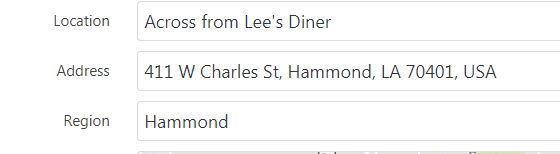
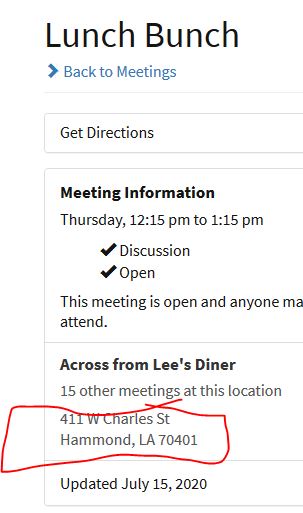
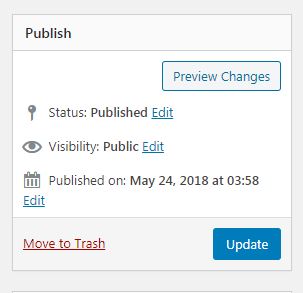
Desktop (please complete the following information):
- OS: Windows 7
- Browser Chrome Version
- Version 83.0.4103.116 (Official Build) (64-bit)
- Browser: Firefox
- Version 78.0.2 (64-bit)
Smartphone (please complete the following information): N/A
Additional context Add any other context about the problem here.
Answer by @brianw-area24
I tried this on a test site, and I'm not able to duplicate results you describe. I can think of a couple possible causes, however, need a little more information before I can troubleshoot any farther. Looks like the old address is 411 W Charles St, Hammond, LA 70401, USA.
What is the new address you're trying to put in? Are you wanting to change the address for all the meetings at this address, or just one of them?
Make the Plugin and Meeting Guide App Similar
Show question & answer
Question
Is your feature request related to a problem? Please describe. The 12 Step Meeting List and the Meeting Guide App display differently.
Describe the solution you'd like Please add Strike Through on the Locations text for the 12 Step Meeting List, similar to the App.
Describe alternatives you've considered None, this is merely a suggestion, a nice to have.
Thank You for everything you do - This is an awesome application to helping people find meetings.
Additional context
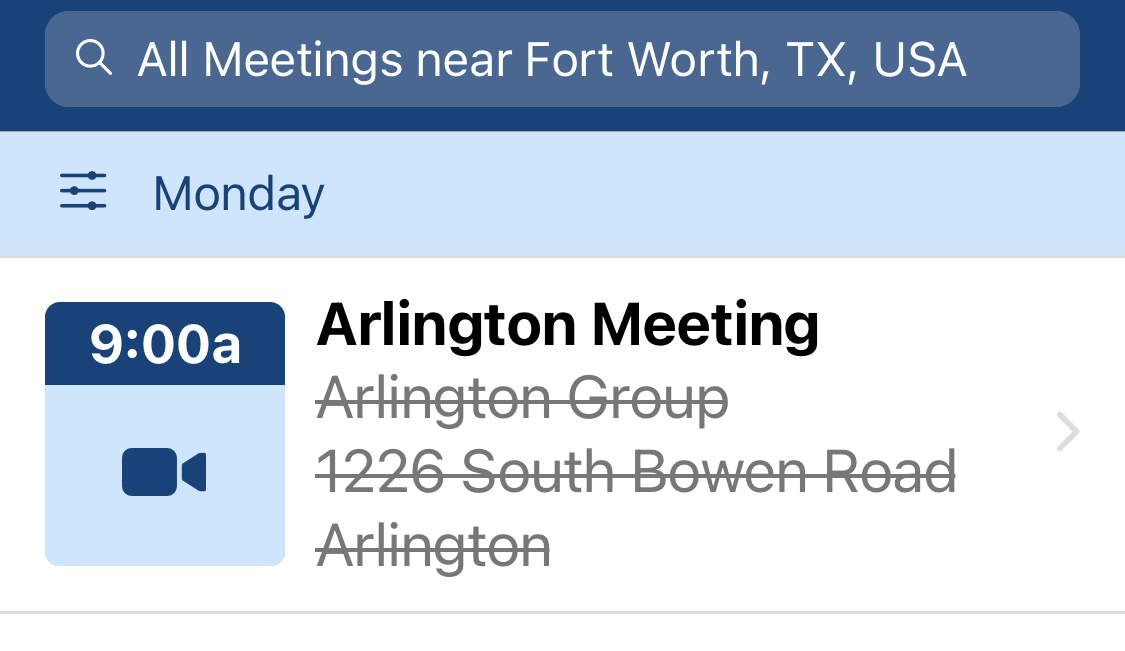
Answer
Thanks for the kind words.
What you're describing should already occur on the single meeting page. If not, we can reopen this issue as a support request.
On the meeting list page, we opted to gray out the addresses (thought it looked cleaner), but you are able to apply local css to your site that would strike them out instead of using graying. I tried to find an example at our old support site (Wordpress.org) but it didn't come up immediately. You might try searching more. Or, if you're a member of TIAA Forum, I believe the approach was discussed over there.
If I come across it, I'll post it here and tag you.
Meeting Import CSV - Import Methodology to "Update" Exisiting Meetings
Show question & answer
Question
Describe the bug
>> This may be PEBKAC <<
We have 3 methods to import csv files to TSML A = don't delete anything B = delete only the meetings, locations, and groups for the regions present in this CSV C = delete all meetings, locations, groups, districts, and regions
This may not be a bug Q = Is there an ability to import and only update the (imported) meeting data?
To Reproduce
When importing properly formatted TSML csv file,
A = don't delete anything << Use case = Import .csv all new meeting data. << If used properly, slam in a bunch of data for new meetings. Nifty << If used "improperly", creates 2 of same meeting except where updated field(s). Not Nifty
B = delete only the meetings, locations, and groups for the regions present in this CSV << Use case = Import .csv for some meetings << If used properly, (?) ex. import a (single) meeting & delete same (single) meeting, Nifty << If used improperly (?) ex. import a (single) meeting & delete entire Region. Not Nifty
C = delete all meetings, locations, groups, districts, and regions << Use case = Remove all meetings, submit clean import << If used properly, nuke all meeting data and import all new meeting data. Nifty << If used improperly, nuke all meeting data+ import fails, Not Nifty
Expected behavior For sake of argument, I get Options A & C. I am less clear on Option B. My mistake (may be simple lack of understanding of use case) is that the imported file was for a single meeting (update) an I nuked an entire region. I was able to re import from backup using Option A as I had nuked the region ;)
Additional context Q = Is there an ability to import and only update the (imported) meeting data?
Q1 = If I new the Meeting Key (field) column, maybe I import the key + only changed field? A1 = No, if region (field) is null, all meetings will null region would be deleted.
Q2 = To edit a single, few meetings using the import tool, maybe I should take a full export, edit and import using C A2 = No, that's a headache and may cause more issues than needed.
Q3 = To edit a single, few meetings do not use the import tool. A3 = Yes of course, as needed use the front end and not import. Save import for en mass. Hence the basic question on how to simply just update (overwrite)
Most grateful for your continued hard work on TSML. Really a plugin gem.
Humbly submitted,
- Pete B.
Answer
Hi Pete (@CCFAAWebmaster)--
> am less clear on Option B. My mistake (may be simple lack of understanding of use case) is that the imported file was for a single meeting (update) an I nuked an entire region.
As I look at this, I sure can't fault you for being confused :-). But yeah, B is giving the user the option to replace data in the database for a region. The other options are basically, "Hey, let's add a bunch of meetings to the current database" (A) or "I want to replace the entire database with this new set of meetings" (C).
I believe it is useful to understand the intent of the csv imports. The feature is more designed for when someone is setting up a new site or recovering a lost site/database. And B in particular is useful if someone is building a site for a large metro area, and they had been tracking the data by Region. Say if they had three regions, they would import three different csv files to set up their site.
Although some people are tracking and making changes in a spreadsheet for routine management of meetings, and then importing using C (or B if you have multiple spreadsheets by region), my personal experience is that this approach tends to lead to problems: First, tracking versions of spreadsheets is more difficult; Second, the importer doesn't always get updated as quickly as other parts of the plugin; Third, there just seems be more conflicts with data or fields in files coming from certain spreadsheet programs.
To more succinctly answer your question: there is no way to use the importer to only update the changed data without risk of deleting other data.
I believe the best approach is to use the Meeting Edit page to change individual meeting, group and location data. Leave the spreadsheet for recovery and setup.
Update/Publish button grays out on certain addresses
Show question & answer
Question
Describe the bug When I enter certain addresses, the Update button grays out so I cannot update the meeting. This also happens if I try to add a new meeting. I typed them into Google Maps directly and it did not have a problem with it. Two addresses are listed below.
5609 US-19, New Port Richey, FL, 34652, USA 5024 Trouble Creek Rd, New Port Richey, FL, 34652, USA
To Reproduce Steps to reproduce the behavior: Steps to reproduce the behavior: Go to aapasco.org/wp-admin, sign on Click on Meetings Click on Add New Enter information for new meeting (anything will do) Scroll down to the address Type in "5024 Trouble Creek Rd, New Port Richey, FL, 34652, USA" and tab out of the field Scroll up to Publish button and it is grayed out.
Expected behavior I expected to be able to click on the Publish button to add this meeting!
Screenshots
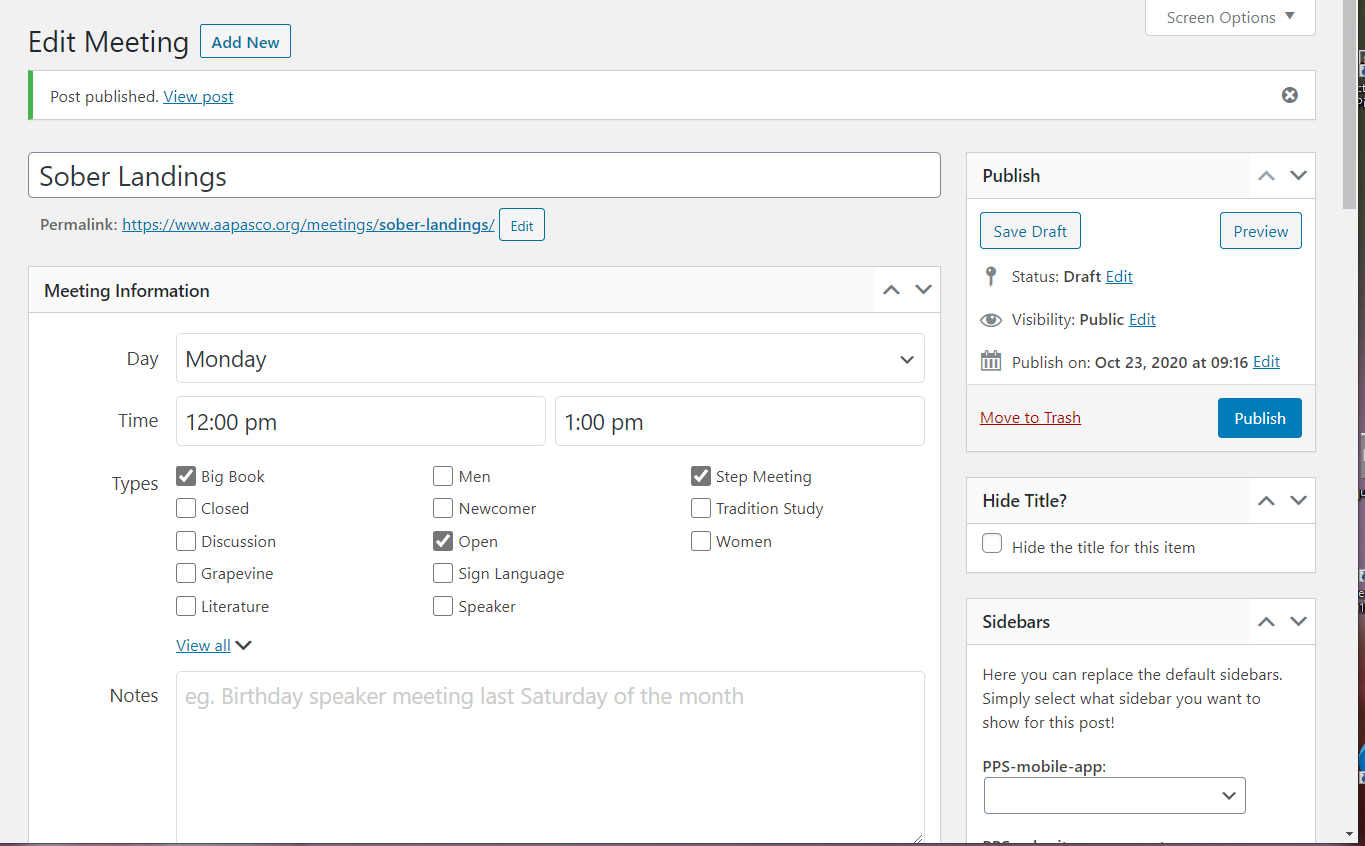
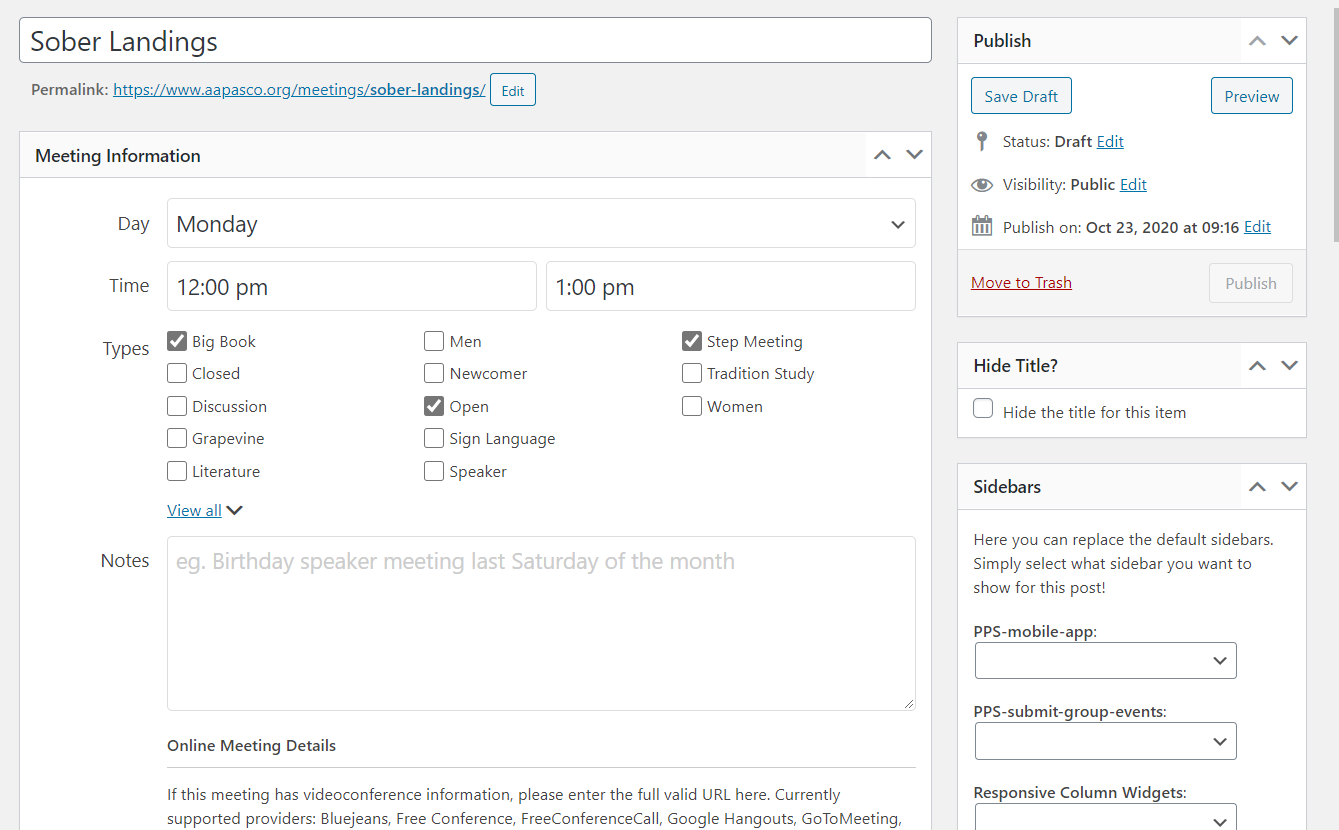
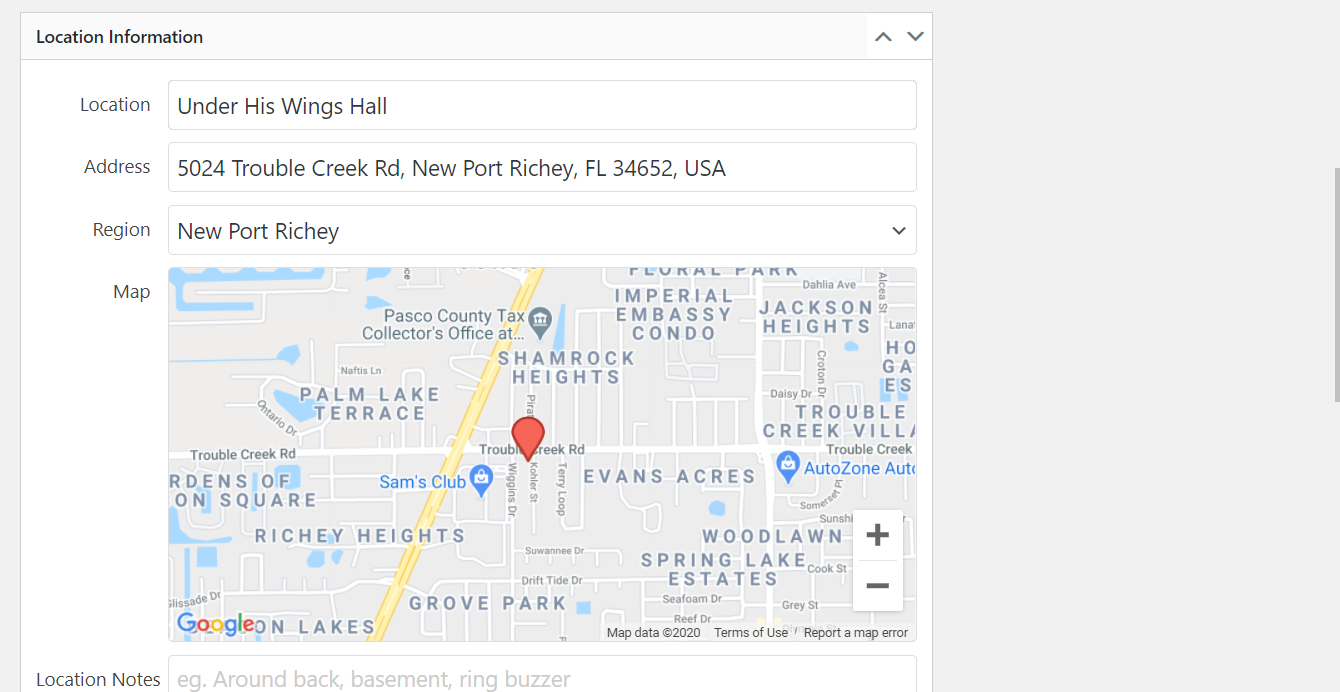
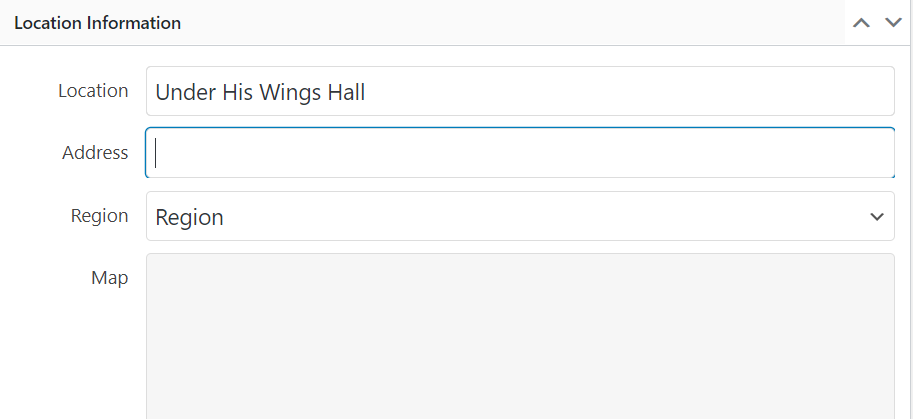
Desktop (please complete the following information):
- OS: Windows 10 Home
- Browser Microsoft Edge
- Version 86.0.622.48 (Official build) (64-bit)
Smartphone (please complete the following information):
- Device: [e.g. iPhone6]
- OS: [e.g. iOS8.1]
- Browser [e.g. stock browser, safari]
- Version [e.g. 22]
Additional context
This happens on another address when I try to change it to the correct address:
1733 US-19 Alt, Tarpon Springs, FL, 34689, USA changes to
1733 US-19, Holiday, FL, 34691, USA which is incorrect and does not have the correct map location either. It will still show the Region as Tarpon Springs.
Again, Google Maps shows and find the correct address.
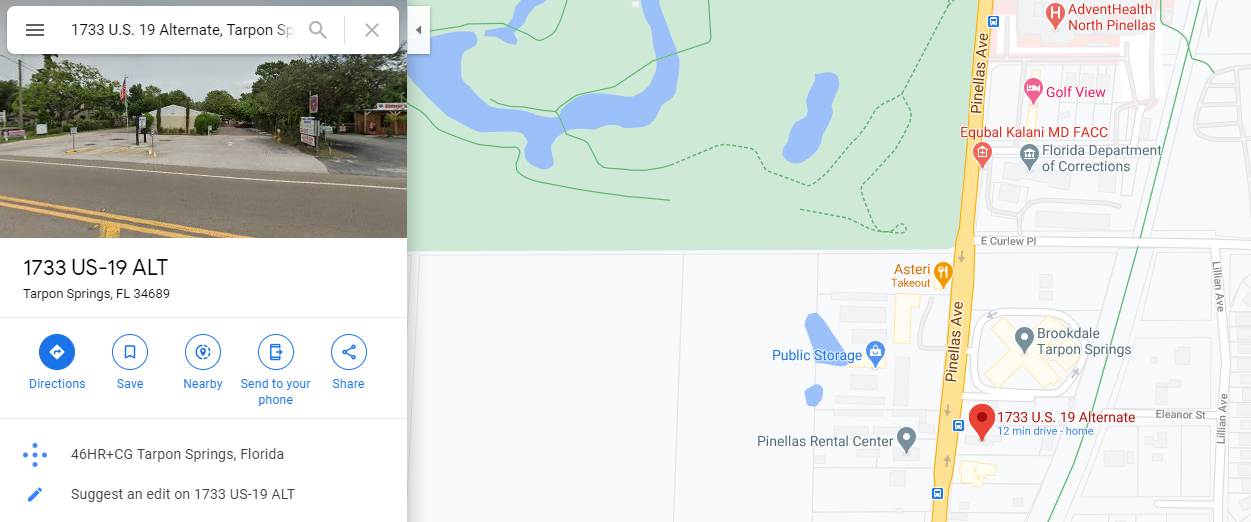
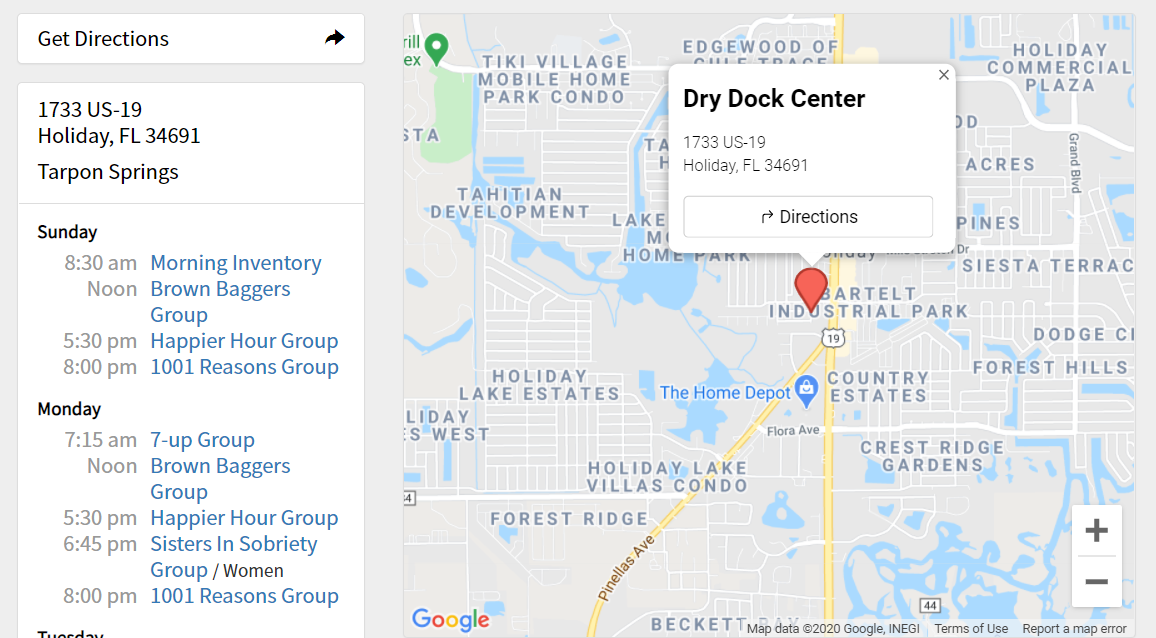
Answer by @joshreisner
The background on this button-graying-out logic: when an address is changed the button is briefly grayed out, when the response comes back from Google with latitude, longitude, and formatted address, it's un-greyed-out. This is so you don't accidentally change the address but not the pin or have an unformatted address.
An un-google-able address could theoretically cause this, but more likely are the scenarios Tech2Serve intuited (3rd party javascript issue or API key issue). Geocoding uses our API key.
I'm able to get this address to work on my test site without problems, so I'm stumped too!
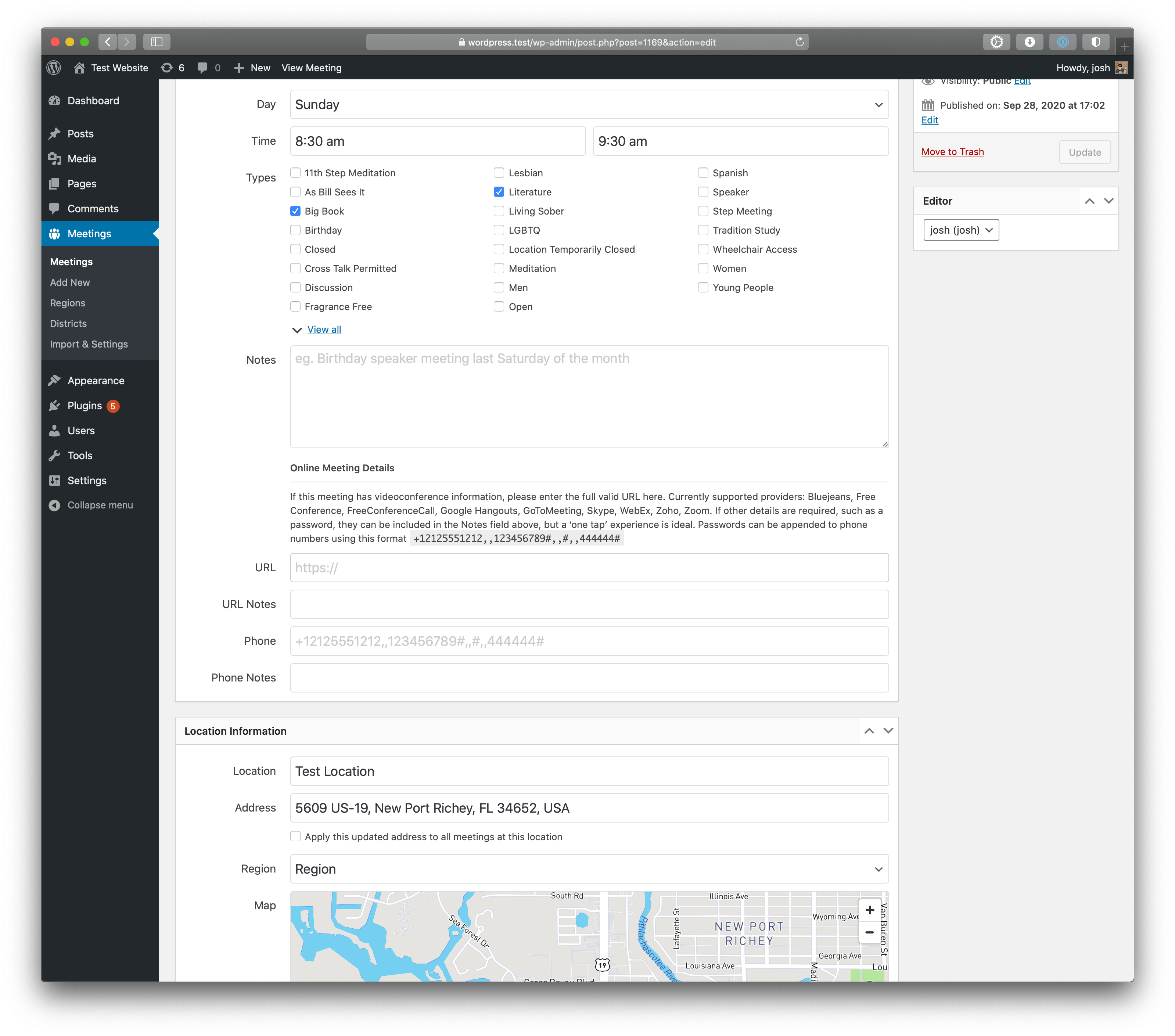
Meeting Format link
Show question & answer
Question
I don't see a place in the app to add a meeting format document. Is it possible to change one of the current button labels to be called Meeting Format?
Currently, I am adding a link under to Contact Information as a workaround.
Meeting formats - Right now, people have to go to the "contact us" section to get the meeting formats. Is it possible to relabel this section from "contact us" to "meeting format."
Answer
What do you mean by "meeting format"? We have types which include the common meeting formats (as I interpret the term).
Adding a screen cap of what you're looking at would also be helpful. One area I'm not clear about what you're asking is whether the issue is on the single meeting page or the admin side?
In general, we don't provide a way to relabel displays, but if you're talking about flagging a type (like we do for Men's meetings or Open), then there may be a workaround.
I'm just not clear enough yet on what you're asking.
Unable to update meeting address
Show question & answer
Question
I have been unable today to update or add a new address to a meeting. I believe it has to do with the geocoding as the map does not change and the update button is greyed out. We are using The 12 Step Meeting List version 3.10.0 on WordPress version 5.6.1. We have a Mapbox token and are using the Legacy Method. I did try changing the method to BETA with no effect.
Answer
Hi @AkronAA,
Please continue to use the beta api gateway as that will help us improve it and perhaps troubleshoot.
Am I correct in assuming your website is akronaa.org?
I am seeing some errors that were probably generated from your requests. Did you get any errors returned?
Please open a develop/debugging console in your browser and watch for any errors when you try entering an address.
Also, please give me a couple of examples of addresses you tried. The error I am seeing is "Error: No Geocode Result Found". This indicates Google didn't have a result for whatever address you entered. I'd like to explore that further.
Latest Update - Add Meeting Not Working
Show question & answer
Question
Updated to the latest version. Now when I add a meeting, it auto saves a draft without nothing but the Title saved.
When I attempt to edit the saved draft - can't "Save Draft" or "Publish" - either immediately or on a set date.
Help?
Answer
What else did you update?
What version of Wordpress are you running?
Are you using the beta geocoding api? Legacy? Or your own Google key?
Any errors showing in the developer/debug console?
Provide a link to your website.
Adding a brief message on the Meeting List Screen
Show question & answer
Question
Is there a way to add a brief message to the Meeting List Screen? Something like "In-Person" Meetings returning June 4th" or "The US has changed over to Daylight Savings Time. The time difference between your time zone and the meetings may have changed by one hour"
I would like the placement of the short message on the top of the screen above the search fields. I pasted a graphic below to show what I mean
.
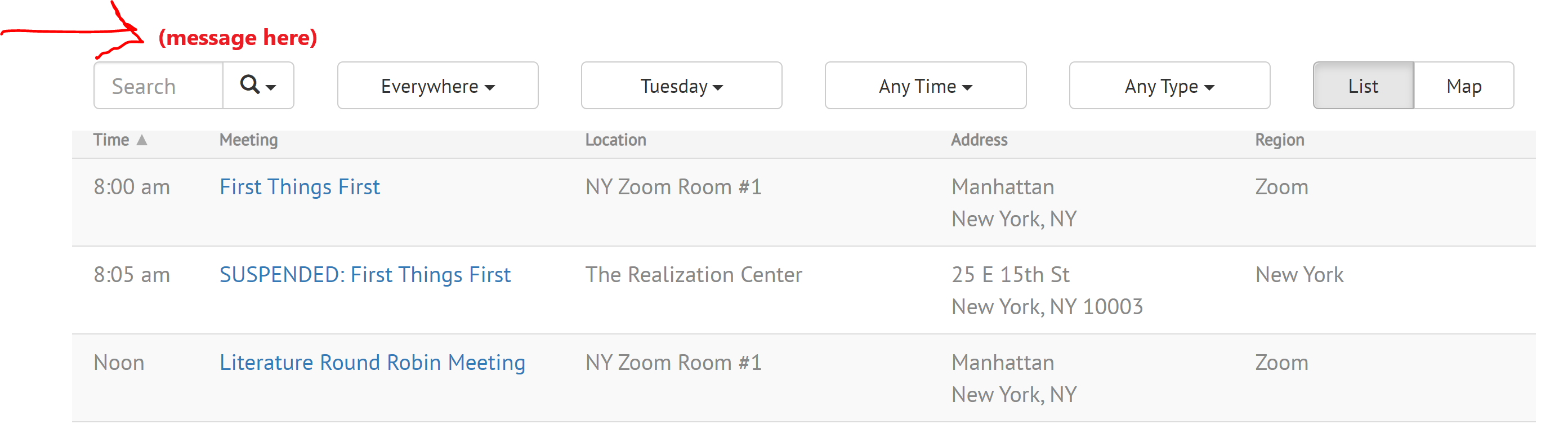
Would this be possible? Would you know what needs to be edited to add such a message?
Thanks
Greg
Answer by @brianw-area24
I've done something similar on this site - https://www.aacentraliowa.org/meetings, other than I put it it under search fields. I did this by adding styles to the theme. To go above the search fields, you could use:
div#tsml div#meetings div.hidden-print:before \{content:"* Closed meetings are for people who want to quit drinking. Anyone is welcome at Open meetings.";font-size:0.65em; padding:5px 0 20px 15px;\}
Of course you could change/add styles to fit your needs. Biggest drawback I know of using this method is that I have not been able to add html code (ie links), but just text.
Many themes have a place for you to add CSS code like this, but that will depend on your theme. However, if this works, it's an easy way to put a little bit of added text where you indicate.
Brian W
PS I'm going to close this issue, but can re-open it if necessary.
Settings : default language selector
Show question & answer
Question
Is your feature request related to a problem? Please describe. There is no means of specifying a specific language as the default language. So, when I search for meetings that are in Spanish, its assumed all non-language selected meetings are english. That may not be the case going forward.
Describe the solution you'd like A default language selector on the setting page.
Describe alternatives you've considered Appending import files that checks for specific languages and if not auto adding ("E") to the type listing on import. Otherwise, having to manually edit all 4000+ meetings for my area.
Additional context I just attended PRAASA recently and am a member of NAATW and it occurs to me that technology and AA would be more friendly if meetings/districts/areas could set this in one place and then import all their meetings. If they are a part of a feed, then when shared it could be easily presented to the larger whole. Otherwise, we risk alienating already diasporic entities that may feel that unless they speak EN then they cannot be a part of.
<img width="554" alt="Screen Shot 2021-03-14 at 12 34 23 PM" src="https://user-images.githubusercontent.com/52213936/111082138-f642e380-84c3-11eb-849b-f69c5184520d.png">
Answer
Default language for the site is set in the Wordpress settings. So I don't believe your problem statement is accurate in that sense.
Yes, TSML assumes the default language for meetings is the language set for the site. So in Poland, for example, they set the site language to Polish and the meetings are assumed to be in that language. That assumption seems to work.
Some languages can be chosen and searched for using types. While this is not ideal, it generally works I believe.
(Note: Personally, long term, I'd like to pull a lot of the "types" we have out of that and put them into different groupings. This approach comes at a cost however, and so I'm not sure we'll get there any time soon.)
In either case, the language is set for the site is set site-wide, and I don't see any benefit of adding it also to our plugin settings. Perhaps you can elaborate on this statement?
> That may not be the case going forward.
Add Active/Inactive Meeting Status
Show question & answer
Question
Would like to be able to see all active meetings whether they're online, outside, in-doors, etc and not show inactive meetings (temp closed). Can you add this as another field instead of adding it as a type?
Is your feature request related to a problem? Please describe. A clear and concise description of what the problem is. Ex. I'm always frustrated when [...]
Describe the solution you'd like A clear and concise description of what you want to happen.
Describe alternatives you've considered A clear and concise description of any alternative solutions or features you've considered.
Additional context Add any other context or screenshots about the feature request here.
Answer
I'll formally add this to our list.
We've already been discussing it, but it is lower priority as many of us feel users simply move meetings that have been suspended to a draft status, thus they don't show up. Others are still using TC.
Tell me again your website, please.
How many of your meetings that went to TC because of the pandemic and started up again?
In the end, I suspect the approach you're asking for will win out. Two other meeting management apps I know of have or are implementing this. We'll still have to track TC in the feed for Meeting Guide I suspect.
Google Geocoding Not Working
Show question & answer
Question
Describe the bug
It seems the plugin is trying to use a Google API key even though I only use the Mapbox API key.
To Reproduce Steps to reproduce the behavior:
- Go to 'https://aa-stlawrenceny.org/new-site/wp-admin/post.php?post=2329&action=edit' (i.e. some meeting)
- Enter an address
- See error
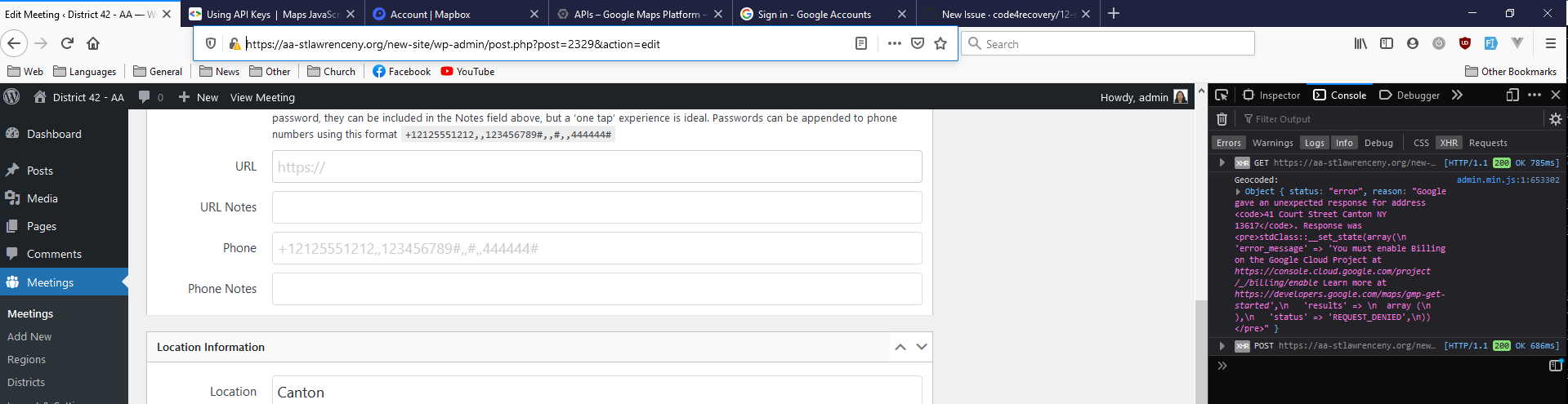
The text object is:
\{
  "status": "error",
  "reason": "Google gave an unexpected response for address <code>41 Court Street Canton NY 13617</code>. Response was <pre>stdClass::__set_state(array(\n   'error_message' => 'You must enable Billing on the Google Cloud Project at https://console.cloud.google.com/project/_/billing/enable Learn more at https://developers.google.com/maps/gmp-get-started',\n   'results' => \n  array (\n  ),\n   'status' => 'REQUEST_DENIED',\n))</pre>"
\}
The address CANNOT be entered.
I'm trying to enter 41 Court Street, Canton, NY 13617 (i.e. https://www.google.com/maps/place/Canton+United+Methodist+Church)
It doesn't work for 9 East Main Street, Canton, NY 13617.
It DOES work for 3 1/2 East Main Street, Canton, NY 13617 but that was geocoded some time ago.
Expected behavior
It geocodes successfully.
Screenshots See above.
Desktop (please complete the following information): It is doing this on Firefox 86.04 and Chrome Version 89.0.4389.128 (Official Build) (64-bit) on Windows.
Smartphone (please complete the following information): N/A
Additional context
This used to work - something changed.
PLUGIN VERSION appears to be 3.10.0 WP VERSION is 5.7.1
All updated.
I have tried WITH or WITHOUT new BETA API key in plugin's settings.
Note that I have worked in web development, programming and system administration for more than 25+ years (and I have coded WP plugins) so it is OK to use technical jargon with me if you need to request more info :)
Answer by @lloy0076
I cannot remember uploading any Google Maps API key to the plugin; even so the Google API setting APPEARS to be blank:
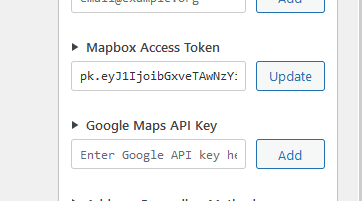
It is blank AFAICT but I haven't peeked at the DB underneath.
I have deleted BOTH mapbox and Google API keys by ensuring they are blank (highlight anything in the text box, click update), refreshed and gotten the "we need a key screen" and entered the mapbox key only.
MAPBOX's site claims it's seen no queries from our web-site which makes sense given what is being complained about.
Cannot add new meetings - Get Google error message on attempted new additions only
Show question & answer
Question
I am importing via normal CSV that I have used successfully many many times with no problems. Now when I do it I get the error message below from Google for new additions to the file only. I cannot add manually either. The original meetings load and display with no problems.
Latest Firefox, Latest Wordpress and Plugin.
I have Billing enabled in my Google Cloud account
Regards Andy K
(object) array( 'error_message' => 'You must enable Billing on the Google Cloud Project at https://console.cloud.google.com/project/_/billing/enable Learn more at https://developers.google.com/maps/gmp-get-started', 'results' => array ( ), 'status' => 'REQUEST_DENIED', )
Answer by @aavictoria99
The problem seems to be with the way the plugin interacts with Google Maps. If I try and enter a new meeting manually, when I type a legitimate address the plugin does not do autocomplete. If I enter the address nothing further happens and I cannot publish the new meeting. Regards
Implementing json feed from one WP-TSML site to feed another WP-TSML site
Show question & answer
Question
The import/settings page has this statement: "Data Sources ..,. can be used to aggregate meetings from different sites into a single master list." We have 3 websites using tsml. Two intergroups that keep meeting data for parts of our state, and a state website that covers meetings for exactly the same geographic area. We want the state site to simply import data from the two local sites.
I see information for how the master state website would pull data from local sites, but I do not see how the local sites provide the data. I see an authorized app setting where the local sites allow Meeting Guide to pull the data. But not the same facility to allow authorizing others to pull. thanks ross
Answer by @joshreisner
Going to close this ticket because the original topic was addressed.
But to answer the second question, the plugin doesn't try to filter duplicates. The rationale for being able to import from another website is that it allows you to divide your area of responsibility, so the site doing the importing should remove their local copy of the meeting.
How to Show Zoom and Reopened for same meeting
Show question & answer
Question
Is your feature request related to a problem? Please describe. Some of our meetigs are offering Zoom meeting simultaneous with Physical location (reopened) meeting. [...]
Describe the solution you'd like Can the blue online tag be made into a feature box in the list of meeting types?
Describe alternatives you've considered We will add the suggestion REOPEND and include the note about the requirements for the LIVE meeting as well as stating it is a zoom meeting also.
Additional context Any suggestions to share the simultaneous without loading the title would be appreciated.
Answer
We have some changes coming soon in how the plugin handles attendance options. Online will be removed from types and handled as a new data type. It will be determined by the same logic (i.e., conference_url must be populated with a valid link).
Hopefully this will provide the requested additional flexibility on the front end.
We don't have a good way to flag a meeting as reopened, and I'm not sure we'll try to implement one. A basic premise of these tools is that if the meeting shows up in the list, it is open and active. If not, it isn't.
When you remove Location Temporarily Closed type, the styling on the front end removes the line-outs and muted fonts.
Hopefully I understood your requests?
Copy / Duplicate a meeting
Show question & answer
Question
Hello,
It was brought to my attention that there is now no way to copy/duplicate an existing meeting in order to make subtle changes and republish. I also heard there is a plugin available for that. Is it possible to duplicate existing meetings or is there a plugin for that?
Thank you,
Heather C
Answer by @petermixt
Duplicate meetings: Is a very handy addition to our systems as we have groups that meet Monday thru Friday and my data volunteers appreciate this feature. Be sure your webmaster sets it up correctly. -pds
Bulk change "Updated" Date on meetings
Show question & answer
Question
Would like to bulk change the "updated" dates at the bottom of each meeting. I tried doing a search a replace on the database, but am not sure what table the information is in. Would prefer to use Better Search and Replace than MySql.
Thanks, BTW April marked 5 years since I began using this plugin. HUGE growth since then.
Answer
Hi @NevisIsland,
TSML does update that date when changes are made to the meeting and published again.
Perhaps you can explain your use case in more detail? I'm not understanding why someone (but hey! I'm just me :-) ) would want to bulk update those dates if nothing has changed?
12 Step Meeting List (Meeting Time not Working)
Show question & answer
Question
Been using the 12 Step Meeting plugin for several months without issues. Since a few days ago, the meeting times are no longer being displayed on our website. Also, when trying to add a "New" meeting, the "Time" dropdown selector is not populated with anything, it is blank. Please help!
<img width="880" alt="12 step plugin issue" src="https://user-images.githubusercontent.com/71561731/117371362-5d11c700-ae8d-11eb-89e8-18f4eb506082.PNG">
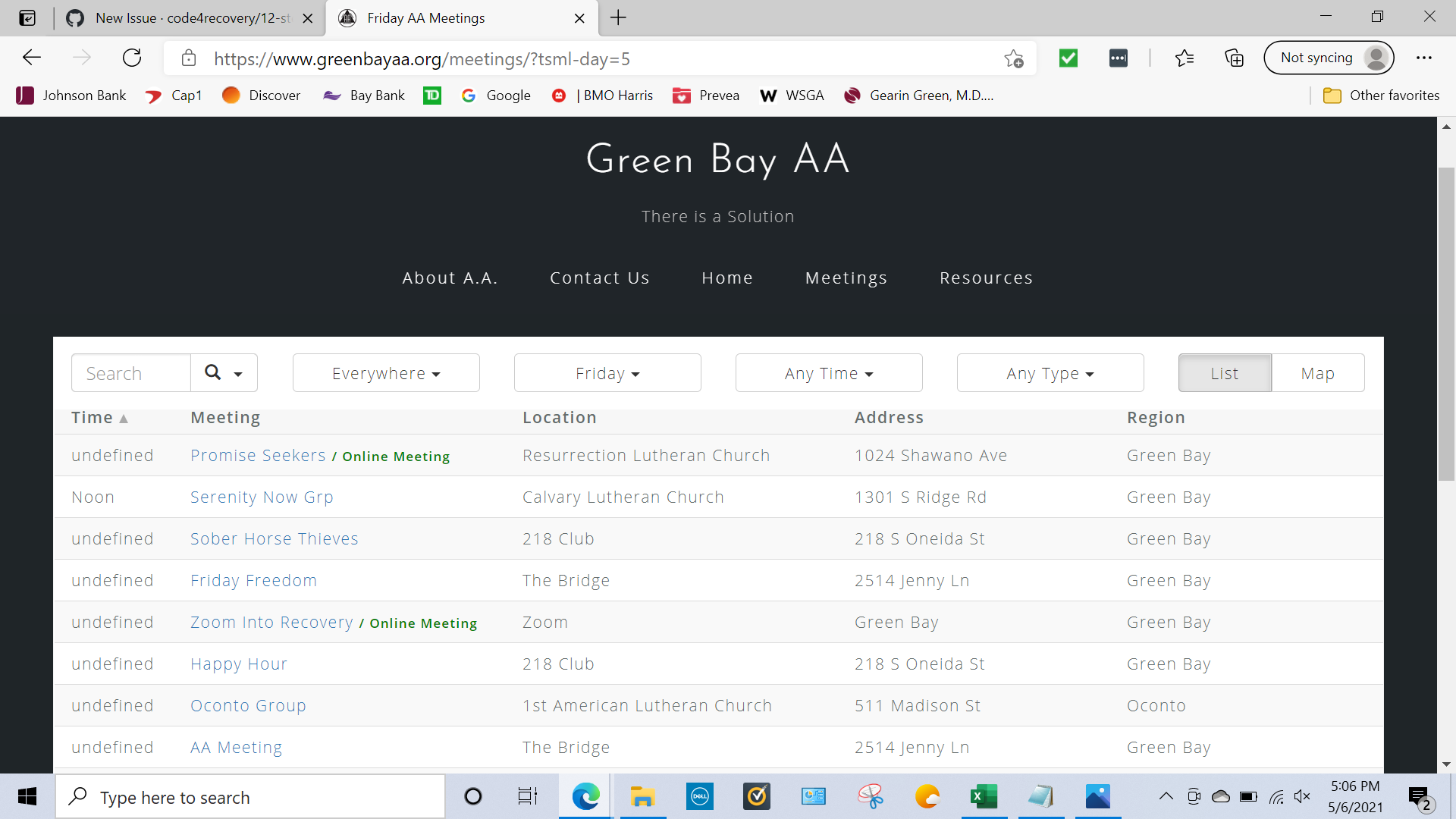
Thank you! www.greenbayaa.org District 01 Webmaster
Answer
Hey @dnosenvid59,
Since we haven't updated TSML for a while, please look into what you have changed updated.
In particular, did you update your theme? Some other plugin? Try disabling it. Think through other changes that have occurred, and try rolling them back.
Keep us posted.
Add Beginner Meeting type
Show question & answer
Question
Please add Beginner as a type. This is a common type that should be included.
It should be synced with the A.A. Meeting Guide App, and I should not have to enter it as a custom type.
Yes, there already is newcomer, but it's not the same.
Answer
How are you distinguishing the two?
The code for the current type is BE and the label is Newcomer. This makes me assume the definition was changed at some point, but I honestly don't know for sure.
I admit in the regions I've gone to meetings, Beginners is the more commonly used label, but I have seen and heard both used.
Need a bulk method to add all meetings to a District
Show question & answer
Question
Is your feature request related to a problem? Please describe. A clear and concise description of what the problem is. Ex. I'm always frustrated when [...]
Describe the solution you'd like A clear and concise description of what you want to happen.
Describe alternatives you've considered A clear and concise description of any alternative solutions or features you've considered.
Additional context Add any other context or screenshots about the feature request here.
Answer
This feature is provided via a csv import. Use the template in the plugin's Import & Settings page as an example document:
<img width="601" alt="image" src="https://user-images.githubusercontent.com/31904316/120928920-efcb9e80-c6a3-11eb-975e-e295bac447dd.png">
If you run into trouble with this, let us know and we can try to help.
Permissions Issue
Show question & answer
Question
Hello,
I suddenly can't create new meeting listings. Only edit previous listings. I am signed in as the administrator but whenever I want to publish a new meeting there is no publish button. There is a "submit for review" button in it's place. Whenever I click that button or try to save it as a draft, I get this error "Sorry, you are not allowed to edit this post."
Answer by @joshreisner
Unless someone has installed a new plugin, my guess based on this thread is that your user account has a "Contributor" level. See if an administrator can upgrade you to an Author or above so you can Publish again
v3.11.0-b BETA - Online meetings tagged as Location Temporarily Closed
Show question & answer
Question
Describe the bug Wanting to add online-only meetings, but they're being flagged as Location temporarily closed.
To Reproduce Steps to reproduce the behavior:
- Add Meeting
- Add approximate address in Location field
- Add valid Zoom details in URL field
- Meeting is displayed as Online meeting and Location temporarily closed.
Expected behavior I wouldn't expect the meeting to be tagged as Location temporarily closed as it never had a location.
Desktop (please complete the following information):
- OS: Windows 10 Pro
- Browser: Chrome
- Version 91.0.4472.114
Additional context Will add a separate issue regarding approximate addresses and the logic around assigning online/in person/location temporarily closed.
Answer by @brianw-area24
I'm not finding where this is happening while displaying the meetings with the plugin, but of course, I could be missing something. It would help us track this down if you could send us a URL of the page where your seeing it flagged as Location Temporarily Closed, or upload a picture showing where you're seeing this.
Thanks, and again, thank you for testing the beta version of the plugin! Brian W.
v3.11.0-b BETA - Approximate address allowed for an in-person meeting that isn't 'Location temporarily closed'
Show question & answer
Question
Is your feature request related to a problem? Please describe. I have an issue with the new way of categorising meetings as online/in-person/location temporarily closed just by the location and Zoom/phone fields.
Describe the solution you'd like
Previously, it seemed to me to be possible to add an in-person meeting with an approximate address. This is a really important feature for certain in-person meetings which are not temporarily closed, but for various reasons don't want to publicise their exact location online and want the newcomer to contact them for the address.
With the 3.11 beta using the location field and Zoom/phone fields solely to determine whether the meeting is online or not, and not allowing in person meetings to have an approximate address, this restricts the flexibility of the plugin.
Not sure how this would work for hybrid meetings, as these are determined by the precision of the location field too.
It would be great to return to having a tickbox for 'Location temporarily closed', and allowing in person and hybrid meetings to have an approximate physical address - maybe another tickbox - 'This meeting's physical location is active but does not want to publicise its location'?
Describe alternatives you've considered Would have to find an alternative if this functionality isn't available.
Additional context Thanks for all your service, love the new UI.
Answer by @joshreisner
> It is my understanding that MG will drop meetings that do not have online conference/phone information and a non-specific address (i.e., an approximate address).
This is true. I handled app support for many sites that had "roving" meetings or meetings at members' private homes, and didn't want to publicize the meetings for whatever reason. (The other common support request along these lines was how to handle meetings that don't meet on a weekly cadence.) We recommended those sites create a separate page on their site to handle these special meetings, since they are an edge-case.
I would recommend against option 1 above. I think putting a false address, such as the intergroup central office, is bound to cause confusion eventually, even with contrary signals in notes or other fields such as the meeting or location name.
Bulk updating each city with proper districts
Show question & answer
Question
I'm not an expert at anything, but have searched all the forums for help on Bulk Updates. We've just added Districts and I need to update all of each town's meeting with appropriate district. Can I do this on Bulk Update? Or is there another option? As far I can tell Bulk updates are very limited. Help would be appreciated. Post here or notify me on admin@okcintergroup.org I'm in Oklahoma City and am the Intergroup Manager. I also wear the "tech support" hat but that is laughable. Thanks.
Answer
We do not provide a direct way to bulk update districts.
The best workaround (since this is a one time task you’re working on) is to export your meeting database to a csv file, add district data to that file for the meetings in question, and then reimport the database from the csv file.
It would be best if you have a test/demo site to practice this on. In either case, make sure you have backups of any data you’re not willing to lose.
Good luck!
Adding Address for Meeting Location Issue
Show question & answer
Question
Unable to Add Correct Address to Meeting Location for Frisco, CO AA Meeting
Steps to reproduce the behavior:
- Go to https://aa-westerncolorado.com/meetings/?tsml-day=any&tsml-region=frisco
- See error - City should be Frisco not Breckenridge
Correct Address should be 1002 N. 7th St. Frisco, CO 80443 not Breckenridge
Screenshots https://user-images.githubusercontent.com/88400963/128070418-dd632be7-cff0-4684-938d-e64200d64b95.png https://user-images.githubusercontent.com/88400963/128070536-69792bf7-b2f4-462c-8e00-42e009e1ac73.png
Desktop
- OS: Microsoft Windows 10
- Browser Edge
- Latest Version
Answer by @joshreisner
we use google to do geocoding which is why you're seeing that city name. is the pin in the correct place?
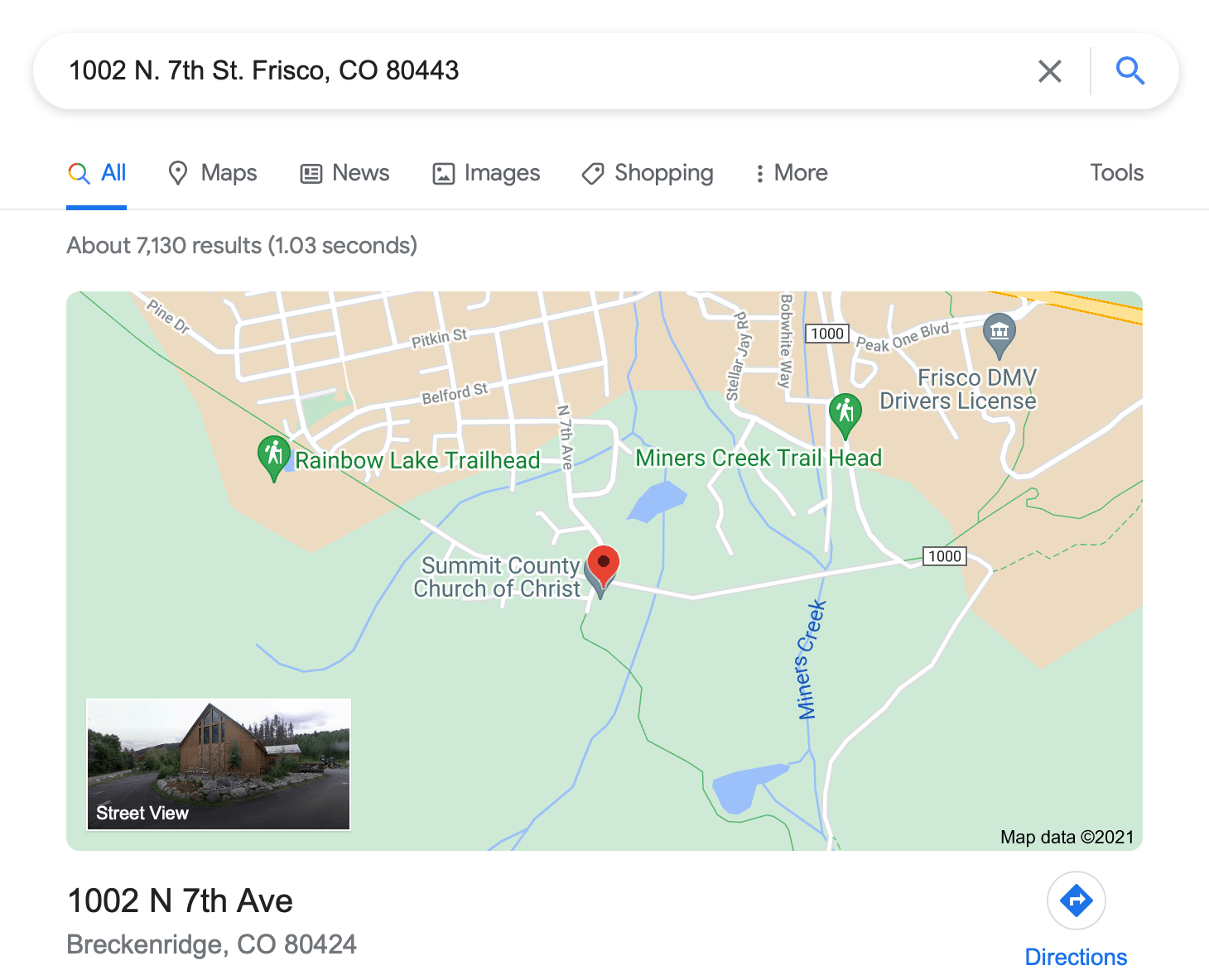
Optional Admin Settings to trigger 'No District Selected' and 'No Group Name' warnings
Show question & answer
Question
Discussed in https://github.com/code4recovery/12-step-meeting-list/discussions/709
<div type='discussions-op-text'>
<sup>Originally posted by Grateful-Viv February 28, 2022</sup> TMSL v3.13 added a fix to the dropdown list. See #586 which brought up the issue of when someone added or edited a meeting and selected group it defaulted to the word "District" if one wasn't selected from the dropdown list.
But now if I don't select a district from the dropdown, it defaults to "None" and displays it as blank.
Shouldn't the admin have to select one of the districts from the dropdown? Can a meeting says it's a group but not belong to a district? I'm not so sure that's the way it works, but TSML v3.13 allows that to happen.
What it doesn't allow is to select Part of a group, but not enter a group name. In that case radio button switches from Part of a group to Individual meeting when I try to save it. And that is the way it should be. But why isn't that the case also for defaulting to None for District from the dropdown list?
I would like to suggest an error flag come up when someone tries to save a meeting entry that doesn't select from the District dropdown to alert them they must, or revert back to Individual Meeting. And perhaps also add flag when someone tries to save a meeting entry that doesn't have a group name entered even though they selected Part of a group. Right now, it just reverts back to Individual Meeting without any explanation.</div>
Answer by @joshreisner
i think brian is right about these tickets being related. according to my reading of this i think that #1043 which fixes #334 will solve the main problem this ticket is getting at:
if i have a group that has a district, then go to add a new meeting and select that group, the district dropdown would not be auto-selected for me, even though the rest of the group info is populated (bad). if i then failed to select the district manually, i would be in danger of removing the group from the district (even worse). #1043 should fix it.
however i don't think that we should always warn a user if a district is not selected, because as Wayne notes in the discussion, groups don't by definition have to belong to districts, and we have other programs also to think about. therefore i am going to close this ticket and recommend that we move forward just by fixing #334 with #1043
i dont think it's a big deal if a user selects "part of a group" but fails to enter a group name and hits save and sees that it's reverted to "individual meeting"
by all means please reopen if i'm being too hasty - definitely open to having more discussion
Can not add new meetings or edit previous meetings for in person
Show question & answer
Question
Hello, when adding a new meeting or trying to edit an old meeting the location address doesn't seem to be recognized in the map section and doesn't allow publishing until it registers as a valid address however these are valid addresses and even with previous locations the did publish and show on the map do not work now. The image is of an existing meeting edit page the need to be changed on date, however, it doesn't seem to find the address now.
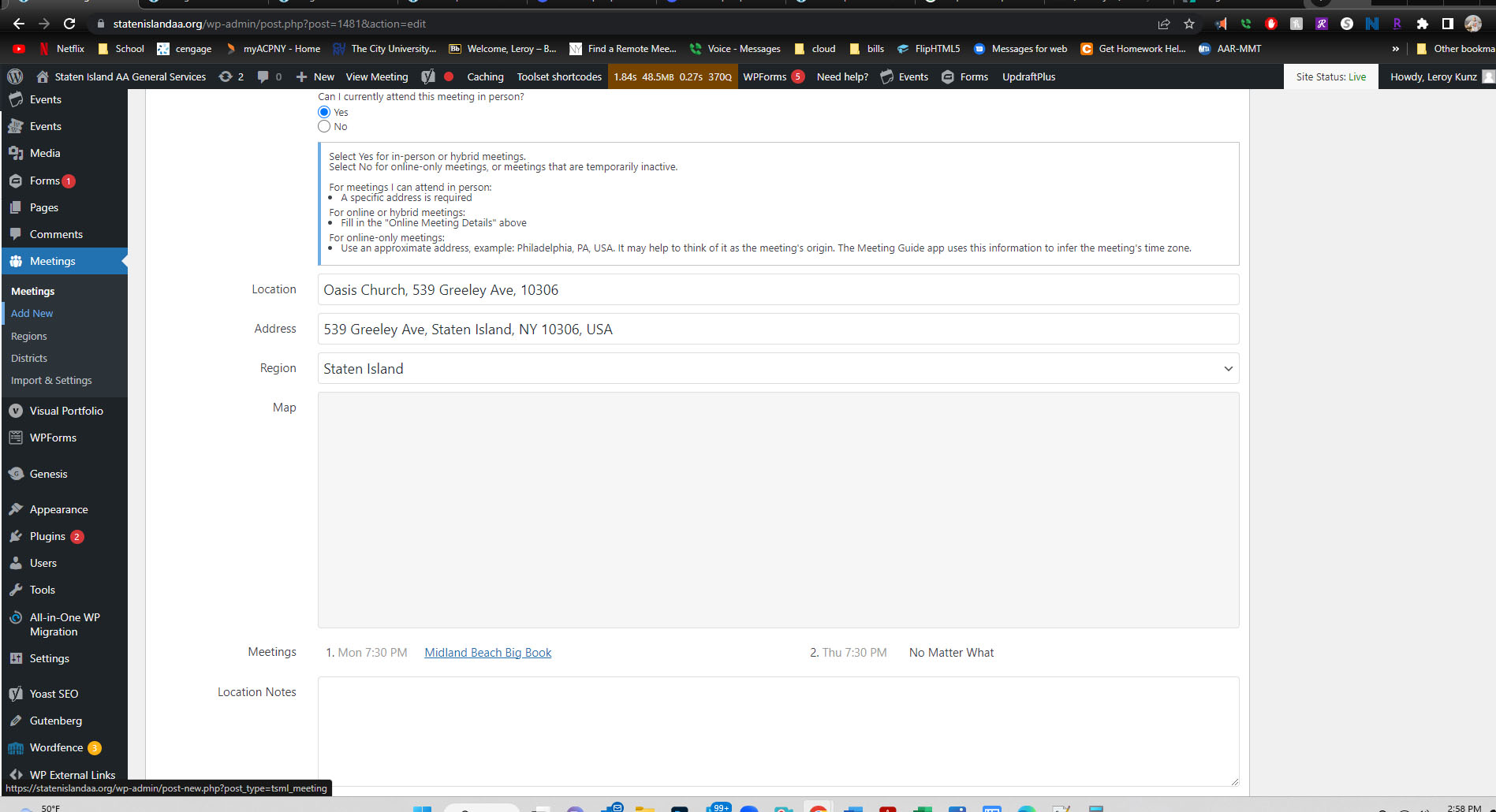
Answer by @joshreisner
hi @DonnaColon , this looks like some other reports we've gotten recently about Google Maps, we recommend either
- adding the Geocoding API to your Google Maps key in the API console, or
- switch to using Mapbox for your maps
most users are finding it easier to do 2 because the Google API Console is pretty complex
[Bug]: Undefined index error in Upcoming Meetings widget
Show question & answer
Question
Contact Details
Website With Issue
What happened?
When the Upcoming Meetings widget is added to any page and a meeting listed in the widget does not have a location set, then the follow error is displayed:
Notice: Undefined index: location in /home/toiz58k7yx2b/public_html/wp-content/plugins/12-step-meeting-list/includes/shortcodes.php on line 40
<img width="1493" alt="Screenshot 2023-04-05 at 9 48 32 AM" src="https://user-images.githubusercontent.com/9951620/230119632-fd50b637-da2b-49cb-bd3c-7f4b7cc6a0fb.png">
Workaround: Add location to the meeting
What browsers are you seeing the problem on?
Safari
Relevant log output/errors
Notice: Undefined index: location in /home/toiz58k7yx2b/public_html/wp-content/plugins/12-step-meeting-list/includes/shortcodes.php on line 40
Answer by @joshreisner
thanks! we'll fix it.
in the meantime you should be able to hide this and other PHP notices by setting wp_debug to false
Language update (add and standardize languages)
Show question & answer
Question
we define language types in variables.php on a per-program basis
we want to:
- extract all the languages into a single array and apply them to all programs
- add the additional meeting types being added (currently listed under Proposed New Types) on the JSON spec
- confirm that these changes only add and do not change any existing types for any programs
Answer by @joshreisner
i'm down to start a new set of checkboxes between types and notes, i do think that could help declutter the UI. but let's not make changes to where or how the data is stored or transmitted.
so hopefully sites would lose any data.
great callouts on UK and S / ES / SP -- i think the safest option would be to preserve those inconsistencies while defaulting the rest of the languages, eg:
// preserve legacy inconsistencies
unset($tsml_programs['SIA']['types']['UK'])
$tsml_programs['SIA']['types']['UA'] = 'Ukranian';
Add a Meetings block (for WP block themes)
Show question & answer
Question
Add a block called "Meetings" to enable block theme editors to embed TSML UI directly.
Answer by @joshreisner
looks like TSML Xtras has almost exactly what we want here. i would recommend titling the block (in the list and on the page) as "Meetings" and instead of the "Some blocks will not render" text say something like "View the page to see the block. it's recommended not to put any page content below the block, and to make the block as wide as possible."
<img width="707" alt="Screenshot 2024-02-24 at 9 23 30 AM" src="https://github.com/code4recovery/12-step-meeting-list/assets/1551689/50e19530-beba-42a5-a180-c823bbce3ec5">
Also there is a PHP warning that might be looked into and it might need a div wrapper with 1rem of horizontal padding
<img width="784" alt="Screenshot 2024-02-24 at 9 24 31 AM" src="https://github.com/code4recovery/12-step-meeting-list/assets/1551689/78c8bbba-2c18-416a-afdf-c65083207b23">
Bug in widget layout on some themes with TSML UI appearance
Show question & answer
Question
on our website, if i add paragraphs to the top and bottom meetings page widgets using the TSML UI appearance, i see content appearing to the left and right of the meeting finder, when it should be above and below
<img width="1206" alt="Screenshot 2024-05-22 at 7 26 05 AM" src="https://github.com/code4recovery/12-step-meeting-list/assets/1551689/da60ce1f-bd6f-411e-899b-16cd6c52751d">
Answer by @joshreisner
i'm able to repro this on GeneratePress - the theme we were using at the time - looks like it was happening because the parent is display: flex
i bet wrapping this in a div would fix it
<img width="1337" alt="Screenshot 2024-11-01 at 7 43 36 AM" src="https://github.com/user-attachments/assets/16aceac0-f845-4522-a689-4b62669c2d0b">
Edit [tsml_ui] shortcode to filter meetings by passed types
Show question & answer
Question
Discussed in https://github.com/code4recovery/12-step-meeting-list/discussions/1481
<div type='discussions-op-text'>
<sup>Originally posted by district6wc August 4, 2024</sup> Hi
I'd like to list the Alateen meetings on our Alateen page, is there a shortcode that can manage this?
Thanks Rose L</div>
Modify [tsml_ui] shortcode to accept passed parameter types. See the WordPress function add_shortcode and our short code tsml_next_meetings($arguments) for related details on how to do. The end case usage would be something like [tsml_ui type="alateen"]:
Answer by @joshreisner
that discussion was about how it's not possible for a local website to customize the react config object manually outside the shortcode, but since we have access to make changes inside the shortcode, we can do whatever we want ;)
this is documented at the link i shared above, but i think we want it so that if you make the shortcode
[tsml_ui type=["women"]]
that the shortcode produce a config object like this:
var tsml_react_config = \{
  defaults: \{ type: ['women'] \},
\}
TSML Plugin Version 3.12.1
Show question & answer
Question
I see there is an update to the TSML plugin to Version 3.12.1.
The details tell me this version has the following, but I'd like some clarification on some of the changes. My specific question is in italics.
- Add CSS class for past meetings - please describe what this is
- Allow translations of attendance options - is this for different languages?
- Use a default meeting title if left blank
- Add CMA support
- Create feature_request.yml issue template - what is this?
Thanks
Answer by @97eighty
@Grateful-Viv When filtering meetings by day you'll notice that the meetings which have already occurred display with the color "red". We color these meetings "red" by default, using:
.past \{
    color: red;
\}
Using a CSS class to define the color allows users to override the class in their own CSS:
.past \{
    color: #ffa500; // A shade of orange
\}
Depending on where this color change occurs a user may have to add the !important rule.
Add "RC" (Remote Communities) as meeting type
Show question & answer
Question
Arizona Area uses a meeting type "RC" for Remote Communities and would like to see it added to the default list types. Since we take feeds from several Intergroups around the state having RC as an option in the plugin would allow them to all be able to tag a meeting as RC which would then appear via their feed to our global Area meeting list.
Answer by @joshreisner
it sounds like this type would be more in service of the service structure, rather than helping prospective alcoholics to find their first meeting. am i wrong about that?
as such i'm not really sure if it would make a good meeting type. the purpose is to help people find the meetings they want to attend. the more options we add here, the harder it is to find the really critical ones.
but technically you could achieve this result by adding the following code to each website (we recommend in the theme's functions.php file)
if (function_exists('tsml_custom_types')) \{
    tsml_custom_types(array(
        'RC' => 'Remote Communities',
    ));
\}
Problem with "Individual meeting/Part of a group"
Show question & answer
Question
My area has multiple instances of meetings with the same name that are in different districts and different regions. By default, the meeting name is also the group name.
It is important to my area to be able to select by districts or regions but the only way to add district information is to mark each meeting as "Part of a group." The problem with this is that the last entered/updated "Contact Information" for a group name then applies to all meetings with that group name.
GSO used to avoid this problem by having a unique index on group name and city. I do not know if that is still the case with the new database system.
Perhaps TSML should also use name/region as a unique group indentifier.
The only work-around I can think of is to add the region to the group name. Any other suggestions out there?
Answer by @joshreisner
hi @iloveaaservice yes, that's it exactly. group identity is established in TSML by the group name, so if you can append something to the group name, such as the region or some areas use the Fellowship Connection group number, eg One Day at a Time Group #12345 or One Day at a Time Group (Valley Forge), that will make the group unique.
i don't see why you'd consider that to be a bug, TSML has always worked this way. it could be confusing to users to have multiple groups with exactly the same name, but otherwise different characteristics.
Homepage daily widget/coding?
Show question & answer
Question
Hello, I was wondering if there is a way to add the list of meetings for the current day on the homepage as a widget? I just need a section of the homepage to show the list of the current day's meetings, I don't want the Meetings List to be set as the homepage. Or is there some coding I can add so that it'll show it this way?
I also wanted to ask how to keep custom Types permanently added? Somehow the ones I add always disappear after a short while. Types such as "Meeting Room A" or "Open" (without the subtext).
Thank you in advance!
Answer by @kiyote33
Hi @LynnwoodAlanoClub, Yes, there's a legacy widget for Upcoming Meetings which I've used in the past for an Alano Club. It can be tweaked to do what you're asking. Used with a child theme (functions.php) you could add some code there like $tsml_columns = array( 'time' => 'Time', 'distance' => 'Distance', 'name' => 'Name', ); to restrict the columns that display to just the time and meeting name.
Your custom types should also be placed in your child theme so that they don't disappear whenever we make an update to the 12 Step Meeting LIst. I've successfully used a plugin a few times to create the child theme for my projects. That's one way to quickly handle that chore. Just look in the wordpress plugin directory for a child theme generator and you will probably find more than one.
Hope this helps...
WP Plugin - "No meetings were found matching the selected criteria."
Show question & answer
Question
Hi Team, We have been experiencing this problem for a few weeks now. Suddenly, out of nowhere, our Wordpress site will show "No meetings were found matching the selected criteria.". We can see all of the meetings are there in the Meeting plugin through the admin console. <img width="1806" alt="Screenshot 2023-02-22 at 5 20 59 PM" src="https://user-images.githubusercontent.com/9951620/220785802-db03c3e0-fba2-4941-921b-48b62f0c9a6c.png">
We can export the CSV of all our meetings. When I try to call the public meeting data (https://okcintergroup.org/wp-admin/admin-ajax.php?action=meetings) or display any meetings, no meetings. Try to adjust the filters to Everywhere and Any Days. No meetings.
<img width="1806" alt="Screenshot 2023-02-22 at 5 19 08 PM" src="https://user-images.githubusercontent.com/9951620/220785536-b26e72c7-0141-4611-a28c-8ccd43cd75b7.png">
The code is returning an empty array [].
We have been working around this by downloading the CSV and then re-importing all the meetings. This is not a good way to continue for us.
What do you need from us to fix this problem?
Thank you,
Chris B
chrisokc@me.com
Answer by @joshreisner
bizarre! i'm seeing the issue right now on the site. if i visit the JSON feed, i'm seeing no response
we need to figure out what is causing it so we can figure out how to fix it -- looks like you're not importing or using a cache, those were the first things i thought of
can you remember taking any other actions recently?
you might not need to re-upload, perhaps you can just edit a meeting, that should regenerate the local TSML cache
if you open up FTP and browse to the wp-content directory, how many files do you see have names like tsml-cache-xxxxx.json? are any of them 0 bytes in size?
Import meeting error message "Either Address or City is required."
Show question & answer
Question
There are new online meetings I want to upload to the website.
I've downloaded the example spreadsheet and copleted it with the new meeting information, see the spreadsheet here (which i downloaded to csv, prior to uploading): https://docs.google.com/spreadsheets/d/1D5mNclnBQe-d0HUtIsFuaEKBNFBN5BT9J9rooQHcOF0/edit?usp=sharing
As they are online meetings I have left the "Location" field blank, is this what causes the error message "Either Address or City is required."?
I did add an address to a location in the suburb hosting an online meeting, so the meeting appears when members look for a meeting near them.
Do you have any advice?
Answer by @anchovie91471
I've requested access to your spreadsheet so I can have a look.
Online only meetings
Show question & answer
Question
In our district I have a few groups moving to online only. I am only able to save their listing if I include a location address and mark it as unable to attend in person. This seems to be confusing people as even though the address is crossed out they see it as the meeting location. I add Online only to notes but am being asked to remove the address. Is this something you are thinking about as meetings are still transitioning?
Thank you, Rose L
Answer by @joshreisner
One other option to consider is to switch to the TSML UI appearance - it does not show location information when it's an approximate location. here
TSML UI example: https://code4recovery.org/tsml-ui?meeting=online-meeting-test
Same meeting in legacy mode: https://code4recovery.org/meetings/online-meeting-test
2 missing types
Show question & answer
Question
Meetings with 2 types do not show the missing types on the detail page. When we look at the meeting it has the blue check mark. The missing types are LGBTQIA+ and Parents of Alcoholics. We do not see a problem with any of the other types.
https://staging7.alanonma.org/meetings/?search=25035
TSML Version 3.14.19
WP version: 6.3
These 2 types are missing from the dropdown for types as well.
Answer by @joshreisner
looks like a bug - created an issue to track it here: https://github.com/code4recovery/tsml-ui/issues/325
Locations, Addresses - Edit and New
Show question & answer
Question
When attempting to add a meeting with a new location, or when attempting to update an existing meeting with a new location, the location is not found in MapBox, or the wrong location is added.
This was the closest issue I could find. https://github.com/code4recovery/12-step-meeting-list/issues/1051
The folks working on this website had this issue before, and were able to fix it temporarily it seems by switching to MapBox, which is one of the suggested solutions. However, recently the issue resurfaced.
The site is WordPress/GoDaddy.
Thanks for any and all help.
Answer by @coryBove
Hello,
I do apologize, I did not find this before, and it's probably related: https://github.com/code4recovery/12-step-meeting-list/pull/1277
I will let the webmasters know, and hopefully this will fix their issue.
Thanks for all the hard work done!
Swapped Google for Mapbox, unable to publish meetings
Show question & answer
Question
Greetings from Central Florida! We operate our website at https://cflintergroup.org
WordPress Version: 6.4.3 PHP Version: 8.1 12 Step Meeting List: Version 3.14.32
We recently updated our site and wanted to employ the lovely TSML UI, which meant we needed to switch our keys from Google to Mapbox. I presume it's expected behavior that entering one key/token removes the other, and that's what's happened here.
Since making this change, I'm now unable to publish new meetings.
I checked my console and saw the following:
I'd already cleared all caches and wasn't sure what was still calling the Google Maps API, but I tried doing it again, re-adding my Mapbox token and cleared the console errors. The second time, I got this:
I tried reverting to the Legacy UI with Google Maps, but still am unable to save a draft or publish a meeting. The site is back to Mapbox and is set the way I'd like it to be, only with a working publish button. ;)
I read through a few older posts that referenced similar challenges (#683, #480), but it seems the steps used to solve those are now outdated. Of note, I should mention that the site has just been move to Pressable, which operates on WP Cloud, same as WordPress.com. I don't believe the issues that came up in #1257 are related, but just in case, I wanted to share this.
Separate but related ask: is there a good reason to keep the feed restricted? Or does it not matter? Will it cause a blip in the feed if I change from protected to public?
Thank you in advance for any help you can offer!
Answer by @joshreisner
hi @jessfrick something weird is happening when your site is trying to geocode this result. could you check your theme's functions.php to see if there's any code that got added, perhaps something related to geocoding?
another thing to try: set WP_DEBUG to true (temporarily) in your site's wp-config.php, and then open the link in your browser console. should start with https://cflintergroup.org/wp-admin/admin-ajax.php?action=tsml_geocode&… hopefully this will yield some useful info, thanks!
Meeting Not Found from imported source
Show question & answer
Question
Meetings List shows error message "Meeting Not Found" for meetings from external source.
Area22indiana.org and aaDistrict4243.com overlap. I added the source from aadistrict4143 to area22indiana.org. Duplicate meeting entries were saved to 'Drafts' so only the external source meetings are being displayed. When searching for the meetings in a location from the external source the meetings are listed but there is an error message "Meeting Not Found"
Answer by @joshreisner
i'm pretty sure this is a timezone issue. on your meetings > settings page, do have a timezone set? if not that's ok, but it means you need to set a timezone on every individual meeting location.
<img width="524" alt="Screenshot 2025-05-09 at 6 59 09 PM" src="https://github.com/user-attachments/assets/8b7683d2-ae5f-4520-97ef-315da3de3b36" />
<img width="1137" alt="Screenshot 2025-05-09 at 6 59 53 PM" src="https://github.com/user-attachments/assets/06f6278d-a1d8-4152-90c3-1f82edcabde3" />
Add Notes Field as a table cell to the Meeting List
Show question & answer
Question
It would be great to have the Notes field added to the Meeting List page: https://aaheartofva.org/meetings/
By the way, the FAQ mentions the info below, but I don't think the class is being added:
"Rows that have meeting notes will have a ‘notes’ class."
If the Notes field were added as a table cell on the list page, the content could be restricted to a certain number of words or characters with a "(more)" indicator and a link to the meeting.
Answer by @anchovie91471
The "notes" class was added as as stopgap during covid and is no longer supported. We will definitely continue to evaluate the design of the meetings page based on user feedback. Thank you for your input!
When importing csv file keeps giving me an E_ERROR
Show question & answer
Question
Help! I am trying to update our local meetings. I want to delete all existing meetings and upload the new CSV file. I have attached the file, a screenshot of the error, and the error details.
template New Meeting List 5_30_24.csv
Upload CSV When importing... _don't delete anything _delete only the meetings, locations, and groups for the regions present in this CSV _delete all meetings, locations, groups, districts, and regions
I have tried all three options and still receive the same error. Any feedback would be greatly appreciated.
Thanks!
WordPress version 6.5.3 Active theme: Spacious (version 1.9.6) Current plugin: 12 Step Meeting List (version 3.14.35) PHP version 7.4.33
Error Details
An error of type E_ERROR was caused in line 1475 of the file /var/www/ca4la/wp-content/plugins/12-step-meeting-list/includes/functions.php. Error message: Uncaught Error: Call to undefined function mb_detect_encoding() in /var/www/ca4la/wp-content/plugins/12-step-meeting-list/includes/functions.php:1475 Stack trace: #0 [internal function]: {closure}() #1 /var/www/ca4la/wp-content/plugins/12-step-meeting-list/includes/functions.php(1478): array_walk_recursive() #2 /var/www/ca4la/wp-content/plugins/12-step-meeting-list/includes/admin_import.php(98): tsml_import_buffer_set() #3 /var/www/ca4la/wp-includes/class-wp-hook.php(324): tsml_import_page() #4 /var/www/ca4la/wp-includes/class-wp-hook.php(348): WP_Hook->apply_filters() #5 /var/www/ca4la/wp-includes/plugin.php(517): WP_Hook->do_action() #6 /var/www/ca4la/wp-admin/admin.php(259): do_action() #7 /var/www/ca4la/wp-admin/edit.php(10): require_once('/var/www/ca4la/...') #8 {main} thrown
Answer by @SIA-WEBSUP
Would you provide the URL to your site so we can pull some diagnostic info from it?
Location issue on New meeting
Show question & answer
Question
On our current site I am trying to add a new meeting that is online only. The did want to include the city so I clicked no for attending in person and just used the drop down for the city. It saved as yes you can attend in-person. I selected no again, removed the location saved and same thing, it switches to the yes option. I cannot this meeting to not show in-person in the listing.
Answer by @joshreisner
> just used the drop down for the city
every meeting should have a location entered in the "Address" field, even if it's just a city, eg Durham, NC. this is independent of whatever is selected in the Region dropdown menu
Feature Request: Duplicate Meetings
Show question & answer
Question
I assume this has been asked before, but I need help locating the feature request. I want the plug-in to have a duplicate meeting feature. Since a meeting may repeat over several days, adding the first meeting, adding all the attributes, and saving it would be nice. Then, could you duplicate it for the next set of days for those meetings?
This is a personal message to Josh. It was good meeting you at the Pacific Region, and I am ready to help with the map project. Reach out to me privately. Could you email me at webservant [at] aascv.org?
Answer by @joshreisner
hi @dougie-wougie yes it's been asked before, but only i think with the proposed solution being to make the days be checkboxes. that approach is not good because meetings usually do have variations between instances (like big book on thursdays, for example) and the checkbox approach would not accommodate variances except via the notes field.
your approach on the other hand has there being separate records for each meeting. i'm open to it, but we should discuss it some to align on an approach. to set expectations, we do have a fairly long list of dev priorities right now.
thanks for being willing to help with the nascent mapping effort! i'll try to write up some initial guidlines and email them to you
VCALENDAR Not Setting Time Correctly
Show question & answer
Question
Contact Details
Website With Issue
https://recoverydharma.org/meetings/?meeting=rd-chicago-above-and-beyond-family-recovery-center
What happened?
The add to calendar feature on meeting details seems to generate an incorrect time within the .ics file. When users try and add to calendar it isn't aligned with what shows on the website and is causing confusion. I have included some examples below using the latest plugin running on the Recovery Dharma website. The meeting timezone data is set at the meeting level with the global meeting timezone setting blank. The site is using the TSML UI plugin theme.
This issue was initially reported by user on Mac. Issue confirmed and calendar file examples generated by me on Windows in Virginia. @joshreisner I assume this is related to the recent timezone feature additions and the add to calendar function needs updated.
https://recoverydharma.org/meetings/?meeting=rd-chicago-above-and-beyond-family-recovery-center Friday 1:00 PM – 2:00 PM EDT (Friday 12:00 PM – 1:00 PM CDT)
BEGIN:VCALENDAR VERSION:2.0 BEGIN:VEVENT SUMMARY:RD Chicago @ Above and Beyond Family Recovery Center DTSTAMP:20240809T170000Z DTSTART;TZID=America/Chicago:20240809T130000 DTEND;TZID=America/Chicago:20240809T140000 LOCATION:Lake & Sacramento\n2942 W Lake St, Chicago, IL 60612, USA DESCRIPTION:Above and Beyond Family Recovery Center @ Lake & Sacramento\n2942 W. Lake. Chicago, IL 60612 END:VEVENT END:VCALENDAR
https://recoverydharma.org/meetings/?meeting=rd-wenatchee Friday 3:00 PM – 4:00 PM EDT (Friday 12:00 PM – 1:00 PM PDT)
BEGIN:VCALENDAR VERSION:2.0 BEGIN:VEVENT SUMMARY:RD Wenatchee DTSTAMP:20240809T190000Z DTSTART;TZID=America/Los_Angeles:20240809T150000 DTEND;TZID=America/Los_Angeles:20240809T160000 LOCATION:RD Wenatchee\n10 Orondo Ave Suite C, Wenatchee, WA 98801, USA DESCRIPTION:RD Wenatchee @\n10 Orondo Ave, Suite C. Wenatchee WA 98801\n(within Wenatchee Community Acupuncture - Located inside the Mid Town Building. Entrance is in the alley.).\nMeeting with meditation, reading + share.\nLocated inside the Mid Town Building. Entrance is in the alley. END:VEVENT END:VCALENDAR
What browsers are you seeing the problem on?
Chrome
Relevant log output/errors
No response
Answer by @joshreisner
hi @furick1 - this problem should be solved now thanks to @gkovats 🎉
i'm seeing correct dates now when i add to calendar from the example you shared at the top
<img width="302" alt="Screenshot 2024-08-12 at 6 37 34 AM" src="https://github.com/user-attachments/assets/cbcfe4b7-7260-48a0-8a3d-9a5c0cdb1d41">
My TSML has crashed? "Meetings" won't load.
Show question & answer
Question
Hello,
My meeting list is no longer loading, at https://aastl.org/meetings/
I get an error message, "File Not Found."
At first, I thought maybe the server is down, that holds all of the meeting data, but other TSML meeting guides are still working (Dallas, Minneapolis). The rest of our website appears to be ok, just the TSML is down.
At my level of knowledge, I have no idea why this is happening, nor whom to ask for help? Could any of the volunteers take a look, and see if you can understand the issue?
Thank you! Tom
Answer by @joshreisner
hi tom, i think this was happening on your site persistently about 18 months ago - here's a quick fix: https://github.com/code4recovery/12-step-meeting-list/discussions/1126#discussioncomment-5851958
(wordpress settings > permalinks > click save)
it would be great to find out why this is happening. did the site get restored from backup? that's the only scenario i'm aware of that can trigger this
correct date for last update not correct on meeting list
Show question & answer
Question
when we update a meeting listing the date in the "Last Contact" field of the meeting edit page is correct - but when we publish the changes to the meetings doesn't show the new publish date - example - wamo-aa.org - Thursday in liberty - liberty online group info updated 10/24/2024 - meeting page shows Updated May 18, 2023
Answer by @joshreisner
the "last contact" field is something else - that's an optional date field for sites to record their last contact with a group
the updated date is when the meeting was last updated - wordpress keeps track of this automatically. if you click the blue Update button it should say today's date. there's no way i'm aware of to actually see this date on the edit screen though.
i'm guessing you some kind of caching plugin installed? i see it's still still showing the old date on the meeting detail page but i see it showing today's date in the JSON feed: <img width="567" alt="Screenshot 2024-10-24 at 1 09 32 PM" src="https://github.com/user-attachments/assets/2ba0fdf5-6b3d-457f-ad2b-b65f160e85f9">
Support for Teams meetings
Show question & answer
Question
One of the meetings in my Area is now meeting on Microsoft Teams and requested that I reflect the change on our meeting list. However, as I attempted to add the link to the meeting page, I noticed that it's not a supported provider.
Does anyone know if the developers are working on adding Teams to the supported online meeting providers? Or if a specific issue is preventing them from doing it? Alternatively, is there a work-around to add the meeting information anyway?
Thank you for your help!
Answer by @joshreisner
thanks for bringing it to our attention! i'll create an issue and we should be able to get it added in the next few days!
Website URLs no longer allowed to be relative?
Show question & answer
Question
I went in to edit a meeting that is part of a group and suddenly the relative URLs seem to not work now. I made no change to the URL, I was simply removing a contact from a group and it won't let me save it. We have 212 meetings right now and having to keep pasting in a full URL for meetings that already have a relative URL will be very troublesome. And since we have had these URLs in this format for years, I would love for this to revert back.
https://www.nwarkaa.org
Version 3.16.7
I confirmed that adding a fully qualified URL such as "https://www.nwarkaa.org/farmington/#turning-point" vs. "/farmington/#turning-point" works, but again, this will just make doing updates much more troublesome. Since this has never been an issue before, it would be great if this were reverted.
Thanks for your time and consideration on this.
Answer by @joshreisner
hi @nealpaze apologies about the inconvenience, but this field is really supposed to be a fully-qualified URL, so it can be properly shared with other service entities if needed. we always had https:// placeholders to let people know, but recently changed the field from an input type="text" to an input type="url" which is why you're seeing the error now
there are two easy ways to update these to be full URLS:
- you could export your meetings as a CSV, make the changes there, and reimport
- you could run this SQL statement. i just tested this locally and it worked for me. you might want to make a sql backup first however just to be safe. also note that some wordpress sites don't use the default
wp_as the table prefix, so you might need to adjust the table names (in two places)
update
	wp_postmeta m
set
	m.meta_value = concat('https://www.nwarkaa.org', m.meta_value)
where
	m.meta_key in ('website', 'website_2')
	and m.post_id in (select p.id from wp_posts p where p.post_type in ('tsml_meeting', 'tsml_group'))
	and m.meta_value like '/%'
Feature Request: Toggle option for Mens/Women
Show question & answer
Question
Team,
We've been using this amazing plugin for our State al-a-non meeting finder. Recently the WSO has made changes to our service manual requesting groups to no longer differentiate themselves as Men or Women meetings. As such we'd like to see if you could add a toggle in the setting screen to allow this feature to be disabled on the meeting lists. Specifically the small [Men] or [Women] tag that gets applied to groups that have this designation.
Thanks for your hard work, let me know if anything is unclear.
Scott
Answer by @anchovie91471
You can remove the small badge as outlined here by adding:
if (function_exists('tsml_custom_flags')) \{
    tsml_custom_flags(array());
\}
This will remove the "Men & "Women" badges from the list.
Add Plain Language Big Book to meeting types
Show question & answer
Question
Contact Details
Requested Feature/Enhancement
Add "Plain Language Big Book" to checkboxes for meeting type to allow filtering by meetings of that type.
Answer by @joshreisner
hi @landolfi-us we've gotten another request about this recently and i know Meeting Guide app support has gotten a few as well.
until it is added to the plugin as an option for all sites, you should feel free to add it to your own list by adding the following code to your theme's functions.php file:
if (function_exists('tsml_custom_types')) \{
    tsml_custom_types(array(
        'PLBB' => 'Plain Language Big Book',
    ));
\}
No editable fields in new meeting or existing meetings
Show question & answer
Question
New problem - Trying to add new a meeting but there are no editable fields (blocks?) other than the title. Opening existing meetings shows the same - no editable fields, but all existing meetings display correctly on the front end and on Meeting Guide.
Website: https://www.pdxaa.org
Browser: Safari, Firefox
TSML Version 3.16.15
Answer by @joshreisner
check out the Screen Options tab at the top of the window and make sure Meeting Info, Location Info, and Contact Info are all checked. Editor can be useful too in some cases
<img width="1200" alt="Screenshot 2025-03-31 at 4 33 17 PM" src="https://github.com/user-attachments/assets/99a1f5a1-21e2-44d1-865a-c07bc33a1656" />
Add field for Meeting Format
Show question & answer
Question
We've had requests to include a specific area for meeting format. Types like 12 step and topic are good but members would like to know more details about the meetings. For example: week 1 - step of the month, week 2 - tradition of the month, week 3 - topic discussion, week 4 - concept of the month, week 5 - chairperson choice. We can add this information to Meeting information, but it's getting lost in all of the other verbiage. Being able to have a headed section would be helpful.
Answer by @SIA-WEBSUP
Are you using the Legacy UI or the new TSML-UI?
In TSML-UI the meeting notes appear immediately underneath the bulleted long descriptions for the meeting types. I'm not sure how having a separate section just for the 'detailed info on the format' would be much better.
Here is a screenshot for a meeting with a rotating format in nassau county:
- https://nassauintergroup.org/meetings/?search=lit&meeting=principles-before-personalities <img width="615" height="258" alt="image" src="https://github.com/user-attachments/assets/1fb3c0df-c16c-4c38-b8b0-a4d6dd45caaa" />
Can you give us a screenshot of an example where the notes would be "lost in all the other verbiage"?
Meeting Type is changing by itself on Edit / Update, '11th Step Meditation' box gets checked
Show question & answer
Question
Hi, noticed that the Meeting Type is changing by itself. This happens on Edit and Update, the '11th Step Meditation' checkbox becomes checked. Very repeatable on editing any existing meeting or starting edits on a new meeting. Site is https://aahalton.org, WP v6.8.2, PHP v7.4.33, TSML v3.18.3. No errors reported.
Answer by @joshreisner
yup i'm seeing this too! bizarre. we'll get to the bottom of it!
Meditation Meetings Showing "Men" Banner on MG App Listings Only
Show question & answer
Question
Hi and thank you for all your incredible work with this plug-in and connecting folks to meetings. What a game-changer.
We've run into a glitch recently where three separate meditation meetings have reported that the "Men" banner is displayed on the top-right corner of the meeting listing in the lists on the Meeting Guide app. Our meeting database does not have the "Men" type selected on any of these meetings, our website does not show the "Men" banner in the full list of meetings or on the individual meeting listings, and the meetings are not men-only meetings, so we're not certain how to remove that banner from the app listing on our end.
In filtered searches for "Men"'s meetings on the Meeting Guide app, none of these meetings appear in that filtered search, so the plug-in isn't actually reading the meeting listings as having the Men type checked; though the Meeting Guide app is displaying the Men's meeting type banner in the top-right corner. And again, only in the app listings, not on the website, from the same database.
At first we thought the glitch was location-based, because the first two meetings bringing this to our attention were at the same location. Then a third meeting reported the same issue, at a different location, and all three share in common that they are meditation meetings. Meditation and Men are alphabetically next to each other in the list of overall meeting types, if that could have anything to do with it?
I also attempted to add another duplicate version of the first affected meeting, to see if recreating the meeting listing would fix the issue, and in doing so, both the original and newer duplicate of the meeting have the Men meeting banner on the Meeting Guide app listings, though not on the website listings, and they still don't appear in Men's meeting filtered searches.
Meeting organizers are concerned that some folks weren't coming to the meeting because it says "Men"'s meeting on the app.
Any help you can provide is much appreciated. And thank you again for all your good work. We love you.
With Love and In Service, Carolyn H., Greater New Orleans Central Office aaneworleans.org/meetings
Meetings affected that we know of so far (in MG app listings, not on website listings): https://aaneworleans.org/meetings/11th-step-meditations/?tsml-day=4 https://aaneworleans.org/meetings/stable-and-sturdy-thurs/?tsml-day=4 https://aaneworleans.org/meetings/eye-closers-meditation/?tsml-day=1
Answer by @joshreisner
hi @caarolynh ! yes we're talking about it with GSO - i suspect it's a bug in the recent 5.0 release of the Meeting Guide app. we'll update you when we have an ETA on fixing it
Multiple Meeting Day Creation
Show question & answer
Question
Hi folks,
I have a question related to adding meetings. Currently, if a group meets more than once a week, you have to add each meeting multiple times. Is there a way to change the day from a drop-down to a checkbox setting so that if a meeting was M-F, it would auto-populate the feed? <img width="820" height="113" alt="image" src="https://github.com/user-attachments/assets/c3d4f889-40d6-4432-bccc-ccea33e05e33" />
Answer by @tim-rohrer
Please check out this thread: https://github.com/code4recovery/12-step-meeting-list/discussions/1476 and see if it meets your needs.
The thread also discusses problems with a checkbox approach. However, a process of duplicating entries might be supported natively at some point.
That said, the linked thread includes a workaround.
Multiple entities use same address for different language meeting
Show question & answer
Question
Hi, We have some challenges in CER (Central European Region) covering our English Speaking meetings in Central Europe (Part of AA UK). The meetings are either fed to us and relayed to you or added directly before the feed.
As we cover many countries but only facilitate the English speaking meetings, there are many groups cooperating with regional groups in the local language - and share facilities for having the meetings.
We understand the deliberate limitation to avoid duplicate entries (https://meetingguide.helpdocs.io/article/ompwn3xgy7-when-multiple-entities-list-a-meeting), but are suffering under this as we cannot announce English-speaking meetings at the same location and must ask the meetings to try to announce their meetings through the local language intergroup website feeding to you.
The result is that we cannot inform the English-speaking users of the meetings' existence through our CER collection. The only existing workaround currently is to ask that the local language AA intergroup announce the English speaking meeting on their meeting lists - something that not all will find relevant for local language users.
Please inform how we may solve this problem best possible. Adding a fake address is not really a good solution and maybe we could ask that the duplicate match is made not only on address but also on e.g. the meeting name?
Here is an example: The Polish meeting on this address is listed in the App: https://spis.aa.org.pl/index.php/meetings/przebudzenie-19/?tsml-day=any&tsml-query=gdynia The English meeting is NOT registered in the App: https://alcoholics-anonymous.eu/meetings/gem-gdynia-english-meeting/
We had similar situations before but were able to fix it by having local language and CER duplicate entries (duplicate).
Here are other mentionings around this same problem: https://github.com/code4recovery/12-step-meeting-list/discussions/1601 https://github.com/code4recovery/12-step-meeting-list/discussions/1194
Looking forward to a fix or good workaround :-)
/Niels - CER update team
Answer by @joshreisner
hi neils, this longstanding behavior is now in the process of changing - we suggest contacting appsupport@aa.org for more information
in a nutshell, multiple entities will be able to share the same address for meetings in different languages. CER will become the authority for english meetings at polish addresses, and aa poland for polish meetings.
this is a change being made by the general service office to fix situations exactly like this. appsupport@aa.org will have the most information about details and when this will be enabled
Meeting Types
Show question & answer
Question
What field are others using to designate if a meeting is in person, zoom or hybrid? Also is there a way to add to the list of meeting types?
Answer
Hi @rs0715, Please check the FAQ in the Wiki for how to create custom types.
Although we intend to implement a feature to track different meeting attendance options, today any meeting that doesn't have an online link or marked as TC should be considered as in person and open.
Meeting Type Request
Show question & answer
Question
I want to mark meetings types as "Veterans" or "Lead" meetings. Would it be possible to add these to the list of meeting types?
For now I have those terms in the Location Notes field. Thank you!
Answer
Please review the FAQ which has a section on adding your own custom meeting types.
If you still have questions, we can reopen this as necessary.
PayPal "pool" account type seems to not work
Show question & answer
Question
One of our groups uses a PayPal "pool" account, not a standard PayPal personal account. When I enter their URL (https://paypal.me/pools/c/8u6vmq54mC) in the meeting guides it accepts the information. When I click save, the tool truncates the entry to be only the last part or UserName: 8u6vmq54mC as it normally does with other PayPal URLs. When I view this meeting from the web, it has the PayPal button. When I click the button, I get an error from PayPal: "We can't find this profile".
If I look at the URL displayed in the error message, it is now looking for this URL https://www.paypal.com/paypalme/8u6vmq54mC. As you can see, the new URL is missing the "/pool/c/" part. If I try to add this "/pool/c/" text in the tool in front of the account UserName, when I click save on the meeting, the tool strips the extra text out.
To me, it seems like PayPal "pool" accounts are not currently supported. Can you add support for this type of PayPal account?
Answer by @joshreisner
Closing this as PayPal appears to be shutting down this service. https://www.finextra.com/pressarticle/88766/paypal-discontinues-money-pools
Legacy UI region dropdown is not updated when deleting meetings
Show question & answer
Question
If you delete all the meetings in a particular region you should see that region disappear from the dropdown on your public meetings page, but that is not happening, and it appears there is no way to actually do that save one: export to CSV and reimport, selecting the "Delete all meetings" option
Having done a little research on this topic it seems we need to be updating the count field in the wp_term_taxonomy table and we are not. This count should reflect the number of published posts with that taxonomy
I believe this is one of the issues mentioned in https://github.com/code4recovery/12-step-meeting-list/discussions/1145
Answer by @joshreisner
<img width="816" alt="Screenshot 2024-02-14 at 9 51 19 AM" src="https://github.com/code4recovery/12-step-meeting-list/assets/1551689/6b492e95-e378-47e8-9980-b4d086f23a59">
confirmed it's still an issue in 3.14.30
We want to add the meeting list to homepage sidebar for today's meetings
Show question & answer
Question
And then from there when users click "more information" or whatever is there that the "jump" will take them to a "today's meeting view? How do we do that?
Answer by @joshreisner
hi @leendabolt if you click "Customize" in WordPress do you see a list of Widgets you can add to the homepage sidebar? We have a widget called "Upcoming Meetings" that might work for that
here's what it looks like on our site: