Maps & Locations
Google Maps, Mapbox, geocoding, location data.
150 questions — sourced from GitHub discussions & issues.
Meeting showing as temporarily inactive when it is active
Show question & answer
Question
https://aachilternthames.org.uk/meetings/parmoor-meditation-meeting/
I believe the issue is related to the address which is being interpreted as approximate.
The address is Frieth Village Hall, Frieth, Henley-on-Thames RG9 6PR, UK
Answer by @tech2serve
Hey @cawood402,
With tremendous gratitude for @joshreisner, we believe we’ve figured out what is going on. I won’t bore you with all the details, but we suspect the way Google is treating the address is to have it as approximate in one form and non-approximate in another form. This is confusing TSML and your site. Our immediate solution is to have you add some code in your site to override Google’s address response.
Here is the basic reference for how to override Google’s geocoding response in TSML.
Hopefully you have a child theme set up, but if not you’ll probably need to do that or find a plugin that allows you to customize plugin functions.
In your custom functions.php, add:
if (function_exists('tsml_custom_types')) \{
	tsml_custom_addresses(array(
        	'Frieth Village Hall, Frieth, Henley-on-Thames RG9 6PR, UK' => array(
	        	'formatted_address' => 'Frieth Village Hall, Frieth, Henley-on-Thames RG9 6PR, UK',
		        'city' => 'Frieth',
		        'latitude' => 51.6051635,
		        'longitude' => -0.852636,
		        'approximate' => 'no'
	        ),
	));
\}
Please let me know if this makes sense, and I’m happy to try and answer any questions.
Meeting Won't Publish
Show question & answer
Question
Our websiite is area15district3aa.org and we're having an issue with publishing a new meeting. TSML will take the new meeting entry information and the allow it to be published as long as the location information is left blank. Once any location and/or region (either new or from the saved list) is entered into those respective fields, the publish button gets grayed out.
Answer by @kiyote33
Hi Chris, Thanks for your response. I am partially able to replicate your issue in my sandbox, but as soon as I completely enter a valid address the Publish button becomes active or enabled in every one of my tests. My testbox is running the latest WordPress version (5.8.3) and I have the same results when utilizing several different themes (i.e...Twenty Twenty One, Twenty Nineteen, Astra, Kadence). An example of a test address used: 122 Main St, Jackson, CA 95642, USA. Can you confirm that the issue persists for you when this address is entered? I'm wondering if maybe the addresses you are entering might not be passing the address validity tests done in the background.
Some other thoughts/ideas you might try: If the inactive Publish button continues to be a problem for you, could you run some tests after updating your WordPress version to the latest. If the problem persists, could you verify that the issue continues with any of the above mentioned themes? If still a problem, try disabling any installed plugins (one-at-a-time), to see if one of them is affecting our plugin. Please advise on the results of this testing. Thx...
New Meeting not working
Show question & answer
Question
Hey all, I just got an update for a new meeting for my list on aacolumbia.org. When trying to put it in, the plugin is working fine until I put the location in. This is an existing location that is hosting other meetings. When I put the church name in, it brings up the address and my region (self-defined) just fine, but the map is blank, and at that point in time I lose the ability to Publish the meeting.
I've checked on one of the groups other meetings, pulled it up as if to edit, and it is also showing a blank map.
Any ideas where I've gone astray with this?
Also, I just updated my computer to Windows11, but I wouldn't think that would effect this other stuff.
Thanks in advance. Scott
Answer by @GCITechSC
Bang!!
On Tue, Feb 22, 2022, 22:41 Wayne Parker @.***> wrote:
> @brianw-area24 <https://github.com/brianw-area24> reported on a different > discussion that using the BETA-API Gateway setting may be causing this > problem. They changed it to Legacy and it solved the problem. Give it a > try... > > — > Reply to this email directly, view it on GitHub > <https://github.com/code4recovery/12-step-meeting-list/discussions/683#discussioncomment-2233482>, > or unsubscribe > <https://github.com/notifications/unsubscribe-auth/AUBVKQNOCGD4XGAZODSKJH3U4RJNTANCNFSM5OFRJ3HQ> > . > Triage notifications on the go with GitHub Mobile for iOS > <https://apps.apple.com/app/apple-store/id1477376905?ct=notification-email&mt=8&pt=524675> > or Android > <https://play.google.com/store/apps/details?id=com.github.android&referrer=utm_campaign%3Dnotification-email%26utm_medium%3Demail%26utm_source%3Dgithub>. > > You are receiving this because you were mentioned.Message ID: > <code4recovery/12-step-meeting-list/repo-discussions/683/comments/2233482@ > github.com> >
Unable to publish new meeting -- pending and draft are only options
Show question & answer
Question
Hi there --
Using Wordpress 6, and TSML 3.14.3, I'm unable to publish a new meeting -- I can only save as Draft or as Pending Review (there is no Published option).
All other areas of site are working as expected, as are previously saved meetings (they have Published as an option).
Ideas?
Thanks,
Patrick
Answer by @joshreisner
hi @rockridgefellowship sorry to hear about it. sounds like a geocoding issue to me. what value is selected on your meetings > import & settings > settings page for "Address Geocoding?"
when editing a meeting with the publish button greyed out, could you open the javascript console and show any errors or messages you see there?
thanks
Publish Button Greyed Out
Show question & answer
Question
In trying to create a new meeting the publish button stays grayed out and the map window does not populate. Here is a video showing the problem.
Answer by @tim-rohrer
It turns out, we (Code for Recovery) had a problem with our Google account, which has now been resolved.
You should all be able to return to:
MapBox token for mapping (or you can continue to use your own Google mapping key if you prefer). Legacy for geocoding (or you can use the Beta, but it will be replaced in the (not too distant, perhaps) future).
Apologies for the interruption of service. I know it is frustrating.
Syncing meetings issue
Show question & answer
Question
Hi Brian, Am sending a video because I am digging into a long lasting issue we have with syncing meetings, and am hoping you can help. Am reclo for CER (European English speaking meetings) and ex webmaster for paris, where I am still able to login and fiddle around with the settings.
** The specific issue I have is that when i sync meeting from Paris, and Berlin, these cities are imported as regions, as opposed to being set under their respective countries - France and Germany.**
What i do to bypass the issue is:
- switch them to countries
- sync
- move them back under their correct country. https://www.loom.com/share/b4e90b0df7b943f9982c6158c3fa115e his is not really best practice and the problem now happens with a new region, which has multiple cities.
Any advice?
Thanks,
Julien
Answer by @brianw-area24
Thanks for sending the other feed. I'm hoping I have a solution for you, on getting the meetings into the right Paris region, under France. Here's what I'd like you to do on the CER site:
- Go to the "meetings" page in the WordPress Dashboard
- Filter by Paris (under France) and move all these meetings to trash
- Filter by the other Paris in the Regions list, and move those meeting to the Trash
- Go into trash, and delete the Paris meetings (on the feed you sent me, this was 12 meetings)
- Go to Regions page in the Dashboard, and remove both Paris's
- Go back to Imports & Settings and click Refresh for the Paris feed
So what we're doing here is removing all the Paris meetings. Then we're removing the Paris regions. Then doing a new import, hopefully this will import the 11 meetings, in a Paris region under France, at least it did on my test site.
If it doesn't import 11 meetings for Paris, let me know, and I'll send you an additional thing to try. But I'm hoping this works.
Brian W
PDF Generator
Show question & answer
Question
Hey all,
Still learning here. I'm loving what TSML does for our website at aacolumbia.org
I have had the PDF generator, but pretty sure I am underutilizing it. I STILL haven't made a child theme (scares me a little).
Here's what I'm currently doing. Meetings get updated, I go to the Generator, generate new list, download, then update another place on our site where the download link is available by replacing the PDF that I've downloaded.
What I think I could do is make the hyperlink on the "Greater Columbia Intergroup Meeting List" link to this? But do I have the address correct? www.aacolumbia.org/meetings/wp-content/uploads/meeting_list.pdf
Is that right?
Thanks for anyone's help!
Scott
Answer by @tech2serve
Hey Scott--
The link to uploaded media can change from site-to-site, so I won't be able to tell you if your link is correct. Here is how I get the link to media (which I can then add to a Wordpress page, or menu item):
While logged into your site and on the admin page:
- Click on Media-->Library
- Click on the attachment of interest and a details page should appear
- Click on "Copy URL to Clipboard"
<img width="377" alt="image" src="https://user-images.githubusercontent.com/31904316/130363314-b1db00ae-6142-47d2-aa5b-e4ec35bce7e5.png">
At that point you should have the accurate URL for the attachment.
Problem with 'temporarily inactive' label
Show question & answer
Question
I have a phone meeting, that I cannot process in the plugin without it showing the 'temporarily inactive' label. Does anyone have a solution? There is no phone number (people have to reach out to an email address to get it), there is no URL. There is just a note that it is phone only. Suggestions?
Thanks, Nicky
Answer by @tech2serve
Hi Nicky--
There is another thread on this you can find and review for more context, but the gist is that certain conditions must be met if a meeting is going to show up in TSML.
- For online, it must have a valid conference URL or phone number.
- For in-person, it must have a specific, non-approximate, address to which users can map.
- For hybrid, it must have both.
Meeting entries not satisfying those conditions will show as inactive, or not publish.
The decision was made long ago that a primary purpose of TSML is to help users get to meetings by providing them all the information they need to attend a particular meeting.
Consequently, the plugin doesn't support call-to-get directions-meetings.
So for an phone meeting, I suggest configuring as follows:
- Include a valid phone number for the meeting. If you're adamant about not publicly listing that number, then you can include a central office/Intergroup number for users to call.
- Assuming the meeting is not hybrid, make sure the address is approximate (i.e., only enter city and state).
If you do these steps, the meeting should publish and show as an online meeting.
If this is not the solution the group wants, then we suggest removing the meeting from the database and listing it separately on your website so users can find it there.
Moved Site to Wordpress - Data is Pulling from old site
Show question & answer
Question
I have published our site on Wordpress and have been checking the App. The only difference in data is the addition of our Online groups, since they are missing from the app, I assume that the data is pulling from the previous site/host location. How do I make this change?
Go slow... I'm limited in knowledge.
Our site: www.district70aa.org
Answer by @tech2serve
Hi,
You will probably need to contact Meeting Guide app support to get the change published. Please check out their new support site and use the contact form to reach them.
Tim/Tech2Serve
[Bug]: "Can I currently attend this meeting in person?" radio button does not save
Show question & answer
Question
Contact Details
Website With Issue
https://alcoholics-anonymous.eu/
What happened?
Please see the video For certain Locations, I am now unable to save the meetings as "In person". This only happens for some locations. Almost all of the plugins were deactivated for debugging - no help there. Please advise. https://www.loom.com/share/c65c072d942e4b4fa29ed66f833456bb
TSML Version
Latest (default)
Wordpress Version
Latest (default)
What browsers are you seeing the problem on?
Chrome
Relevant log output/errors
No response
Answer by @kiyote33
Hi @julien-paris, @joshreisner jumped in to help provide a solution here. He's opened a maintenance issue (Location Approximate Not Updating #677) to get a fix put in place for what we believe was the culprit for you not being able to update inactive meetings. Will let you know as soon as a patch is in place.
Hyperlink buttons in address column that redirect to meeting detail page.
Show question & answer
Question
AA SF/Marin has Zoom and Phone buttons in their address column that take the user to the meeting detail page, I find this more intuitive than the user having to click the meeting name.. and it gives people two ways to get to the detail page.
(I also see that their Online meetings don't have default "Online" in the location column)
I'd like to replicate this on our site, any help would be appreciated.
Thanks!
https://aasfmarin.org/find-a-meeting
<img width="577" alt="Screen Shot 2022-02-03 at 2 14 28 PM" src="https://user-images.githubusercontent.com/8978087/152438539-493cd125-2b43-4c03-b6a7-b06f2f09a113.png">
Answer by @kiyote33
You can embed this shortcode in the meetings page: [tsml_react]. This is a new feature being used on select sites which we are getting very positive feedback on. It replaces the legacy front end code. Let us know if you need more info... You can also use [tsml_ui] which I believe is the preferred shortcode.
Google Maps Oops!
Show question & answer
Question
Hello - I'm in the process of connecting our site to the Meeting App. I have one test meeting that shows up on our meetings page, but I get an error when clicking on MAP: "This page didn't load Google Maps correctly. "
Answer by @tech2serve
Hi @DCO84770, thanks for opening a Discussion.
Most likely you haven't set up a mapping key correctly (Google or MapBox). If you need more help, please search the Discussions for more examples.
We recommend using MapBox vice Google as it is easier, doesn't require a credit card, and will be more compatible with TSML UI (our future replacement for TSML's public meeting list).
New meeting will not post because of address not found
Show question & answer
Question
Hello, my name is Vangie. I'm new to this program and need help. I'm having a problem adding another day to an existing meeting. The program doesn't accept the address I type in and defaults back to just the city and town, zip, USA. The error message says 'in person meetings need a specific address'. Because there is a error, the 'update post' button is not available. This meeting was already in the system on Tuesdays with the same address as I was trying to type, so is there a way to override this error message. Thanks to anyone who has a fix for this.
Answer by @vkay11518
Hi Josh, it’s 1 Church Plaza, Mora, NM 87732. After I enter that, it reverts to just Mora, NM 87732 USA and the error message comes up. It says In person meetings need a specific address. I don’t get a drop box when I start typing on that. I do on some other entries. It doesn’t seem to matter if I hit enter or tab after typing the address. Vangie
Switched from Google Maps to Mapbox
Show question & answer
Question
So I switched today from GoogleMaps to Mapbox, when I bring up a meeting, it is still showing GoogleMaps.
I inserted the token from Mapbox and updated. It automatically removed the Google Maps token.
This is being done on a staging site before going live. What is the issue? Check out this link: http://www.aa-nia-dist40.org/meetings/559-1-2-big-book-meeting/
Is there something else I need to do? Or does it take time to populate?
Answer by @tazcrzy
No this was not a caching issue. I put the MapBox code in the live site this morning.
Thanks for all your help. Sorry to have bothered.
On Wed, Apr 13, 2022 at 9:07 AM brianw-area24 @.***> wrote:
> Last night it was still giving me Google maps, but this morning, I'm also > seeing the Mapbox map. I'm willing to attribute this one to caching. > > — > Reply to this email directly, view it on GitHub > <https://github.com/code4recovery/12-step-meeting-list/discussions/757#discussioncomment-2559996>, > or unsubscribe > <https://github.com/notifications/unsubscribe-auth/AE6SAAGZZ3O6GWASIRKWWB3VE3IKNANCNFSM5THKG5HA> > . > You are receiving this because you were mentioned.Message ID: > <code4recovery/12-step-meeting-list/repo-discussions/757/comments/2559996@ > github.com> >
Leslie C. (630) 835-6110
HELP! Updating Meeting Removes Location, Address & Region!
Show question & answer
Question
I updated a meeting (just added some meeting notes) and the location name, address & region disappeared. No matter how many times I update, it reverts back to removing the location name, address & region.
This is with version 3.14.2
And it doesn't matter whether I am using API Gateway Beta or Legacy.
I also added another meeting, and it doesn't retain the name, address & region after publishing.
Please tell me how I can rollback to the previous plugin version which did not have this issue.
Answer by @kiyote33
Hi @Grateful-Viv, I'm sorry to hear you are having this issue. I did some quick testing in my sandbox, doing meeting note updates using the 3.14.2 version. I was not able to replicate the issue. If you could give me specific details on your situation, I can try again to replicate.
As for rolling back, one way you can download the 3.14.1 version is to go to our wordpress plugin page. Previous versions (at the bottom of the page) can be selected and downloaded. Another way is to install the wp rollback plugin and it facilitates rolling back to previous versions.
Hope this helps...
The "Within" in the search "Near Location" is showing only a maximum of 25 kilometers
Show question & answer
Question
Hello,
The "Within..." in the search"Near Location" is showing only a maximum of 25 kilometers. In some areas, the distance is more than 25 kilometers, so this search from a postal code is not showing any result.
We have TSML Version 3.14.4.
How can I add a bigger "Within" in the drop down list?
Thank you.
Benoit
Answer by @tech2serve
Hi Benoit,
Please check this entry in our FAQ.
Tim
Directions in Google Maps are starting from strange starting point
Show question & answer
Question
One of our users noted that the directions link from TSML are starting from a strange starting point that has nothing to do with their location. We tried and got the same starting location (a restaurant named "Oh My Grill") - we also simulated being in other countries via VPN and got strange starting points in other places as well. We also tried directions from other integroup sites such as Seattle and SF/Marin and got strange results there also which started from the same "Oh My Grill" starting point.
Here's an example of one of our physical meetings. https://oahuaa.org/oahu-meetings/?type=active&search=%28physical%29&meeting=kukui-hele-po-3
The link for directions on that page is: https://www.google.com/maps?saddr=Current+Location&daddr=21.2679075%2C-157.8224446&q=2709+Kalakaua+Ave%2C+Honolulu%2C+HI+96815%2C+USA
But that's not what the current Google Maps developer doc says to specify. It says to add a /dir/ in the URL, add an api=1 parameter, no &saddr (start address) parameter (no parameter yields current location), and rather than &daddr (destination address) the parameter is actually &destination.
Google Maps developer doc: https://developers.google.com/maps/documentation/urls/get-started#directions-action
So when I replace the above TSML direction string with the correct parameters. the map gives me directions from my house: https://www.google.com/maps/dir/?api=1&destination=2709+Kalakaua+Ave%2C+Honolulu%2C+HI+96815%2C+USA
Is the direction URL something that TSML generates or something that we control? We noticed that Seattle's URL has the same pattern as we do, while SF/Marin has a link back to the same meeting page with a "/#" appended. We also tried LA's links - their URL coding is different but their directions pop up with an unspecified starting point that you then need to select.
Thanks in advance for looking into this. You guys are always so responsive and provide a great plugin and service.
Answer by @tech2serve
Here is what I got when I mapped to your meeting:
<img width="794" alt="image" src="https://user-images.githubusercontent.com/31904316/177666948-247b4247-6e97-4253-a2a5-9990479b526e.png">
Is that not correct? :-)
We do generate the URL for the directions, and I will have to spend more time trying to duplicate your issue. This is a bit more difficult that it may sound as there are several factors that could be affecting things. For example, even in my attempt at humor shown above, the starting location isn't correct...I am not in Midtown Manhattan. This is happening because Google doesn't have permission for my actual location, and sometimes geolocation on a laptop doesn't work on that well to begin with.
So I switched to my iPad (with GPS) and tried mapping to a meeting. This time, Google took an address from my "home". I have no idea why since it isn't my current location (by about 2,000 miles). Forcing Google to update to my true current location did finally work. But, this was because the GPS in my iPad was being used.
All of this is to say that we could look at the code to make sure it isn't in need of update (not sure of the last time it has been touched) but I do suspect that we'd be seeing an error from Google if they'd dropped support for the parameters we use. But, I could be wrong so I'll investigate.
Here is what you could do in the meantime. One thing I note is different on your site than on others I've tried is that you have the dialogue popping up asking for permission to redirect. It is probably not a factor, but if you can disable that and try again? Also, perhaps make sure that if you bring up Google maps in your browser before testing, make sure it can display your current location, and that it is correct. Sometimes I get shown a state or two away!
Meeting location now TBD with call note
Show question & answer
Question
A meeting we have listed is still going to occur but the location is now unknown. We want people to call for the current location. See: https://dixieaaoffice.com/meetings/?weekday=0&meeting=dixie-group
Removing the old street address prevents the meeting being listed.
Is there a better way to handle this? Thanks!
Answer by @joshreisner
We recommend taking the listing down until there's a stable meeting place, or setting it as "unable to attend in person". Providing an incorrect address, even with a note, is liable to confuse some users.
/meeting page bug
Show question & answer
Question
Hi there,
I'm having issues with the /meeting page or adding the meeting feed with map to any other page using [tsmi-ui]
See the attached screenshot of the /meeting page (I can't share a link as this website is currently being built) - you can see a feed above the search-filter-map feed (which is the one I only want visible), and there's a meeting region links underneath it.
<img width="791" alt="Screen Shot 2022-11-20 at 12 32 44 pm" src="https://user-images.githubusercontent.com/23748349/202878539-64aa884a-5f53-437d-ab6f-1a4fed027fd3.png">
I should mention that I have connected the Google API to the plugin but it hasn't worked as the map is coming up with error messages. I saw another feed that both google API and Mapbox together makes it work - is that what you would advise?
I also want to separate the region feeds so those looking for meeting in those areas can go to a specific feed for this information and see where their closest location is, and have this visible on a map of that region - is that possible?
And if possible can I use the search, filter section on a page and like WP search the results below would show the search parameters - showing meeting content only?
Answer by @97eighty
Hi @nataliefaith2 Can you open the developer console and see if there are any errors from the map API? If you're developing this using localhost it could be a permissions problem. Are you using the [TSML-UI] shortcake on its own page? We could do a bit more troubleshooting if you could install this on a public address.
meeting name and info font too light
Show question & answer
Question
Just installed 12 step meeting list plugin and entered two meetings. In both the map shows fine as does the location information. However, when previewing, the Meeting name, get directions, and meeting information fonts are too light to read. Using Elementor. Unable to correct in theme settings. Any ideas? https://dist10org.fatcow.com/dev/meetings/allyn-historical-church-sunday-700-pm/
Answer by @robyng
Hi @dist10 thanks for posting. 12 Step Meeting List (TSML) plugin inherits font colors from what is set in your theme. I see you have a light color set for headings and paragraphs and that looks great on dark background like on your https://dist10org.fatcow.com/dev/trusted-servants/ page. On your blog page it looks too light like on the meetings page. Try adding custom css for the meetings pages. A couple approches I see is change font color on TSML or adding background color to make white text readable. To change font color you can try this in your CSS:
#tsml \{ color: black; \}
Mapbox customized Japanese map.
Show question & answer
Question
Kansai Website team in Japan made customized Japanese UI Mapbox's map. Their map shows up more Japanese, street name and more. And Mapbox provided Style URL.
My question is: Is it possible to use their map? and if so how they can put Mapbox API with Style URL on their website?
If you have any questions, please let me know.
Answer by @joshreisner
ah ok! you should be able to provide your map style in the settings object like this (keep whatever other settings you have in there and just add map.style):
var tsml_react_config = \{
  distance_unit: 'km',
  map: \{
    style: 'mapbox://styles/aa-kansai-hp/cljrn68ey006401rg3n3j9wdk',
  \},
\};
Enhancement plugin goes to email.
Show question & answer
Question
Just added the Enhancement plugin. Cool idea. I open a meeting and click the update button. It opens my email client. It was my understanding it would replace the map and give all the cool stuff to be able to change, which then would be emailed. I am not sure why I am not getting the enhancements.
What do you need from me? The site is test only. dougwade.com I hope to release it at the end of the month after the CO board approves it.
Answer by @joshreisner
hi @dougie-wougie sorry the enhancement plugin only supports the "legacy" TSML appearance currently. looks like you're using TSML UI which is limited by being a frontend react app without access to the WP backend
Omit or change columns in list mode: is it possible?
Show question & answer
Question
For my particular use of the TSML list of meetings, I would like to be able to do one of two things:
- Omit the column 'location/group' or
- Change the content of the title of the column and of the content in the column 'location/group'
My reasoning: For me, the name of a group to a fault equals the name of the meeting. As such, the 'group' in the column 'location/group' is redundant information. The best solution for me would be the second and my change would be to omit the name of the group. The location is useful, though.
Is this possible and is this easy to do?
Thanks, Nicky
Answer by @joshreisner
@OSAwebsite sure you can change it - here's the documentation: https://wordpress.org/plugins/12-step-meeting-list/#can%20i%20change%20the%20%22location%20%2F%20group%22%20column%20to%20display%20only%20the%20location%20name%20instead%3F
Search meeting priority and order + distance display
Show question & answer
Question
The new al-anon.org.au website is now live and meetings are being found and used by members.
The team have provided the below feedback to me - can you help me solve this issue? "There seems to be an issue with the meeting search function – especially the anywhere – it’s not showing the choice of kilometres like it was. No meetings come up when you put in near a location like Melbourne either, hopefully we can rectify this. It was showing my closest meeting but now it shows meetings that are on soon but not physically near me and doesn’t show the distance like I think it did."
I recently changed the timezone to Melbourne instead of UTC, and I updated PHP to 8.0. The only other update that's been made is the team wanted the overarching regions to be visible instead of the sub-regions (like the town name).
Would any of these updates effected the meeting display and caused these issues?
I look forward to hearing your solution - much appreciated, Natalie
Answer by @joshreisner
it's working for me on your site now, maybe just refresh your browser? im able to change to 'near location' mode and when i search i see distance in kms
here is what i see:
let me know if youre seeing something different
please help my new meetings are not showing up
Show question & answer
Question
someone else in this forum also had the same issue, whenever i post a new meeting it shows up on the page for like literally 15 seconds and then you can't find it on there anymore, but it is still on the meetings page in the admin panel, it's just not showing up for users and the location is deleted :(
Answer by @joshreisner
hi @mmerlino90 ok we have a change that we think will fix the issues on WordPress.com. if you're so inclined, you can read about it here, but the tl;dr is that since it's a big refactor we need to test it thoroughly before we roll it out to all users.
if you would like to help us test we would welcome that. you could download this ZIP file:
12-step-meeting-list.zip and then
on your site go to Plugins > Add New Plugin > Upload Plugin > Replace existing plugin
if you do that please let us know how it goes, but feel free not to and the update should roll out in a few days as a regular plugin update
Hybrid Meetings
Show question & answer
Question
Hi Mark here from Atlanta Central Office. We have some meetings that are hybrid and noticed on the app that only the physical location is showing even though we have both an address and zoom code showing.
On the website it is showing online and in person. Has there been any discussion about adding a hybrid meeting type so that the app picks up both?
Answer by @joshreisner
@ATLCOTech when you were referring to the "app" i'm assuming above you were talking about your website
if you instead meant the meeting guide app, then that thread above, and in partcular this reply has the answer: https://github.com/code4recovery/12-step-meeting-list/discussions/1233#discussioncomment-7319815
Time Zone is wrong
Show question & answer
Question
Hello all,
It looks like the time zone for all of the California meetings are set as MST. California is all PST. Is there any way to change this or get this fixed? I do not enter time zones. I am guessing it is automatic in the system by the address. Link to California meetings below. Thank you.
Answer by @joshreisner
hi @hawswebmaster did you recently switch to TSML UI? we recommend you switch back to the Legacy UI appearance until we get a chance to handle #930
TSML doesn't yet have the ability to add time zones to listings, but the TSML UI appearance needs one, so it inherits the timezone set in WordPress and applies that to all listings. this works ok for sites that list meetings in a single timezone, but does not work in a site like yours that lists across a variety of timezones
Adding online group with no address, is erroring out.
Show question & answer
Question
A39 is now registering online groups. When adding the group with no physical address, the program is erroring out. I did not want to make up addresses. Since this will change with POC or GSR's. Area 39 is considering opening an online district for these 6-7 groups. I believe more areas will be doing this since 71st Panel voted in to let these online groups choose their area. I saw a post about OIAA, which is where some of these groups are coming from. So if this program is used there, why the glitch.
It was suggested by another area with an online district to use a virtual address to make it work. I was not wanting to ask these groups to do this, but I may. Is it the right thing to ask these groups to do? Or is there a fix here, that I don't know about? I do appreciate your help. - April
email: wealthysoul7@gmail.com
mobile: 310-766-7884
Answer by @joshreisner
hm! could you also check that the URL field under Online Meeting Details has a valid conference url in it?
when i try it on our demo site it's ok for me:
Meeting Feed limit per page
Show question & answer
Question
Hi there,
I was wondering if there is an option to have a limit to how many meetings load per page (i.e. 30 meetings) and then have a Load More button to reveal more meetings or pages like on blog pages?
The reason I'm asking is that on the Find a Meeting page of our website I've linked on the menu dropdown "Meetings by State" so members can navigate to their state on the page and download a copy of meetings in their state.
The problem occurs when they click on this link, the webpage goes to the location on the page where this information is sitting but it gets pushed down when the meeting feed loads.
For the moment I've added these links to the menu under "Meetings from State" to remove the frustration.
View these links below for an example, and an image attached of the meeting by state area: (https://al-anon.org.au/meetings/) (https://al-anon.org.au/meetings/#meeting-by-state)
Answer by @joshreisner
hi @nataliefaith2 - TSML UI is not designed for content to go below the list. i'd recommend creating a separate page for the PDF downloads. you could still link to it below the "Find a Meeting" dropdown.
TMSL UI does display meetings 10 at a time, but displays the next 10 automatically when you reach the bottom of the page. this is easier for users than making them tap a button to show the next set
How to show online for Location / Group?
Show question & answer
Question
In another thread, I saw a screenshot of an interface which showed "online" for virtual meetings under the Location / Group column. Ours just shows a blank.
Since most of our meetings are virtual, this column is currently showing mostly empty.
Here is that screenshot I saw. Is there a way to fill in that column like this?
Answer by @SIA-WEBSUP
The screenshot above is using the Legacy UI. You are probably using the new TSML UI instead.
If you were using the Legacy UI, you would see Online in green in the Location/Group column and the Address column would be blank:
In TSML UI the Location / Group column is blank for Online meetings... but you do have a nice 'Zoom Icon' in the Address column:
Pass location names to TSML (having swapped from "Legacy" UI
Show question & answer
Question
Hi,
I used to use pass users to 12SML map system by using the URL structure of the legacy UI.
Wondering what the URL format is for the latest instantiation of TSML please? Love the new front end - but sorely missing tsml-query parameter
Kate F
Answer by @joshreisner
hi kate, yes the url parameters changed a bit with TSML UI. you can achieve this now with:
https://codauk.org/meetings/?mode=location&distance=10&view=map&search=epsom+uk
there is an improvement action here for TSML UI to keep the search param updated with location searches: https://github.com/code4recovery/tsml-ui/issues/383
also i created a new improvement action for TSML to automatically redirect you when the TSML UI appearance is selected and old parameters are detected: https://github.com/code4recovery/12-step-meeting-list/issues/1461
Cannot Publish New Meeting
Show question & answer
Question
Issue
I created a New Meeting and saved it as a draft. Then I tried to Publish it. This causes a message
Post draft updated. [Preview [post]
Neither the meeting permalink nor Preview button lead to meeting page. Rather, under 3.16.10 they lead to 404 and under 3.16.13 they lead to the main meetings listing with the error message
Meeting not found.
How can I publish this new meeting?
What I've tried
- Editing the mysql database directly, no effect.
- Downgrading to 3.16.10, no effect.
- Changing browsers, no effect.
- Making a simple wordpress "Post", bypassing this plugin. I was not able to replicate the problem, there.
- Noticing the meeting has an apostrophe (') in the title, I tried creating one without an apostrophe, no effect.
- It is an online meeting, though adding an address or region had no effect.
- I set a URL note with no URL, though adding a URL had no effect.
Similar issues
This sounds similar to #1257 but I'm not able to get a solution from that discussion.
Answer by @gkovats
Curious:
- Is the post status stuck as "Draft"?
- Is the Publish button enabled?
Any chance your address field isn't populated? If it's an online meeting, it just needs to be a general home city. It gives context to others as to spoken language and the sports teams folks will riff on.
How to have a one-off change to a meeting location
Show question & answer
Question
I'd like to be able to make a one l-off change to a meeting location, when a venue isn't available and the group finds another one for one week only.
Is the only way to do this to put a message in the meeting notes?
Answer by @SIA-WEBSUP
@12steprecovery, TSML doesn’t currently have a built-in way to schedule a one-time venue change for a single week.
The most straight-forward options for handling this scenario that I can think of are:
- Add a location note if the temporary change applies to all meetings at that location.
- Add a meeting note if it only applies to one specific meeting.
- Manually change the meeting location for that week, then change it back afterward.
Printing the Meetings from the website
Show question & answer
Question
Hi everybody,
I'm not sure if this is a coding thing or something wrong w/ our site. I was trying to print a list of meetings 5mi from 30328. I can see the entire list of meetings, but when I CTRL+P, the pop-up only shows meetings from today (Tuesday) through Friday, not through Monday. Attached is the PDF from the print job.
Here's the link to the search that I did. https://atlantaaa.org/meetings/?type=in-person&distance=5&search=30328&mode=location
In-person Meetings near ‘30328’ within 5 mi.pdf
Answer by @ginslo
Hi @ATLCOTech . Couple of things to try.
- First scroll all the way to the bottom before printing to be sure the whole page has loaded. TSML-UI outputs in batches of 25 rows as you scroll down the page. So with a large list like this it is difficult to get it all in a print-to-pdf view as the page is designed for web browser viewing.
- To fix some issues with word-wrapping on the PDF, I changed the margins to minimum.
- I kept it at 100% scale but you might have some success in reducing that.
- I also switched on background graphics and switched off header/footer.
Please give this a try and see if you can get it working.
In-person Meetings near ‘30328’ within 5 mi portrait w bg.pdf
My sample from the above settings <img width="1016" height="704" alt="image" src="https://github.com/user-attachments/assets/550ccf7e-7dbd-44f9-b2d5-5a1c3445ea41" />
To get all the meetings in printable PDF, you could use the Code4Recovery PDF generator.
- Go here: https://pdf.code4recovery.org/
- Enter this feed for your 5mi radius of zip code 30328:
https://atlantaaa.org/wp-admin/admin-ajax.php?action=meetings&distance=5&distance_units=mi&latitude=33.9253024&longitude=-84.38574419999999
Hope this helps a little. It's challenging for sure.
config error data not in correct format
Show question & answer
Question
Hello, I followed directions to the letter but do not see the config error that data is not in correct format. URL https://aarichmond2stg.wpenginepowered.com/meetings/?meeting / I entered these two meetings manually. The good news is that I see the maps and they are accurate. Thanks for your help. I am new to this.
Answer by @joshreisner
in this screenshot, above the blue Publish button, it says "Status: Draft" - it won't display on the frontend until it says "Status: Published"
Meeting Body Location Address Display Online (TC) v Online
Show question & answer
Question
For online meetings with TC type, in v3.10.0, the address was dark grey and text-decoration: line-through.
For online meetings without TC type, in v3.10.0, the address was black and no strike-through.
However, in v3.11.0, both inactive and online are the same which is strike-through. This should not be the case for online that never met at a location. I would like to modify the CSS so that these kind of meetings do not have the address with a strike-through.
Are you no longer making a distinction between online and TC type meetings to just online meetings?
Answer by @joshreisner
Was this fixed in 3.11.3 @Grateful-Viv @tech2serve? If not, what's still left to do?
Something isn't right with the design on my site? Is this a bug?
Show question & answer
Question
Hi
My client installed the 12 Step Meeting List plugin to their site but are having problems with the way that it's displaying currently (see attached screenshot). The LIST/MAPS view selector isn't working correctly?
The link to the site: https://ddainc.org/meetings/?tsml-day=3&tsml-view=map
<img width="1254" alt="Screenshot 2022-01-27 at 10 15 57" src="https://user-images.githubusercontent.com/77211097/151344388-b8281c51-bc96-400f-8921-90aa1e044138.png">
Answer by @joshreisner
To fix the segmented button, can you add custom CSS to your theme? You might try adding
#tsml #meetings .controls .btn \{
  width: 100%;
\}
BUG: Legacy TSML Table is Missing Location Data When Filtering
Show question & answer
Question
Switching to any particular day, region, type, etc. is missing the data for location looking at the meeting list table. Though the column headers are there, the only cells displayed is Time, Meeting, Address & Region. Location data is not present.
If I select a meeting and then select Back to Meetings, it shows the table correctly, until I try to filter something else.
I realize I have CSS for the legacy plugin, but I took it out on another staging site and it's still doing this.
The plugin version is 3.14.4.
Pictures below are before and after.
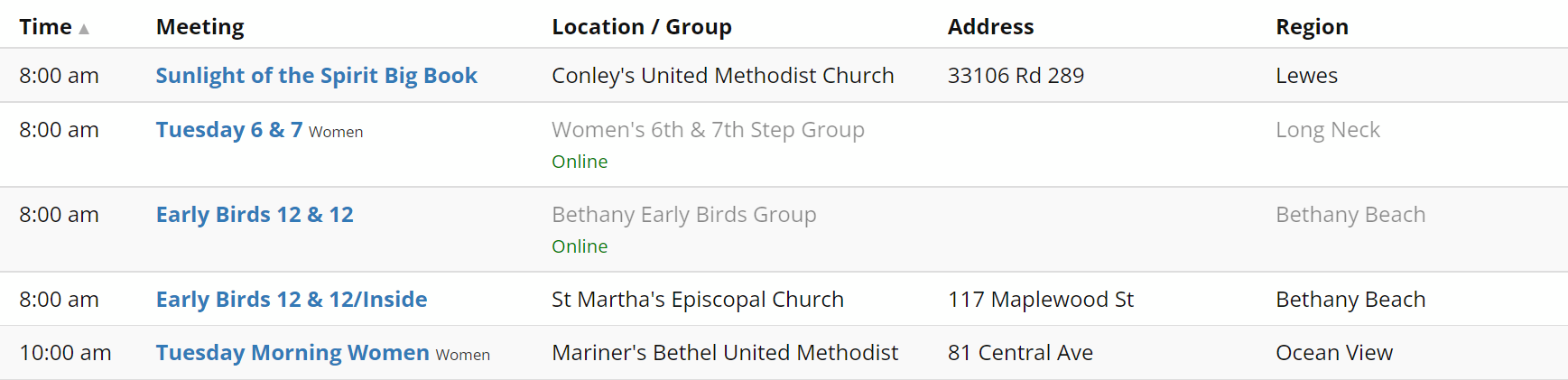

You can also reproduce this behavior on the live site > https://sussexaa.org/
Interestingly enough, the other one staging site I have the code for only showing location data and not group if it's online is not doing this, no matter how much filtering I do and undo.
Answer by @joshreisner
oops. in implementing the location-only fix for you i inadvertently messed up filtering for sites that are using the default Location/ Group setting
Same Location Name at Different Regions
Show question & answer
Question
I asked about this in my other thread, but I fear it got buried.
How are you able to have the same location name for different regions on your demo site? I see there's "online meeting" at San Jose, "online meeting" at Palo Alto, "online meeting" at Santa Clara, etc.
When I try to select a different region for the same named location, it changes all the meetings with that location name to the new region, or if I try to change the region for the same location name, it changes them all. What am I doing wrong?
Answer by @joshreisner
we're not using TSML on aasanjose.org. we're managing our meetings with a Google Sheet and the C4R Sheets service
Search display not correct until screen is refreshed
Show question & answer
Question
When viewing meetings on our website, if any search criteria is selected, i.e., Region, Day, Time, Type, the Address and Region columns are incorrect. Region is displaying in the address column and nothing is in the Region column. When I refresh the screen, everything is correct.
Attached are screenshots before and after refreshing the screen.
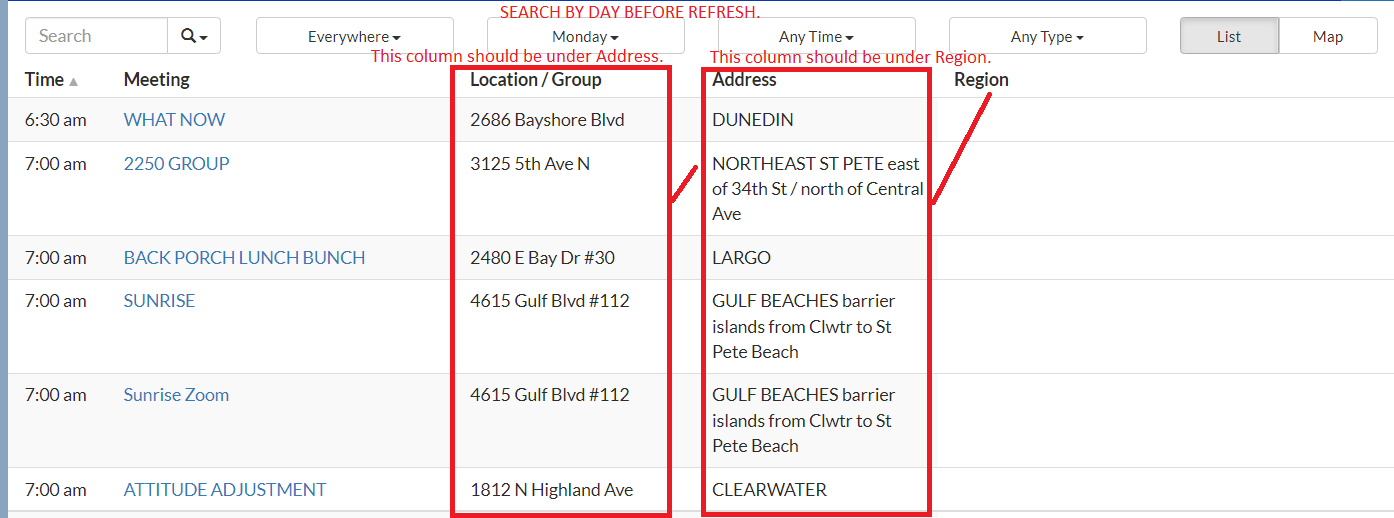
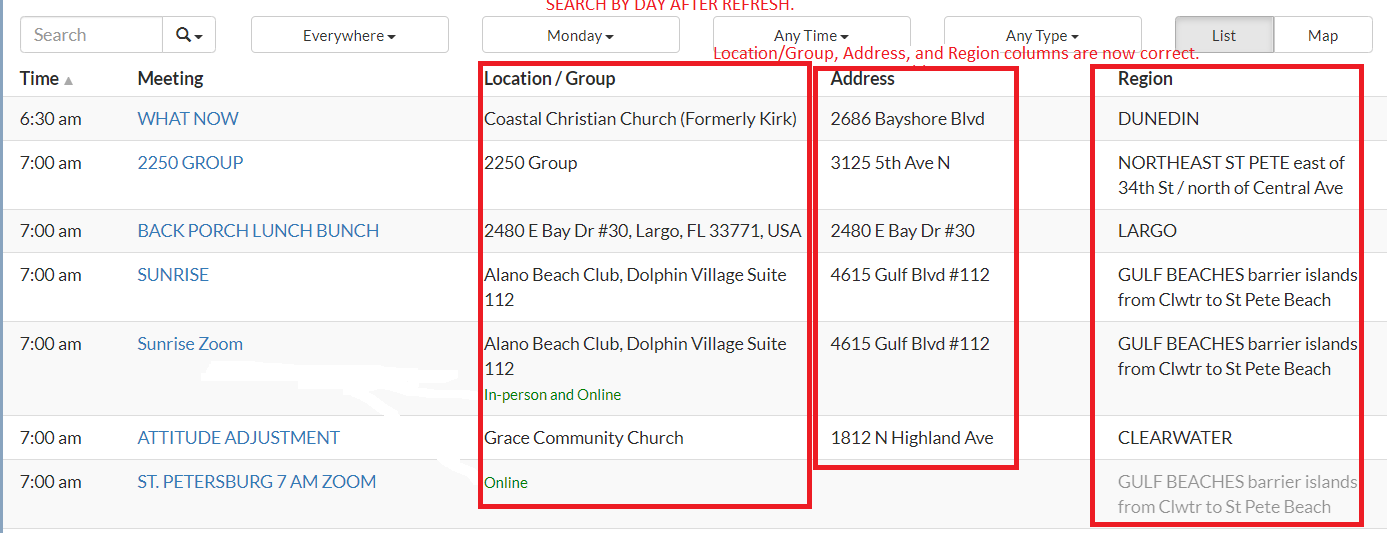
Answer by @joshreisner
sorry about that @WoodieFL ! it will be fixed in the next plugin release, coming soon 🙏
also discussed here: https://github.com/code4recovery/12-step-meeting-list/discussions/835
Question: Maps and TSML_UI
Show question & answer
Question
Our site aaportugal.net does not display maps next to the meeting information, like it does in the site we based it off (aamonterey.org). Is this a TSML_UI thing not yet implemented, or more likely something to do with our Google Maps API account/payments?
Cheers, Derek
Answer by @DerekDen
Ignore me!. I needed to add a mapbox key to enable it, I thought everything was google maps. Issue solved now.
Meeting Search radius displays in Miles (in Australia we use Kms)
Show question & answer
Question
Can I customise the search results meeting distance metric from miles to kilometres? In Australia we use kilometres, so displaying miles will confuse/annoy our users when looking for a meeting close to their location.
Review staging site for testing: [(https://staging.al-anon.org.au/find-a-meeting/)]
Attached is a screenshot, as it's only when searching that miles appears.
<img width="1091" alt="Screen Shot 2023-06-27 at 10 26 27 am" src="https://github.com/code4recovery/12-step-meeting-list/assets/23748349/2cc0b627-5560-4748-bc64-c0cced769c2d">
Answer by @joshreisner
yes, of course! you can change it to kms at Meetings > Settings
Need to add a city not on our dropdown list
Show question & answer
Question
Hi
I need to add a new city but can't seem to find where to do that, i looked at the function.php file and did not see the city listings there. Does anyone know how to update that list for location. The city is right outside our district but we'd like to include it.
Thanks Rose L
Answer by @anchovie91471
Cities are "regions" in TSML. In the Wordpress admin, look under the Meetings and you'll see the regions menu item. You can add your city there and it will show in your dropdown.
Looking for ESH on Mapbox Fees
Show question & answer
Question
We are looking at using 12 Step Meeting List as a solution to manage the meeting list for our Intergroup.
We are a little concerned about the MapBox fees as it seems difficult to assess how much we might end up paying monthly if anything.
We currently have 16 meetings, 4 of which are currently in-person. We are currently getting about 60 visitors to our site each day.
Based on rough math it seems like we would not hit the 50,000 map views allowed on the free account but we wanted to get some experience, strength and hope on what kinds of fees larger intergroups are incurring on a monthly basis, just to be safe.
Thank you so much Will M
Answer by @willinrecovery
Thank you again, Josh. I am guessing that if they were going to get a charge, it would have happened by now.
Google API required by the meeting detail page to show map.
Show question & answer
Question
What are the explicitly required google api's required (over and above the javascript api) for the meeting detail page to show a map.
I guess my real question is; does google maps still work with tsml or has everybody just migrated to mapbox?
Answer by @joshreisner
are you using TSML UI? that is Mapbox-only. only the legacy interface supports Google Maps
Can I adjust how long after start time a meeting "vanishes" from the top of the meeting list?
Show question & answer
Question
A lot of my users are asking for meetings to remain at the top of the (time-sorted) meeting list for 10-15 minutes after their start time, so that late-comers can still find the meeting easily by going to the meeting list. Is there a setting to control this? Can I add customize this in some way?
Answer by @joshreisner
yea, currently the offset is 10 minutes. if you wanted to change this to 15, you can add this to your theme's functions.php:
$tsml_ui_config = [
  'now_offset' => -15,
];
Map pin loading too "narrow"
Show question & answer
Question
https://recoveryroundup.org/find-a-meeting/#/ma-we-grow
<img width="1608" height="801" alt="image" src="https://github.com/user-attachments/assets/b0b1a2e5-8d0f-4b93-b8b5-d97824d4906e" />
This is happening on our meetings, I don't see a clear CSS rule to fix this. This happens on the full-width page, as well as using within a width-constrained container on our site. Can anyone help us troubleshoot and/or fix?
Answer by @joshreisner
hm, we've never seen it do that - maybe try adding some custom CSS to see if that fixes it?
#tsml-ui .leaflet-popup-content \{
  width: 301px !important;
\}
[Bug]: inaccurate information drawn into "Location" panel of WP meetings details page.
Show question & answer
Question
Contact Details
Website With Issue
ContraCostaAA.org
What happened?
For Zoom Meetings only -
 )
Inaccurate, apparently info is drawn into the "locations" panel on the meetings detail page
Meetings CoCoCounty 9-26-2021.xls
I have attached our Excel file for anyone interested.
)
Inaccurate, apparently info is drawn into the "locations" panel on the meetings detail page
Meetings CoCoCounty 9-26-2021.xls
I have attached our Excel file for anyone interested.
TSML Version
Latest (default)
Wordpress Version
Latest (default)
What browsers are you seeing the problem on?
Chrome
Relevant log output/errors
None
Answer by @Grateful-Viv
Shouldn't address contain the street address, city, state, and zip code? I just downloaded our meetings and there is no city field. Maybe the template is different and the city, state, zip code fields are different.
But if this is an online meeting I am curious why you have 94803 in the zip code field and CA in the State field for the Monday El Sobrante Fellowship 830AM meeting.
[Bug]: Rename columns not working on new UI
Show question & answer
Question
Contact Details
Website With Issue
What happened?
Enabled the new UI and wanted to simplify the column names (remove / in Location and Address columns. Added this to the functions.php with no luck:
$tsml_columns = array(
	'time' => 'Time',
	'name' => 'Name',
	'types' => 'Types',
	'location' => 'Location',
	'address' => 'Address',
	'distance' => 'Distance',
	'region' => 'Region'
);
The JS hack below does work but because wp_footer still ends up above the TSML code I have to set a timeout to execute the script so that it doesn't happen before TSML is loaded. I tried onload and a few other methods and this was the only way I could get it to work. Of course this causes the column title to change after the user sees the original naming.
function tsml_rename_columns() \{
  $page = get_page_by_path("meetings");
  if ($page) \{
    ?>
        <script>
		setTimeout(function () \{
			document.querySelector("th.location_group").innerHTML = "Location";
			document.querySelector("th.address").innerHTML = "Address";
		\}, 1000);
        </script>
    <?php
  \}
\}
add_action('wp_footer', 'tsml_rename_columns');
Thank you all for your great work.
TSML Version
Latest (default)
Wordpress Version
Latest (default)
What browsers are you seeing the problem on?
Firefox, Chrome, Microsoft Edge
Relevant log output/errors
I really just want to rename the columns so that they do not have slashes.
Answer by @joshreisner
hi @nmbgeek coincidentally we were just talking about something similar internally, which is the underlying reason that$tsml_columns and the new interface are not currently in sync.
for the time being, the following hack should work a little better, you won't see the flicker in the column heading
<script>
  var tsml_react_config = \{
    strings: \{
      en: \{
        location_group: 'Location',
        address: 'Address',
      \},
    \},
  \};
</script>
Is it possible to edit the locations table?
Show question & answer
Question
When an existing meeting already has a location assigned, editing the location address is not save - it reverts back to the original. Is there a work around for this or can the locations table be accessed to edit? Thanks!
Answer by @joshreisner
we don't have a "locations table" in the database per se, we use wordpress's database schema of wp_posts, wp_postmeta, etc
but to your point, you need the ability to edit location information! sounds like you may be experiencing some type of bug. i'm able to edit a meeting's address and have that information save in our demo site, so sounds like there must be something different going on in your case.
first to eliminate one issue: when you enter an address that already exists in the system, it will try to load that location's name and notes, so you don't need to re-enter it. are you entering a meeting address that's already in use by other meetings?
second: when you edit the new address, does the map update? sometimes you need to click out of the address field and wait a beat for it to have a chance to do that, rather than immediately clicking the "Update" button. you'll know it's ready when the map updates to the new location.
let me know and we can take it from there thanks
Unknown meeting, unknown address
Show question & answer
Question
I have a persnickety problem with only one meeting. I think a bad address was inserted by someone and its now stuck in the system and now it autocorrects to the bad address. There is no direct way to edit locations once they are in. Could this be done with a mysql editor? Or is there a way to delete the location record altogether.
I got it to work but i had to give it a slightly off address otherwise it constantly corrects it to a bad address of: 3115 W, 3115 Elm St, St Charles, MO 63301, USA This is what works but the address is incorrect. MO St Charles, 8:00 pm, (X,ONL) Group 777. Good Shepard United Church of Christ. 3117 Elm St. Rotating Meeting Zoom id: 853-050-3191.
If I snipe in an try to do remove the 3115 W. or just change to 3115 Elm St the "update" button greys out till it updates the field to the bad address.
Answer by @joshreisner
i think this should work…
if (function_exists('tsml_custom_addresses')) \{
    tsml_custom_addresses(array(
        '3115 W, 3115 Elm St, St Charles, MO 63301, USA' => array(
            'formatted_address' => '3115 W Elm St, St Charles, MO 63301, USA',
            'city' => 'St Charles',
            'latitude' => 38.8050199,
            'longitude' => -90.5084694,
            'approximate' => 'no',
        ),
    ));
\}
Meetings with same adress but different locations at same address
Show question & answer
Question
I'm having a strange issue. I have a large location (the Kahala Mall in Honolulu - 4211 Waialae Ave, Honolulu, HI) and there's 2 different suite numbers there with different meetings. When I try to add the Suite number, the geocoding strips it back down to the base address - 4211 Waialae Ave. After that I can't distinguish the 2 locations with 2 different church names and location notes with separate directions. Is there a workaround for this?
Answer by @tech2serve
Hi Mike,
The simplest solution is to include the suite number in the notes, but I realize that may less than ideal.
Another option might be to see what you can accomplish with address overrides. My thought would be that if you designate each by including their suite number, as long as you add that exactly when you enter the address, the override might put the pin in the correct location. I believe you'll still need to put the church name in the location notes.
I've not experimented with this so I'm really interesting in hearing if this works.
Map not found for new location
Show question & answer
Question
Problem with entering a new meeting at a new location: After entering meeting title, date/time, etc. adding a name and address for a new location is not recognized - no map appears and the Publish button remains grayed out. If a current existing location is used, the meeting can be saved. The new address was confirmed as a valid location by checking with Google Maps. We are currently using Mapbox and have the Mapbox key plugged in on the TSML Settings page. I've tried several new addresses with the same problem. Reinstalling the plugin didn't correct this.
Answer by @Spsrky
Thanks, Brian - no luck with that; I'e tried changing the location address several different ways.
A bit of additional information: I downloaded the CSV file of meetings, then uninstalled and reinstalled the TSML plugin and uploaded meetings.csv. Our total number of meetings in the last went from about 1100 to about 800 and the upload created about 300 error messages like this one:
Google gave an unexpected response for address 9731 SE King Rd, Portland, OR 97222, USA. Response was (object) array(
	30	   'error_message' => 'You must enable Billing on the Google Cloud Project at https://console.cloud.google.com/project/_/billing/enable Learn more at https://developers.google.com/maps/gmp-get-started',
	31	   'results' =>
	32	  array (
	33	  ),
	34	   'status' => 'REQUEST_DENIED',
This was puzzling, since we've been using a MapBox API, not Google Maps. Now I'm going the (rather involved) process of getting Google Maps hooked up; using our Google Non-profits account, there is no charge for the Maps service.
We've been having map and location problems for a couple of months and it now seems that we may have exceeded some limit at around 800 records. Once we get the Google Maps account finally active, I'll post the results.
List meetings by group instead of location
Show question & answer
Question
Hi, thanks for this great plugin! It has been a HUGE help!
Several of our site users have expressed frustration at not being able to create a link which quickly pulls up a list of all meetings held by a group. The only option close to this currently, is to click on "...other meetings at this location" which isn't always helpful, since a location can host multiple groups. Additionally, some meetings of a group may be online, making the location different, so these meetings wouldn't appear on the location list.
The only way I've found around this is to search for the desired meeting, switch results to "any day" and then copy the link for that search query. A clean and simple list of all meetings which are part of the same group would be a great benefit (was this not a feature before...I vaguely recall...?)
Thank you for your time and effort. Sam
Answer by @dallasintergroup
Thank you Wayne!
Sam Fuller Office Manager
Dallas Intergroup Association 4407 N Beltwood Pkwy Suite 110 Farmers Branch TX 75244 214-887-6699 @.***
On Tue, Jul 19, 2022 at 11:38 AM Wayne Parker @.***> wrote:
> Hi @dallasintergroup <https://github.com/dallasintergroup>, thanks for > the suggestion. I'll see that this gets discussed at our next team meeting. > > — > Reply to this email directly, view it on GitHub > <https://github.com/code4recovery/12-step-meeting-list/discussions/876#discussioncomment-3182366>, > or unsubscribe > <https://github.com/notifications/unsubscribe-auth/A2D2DXGHYX47SYS27ETHWB3VU3KX3ANCNFSM535OSPRQ> > . > You are receiving this because you were mentioned.Message ID: > <code4recovery/12-step-meeting-list/repo-discussions/876/comments/3182366@ > github.com> >
Organising and displaying timezones
Show question & answer
Question
Thank you so much for this plugin. It's really helpful. Are you able to help me with an issue we seem to be having?
Ideally, a new user would click 'meetings' to see the day and time it is now and all of the meetings that are on now, in their own timezone, automatically. Otherwise, they could filter by day and time and choose to see all the meetings in their timezone so they can see all the meetings that are happening now. That's quite far from what we have.
I notice you have that going on beautifully, here: https://aa-intergroup.org/meetings/
For a working example of what we have going on, see here: https://debtorsanonymous.org/meetings/?tsml-day=4
As you can see, we have several time zones. At the moment, PT is next to ET, next to UK time, etc. 5pm in each of those don't translate to 5pm in all of them.
To make it user-friendly, how do we consolidate them, so that if someone is looking on the west coast, they (can choose to?) see PT and if it’s east coast, they (can choose to?) see ET. Equally, if they’re looking in Dublin, or Frankfurt, or Iran, (can choose to?) see their time. Would all be changed to one standard time zone for that to happen? Or is there a way to allow a translation based on location.
At the moment, it's listed in the meeting location timezone, rather than the person who's looking at its timezone.
I've joined a committee to try to help to resolve ux issues. I'm still learning but when I've got more experience, I'm happy to jump on here and offer my service where I can to help.
Any suggestions you have to solve the above are greatly appreciated.
In fellowship,
Lorraine.
Answer by @joshreisner
Hi Lorraine! Looks like you've made some pretty extensive customizations to the TSML codebase - is it a fork from a few years ago? I see 3.4.21 as your version number. Looks like you've added new fields, such as primary_language, group_number, tz_code, tz_description. Also some fundamental rules have been changed like the requirement to have a geographic location.
The source code for the meeting finder OIAA is using is here: https://github.com/code4recovery/online-meeting-list/ - it is a react/typescript-based system that only supports online meetings and pulls its data indirectly from a Google Sheet. It uses moment-timezone to normalize meeting timezones into the user's tz, but they'll be switching to luxon soon.
Not sure how to move forward in view of all the effort you've invested in your fork of TSML -- but interested to hear what options you're considering.
Online Only Meetings
Show question & answer
Question
Our area has several meetings that were physical meetings before COVID but are still online only. These are marked temporarily closed but still retain their location information for when they re open.
Recently I noticed that this prevents these meeting from being listed on the PDF generated using the 12 Step Meeting PDF Generator by Chris T. (I realize/understand that this is separate from C4R.) But these meeting will be listed if their location information is removed. To save it for future use, I copied this info to the locations notes field.
The problem this created was that all of the online only meeting in a specific region (we use this as cities/towns) are then linked together and the location notes info is overwritten - even when notchecking the box to update all meeting at that location. The only work around I have found is to link the meetings at a given location as a group and add the location info for future use in the group notes field.
Anyone else experienced this? Am I doing something wrong? Is there a better work around?
Thankfully, this only affected a few meetings before I realized the behavior.
We are on the current version of the TSML (3.14.12)
Thanks for any help/insights,
John
Answer by @joshreisner
hi john,
location notes are shared between all meetings at a given "address" which could either be an approx location like Boston, MA, USA or a street address.
so if you want to retain unique notes they should go in the regular meeting notes field, even though i realize they pertain to the "location" -- because regular notes can differ between meetings that share a location
we generally recommend considering meetings that still aren't meeting in person after three years as "online" meetings now, and they can always be edited if they return to in-person or go hybrid
Paypal username
Show question & answer
Question
Good morning!
I am wanting to use the paypal feature in the meeting. It asks for the Paypal Username. I have tried both the e-mail address and @username from the account and both send me to a page that says
"Sorry. It looks like nothing was found at this location. Maybe try one of the links below or a search?"
Does anyone have any ideas of what that field is expecting to be entered and where to get that information from the Paypal account?
Answer by @joshreisner
oops sorry about that @ACAwebbuilder - looks like we have some confusion there, and need to get aligned internally
in some places we expect a string username, eg MyGroupName, and in some cases we expect a full PayPal URL, eg https://www.paypal.com/paypalme/MyGroupName
we'll create a ticket to figure this out!!
Email function not working with new format for update change feature
Show question & answer
Question
A user just informed me by direct email that when they attempted to send an email through the 12 Step Meeting list plugin they got an error message: Could not instantiate mail function. I tried it and got the same error. I check the Settings and the contact email is the same. I deleted and added the email contact address, but the result is the same
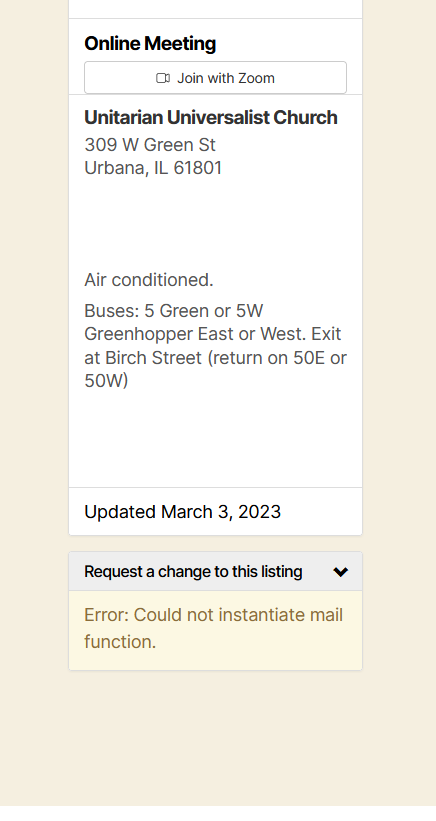
Answer by @joshreisner
hi, that error is coming from wordpress, not the plugin, so i believe this may be an error on your site
try opening a private window and trying the login > forgot password function. does it work?
if not, i believe you may need to re-setup email on your site
Correctly activating 12 Step Meeting List Plugin
Show question & answer
Question
I re-constructed our Intergroup Website and need to be sure I have the meeting plugin properly activated for our area. New site is in Wordpress with Twenty Twenty Three theme.
I imported the data from the old site (still active) and the list is functioning. I am not sure what steps are next to replace one site with the new one or if multiple can be active at the same time.
Site address: https://e7u.a23.myftpupload.com/ Meeting List: https://e7u.a23.myftpupload.com/meetings/
Dan Meeks
Answer by @joshreisner
HI Dan,
So you're about to change the URL of your demo site to be aatampa-area.org and then take down the website at meetings.aatampa-area.org?
Once you change the URL of the site, I would suggest three things:
- On the new site, in WordPress Settings, make sure the URLs there are the live URL: https://aatampa-area.org/
- Go to WordPress Settings > Permalinks > Save Changes (this often helps)
- Go to any meeting and hit Update
At this point your new site should be working properly. If you are connected to the Meeting Guide app your feed URL has now changed, so I would let them know the new one and that they need to update it now on their end on their end: https://meetingguide.helpdocs.io/article/g0ykqkdq0u-connecting-to-meeting-guide-step-by-step
Finally, take down the old meeting finder site. It would be good to leave a message up for a period of time that redirects users from https://www.meetings.aatampa-area.org/meetings/ to https://aatampa-area.org/meetings/ because people will have bookmarked the meeting list, and it will also take Google some time to update. One option if you want to transparently redirect users is to uninstall TSML from that site and use a plugin like https://wordpress.org/plugins/eps-301-redirects/ to redirect users transparently
Hope that helps
Editing location data
Show question & answer
Question
Is there a way to edit locations directly via the UI? We are finding a handful of locations are resolving towns incorrectly and need to be updated. If not, what tables are are involved on the database?
Answer by @joshreisner
hi @chris-stg - there's no way to change a location in the UI, but there is a way to override an address by editing your theme's functions.php: https://wordpress.org/plugins/12-step-meeting-list/#i%20need%20to%20correct%20a%20meeting%20address%20or%20change%20a%20pin%27s%20location
if you want we can help you form the code you'll need to add. which addresses are giving you trouble?
https://www.latlong.net/ can be a resource to find the correct latitude and longitude if google is not giving the correct response (we use the google geocoding api in the plugin)
Meetings listed twice, coming from (2) Intergroups
Show question & answer
Question
Dear C4R Support,
I was asked by the Reading-Berks Intergroup Web Servant why some meetings that are listed on the Area 59 website were being listed twice on the app. I began by asking him if he was the person maintaining the source document.
He sent me this email in reply:
> I am not aware of any master list. If there ever was one, I’ve not been privy to it. > I’ve been using WordPress with the TSML plug-in since taking over from Greg when he got sick. Once I generated the API key with some help from the TIAA forum, it worked quite well. > > Whenever I’ve added, edited or deleted info or an entire meeting, it has been updated on the app & A59 website without issue 98% of the time. > > The only previous problems have occurred when Elementor & the TSML plug-in have had simultaneous updates, which has occurred 2x in the last 3 years. > > Does anyone at Area59 know why some meetings show up as A59 being the source? I’ve only communicated about the ones I’ve seen that reside in Berks County, and this “Came to Believe” meeting & what just happened with “A Fresh Start” isn’t the first I’ve seen it occur. I’ve also seen A59 as the source for other meetings in other counties as well. Some even show up twice in the app, once for the correct source location, & once from “Area59 Pottsville PA. > > I’m attaching an example that is currently on the app. It’s the same meeting, however one says it’s from SEPIA, the other from Area 59.
The example he gave: https://area59aa.org/find-a-meeting/?region=richlandtown
Area 59 uses feeds from two geographically overlapping Intergroups on our site: Reading-Berks and SEPIA.
https://readingberksintergroup.org
Should Area 59 disconnect the feed from Reading-Berks Intergroup?
Any help would be appreciated.
Thank you,
Scott Fritzinger | Area 59 Web Servant | webservant@area59aa.org
Answer by @joshreisner
i don't know much specifically about SEPIA, but intergroups of that size in general use a few techniques, usually they will have volunteers and paid staff who make updates and answer phone calls - the latter can be very helpful gathering reports of missing meetings. they often there will be an "Outreach Committee," or something similar, to track down and contact or sometimes visit the meetings in question. they'll also have a database of meeting contacts - these are usually just the names of the people who contacted the intergroup last to add or edit the meeting info.
however i wouldn't be too spooked about the late 2021 updated date, it's not unusual for a meeting's listing to stay the same for several years. if it had been early 2021 i'd be more concerned.
if you're importing richlandtown from SEPIA perhaps your site could use an address override to prevent it from being listed twice?
if (function_exists('tsml_custom_addresses')) \{
    tsml_custom_addresses(array(
        '4 S Main St, Richlandtown, PA 18955, USA' => array(
            'formatted_address' => '4 S Main St, Richlandtown, PA 18955, USA',
            'city' => 'Richlandtown',
            'latitude' => 40.4706128,
            'longitude' => -75.3207652,
            'approximate' => 'no',
        ),
    ));
\}
Online-only meetings not publishing to the Meeting App (Location/geocoding issue)
Show question & answer
Question
Website https://aamanitoba.org/meetings
Issue We're experiencing issues with our active online-only meetings not displaying on the Meeting App. The issue seems to be linked with the Location and Map fields. The location for some of the online-only meetings includes the geocoding; these seem to get to the Meeting App. However, the location for other online-only meetings does not include the geocoding; these meetings are missing on the Meeting App.
Versions TSML - Version 3.14.32; Wordpress - Version 6.3.3
TIA!
Answer by @SIA-WEBSUP
The meeting guide app is really meant to find meetings geographically close to where you are located ( or wherever you set the 'current location' to ).
So online meetings in the meeting guide app are a wee confusing since they must be 'based' from some physical location (i.e. have an approximate address). This makes good enough sense when you're dealing with a densely populated area... and perhaps you do want to find an online group that has folks near you.
But for a very large, sparsely populated areas... this makes less sense.
I'm guessing that what you probably want is some consistency in the case of Manitoba. Perhaps it would be good to have all ONLINE ONLY meetings based ANYWHERE in Manitoba to have an approximate address of 'Manitoba, Canada' which as I already mentioned appears to be in the middle of Lake Winnipeg near the northern end, but no where near the city of Winnipeg.
But if someone did want to find online meetings based ANYWHERE in Manitoba, they could change their 'current location' in the meeting guide app to Manitoba, Cananda and find them all.
Custom Graphic for Online Only Meetings?
Show question & answer
Question
This is not a problem but more of a cosmetic thing that would look nice and make our Online meeting stand out more.
Can an Online meeting graphic be displayed in place of the map feature on the detail page of the online meeting? Right now, we have this big blank space for online-only meetings. Can that blank space be filled with an Online graphic of our choosing?
Thanks Greg
Answer by @joshreisner
hey @indelg1 we do currently have a graphic with the TSML UI appearance, example: https://aasanjose.org/meetings?meeting=one-day-at-a-time-400-2
are you using the Legacy UI? we could also add this graphic there
Location address won't update
Show question & answer
Question
I'm making an inactive meeting ACTIVE again....and trying to give it the location address. It defaults to the small town where the meeting is located and kicks out the address I'm asking for. The address is on Google Maps. Yes, I checked that you can attend this meeting in person.
Answer by @SIA-WEBSUP
@A46webchair , unfortunately, I don't think this is working as we had hoped with regards to the meeting guide app.
What I'm seeing is that your feed is still passing "7 John Hyson Dr, Chimayo, NM 87522, USA" to the meeting guide app. And unfortunately, this specific formatting of this address does not geocode correctly.
see: https://nm-aa.org/wp-admin/admin-ajax.php?action=meetings
"author": "meetingAdmin",
        "location": "John Hyson Educational Center",
        "location_url": "https:\/\/nm-aa.org\/locations\/john-hyson-educational-center\/",
        "formatted_address": "7 John Hyson Dr, Chimayo, NM 87522, USA",
        "approximate": "no",
        "latitude": 35.9997747999999972989826346747577190399169921875,
        "longitude": -105.9306825999999972509613144211471080780029296875,
        "region_id": 56,
        "region": "Chimayo",
        "regions": [
            "Chimayo"
        ],
You could email appsupport@aa.org explaining the situation and ask them to add an override on their side. I.e. map"7 John Hyson Dr, Chimayo, NM 87522, USA" to "7 John Hyson Drive, Chimayo, NM 87522, USA"
How to get online meetings to show as "active" when no Zoom information available?
Show question & answer
Question
Hi everyone,
I have a few meetings in my Area (mainly Alateen) that are online only and are not able to provide their Zoom link to post into TSML and therefore show as inactive. I am wondering if there is a way to input information into the meeting listing to have the meeting show as "active" without needing to provide a URL for the meeting?
I do input an address of Electronic Meeting - Canada to assist the plugin as well as this also appeared to be needed to list the meeting as "active" even though the meeting does not meet in-person, but rather online.
Answer by @joshreisner
hi yes we've had this exact situation come up before ;)
we recommend creating a page on your website describing the process to follow for these meetings
then add your own site's URL as a valid "conference provider" in the method described at the link above
then for a conference URL you can link to the page you created, so people who click on it will see the correct process
Turning off specific address requirements.
Show question & answer
Question
I'm part of an SLAA Intergroup that publishes meetings in the Midwest. One of our meetings wants newcomers to the meeting to call in order to get the meeting address. It's a hybrid meeting, but also want to leave their zoom info blank for similar reasons.
Is there a way I can remove the "Error: In person meetings must have a specific address" check when modifying a meeting? Our goal is to have a map icon to show up on the map view for meetings at the city center, while keeping the "in person" listing accurate
Answer by @joshreisner
@tim-rohrer beat me to it! here's my longer "yes and" to this question:
hi @chris-trudgingtheroad i suspect we're going to discuss this tomorrow in our code for recovery biweekly meeting - there is another fellowship that is also in a similar situation.
for some context: TSML uses address-specificity to determine if a meeting is "in-person" and the presence of a valid conference url/phone to determine if it is "online" - it doesn't have a way to designate this on a meeting without these things. the first part of this has always been that way since first launching in May 2015, and the second part since online information was added in 2020.
we have had some sporadic requests over the years to change this - sometimes for meetings that are at a person's residence or for a meeting that moves around - and our guidance in the past has been to suggest using a separate page on the website to list these.
the reason we originally implemented this logic (and continue to support it) is because we prioritize the experience of the person looking for a meeting ahead of all other concerns (such as the desire of the group to be listed, or the service entity to list different types of groups). we believe that it is better user experience for users to be able to find meetings that are readily-accessible.
this seems to work well for A.A., but we recognize that other fellowships may have different requirements.
however, this logic is baked into the "DNA" of the plugin and associated software (especialy TSML UI and Meeting Guide) so changing it is a potentially major change that could have downstream impacts on the way that TSML interacts with those projects - currently if a meeting shows up in TSML it can be expected to show up in Meeting Guide, however if we change the logic then this will no longer be true.
one potential compromise we might consider would be to adjust (or makes accessible to sites to adjust) the red Inactive designation that shows up for meetings that withhold this information. perhaps to something like a gray Request access or similar. let us know if that would be useful in your use-case, that would help us evaluate it as an option.
another regions in search typeahead in legacy ui not working
Show question & answer
Question
Refresh page or copy and paste link - not this same result
vs
<img width="1254" height="414" alt="image" src="https://github.com/user-attachments/assets/ec513707-c359-4477-bda3-0272fcf5bef7" />
vs
<img width="1464" height="469" alt="image" src="https://github.com/user-attachments/assets/3b17ffc5-5cb6-4e04-9a44-ad78c407ae00" />
Answer by @joshreisner
hm, comparing these two screenshots, the issue i see is with the distance filtering. it looks like the one on the top is within 10km, but the one below is not
i see that if i land on the page and it is not filtered, i can select 10km manually and it filters, but then i refresh and it loses the filtering
is that the issue you're seeing? or is there something else as well?
Issue with Meeting address.
Show question & answer
Question
Hey guys, I noticed the switch to the new map provider. Congrats on that.
We are seeing a problems with the San Gabriel Women's Meeting, Unity in Recovery, and Sufficient Substitute Young People in Alcoholics Anonymous (SSYPAA). When I enter the address (1322 E University Ave, Georgetown, TX 78626) in austinaa.org Dashboard, the plugin adds J.E. & L. E. Madee Residence Hall in front of the address. When I enter "J.E. & L. E. Madee Residence Hall" in Google Maps, it has a different address and is across the street from 1322 E. University Ave.
How can we fix this?
Answer by @SIA-WEBSUP
@lionssharedigital,
If I'm understanding the issue correctly,
- San Gabriel Unitarian Universalist Fellowship geocodes to 1322 E University Ave, Georgetown, TX 78626, USA at [30.633297, -97.662625]
- 1322 E University Ave, Georgetown, TX 78626 geocodes to an identical address... but at a different map location [30.634245 -97.662992]
I assume the first one, the geocoding for San Gabriel Unitarian Universalist Fellowship, is the one you want, You could force the plugin to use this geocoding by putting San Gabriel Unitarian Universalist Fellowship in the address field ( as well the Location field). When you tab out of the field it will geocode to correct location.
<img width="508" height="120" alt="image" src="https://github.com/user-attachments/assets/42128ed8-2719-457d-aa8a-6250455ed4be" />
The only drawback with this workaround is that you'll have to remember that you 'forced' the first geocode to stick using this trick. If you were to for instance tweak the address in some way and force the geocoding to run again, you'll get the second incorrect geocoding. if you do, just use the same trick to get back to the first geocoding.
Looking to create an email address from District and pass to form
Show question & answer
Question
I've built a form that receives all the meeting values I need as URL parameters by using the $tsml_feedback_url override. I'd like for one of the form's recipients to be the DCM, which I can only do if I manipulate the meeting's "district" value. How can I remove the space and append "@mydomain.net" so "District 10" becomes "District10@mydomain.net", and then store that in the meeting's "email" field value so it will pass using the email URL parameter?
Answer by @SeanR4630
Good morning!
I used Forminator (free version) and it’s working great. I love the conditionals that can be implemented to handle presentation and communication. Unfortunately, it doesn’t seem to have a field type or a way to manipulate the values passed to it, or even those entered by the user.
Here are some tips for anyone entertaining this idea...
- You MUST remove all existing emails from the "User Feedback Emails" setting for it to work.
- I had issues using paramater names that matched the placeholders (e.g., slug={{slug}}). However, mslug={{slug}} worked fine.
- If you make ANY changes to the value of $tsml_feedback_url, you MUST delete the tsml-cache-### in the wp-content folder to see the effect.
- If, like me, you don't want your override overwritten by a theme update, use a free pluging like "Code Snippets". However, you have to code the override to trigger at the right time. Here's the code I used in my snippet:
add_action('plugins_loaded', function () { global $tsml_feedback_url; $tsml_feedback_url = '/meeting-change-request?mname={{name}}&mslug={{slug}}&mdist={{district}}&dsn={{data_source_name}}&cemail={{email}}&demail={{district}}&meetid={{id}}'; });
Much of what I did was intuitive-based and objective-driven, but I couldn't have done it without the tips I found in the FAQ and this forum. Thank you to EVERYONE contibuting to this cause. I hope to return the favor by sharing more as I move forward.
Sean
SPAM Meeting Feedback Form Email
Show question & answer
Question
Recently we have been receiving an large volume of Meeting Feedback Form emails with what appears to be from a compromised email account., The requesting email address name is a long string of alphabet soup and the email address is typically a gmail or yahoo domain that jocular be easily compromised. There are no additional comments or information. Our web pages have been loading extremely slow. I am concerned that there is some type of insertion attack happening .
<head></head> Meeting Feedback Form: New Salt PileqLlifkxkyQQaypMeKGxFugMRequestedn By: kYEkxxOpwdtCjPCC <cbrouphy@gmail.com>Meeting: New Salt PileWhen: Sunday, 7:00 pmTypes: CNotes: (Open Mtg. 1st Sunday of the Month)Location: St. Joseph’s ChurchAddress: 5314 Hohman Ave, Hammond, IN 46320, USARegion: Hammond
Meeting Feedback Form: New Salt Pile qLlifkxkyQQaypMeKGxFugM
Requested By: kYEkxxOpwdtCjPCC <cbrouphy@gmail.com>
Meeting: New Salt Pile
When: Sunday, 7:00 pm
Types: C
Notes: (Open Mtg. 1st Sunday of the Month)
Location: St. Joseph’s Church
Address: 5314 Hohman Ave, Hammond, IN 46320, USA
Region: Hammond
Answer by @SIA-WEBSUP
@jimmedlen , just following up.
We took a look at the handler for this form that generates the email and don't believe this is a possible vector for a SQL injection attack:
- all values from the form fields are sanitized before use
- none of those values are written to the SQL DB
- the email is eventually generated via wp_mail() which also doesn't write to the SQL DB
You might consider switching from the Legacy UI to the newer TSML-UI.
TSML-UI doesn't use a form and doesn't call wp_mail() and may be less of a surface area for these types of spammy emails.
Support for Online Meetings
Show question & answer
Question
Hi folks! Over in Recovery Dharma we use 12 Step Meeting List for all of our meetings, whether in-person in the United States or around the world—as well as for online meetings.
However, for online meetings we've got a few challenges:
- We have to use a special
*Onlineregion to get them to appear separately. - Arbitrarily we set the address to just "United States" because we have to put in something.
- That puts a map on each meeting page smack dab in the middle of the US that is meaningless (and worse, takes up the majority of each online meeting page).
- We end up overloading the title field with international time info because there's no way to indicate time zones.
I realize this is a big ask, but as a first cut, simply providing a checkbox for online meetings or some way to disable the map would be enormously helpful (people from London don't need driving directions to Dearing, Kansas). What do you think? Time zone issues present a host of problems but they can be addressed later.
Answer by @joshreisner
Hey there. I think we worked together a few years ago setting up the old Refuge Recovery site.
I've gotten this request many times over the years, and believe this plugin is not the right format for entering meetings that are online and/or don't have a location. Simply use a different page for those on your site so that they can be in a separate list, or develop a new plugin.
I'm working on a new project for AA-Intergroup.org (https://github.com/code4recovery/oiaa) that is trying to rethink what such a meeting finder would look like if it didn't have a map and addresses in it, and was time-zone agnostic.
You'd be welcome to borrow any of that code. It uses a Google Sheet as the data source but could easily be adapted to WP, esp with a tool like Advanced Custom Fields.
But I'd advise not trying to use 12 Step Meeting List to that purpose.
Setting exact coordinates for location directly on WP admin
Show question & answer
Question
Is your feature request related to a problem? Please describe.
Right now the location coordinates are either set automatically through geocoding or manually in the code. While the second method is designed for the exceptional cases, from my experience such cases are much more common than they may seem (especially outside of US).
Describe the solution you'd like
Add optional (and possibly hidden/collapsed by default) fields for longitude and latitude inside the location pane on WP admin panel.
Describe alternatives you've considered
The original plugin functionality may be extended by external plugin (if there are any technical issues with including it in 12SML).
Answer by @FlipperPA
We've done this slightly different on the Django/Wagtail version; I'm not sure if it is a pattern that TSML might want to follow.
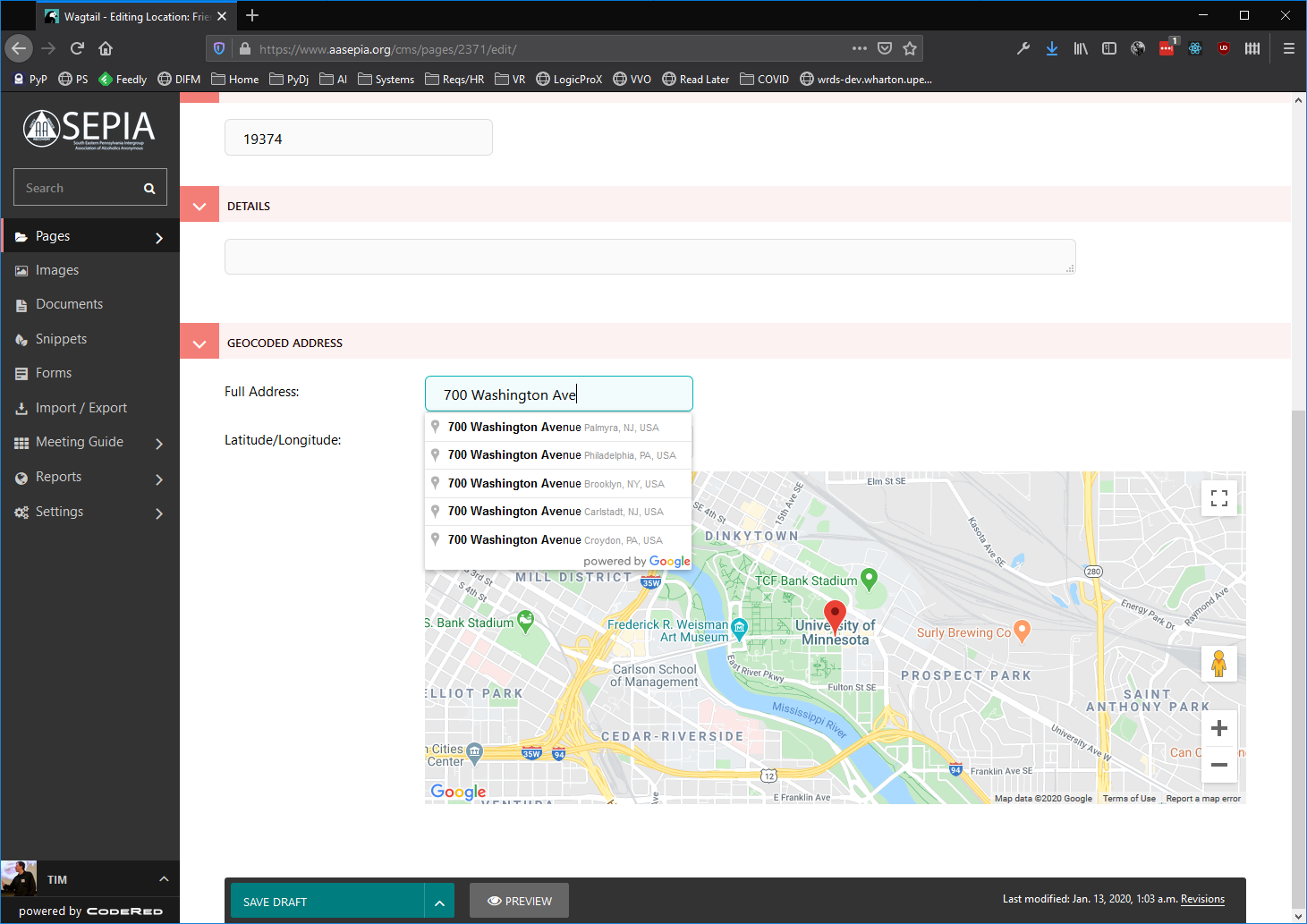
The Full Address field populates suggestions from Google Geocoding API, and when you select one, it populates the Latitude / Longitude field. You can then move the pin or edit the Latitude / Longitude manually. This allows, for example, moving the pin to a rear or side entrance of a large building or complex. After selecting one of the addresses, here's the interface where you can move the pin or change the lat/long:
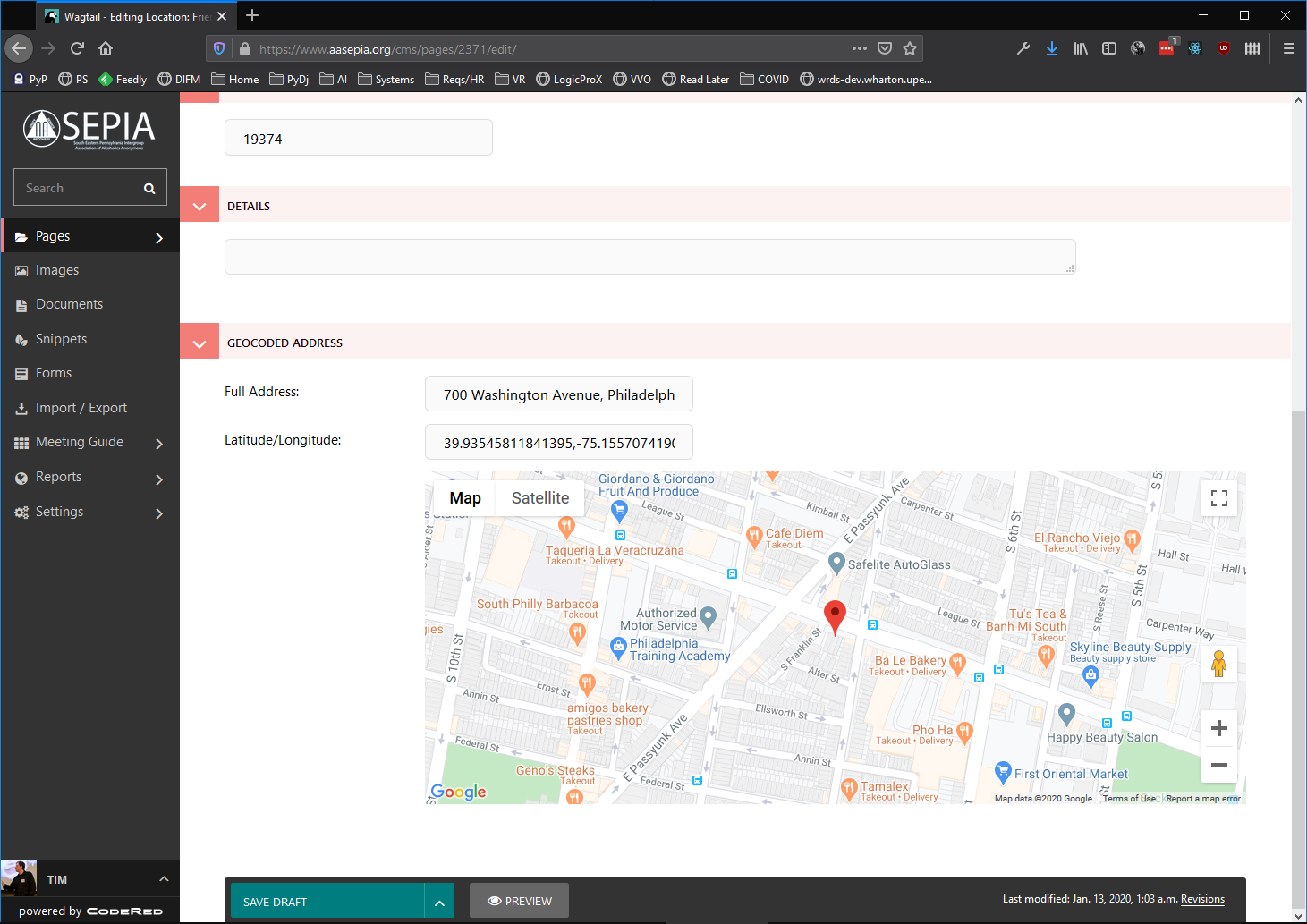
Wheelchair Location Information
Show question & answer
Question
"Wheelchair Access" and "Wheelchair-Accessible Bathroom" are listed under meeting types.
It would serve better listed under Location Information. Entered once for the location, instead of entering for each meeting.
Keep up the great work, appreciate everything you do for the program.
Answer
Hi @ebart455987,
We've been trying to triage and work on some of the issues we originally accepted as new features, and our team discussed this one today.
In considering your request, we realized there are situations where multiple meetings might be at the same location, but because of the rooms/buildings used, only some of the meetings are actually wheelchair accessible. This isn't hypothetical; one of our members manages meetings for which this exact scenario is true. So, we decided that leaving wheelchair accessibility as tracked by meeting vice location gives webmasters more flexibility.
Although I'm going to close this issue, we're not closing the door on the conversation. One of our future initiatives is to rework meeting types to extract some of the information that doesn't really fit there. In some cases, I'd like to see accessibility pulled out as a type and to have it tracked separately. You may still see changes regarding this in the future.
I hope this makes sense, and if you'd like us to reconsider, please don't hesitate to comment.
google maps not showing on website aaboston.org
Show question & answer
Question
Describe the bug google maps not showing on website aaboston.org To Reproduce Steps to reproduce the behavior:
- Go to 'www.aaboston.org'
- Click on 'meetings.'
- Select any meeting'
- See error - blank map
Expected behavior Map visible for each meeting Screenshots screenshot-aabos-nomap.docx
Desktop (please complete the following information):
- OS: [Win 10]
- Browser [chrome]
- Version [Version 88.0.4324.182 (Official Build) (64-bit)]
Smartphone (please complete the following information):
- Device: [Pixel
- OS: [Android 10]
- Browser [chrome
-
- Version [e.g. 22]
Additional context Add any other context about the problem here.
Answer
Look at the output in your browser console/debugging tools. With Chrome, something like cmd-option-i should open them.
In the output, you'll see a bunch of errors that seem to indicate you have an invalid Mapbox key entered for mapping. If you fix that, your problem should be resolved.
If not, please contact Mapbox and determine what is wrong with your key, or generate a new Mapbox key.
We can reopen this issue if it appears something else is going on.
[Bug]: Localization issues with Russian language
Show question & answer
Question
Website With Issue
What happened?
Bug Report Title: Localization issues with Russian language
Description:
- Issue: Incorrect translation and formatting for meeting time, day of the week is not capitalized “Tuesday, 8:00 pm to 9:30 pm”.
Current: вторник, 8:00 pmк9:30 pm Suggestion:
- Вторник, с 8:00 pm до 9:30 pm
- Or: Вторник, 8:00 pm - 9:30 pm
- Issue: Incorrect declension with numerals “6 other meetings at this location”.
Current: 6 другие собрания в этом месте Suggestion:
- 6 других собраний в этом месте Notes:
- 1 другое собрание
- 2 другие собрания
- 3 другие собрания Alternative:
- Других собраний в этом месте: 6 (Correct for any numbers)
- Issue: Capitalization error in “Japanese”. Current: японский Suggestion:
- Японский
- Issue: Incorrect translation of the medical term “Dual Diagnosis”. Current: Двойная диагностика Suggestion:
- Двойной диагноз
- Issue: Incorrect translation for the time of the day “Midday”. Current: Полдник Suggestion:
- Полдень
- Or: Середина дня
- Issue: Word "Active" remains untranslated. Current: Active Suggestion:
- Действующий
- Or: Активный
- Issue: Questionable translation for “In-person”. Current: Лично Suggestion:
- Живые (colloquially more common)
- Or: Живые собрания
- Issue: Incorrect capitalization in days of the week. Current: понедельник, вторник, среда, ... Suggestion:
- Понедельник,
- Вторник
- Среда
- ...
What browsers are you seeing the problem on?
No response
Relevant log output/errors
No response
Answer by @joshreisner
closing this issue since we don't have capacity internally to register as a plugin translator.
we'd love it if @al-bal or any knowledgeable Russian-speaker were to register and make these changes at https://translate.wordpress.org/locale/ru/default/wp-plugins/12-step-meeting-list/
if requested, we'd be happy to start the process of adding Russian-language translations to TSML UI and the types in the Spec
Cincinnati Contact info on App
Show question & answer
Question
How do we update the contact information on the app.? We would like to remove the phone and change the email address.
Answer by @SIA-WEBSUP
When you connect your feed to the meeting guide app, you have the option of supplying the information that is displayed for your AA entity,
Simply fill out the Meeting Guide Connection Form to connect a new feed or update an existing one. see: https://meetingguide.helpdocs.io/article/g0ykqkdq0u-connecting-to-meeting-guide-step-by-step
Feature request: Allow use of map coordinates in Google maps.
Show question & answer
Question
As we all know, Google Maps sometimes decides that locations are across the street or down the road from where they actually are. This makes it very difficult to put the correct address in, because the address I have entered might be changed when I save it to a location that the map is comfortable with.
I know that's a problem with Google Maps, and I am not suggesting you fix that. However, if we had the option of putting in any address we want to, as long as we use the latitude and longitude of the meeting, that would solve the above problem entirely.
I have been thinking about branching my fork and seeing if I can manage to get somewhere with this, but if you have been thinking that this might be a good idea, there's no time like the present :-)
Thank you for your service!
Answer by @joshreisner
So looks like the default behavior is that when you create a meeting at Greyfriars, Southgate Street, Gloucester, GL1 1TS, UK, Google changes this to Southgate Street & Greyfriars, Gloucester GL1, UK. It puts the pin down at 51.86413040000001, -2.2474895 (34 meters away).
To get this more precise, we'll add an entry to variables.php at line 203. I'll add this is in the next version of the plugin, so you don't need to worry about updating
	//greyfriars for cauk
	'Greyfriars, Southgate Street, Gloucester, GL1 1TS, UK' => array(
		'formatted_address' => 'Greyfriars, Southgate Street, Gloucester, GL1 1TS, UK',
		'city' => 'Gloucester',
		'latitude' => '51.863819',
		'longitude' => '-2.2475052',
	),
Once this is in there, set the address to Greyfriars, Southgate Street, Gloucester, GL1 1TS, UK exactly, (make the location name Gloucester Friends Meeting House) and the address will stay as-is, and the pin will be where you want it.
Improve success/failure feedback when entering an address or updating a meeting
Show question & answer
Question
Is your feature request related to a problem? Please describe. Yes.
A number of sites using the 12-step-meeting-list plugin experience difficulties with geocoding certain addresses in their local area. With one example, the site’s geocoding worked during the initial creation of a meeting, but subsequent changes to the meeting are not possible because the geocoding fails and the Update button is not active.
Other users have reported issues with the Update button being grayed out, and they’re not sure why. Subsequent investigation determines they have an address that is not seen as valid by Google, but this isn’t clearly displayed to the user on the admin page. Ofttimes copying and pasting the address from the maps.google.com page resolves the issue even though the addresses were fundamentally the same.
Even when an incorrect address is the source of the problem, it is difficult for inexperienced users to realize the address they’ve entered is the problem based on the lack of information provided by the plugin. Likewise, when the address is confirmed valid but something else is causing a geocoding problem, no debug information is provided to the user.
The lack of feedback makes it difficult to debug problems locally and remotely.
Describe the solution you'd like
When the address is geocoded successfully, the form should show a green check mark next to the input field. When the geocoding is not successful, a red “x” should be displayed, and additional error information should be displayed to help the user determine the corrective course of action.
The debugging information should appear near the address field so users are able to quickly capture and report in a support request or bug report.
Describe alternatives you've considered
- Automatically generating bug reports when geocoding fails.
- Add logging that could then be sent to the developers
- Instead of a green check, just have the field become dark gray until a successful geocode is completed.
Additional context This will help troubleshoot problems and improve trust for the users.
Answer by @joshreisner
I can probably do this. I would like to review this with specific cases before work is done though.
In my many years of experience with this, the most common reason for a greyed out button was a javascript error from another plugin interfering with geocoding.
I am aware of a recent case also that had to do with the billing, which is a separate issue and may need to be addressed first.
API Credential Usage > 28.5K
Show question & answer
Question
More of an API question than a "feature",
Site = aasacramento.org Plugin = 12 Step Meeting List Version 3.6.3 Google Maps API Key set = 6/7/2018
I have a note (to the effect that) Google Map (credential) Usage should not exceed 28.5K Well golly gee willikers, we pushed thru that in March of 2020 to = 35,692
Makes sense as usage is way up PLUS, we may push more as with Type= Online Meeting, requires a physical address (we cannot spoof a physical address)
- Do I care that we exceeded 28.5K?
- If I do, in what manner do I insure all is well in Google API land?
- Do we in Sac, CA. need to insure additional $'s to increase usage?
- If yes to #2,
Reference:
https://cloud.google.com/free/docs/gcp-free-tier#always-free-usage-limits https://cloud.google.com/billing/docs/how-to/budgets
Thanks as always for the positive feedback and hard work.
Answer
It sounds like you've set up your own Google account and entered an API key? <img width="289" alt="image" src="https://user-images.githubusercontent.com/31904316/78176013-6e360c00-7421-11ea-9b1f-5f6f8c77b63b.png">
If so, most, but not all, of the "charges" should be on your bill.
Temporary Closure does not gray address with Online Meeting
Show question & answer
Question
Describe the bug When both Temporary Closure and Online Meeting are checked the address is not grayed out. Appears as if the meeting is still live AND online.
Expected behavior Temporary Closure should control graying of address.
Ideal situation To me, the best solution for both temporary closure AND online meeting would be
- gray all of the text
- "/Temporary Closure, Online Meeting" next to the name
Desktop (please complete the following information):
- Windows 10
- Chrome
- Version N/A
Answer
The styling described was intentional; the opacity was removed for online meetings in order to show the meeting was occurring. Online Meeting indicates the meeting is online, but the single meeting page will still show Temporary Closure.
If having those meetings grayed out is a better fit for your website, I suggest overriding the style with your own theme/styling.
The class to override istype-onl. Set the opacity to 0.5:
Allow Online Only meeting with no address
Show question & answer
Question
Is your feature request related to a problem? Please describe. We have an Online Only meeting. But the plug-in requires an address. So we used our Intergroup PO Box. Now it appears that the meeting occurs at the Post Office...
Describe the solution you'd like Allow an online meeting to be listed without an address.
This would also be useful for a professionals only meeting which requires an invitation. Some meetings require you to call a phone number in order to get the address.
Answer
Hi @megaabite, We're are aware of this idea and will re-evaluate in the future. For the time being, we consider the massive shift to online meetings to be temporary in nature. The 12-Step-Meeting-List is designed to handle in-person meetings, and we expect we'll stick with that going forward.
Other work is being evaluated for managing online meetings in the long term. Having online meetings shown in this plugin remains a temporary solution. If this changes, we'll publish an announcement.
Thank you for the input.
Allow online meeting type to be checked for NON direct meeting links
Show question & answer
Question
Hello, With all the crap happening around zoom right now a lot of our groups are asking to take the direct link off of our site - they provide just a phone number to call in or an email address to ask for the link - or even a link to another site they control (and can change more rapidly) for the actual meeting links.
None of these options currently allow their meetings to show up in the online meeting list I've just moved all our meetings over to. Currently we have a two-tier system with zoom meetings in the plugin-meeting finder and a page with the odds and ends meetings separately... kind of a pain and really puts those other meetings at a disadvantage.
And/Or... maybe we can get a "phone meeting" type? almost all our older folks really like that option and the ability to one-click has been KEY for that and I really thank you!
--Alex M alex.m@aa-dc.org
Answer
The online Conference Phone field can one used for regular phone meetings. It doesn't have to be tied to an online provider.
Did you see our request for feedback on a possible setting we could add to the plugin that would improve security? There are drawbacks of our possible approach. Anyway, the message is in both TIAA Forum and in the Wordpress Support forum.
Unable to save changed location for existing meeting
Show question & answer
Question
Describe the bug A clear and concise description of what the bug is. When I try to change the location for an existing meeting, publishing the edited meeting causes the location to revert back to the previous - new location is lost. To Reproduce Steps to reproduce the behavior:
- Meetings > select any existing record
- Click on 'Edit'
- Scroll down to 'Location', change entry to another location already in the database
- Click 'Update'
- 'Location' not saved - reverts back to original
Expected behavior A clear and concise description of what you expected to happen. Revised location should be saved.
Screenshots If applicable, add screenshots to help explain your problem.
Desktop (please complete the following information):
- OS: [e.g. iOS] MacOS 10.15.6
- Browser [e.g. chrome, safari] Vivaldi (Chrome engine) 3.1.1929.48
- Version [e.g. 22] 3.1.1929.48
Smartphone (please complete the following information):
- Device: [e.g. iPhone6] N/A - not phone related
- OS: [e.g. iOS8.1]
- Browser [e.g. stock browser, safari]
- Version [e.g. 22]
Additional context Add any other context about the problem here. Problem occurs with multiple records and has been experienced by another admin using MS Win10/Chrome
Answer
@wombleysclapboards
What version of the plugin are you using? Most location related issues occur due to a problem with the address geolocating (i.e., Google is not returning a valid address). Can you share a couple of the addresses you're trying to enter?
And the link to your meeting list, please?
Online Meeting Button Getting Cut Off
Show question & answer
Question
Describe the bug On the meeting details page the Online Meeting section to the left of the map cuts off half of the Zoom button
To Reproduce Steps to reproduce the behavior:
- Go to 'http://www.vancouveraa.org/meetings/as-bill-sees-it-4/?tsml-day=4
- Scroll down to Online Meeting
- See error
Expected behavior The full button should appear.
Screenshots
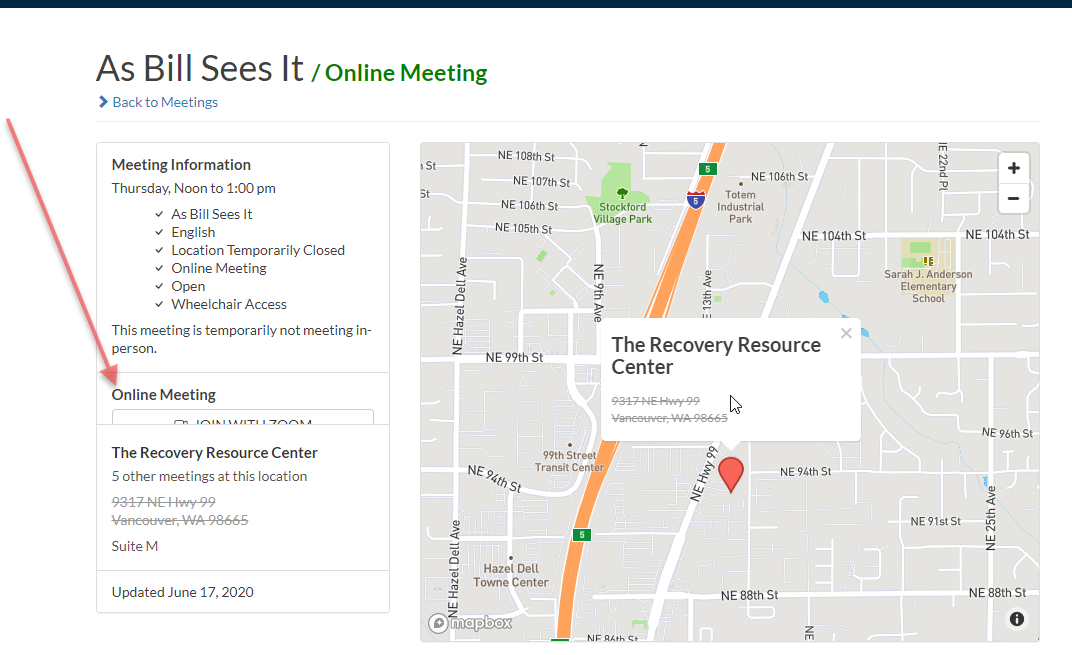
Happens on all browsers/ mobile and PC. If I need to modify a file just need to know which one.
Desktop (please complete the following information):
- OS: [e.g. iOS]
- Browser [e.g. chrome, safari]
- Version [e.g. 22]
Smartphone (please complete the following information):
- Device: [e.g. iPhone6]
- OS: [e.g. iOS8.1]
- Browser [e.g. stock browser, safari]
- Version [e.g. 22]
Additional context Add any other context about the problem here.
Answer by @joshreisner
Hi @scottvanwa2 looks like your theme has some CSS in it that is affecting the layout (and also uppercasing the text).
If I uncheck the 'float: right' property coming from main.css then the layout goes back to normal.
You might try adding some custom css like #tsml a.btn \{ float: none; \} to see if that fixes it.
<img width="1509" alt="Screen Shot 2020-08-03 at 9 55 45 AM" src="https://user-images.githubusercontent.com/1551689/89207533-bf8d0e00-d56f-11ea-8c3e-2aef7ff5968c.png">
Sorting by location is not working as expected
Show question & answer
Question
Describe the bug
When the user is sorting by the location the results are not ordered properly for Polish character set.
To Reproduce Steps to reproduce the behavior:
- Go to https://spis.aa.org.pl/index.php/meetings/?tsml-day=any&tsml-region=wojewodztwo-mazowieckie
- Click on 'Lokalizacja' column name (locations)
- Scroll down to the row with 'Żabia Wola' in location column
- The results seem to be ordered randomly in several cases
Expected behavior
The proper ordering including Polish characters is:
A Ą B C Ć D E Ę F G H I J K L Ł M N Ń O Ó P (Q) R S Ś T U (V) W (X) Y Z Ź Ż
Screenshots

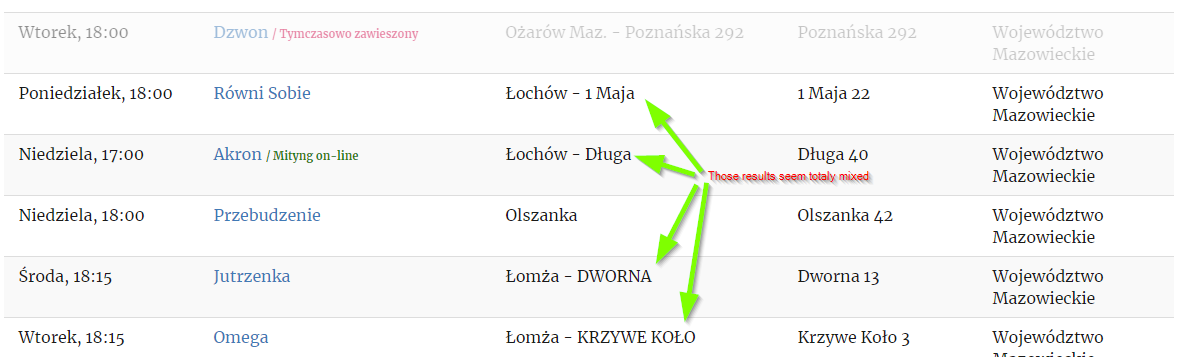
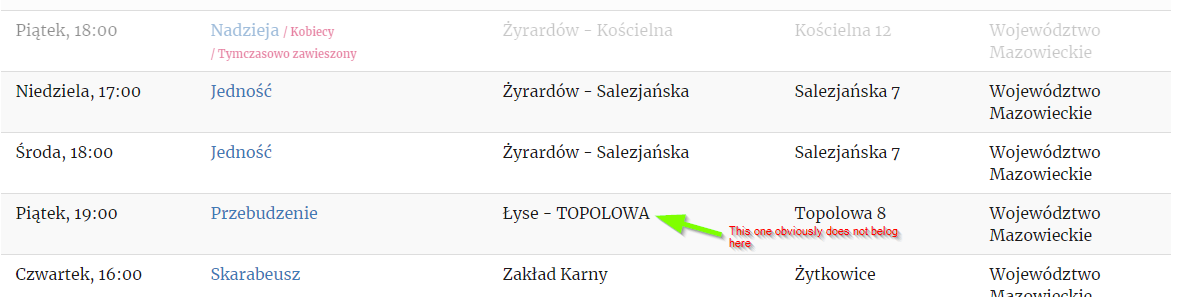
Desktop (please complete the following information):
- OS: all
- Browser: tested on Chrome and Firefox
- Version: Chrome 84.0.4147.125, Firefox version unknown
Smartphone (please complete the following information):
Not tested on smartphone
Answer by @crispyatl
It seems the issue is multi-fold. First, the current PHP and Javascript code "sanitize" meeting information strings before using them to sort, and this sanitization process drops some letters from the Polish alphabet (and presumably many other non-latin languages). For example, "Łochów" becomes "ochow" after sanitization. Second, the sorting itself is done in a locale-naïve way. For example, words starting with Z, Ź and Ż would all be sorted as if they started with the letter "Z". I'm working on a fix for both of these issues.
Filter by meetings that are available in-person
Show question & answer
Question
It is easy to find meetings that have temporarily closed by selecting that meeting type. However, it is difficult to find meetings that have reopened. If there were a meeting type like, “Face to Face”, “In-Person” or “Reopened.” Or if there is an easy way to find meetings that are NOT a specific type. The “Location Temporarily Closed” was a good idea. However, now we need someway to reverse this. In fact, I wonder why I would want to find meetings of the type, “Location Temporarily Closed” because I could not attend it because it is closed. Yet we need such a type to identify such meetings. You have been great as we came into this pandemic adding things like online meeting link. I’m sure you will find a way as we come out of the pandemic as well and easily find meetings that have reopened. My email is jonsecrist@gmail.com or manager@aacincinnati.org
Answer
Please see #153 and #158 for our basic thoughts. In summary, we recognize the need for better filtering and more granularity with the status of a particular meeting. Our goal has been to keep the meeting types more focused on the "traditional" format types so that the list of said types doesn't become more unwieldy for users.
Google Maps Showing Wrong Address
Show question & answer
Question
I am not sure if this is an issue with TSML, but any group using the address found below yields the wrong address in Google Maps Directions:
https://nhaa.net/meetings/sisters-in-sobriety-group-2/?tsml-day=1&tsml-region=manchester
This is what it ought to be:
Answer
Hmmm. Well, I tried both your links and they went to the same place for me:
<img width="456" alt="image" src="https://user-images.githubusercontent.com/31904316/96376062-6bdb9b00-1142-11eb-8959-e12fa043041d.png">
Also, do you get routed to the wrong location if you use your phone to get directions?
When I've seen issues with directions going to the wrong place, even though it looks correct in TSML, the problem has been with Google. You can submit the issue to them.
You also might have some luck with with this override option from the plugin's FAQ
Unable to change meeting location with latest 3.9.3 update
Show question & answer
Question
Describe the bug We are running Wordpress 5.5.3 with TSML version 3.9.3
I'm trying to change a location for an existing meeting.
As soon as I change the Address, the "Update" button becomes disabled, and nothing I do will re-enable it.
I'm following the steps I've always followed for updating a meeting location:
- Open the meeting
- Change the address to the new address
- Give that address a name
- Attempt to click "Update"
I don't see any errors in the JavaScript console.
I've tried in both Chrome and Firefox and the behavior is the same
Expected behavior The "Update" button is enabled, and submitting the form saves the meeting update
In addition, the "Preview" button does not work as well. It's clickable, but nothing happens
Screenshots If applicable, add screenshots to help explain your problem.
Initial screenshot of button after pulling up the meeting to edit

The existing location

Location after editing it. Note that the map update worked as expected

The Update button after scrolling back up to save changes

Desktop (please complete the following information):
- OS: Windows 10
- Browser Chrome and Firefox
- Version latest versions of Chrome and Firefox
Answer by @marcinyorkpa
Thanks so much, @machouinard and @tech2serve
I was able to get it working with a combination of adding that jquery migrate plugin and following the back-and-forth steps above.
For what it's worth, these are the errors I see from the jquery migration helper:
This page generated the following warnings:

    https://york-pa-aa.org/wp-content/plugins/12-step-meeting-list/assets/js/admin.min.js: jQuery.parseJSON requires a valid JSON string
    https://york-pa-aa.org/wp-content/plugins/12-step-meeting-list/assets/js/admin.min.js: jQuery.parseJSON requires a valid JSON string
    https://york-pa-aa.org/wp-content/plugins/12-step-meeting-list/assets/js/admin.min.js: jQuery.parseJSON requires a valid JSON string
Now, though, for the address I saved, I'm seeing other weird behavior: On the meeting edit page, the map shows the typical location marker and everything looks fine. But on the published page, the "Directions" box is gone. I've even tried it with different addresses, but none of them will get the "Directions" box back. Here's a link: https://york-pa-aa.org/meetings/humble-beginnings/
I'm mystified. Can you think of anything that would explain this?
Thanks again!
Trying to change Meeting locations
Show question & answer
Question
For some reason, if I change a meeting location in one meeting, it makes the same changes in several meetings. Even though I do not have checked the feature that says change for all meetings in the same location.
I have several meeting I need to have different regions and locations. But everyone time I change one meeting, it changes the other meeting as well. I am not sure what to do to stop this.
Any help appreciated.
Greg
Answer
Please complete as much of this as possible.
Describe the bug A clear and concise description of what the bug is.
To Reproduce Steps to reproduce the behavior:
- Go to '...'
- Click on '....'
- Scroll down to '....'
- See error
Expected behavior A clear and concise description of what you expected to happen.
Screenshots If applicable, add screenshots to help explain your problem.
Desktop (please complete the following information):
- OS: [e.g. iOS]
- Browser [e.g. chrome, safari]
- Version [e.g. 22]
Smartphone (please complete the following information):
- Device: [e.g. iPhone6]
- OS: [e.g. iOS8.1]
- Browser [e.g. stock browser, safari]
- Version [e.g. 22]
Additional context Add any other context about the problem here.
Filter Out Suspended Meetings
Show question & answer
Question
COVID-19 is not going away any time soon :( and we need a way to filter out meetings that are typed as "Location Temporarily Closed" from meetings that are online, yet will someday return to their former location in-person.
Unmarking "Location Temporarily Closed" makes the meeting look at first glance as if were a hybrid meeting because the meeting is only meeting online.
I like that the location is greyed out for meetings that are not meeting at their previously designated location, and that there is a green online tag and when looking at meeting detail, the location is crossed out, but we need a way to filter out suspended meetings.
There are basically 6 types of meetings:
- Location Closed, but meeting online: currently designated by checking "Location Temporarily Closed " type and entering URL.
- Location Open and meeting online (hybrid): currently entering URL and appending meeting name with Hybrid
- Location Closed, and SUSPENDED: currently designated by checking "Location Temporarily Closed " type and appending name with SUSPENDED.
- Online Only, and never met in person: Currently entering URL and putting our county and state in address field.
- Outdoor only at closed in-person location: Currently checking outdoor type and appending name with Outside.
- Reopened indoor meetings: Currently adding the text "reopened" somewhere in the location or meeting notes.
There should be a way to return everything above, and filter out #3 as listed above.
Is your feature request related to a problem? Please describe. A clear and concise description of what the problem is. Ex. I'm always frustrated when [...]
Describe the solution you'd like A clear and concise description of what you want to happen.
Describe alternatives you've considered A clear and concise description of any alternative solutions or features you've considered.
Additional context Add any other context or screenshots about the feature request here.
Answer
Understood. All part of the same though since Wordpress doesn't let us search by a NOT. Getting "Online" and "Location Temporarily Closed" removed from the type and into different data forms will let us achieve the kind of filtering we know people want..
Search to narrow meeting list by day, type, etc, requires browser refresh.
Show question & answer
Question
Describe the bug
It was brought to our attention that after executing a search from the list format only a subset of the meetings meeting the criteria is shown. In order to see the full list of filtered meetings, a browser screen refresh must be executed. This occurs using both Chrome and Safari on my Big Sur Mac. I do not know the type of computer or browser belonging to the person who reported this to me.
To Reproduce Steps to reproduce the behavior:
- Go to https://oahucentraloffice.com/meetings/
- Click on a choice in the search menu. Found by changing the day from the current day to "any day" and then back again. Generally, only a subset of meetings are shown. A screen refresh will show all expected meetings.
Expected behavior I expect to see the full list of expected meetings for the day or location instead of a subset.
Screenshots If applicable, add screenshots to help explain your problem.
Desktop (please complete the following information):
- OS: Big Sur
- Browser Chrome/Safari/Firefox/Edge
- Version 87.0.4280.63 /14.0.1 (16610.2.11.51.8)/82.0.3/86.0.622.69
Problem before refresh:
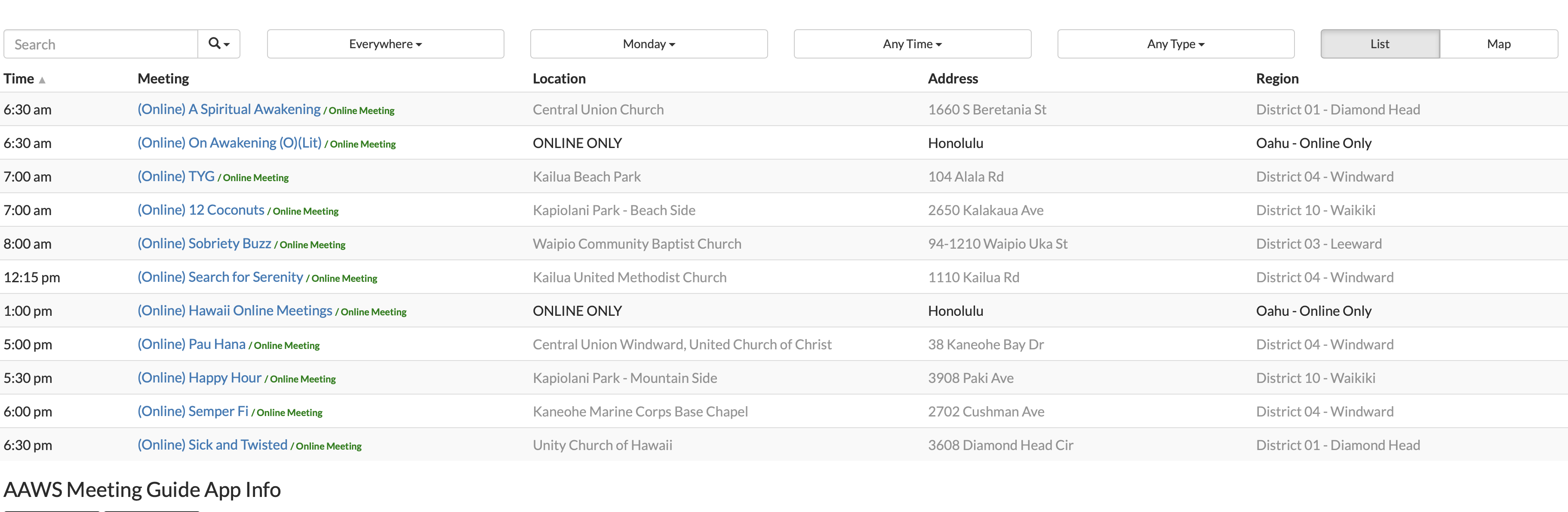
After refresh:
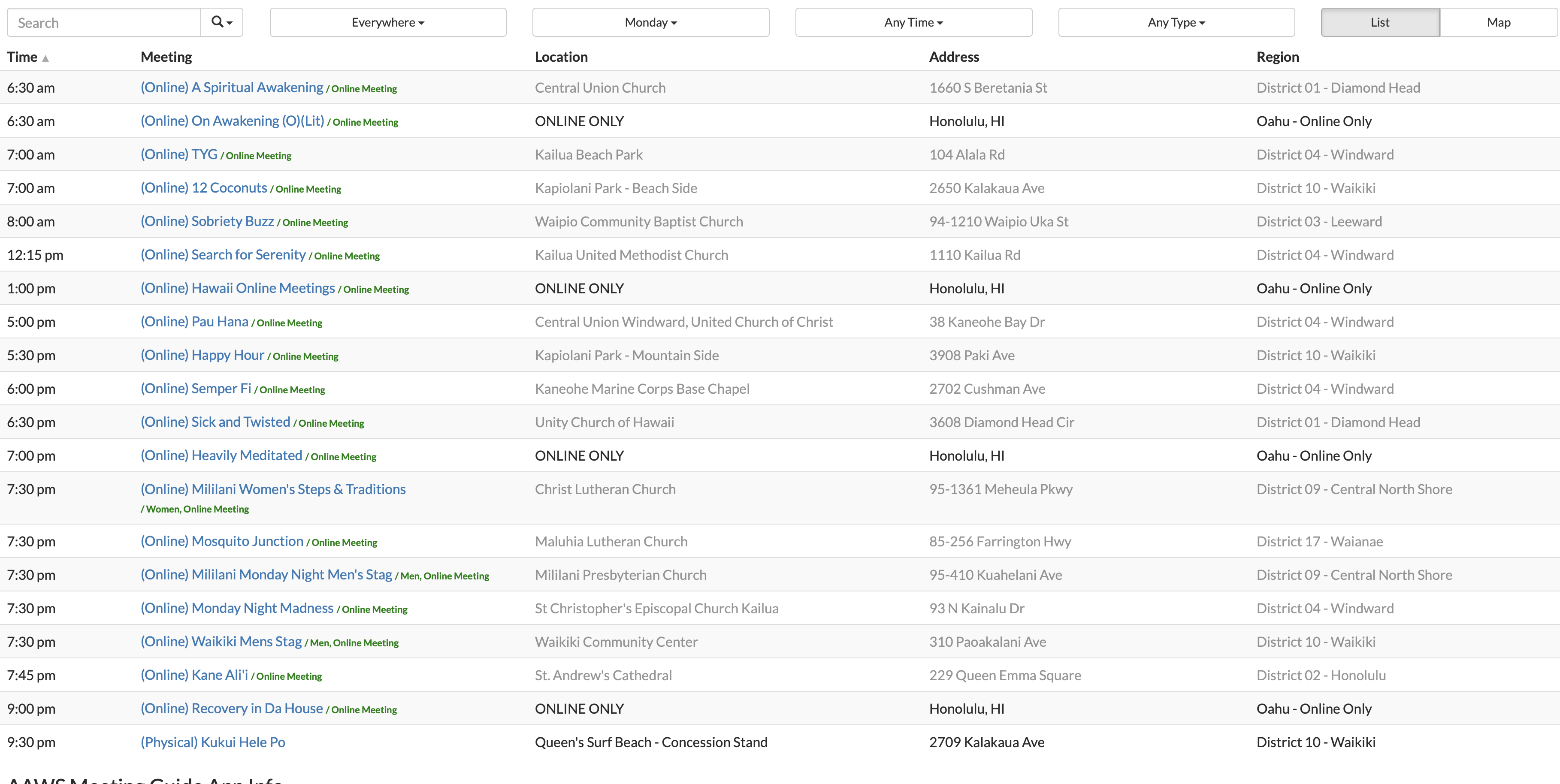
Mahalo!
Answer
I can confirm this is happening with your site. I think we need to look at a couple more data points.
Please provide version information of:
- Wordpress
- TSML
Do you have the Enable jQuery Migrate Helper plugin installed? This may be required if you've updated to Wordpress 5.5 or later.
I'm seeing an error in your console which makes me think this is a jQuery issue, but the root cause isn't clear. I have not seen this error before. If you have a staging or test site, can you try disabling other plugins and seeing if the issue resolves?
Problem with determing if location is approximate
Show question & answer
Question
In the latest update, almost all our meetings have had the 'is_approximate_location' set to true so the precise map doesn't show up.
I tracked down the problem to be in the function 'decide_if_location_approximate'. It's counting the number of commas in the address returned from google maps and anything less than or equal to 2 sets the flag.
Problem here is Australia is that a valid address returned by google maps has only 2 commas. Standard addresses don't have a comma between the suburb and the state.
1 King St, Richmond, VA 23222, USA 1 King St, Richmond VIC 3121, Australia
How can we fix configure this function to work correctly for us?
Answer
Dang. We knew this was a possibility but I had hoped we'd dodged it.
Do you know, is this true across all of Australia? And what would a real approximate location look like down under? Would it be "Richmond VIC 3121, Australia"?
Beta Test V3.9.4-rc
Show question & answer
Question
Related to Issue #132 in which I created a test meeting and tried to duplicate the behavior described...
I entered some meeting info in a new meeting and then typed in "test location" in the location field. After saving as a draft, the text in the location field was no longer there. I then typed in an approximate location using our county and state in the address field. I already had several meetings in the database using this address with the location name as "Online Meeting". As soon as I did that, it changed the location name to "test location" for all meetings associated with the county & state.
So I went back and corrected the name for one of the "online meeting" location names, and the rest were adjusted. This tells me the location name is associated with the address, even if it isn't an actual street address.
I went back to the test meeting and just put in the state (no county) and the draft meeting saved. I also then took out the location name, and still could save the draft. What isn't good is it displays when previewing the meeting as "there is -1 other meetings at this location" which makes no sense. Also the map makes no sense either and I am not sure why it is even necessary for an online meeting. Doing something like Atlanta has (I know it's not WordPress) makes more sense. Instead of a map, it simply shows an image saying it's a virtual meeting.
Describe the bug A clear and concise description of what the bug is.
To Reproduce Steps to reproduce the behavior:
- Go to '...'
- Click on '....'
- Scroll down to '....'
- See error
Expected behavior A clear and concise description of what you expected to happen.
Screenshots If applicable, add screenshots to help explain your problem.
Desktop (please complete the following information):
- OS: [e.g. iOS]
- Browser [e.g. chrome, safari]
- Version [e.g. 22]
Smartphone (please complete the following information):
- Device: [e.g. iPhone6]
- OS: [e.g. iOS8.1]
- Browser [e.g. stock browser, safari]
- Version [e.g. 22]
Additional context Add any other context about the problem here.
Answer
> Related to Issue #132 in which I created a test meeting and tried to duplicate the behavior described... > > I entered some meeting info in a new meeting and then typed in "test location" in the location field. After saving as a draft, the text in the location field was no longer there. I then typed in an approximate location using our county and state in the address field. I already had several meetings in the database using this address with the location name as "Online Meeting". As soon as I did that, it changed the location name to "test location" for all meetings associated with the county & state. > > So I went back and corrected the name for one of the "online meeting" location names, and the rest were adjusted. This tells me the location name is associated with the address, even if it isn't an actual street address.
It sounds like that is the correct behavior, unless you're saying the location name changed for all addresses in that city and state? We don't want to have multiple location names for the same address, be it approximate or not. Nor do we want to have a single location name match multiple addresses. Both situations would be confusing. We want locations to be unique.
After you saved a draft, did you navigate to a new page and then start the entry of a new meeting? If so, when you tried to type "Test L..." did it show up as one of the meeting options?
> I went back to the test meeting and just put in the state (no county) and the draft meeting saved. I also then took out the location name, and still could save the draft. What isn't good is it displays when previewing the meeting as "there is -1 other meetings at this location" which makes no sense. Also the map makes no sense either and I am not sure why it is even necessary for an online meeting. Doing something like Atlanta has (I know it's not WordPress) makes more sense. Instead of a map, it simply shows an image saying it's a virtual meeting.
We should look the issue of state only closer. I don't think that should be accepted. I think the user should be required to put in a minimum of a city/township and the state. Thoughts?
I may look at the idea of displaying something other than a map later, but it is pretty low priority. I don't think it creates confusion (since there is no marker) as it is, and adding some other image, imo, adds code complication without significant value. I guess it might make it clearer, so I'm not opposed.
Did you experience any issues with directions not showing up when you expected them to? Or vice versa?
Support Topic : Changing Mapping API Keys
Show question & answer
Question
Is your feature request related to a problem? Please describe. Requesting support topic related to information on changing Google/Mapbox API Keys. Found out that mapbox requires the "pk." prefixed key, instead of the "sk." prefixed one. In looking throughout the site, am not seeing information related to changing out the API Key for the service.
Describe the solution you'd like Instructions on where to go, what to do to change the key.
Describe alternatives you've considered Another option would be information on resetting the key to the default value.
Additional context This will be useful information for individuals who may be having mapping issues who need to add a different key.
Answer
Hi @jcookson-infoblox,
I have not come across what you're describing as an issue before. My experience is that a user creates a Mapbox key and then copy and pastes that key to the field in our Settings tab. My key does prefix with pk, but TSML doesn't care about that. It simply stores that key and then uses it for mapping lookups with Mapbox.
Perhaps you can elaborate on how you ended up with a key prefixed with "sk" and what didn't work when you tried using it?
How can I change the Regions column heading to Districts?
Show question & answer
Question
First of all, thank you so much for all you do! I'm a grateful member of Al-Anon who is doing service by using the 12 Step Meeting List to show the meeting listings for my Area. Since we don't have Regions, I'd like to change that column heading to Districts and add the District numbers in it.
Also, how do I make the Search optional with a drop down for Meeting Name, Location, or City-if that's possible.
Thanks for your help with this! Vicki B
Answer
Hi @VickiB11 --
The only support TSML provides for this is from the "area" filter button:
<img width="182" alt="image" src="https://user-images.githubusercontent.com/31904316/100680949-4abcbb80-3338-11eb-92cd-5a1efb9ab85e.png">
When you see "Switch to Districts", click that and you'll see the display switch. Then select the district you want to show in the meeting list. If you don't see "Switch to Districts", it is because you don't have any districts defined with groups/meetings attached to them.
Whatever district you select should persist while the session is open, but will reset for the next user/use. So, you may want to consider duplicating your districts into your regions if you don't use the latter. Regions can be however you chose to define them.
Beyond that, you'd have to jump into the code :-)
As far as the search goes, there is no way to make the it drop down beyond the auto suggestion behavior that exists. So if you start type the name of a meeting location or region (which could a district name if you choose), those will show up in the suggestions. If you keep typing or hit enter without selecting from the suggestions, a search will be done of meeting names, city, address, etc., and meetings will filter on this. That can be a little slow at times based on amount of data and search, so be patient.
I'm going to close issue as I believe I've answered your questions. If not, let me know (and we can reopen if necessary).
Meetings are now virtual only
Show question & answer
Question
I tried adding a virtual only meeting; It would not go in until I provide a street address (for which I used Mississauga City Hall) And made a note the address was fictional I understand this is needed for the map function, which makes sense. But if a meeting is virtual only maybe providing a city name only should be sufficient?
Thanks for a great function you guys provided
Bart
Answer
> But if a meeting is virtual only maybe providing a city name only should be sufficient?
Hi @BartBlom,
You need to enter city and state (and that must geocode) along with the online details, and it should take (assuming you're using v3.9.4).
Although a meeting can be online only, it still must be tied to a parent region/area (if you will). Groups and GSO both requested this so as to help with broader organization and accounting of 7th Tradition contributions.
When you geocode a city and state, you should still see a map but without a marker. This reflects an approximate location and the directions feature for TSML (Meeting Guide for that matter) is disabled.
If you find you're still having difficulties please let me know and we can reopen this.
Map is mot showing on for the Address after recent update
Show question & answer
Question
Describe the bug I'm using the Al-anon template when viewing meeting information, the map is showing error.
To Reproduce Steps to reproduce the behavior:
- Go to 'Meetings in the dashboard'
- Click on 'a specific meeting'
- Scroll down to 'Region and look at map below'
- See error
Expected behavior A clear and concise description of what you expected to happen.
Map usually show meeting location but now shows error. I am using a current API key
Screenshots If applicable, add screenshots to help explain your problem.
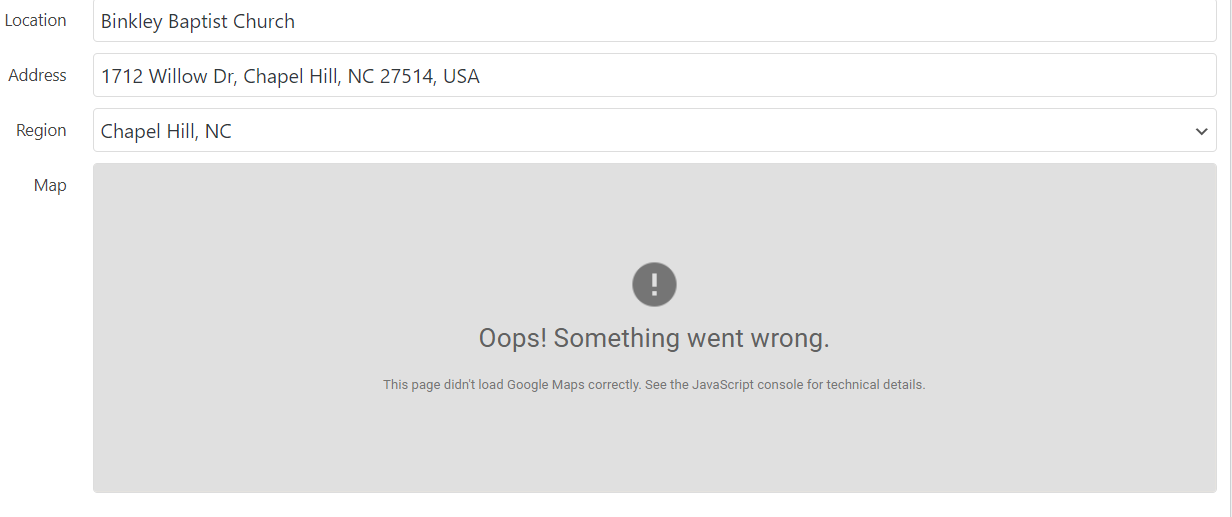
Desktop (please complete the following information):
- OS: [e.g. iOS]
- Browser [e.g. chrome, safari]
- Version [e.g. 22]
Smartphone (please complete the following information):
- Device: [e.g. iPhone6]
- OS: [e.g. iOS8.1]
- Browser [e.g. stock browser, safari]
- Version [e.g. 22]
Additional context Add any other context about the problem here.
Answer by @brianw-area24
I think I found the your website, and using the Web Console in Firefox, I see the following error:
Google Maps JavaScript API error: RefererNotAllowedMapError
https://developers.google.com/maps/documentation/javascript/error-messages#referer-not-allowed-map-error
Your site URL to be authorized: https://alanonalateen6nc.org/locations/binkley-baptist-church/
What I think this means is your Google API key is restricted in what URL's can use the key, and this page isn't allowed. Therefore, I think you can go into the Google Console and allow this site to use your key.
The Restricting API Keys section on this page gives pretty good instructions: https://developers.google.com/maps/documentation/javascript/get-api-key#restrict_key
Brian W.
TSML 3.10.0 Question (NOT A BUG)
Show question & answer
Question
In this version, you've added a BETA feature for API Gateway to replace direct geocoding calls to Google. Where would I put the Google API key? I am using a Mapbox Access Token, but happen to have a Google API key for our events plugin.
On Jan 1, you said we can change line 585 of the functions.php file to our own API key. Is this still the case? I do not have a child theme, and would not be comfortable doing anything unless I did. Unfortunately, my time is limited, so I would like to understand if this is the process, or if you will be adding in the future a clear place where the API key can be provided by the plug-in user?
Describe the bug A clear and concise description of what the bug is.
To Reproduce Steps to reproduce the behavior:
- Go to '...'
- Click on '....'
- Scroll down to '....'
- See error
Expected behavior A clear and concise description of what you expected to happen.
Screenshots If applicable, add screenshots to help explain your problem.
Desktop (please complete the following information):
- OS: [e.g. iOS]
- Browser [e.g. chrome, safari]
- Version [e.g. 22]
Smartphone (please complete the following information):
- Device: [e.g. iPhone6]
- OS: [e.g. iOS8.1]
- Browser [e.g. stock browser, safari]
- Version [e.g. 22]
Additional context Add any other context about the problem here.
Answer
> In this version, you've added a BETA feature for API Gateway to replace direct geocoding calls to Google. Where would I put the Google API key? I am using a Mapbox Access Token, but happen to have a Google API key for our events plugin. > The approach we took is that a user would have a Google key, or a Mapbox key, but not both. If they choose to use a Google key with geocoding enabled, they would also use that for mapping (and have the mapping API enabled).
> On Jan 1, you said we can change line 585 of the functions.php file to our own API key. Is this still the case?
With the API Gateway, we believe we're heading off the need for webmasters to bother changing line 585 in functions.php, or implementing a different solution in any way.
>I do not have a child theme, and would not be comfortable doing anything unless I did. Unfortunately, my time is limited, so I would like to understand if this is the process, or if you will be adding in the future a clear place where the API key can be provided by the plug-in user?
My suggestion is try out the beta API gateway and use your Mapbox key for mapping. That will be the simplest approach for new admins. Eventually, we will make the gateway the default geocoding approach.
However, if a webmaster still wants to use their own Google key for mapping and geocoding, they must start by putting their key in for mapping (thus clearing the Mapbox key). That Google key is then available for geocoding:
<img width="256" alt="image" src="https://user-images.githubusercontent.com/31904316/107900470-1906ca00-6f0f-11eb-9492-30eadf8d1401.png">
One would also need to enable the geocoding API in their Google console for this to work.
Again, the API gateway is the easiest.
"This Page Can't Load Google Maps Correctly"
Show question & answer
Question
We are currently running on the Beta for the API Gateway (thanks again for your continued work on this issue!) and when a meeting is searched on our site the google maps part of the screen displays as shown below. Any help to correct this issue would be greatly appreciated! Thank you again code4recovery!
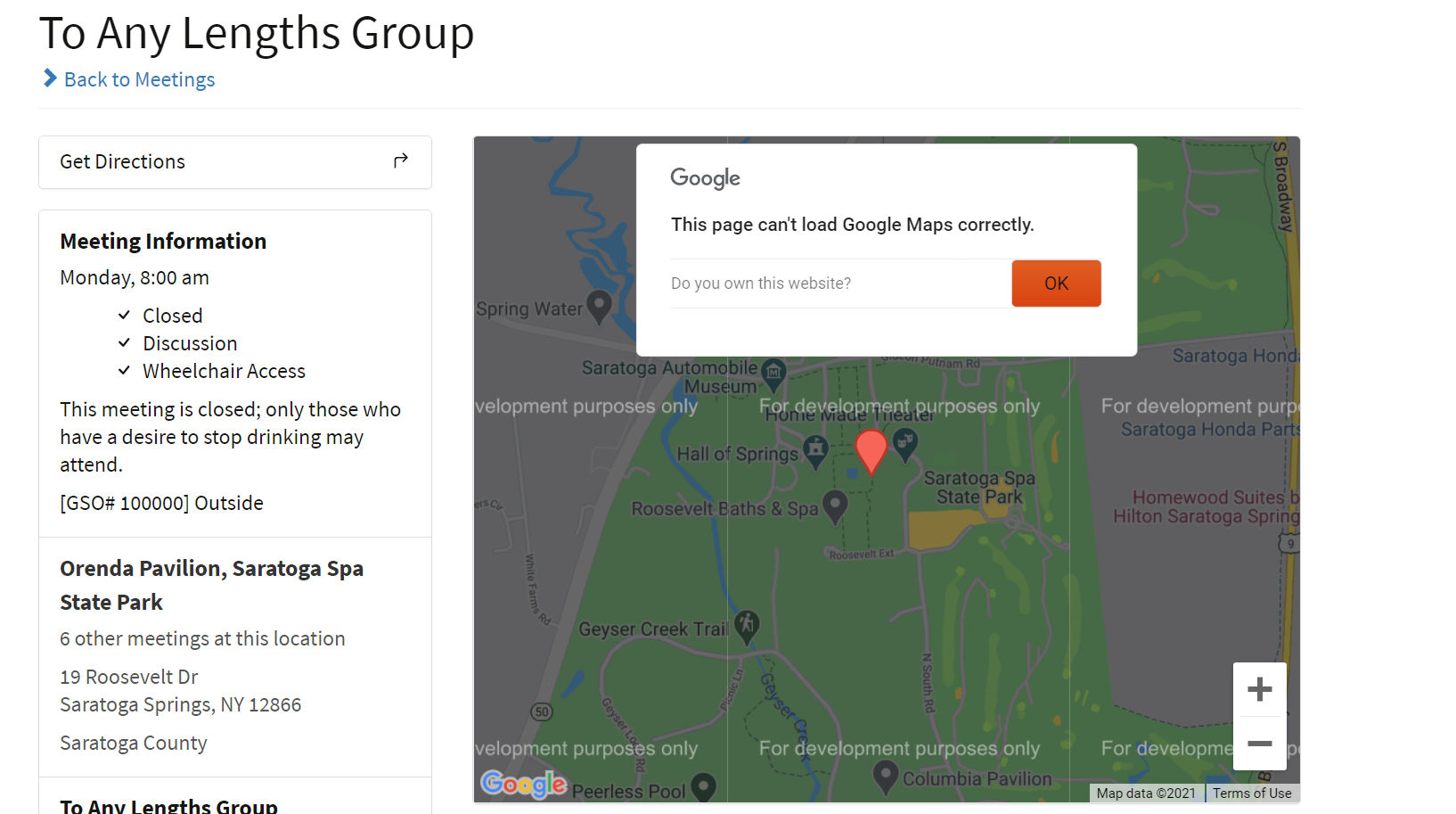
Answer
@Area48Webmaster,
This is an issue with your Google account which, by the way, you're not required to have. I am almost positive this is not related to the beta api gateway for geocoding.
<img width="1279" alt="image" src="https://user-images.githubusercontent.com/31904316/110324891-35f95f00-7fdc-11eb-81c9-547642f8a696.png">
Did you previously use a Mapbox key and then you switched to a Google mapping key? If not, something changed with your Google account to disable the billing (which Google requires).
The easiest configuration for users is to configure a Mapbox key and then our api gateway for geocoding.
<img width="277" alt="MappingConfig" src="https://user-images.githubusercontent.com/31904316/110326370-31ce4100-7fde-11eb-89c2-10693504d0ed.png">
Difficulties with address
Show question & answer
Question
On my cvs report the address for the meeting is correct. When I upload the cvs file a strange mailing address comes up also on the app. This meeting on Monday at noon, Tuesday at noon and Thursday at noon (Together we can) address is 1153 10th street Unit C Clermont Fl 34711 but shows as 3345 Courtenay Pkwy Ste 101 Merritt Island Fl 32953. Together We Can group has several other meetings that are correct addresses
Describe the bug A clear and concise description of what the bug is.
To Reproduce Steps to reproduce the behavior:
- Go to '...'
- Click on '....'
- Scroll down to '....'
- See error
Expected behavior A clear and concise description of what you expected to happen.
Screenshots If applicable, add screenshots to help explain your problem.
Desktop (please complete the following information):
- OS: [e.g. iOS]
- Browser [e.g. chrome, safari]
- Version [e.g. 22]
Smartphone (please complete the following information):
- Device: [e.g. iPhone6]
- OS: [e.g. iOS8.1]
- Browser [e.g. stock browser, safari]
- Version [e.g. 22]
Additional context Add any other context about the problem here.
Answer
@RhondaHoornstra,
I would first start by removing "Unit C" from the address and see if the problem changes. We have found a few situations where Google's geocoding doesn't handle those types of address additions well.
Also, in your initial report, you didn't tell us version informations of any of the apps. Please provide that info, and if you're using Legacy geocoding or the beta api gateway.
Unable to update location, address or region
Show question & answer
Question
Describe the bug As of last week we have been unable to make and publish any changes with the plugin.
To Reproduce As soon as we change the location, address or region the option to "publish" goes away.
Expected behavior A clear and concise description of what you expected to happen.
Screenshots If applicable, add screenshots to help explain your problem.
Desktop (please complete the following information): Tried multiple browsers and both windows and MAC
Additional context I suspect some sort of issue with the google API key but I'm not sure what. More and more meetings are starting to meet in person and we arent able to get them published on the website.
Any help is greatly appreciated. Thanks in advance!
Answer
What version of the plugin are you using? If v3.10, what setting do you have for geocoding? <img width="287" alt="image" src="https://user-images.githubusercontent.com/31904316/116437503-20055f00-a813-11eb-801e-be20774e01c9.png">
What version of Wordpress?
What is the website URL?
Please open a javascript/debugging console and look for any errors when you enter the address.
Where do I properly write the PHP?
Show question & answer
Question
Hey all, I've taken your suggestion and joined TIAA for some other things.
One thing I'm trying to accomplish is getting into the Functions PHP and write the proper thing in the proper place. Our intergroup website is aacolumbia.org and I've been asked to get the meeting list to be sortable by meeting name and discontinue sorting by address. So we'd like to be able to sort by time, name, location, and region. I've seen the other places where you describe how to do this, but again, I'm new to this part of website management and would appreciate some guidance and help.
Here is a screenshot of what I think is the right place to go to do what you say, but then where within this PHP (what line) do I write down the proper stuff for $tsml editing? Thanks in advance.
Scott
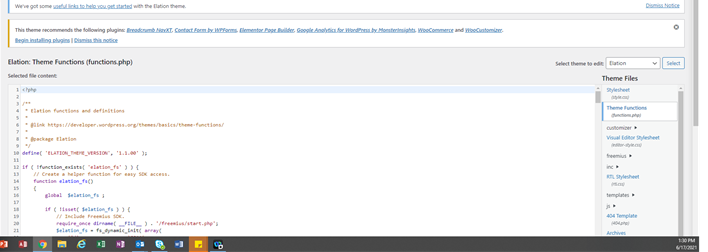
Answer
Hey @GCITechSC,
As stated above and on TIAA Forum, creating a child theme is the way to go.
As a webmaster of a Wordpress site, this is a common requirement. Internet searching will provide step-by-step directions. This is a Wordpress thing, and not a TSML requirement…we simply leverage the feature in Wordpress to allow users to make customizations.
Any plugin or theme a webmaster wants to modify the behavior of should be done through creation of a child theme, and along with that a functions.php file that augments the multiple other functions.php files. Generally, every theme, every child theme, and every plugin has a functions.php file that works together with the others inside Wordpress.
A child theme is the method Wordpress uses to augment existing themes and plugins. If you have theme “cool-theme” activated on your site, then you create (using the steps you find in a tutorial) a child theme called “cool-theme-child” and once you have the desired customization, you activate the “cool-theme-child” and that then augments “cool-theme”. While I appreciate you apprehension, it isn’t generally anything to be afraid of because if you have an error in the child theme, you simply reactivate the original “cool-theme”, make the necessary corrections and try again.
It is always a good idea to have a backup before you do significant changes. You also might want to spend the money and get a staging/dev/test Wordpress site to learn on.
Good luck!
v3.11.0-b BETA - Active Meeting With TC Status List View
Show question & answer
Question
These comments are all for the way the meeting list view is.
Active Online Meetings with TC status (the meeting used to meet inside).
- Would it be possible to leave /women or /men or /online meeting the way it was? That was after the meeting name, in bold green font. It doesn't improve anything to have, for example, (women) on the next line, when the current version shows it in the same line and stands out since it is green color and bold.
- The location field is using the group name if it's an online meeting, but that makes no sense to most anyone since the group name has nothing to do with the location. For active online meetings, it also is dimmed (or greyed out) and doesn't look right. How about not having the location name listed (and greyed), but replace that with the word online (as what is started), but make it bold and perhaps another color such as green.
- Suggest not removing the address. Dim it or cross it out instead.
- Suggest not crossing out the region name should not be done. I would dim it or leave it alone. These meetings and groups are very much aligned to their districts and former locations where they will probably go back to.
- Any possibility of displaying this list like the UI version is with the graphical images for zoom, phone, address, etc.
Below is a screenshot of current plugin (v3.10.0) and beta (v3.11.0-b).


A few more thoughts about location field. I know you want to encourage meetings to become groups, but I do not believe TSML is the way to do it. We can do a better job of educating A.A. members about groups and why meetings should consider doing so. Here at intergroup we do hold workshops and have information on the website about the value of becoming a group, and we encourage meetings to register with GSO because they then have a voice in the decision making process of A.A.
We also encourage A.A. members and groups to make seventh tradition contributions and provide information on how to do so.
But each group, whether formally registered or not, is autonomous, provided they don't affect other groups or A.A. as a whole (tradition four).
We cannot direct what each autonomous group can or cannot do. We are not even part of the general A.A. Service Structure. Our role is to serve the local needs of groups in their common purpose of carrying the A.A. message by providing services that the individual groups cannot readily provide for themselves, such as local meeting lists, answering inquiries about A.A., establishing local public information committees, etc.
Answer
- We're trying to clean up the UI. Still making tweaks, but I personally am not crazy about the old style as they look cluttered. Anyway, still discussing this.
- You're right. We need to change the column heading to "Location/Group" as has been done for TSMLui.
- Showing an address for meeting locations that are not open to the user and for online meetings doesn't make sense. Removing it cleans the UI. As is the case with most of these, CSS can bring them back if you want for your site.
- Agreed. That may be a bug. Thanks.
- Unlikely. We're still planning to replace the TSML frontend with TSMLui, and so we're not trying to continue developing two version.
Capability to remove all imported meetings simply & easily
Show question & answer
Question
Is your feature request related to a problem? Please describe. Not sure if its been requested or not. A capability to remove all imported meetings in a simple manner.
Describe the solution you'd like Case : site data has been imported many times over a long period of time and it is desired amongst the site leadership (the stewards of the site) to ensure the data is current and refreshed. Regular imports are supposed to replace existing info as well as remove info (if option selected), but things could slip through the cracks and get missed (however - the data should still be marked as imported). This so that one could clear out all data marked as 'imported' so that a completely fresh series of uploads could occur, ensuring data quality and timeliness.
Describe alternatives you've considered Alternative would be to output all meetings for site, render the imported ones somehow and then manually remove any unwanted imported ones.
Additional context As sites come to embrace feeds and the attendant data it generates, data quality can and will be affected without a means to clean the slate and refresh the data if needed.
Answer by @joshreisner
There is an undocumented way to delete all your TSML content (the nuclear option). You can go to:
https://yoursitename.org/wp-admin/admin-ajax.php?action=tsml_delete
You have to be logged in for this to work.
Version: 3.11.0 Issue with "Active" filtering persistence and URL
Show question & answer
Question
- Is it possible to not dim on list view, the Location/Group text if the meeting is active and online? Could you just dim it for inactive meetings?
- Is it possible to not dim on list view the Region data if the meeting is active and online? Could you just dim it for inactive meetings?
- Is it possible to have the default be active meetings? I know I can set it up to open as
/meetings/?tsml-day=any&tsml-attendance_option=active, but when I select back to meeting after viewing a meeting, it reverts back to any type. - Would it be possible to leave /women or /men or /online meeting the way it was? That was after the meeting name, in bold green font. It doesn't improve anything to have, for example, (women) on the next line, when the current version shows it in the same line and stands out since it is green color and bold. From our perspective, particularly if it's a men's or women's meeting, it really needs to stand out better and the previous version (3.10.0) was just fine.


Some of these same comments were made on #377
Thanks.
Answer by @joshreisner
> when I select back to meeting after viewing a meeting, it reverts back to any type
☝️ this looks like it could be a bug. i'm noticing that when you navigate to a meetings page the attendance_option parameter is lost
Warnings When Lat/Lon Not Set
Show question & answer
Question
Describe the bug
3.11.0
It seems that the latest update throws several warnings:
if (!isset($locations[$meeting['location_id']])) \{
    $locations[$meeting['location_id']] = array(
        'name' => $meeting['location'],
        'latitude' => $meeting['latitude'] - 0,
        'longitude' => $meeting['longitude'] - 0,
        'url' => $meeting['location_url'], //can't use link here, unfortunately
        'formatted_address' => $meeting['formatted_address'],
        'meetings' => array(),
    );
\}
Notice: Undefined index: latitude in /home/q0afnjbk/public_html/wp-content/plugins/12-step-meeting-list/templates/archive-meetings.php on line 540
Notice: Undefined index: longitude in /home/q0afnjbk/public_html/wp-content/plugins/12-step-meeting-list/templates/archive-meetings.php on line 541
... I removed the tsml-cache once or twice to see if it was a failed to encode issue.
If I had to guess some meetings don't have latitudes/longitudes because they're online only or something silly like that.
Answer by @lloy0076
Right so I've instrumented it with:
if (isset($_REQUEST['foo'])) \{
    if (!isset($locations[$meeting['location_id']])) \{
        $locations[$meeting['location_id']] = array(
            'name' => $meeting['location'],
            'latitude' => $meeting['latitude'] - 0,
            'longitude' => $meeting['longitude'] - 0,
            'url' => $meeting['location_url'], //can't use link here, unfortunately
            'formatted_address' => $meeting['formatted_address'],
            'meetings' => array(),
        );
    \}
    if (!isset($meeting['latitude']) && isset($_REQUEST['foo']) && $_REQUEST['foo']==='print') \{ print "<pre>"; var_dump($meeting); print "</pre>"; \}
\} else \{
    if (!isset($locations[$meeting['location_id']]) && isset($meeting['latitude'])) \{
        $locations[$meeting['location_id']] = array(
            'name' => $meeting['location'],
            'latitude' => $meeting['latitude'] - 0,
            'longitude' => $meeting['longitude'] - 0,
            'url' => $meeting['location_url'], //can't use link here, unfortunately
            'formatted_address' => $meeting['formatted_address'],
            'meetings' => array(),
        );
    \}

\}
If you visit it with http://aa-stlawrenceny.org/meetings/?tsml-day=any&foo=1 you'll trigger the warnings.
If you visit it with http://aa-stlawrenceny.org/meetings/?tsml-day=any&foo=print you'll trigger the warnings and you'll get the var_dump.
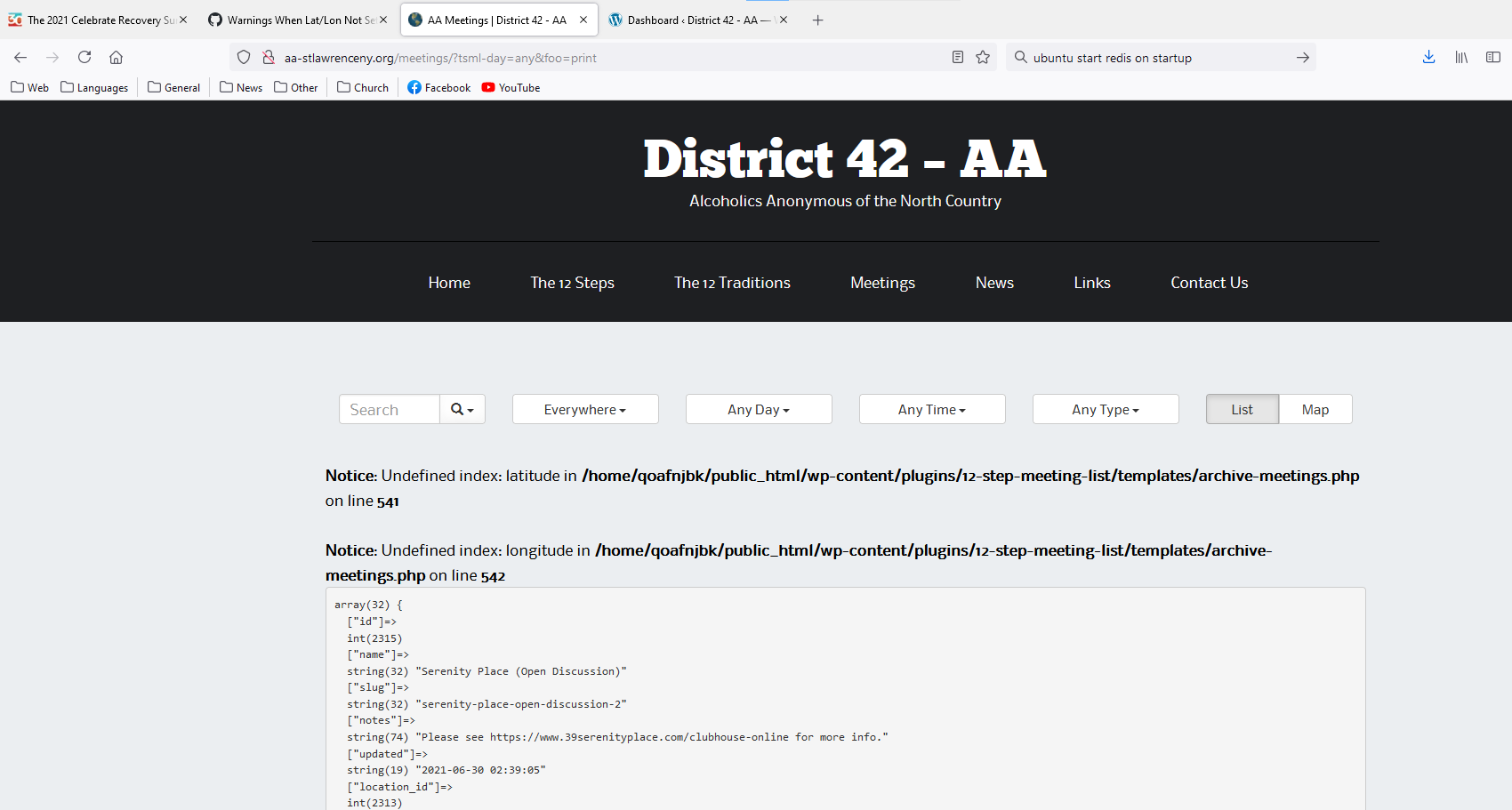
Version 3.11.0: Display of meeting address
Show question & answer
Question
I would like to ask that the omitting of a meeting address when a meeting is online is reverted back to the previous version. I find that many newcomers are fine with attending a random Zoom meeting, but they also almost always want to see if and if so where meetings are held in their neighbourhood when the world goes back to normal face-to-face meetings.
The new version omits the address in meetings that are online and the details page looks like there has been an error because of it. It does not show the address or the map, and because there is an issue with the tagging of meetings (online or in person or both), the address sometimes shows and sometimes not. Please go back to graying out and strike-through. That is a more intuitive solution: newcomers understand that a meeting is not currently held at the address, but they can see where it is for future reference.
Until this is fixed, I cannot upgrade my life site to this newer version...
Thanks for your consideration, Nicky
Answer by @Grateful-Viv
I am trying to follow your logic and entered a new meeting. First with a real address and it published fine. By default it was checked yes, for meeting in-person. Then I selected "no" and it reverted to Temporarily Inactive, with the map hidden and the street address was crossed out. Then I entered a URL and it reverted to online, with the only change being the label "online" in the meeting detail. The address was still there (and crossed out). Finally, I selected "yes", it meets in-person and online (aka hybrid) and the map is displayed.
Locations divorced from online meetings make them harder to find
Show question & answer
Question
Hello, By totally removing the location from an online meeting (Except for a regional approximate) makes it harder to find meetings.
Say someone knows a meeting as "the grace church 6pm" meeting, one of many held there, but they have different names and some are in-person and some are online. Yes, you can still search for the location and see all held there but when viewing a standard listing of upcoming meetings they won't see that location name and it may confuse them.
And... clubs... this is really bad for them when someone is used to looking up the "Dupont Circle Club 6pm" even though it's called "Beginner Basics" if the club name isn't there... they can't find it.
Please bring back location names for online meetings in the list - you could still prevent the street address from showing up...
And not having them greyed out would be good - I've had people complain it makes the location look closed even though there are in-person meetings being held there, just that one is online only.
THANKS!!!
--Alex M 267-231-2174
Answer by @Grateful-Viv
I agree with you Alex, but for different reasons.
What they decided to do is keep the location name if it's in person (e.g. Dupont Circle Club), but if it's an online meeting to use group name if there is one, and if there isn't then it's empty. You can see the conversation over in this thread which started before this WordPress plugin was updated to v3.11.0.
All meetings reverted to open (in-person)
Show question & answer
Question
Looks like the Type "Temporarily Closed" was removed and all the meetings are listed as able to be attended in person. This is a huge issue. Can we revert?
Under Location Information in each meeting, there is a new Question that says "Can I currently attend this meeting in person?" Basically, this should be set to "No" for all the meetings that were "Temporarily Inactive".
I manually changed Third Step One Flight Up on Monday to "No" and it is correctly showing correctly as "Temporarily Inactive".
Ugh, what a headache. I hope we don't have to manually change them all again.
https://brooklynintergroup.org/brooklyn/meetings/?tsml-day=any
Answer by @joshreisner
Oh no, it sounds like you lost data? If you export your meetings to CSV do you see any marked as location temporarily closed?
For what it's worth I haven't heard of this happening on other sites, I wonder what was different in this case...
"Able to attend in person" not saving
Show question & answer
Question
We ran into an issue where we were not able to save "Yes" on the "Can I currently attend this meeting in person?" location setting. I tested on a different meeting, and it worked. So the issue was with a particular meeting. Also, the address was resolved by Google and the pin was correctly placed on map.
I rolled back to 12 Step Meeting list 3.11.2 and this resolved my issue.
Answer by @joshreisner
Hi Julien, please provide some more info so we can try to reproduce the issue:
what's the address and/or the URL of the meeting on your site?
what change were you trying to make?
what happened when you tried to edit it? was the button disabled, or did it go through but the setting revert to "No?"
any error messages?
Thanks
Add support for API (Geocoding) Gateway
Show question & answer
Question
Contact Details
Requested Feature/Enhancment
The interfaces for the endpoints of the API Gateway are described here.
TSML should be modified to remove the current embedded geocoding feature, and replaced with calls to the new API Gateway.
Actual usage of the API Gateway by a site first requires registration. Once a valid registration payload is sent to the API Gateway, an API Token is emailed to the registrant. This user then will need to be able to enter the API Token into TSML. This token will then need to be included in geocoding requests.
Should end-users be able to override use of the API Gateway by entering their own Google Geocoding API Key into a child theme? If so, then the code to parse Google's response will need to be retained as the API Gateway provides a generic standardized response.
Work is progressing on deploying the v1.0 of the API Gateway. The beta deployment of this is available for testing if necessary. Both links will be shared privately.
TSML Version
Latest (default)
Wordpress Version
Latest (default)
Answer by @joshreisner
as also noted on https://github.com/code4recovery/api-gateway/issues/4 -- getting the following error when not passing email, as well as when sending an already-registered email:
\{
    "name": "REGISTRATION_CREATION_ERROR",
    "serviceError": "APIError",
    "httpCode": 500,
    "isOperational": false
\}
Prevent translation of addresses by Google Translate
Show question & answer
Question
Discussed in https://github.com/code4recovery/12-step-meeting-list/discussions/1090
<div type='discussions-op-text'>
<sup>Originally posted by VickiB11 March 15, 2023</sup> Our website recently added Google Translate so that the Spanish speaking groups can see the TSML meeting finder in Spanish. However, the meeting location, address, and region are incorrectly translated. Is there a way to tag the meeting finder not to translate when using Google Translate?
Vicki B Georgia Al-Anon
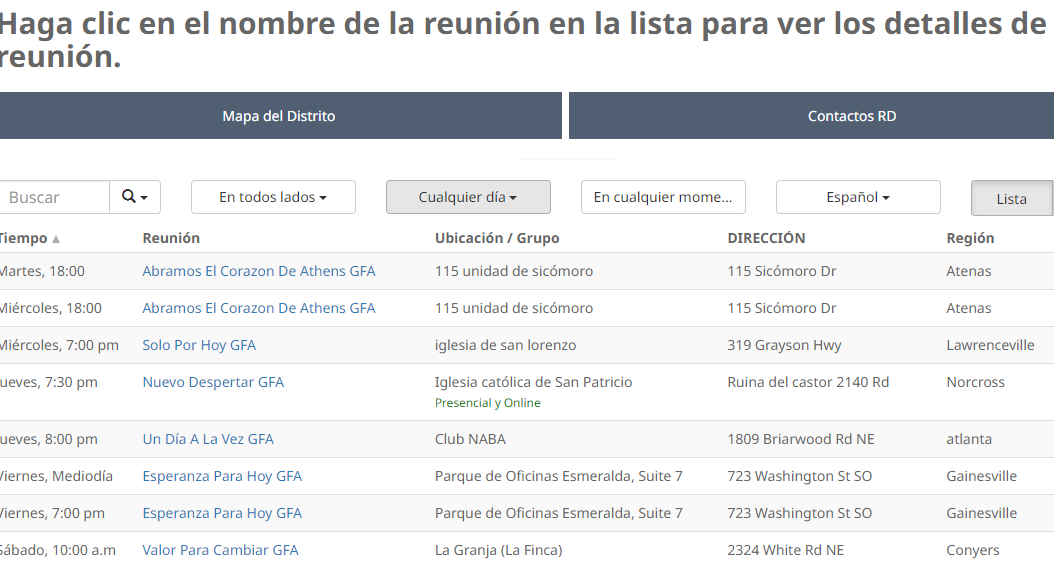 </div>
places to address (sorry) the issue:
- table view
- table view after ajax filter
- map view
- detail page left side
- detail page right side
you can add class="notranslate" to the parent tag of the address, or wrap it in a span
Answer by @joshreisner
@troybon to be honest, i dont think anyone is working on this right now, so no eta to share at this time.
i'm fully allocated to other projects for the time being. if anyone were to volunteer i don't think it would be a heavy lift
[Feature Request]: Expand TSML Search Criteria to include more fields...
Show question & answer
Question
Contact Details
Wayne
Requested Feature/Enhancement
See Discussion item Scrolling not working #1140 from @hawswebmaster. Would like search criteria fields expanded so the returned resultset includes meetings whose region or district are being querried.
here is where we define the "searchable keys": https://github.com/code4recovery/12-step-meeting-list/blob/main/includes/filter_meetings.php $this->searchable_keys = ['name', 'notes', 'location', 'location_notes', 'formatted_address', 'group', 'group_notes'];
Answer by @hawswebmaster
Well, it is working but for some reason, 4 meetings from orange county california come up for every search. Search Texas, and they come up, search Indiana, and those 4 come up. Not sure what's up with that...
Feature Request: show meeting phone number on meeting details page
Show question & answer
Question
Contact Details
Requested Feature/Enhancement
when looking at meeting details on a computer the phone number doesn't show unless you mouse over the group phone button and then it only pops up in the lower left corner away from where the button is - and there really isn't any reason to mouse over the button since computers don't make phone calls - if a meeting has a phone number can it be displayed under the address so someone accessing the list from a computer will see it
Answer by @joshreisner
we should address this how TSML UI does, by displaying the phone number inside the button label
also the email address should be in its button label, and we should strip www. from the website button label
Update Main Dashboard Widget to Highlight Need for Financial Contributions
Show question & answer
Question
Contact Details
Requested Feature/Enhancement
Our by-weekly discussion on July 13th pointed out the need for contributions from TSML end users to ensure that the development team members who are donating their time and efforts on behalf of the many recovery communities using our services are not also saddled with shouldering the financial burdens associated with maintaining and expanding the services that the Code For Recovery team provides. Some development team consensus has evolved where slight tweaks to the main dashboard widget function encouraging a $20 dollar annual contribution to Code For Recovery might help provide an incentive to TSML end users to make monthly/yearly support payments to help us pay our way. More detail could be added to the Contributions page. Most involved in the discussion agree a statement like "Our recommended donation for the use of 12 Step Meeting list is $20/year, but all contributions are appreciated!" would be beneficial. There is also considerable support for a larger re-write of the Dashboard widget or creating one of those plug-in pop-ups along the line of the following: "Support Our Mission with a Monthly or Yearly Contribution Your donations help cover hosting fees, content delivery, geocoding, and other essential services that enable recovery communities to thrive. Every contribution makes a difference. Our recommended donation for the use of 12 Step Meeting list is $20/year, but all contributions are appreciated! [https://code4recovery.org/contribute]".
Answer by @joshreisner
i still feel that these are the zones we should update: https://github.com/code4recovery/12-step-meeting-list/issues/1468#issuecomment-2232109861
let's start with that for now and see if that works or if we need to add a new messaging area
[Feature Request]: Multiple locations with the same name
Show question & answer
Question
Contact Details
Requested Feature/Enhancement
Wondering if the team have encountered the issue whereby town planners have decided to reuse location names which exist elsewhere (in upto 5 - 6 places) ?
- Are there plans to support the situation within 12 step meeting list?
- The simplest would seem to be extend the prompt in location field to include the countries word for < county, state >
Checking in should there be work afoot / an alternate way to support the situation ?
Kate F
Answer by @joshreisner
hi kate, could you provide a little more context on where in the plugin it's not working as expected? frontend or backend? a screenshot of the user experience not working would be great if you can provide one
Can I currently attend this meeting in person? wont update
Show question & answer
Question
Describe the bug Under location information I change "Can I currently attend this meeting in person?" from "no" to "yes" and click update. The page refreshes and the "yes" goes back to "no". It wont update.
To Reproduce Under location information I change "Can I currently attend this meeting in person?" from "no" to "yes" and click update. The page refreshes and the "yes" goes back to "no". It wont update.
Expected behavior I would expect changing from no to yes and clicking update would hold and not revert to no.
Screenshots NA
Desktop (please complete the following information): Win 10 Chrome 91.0.4472.164
Smartphone (please complete the following information):
- Device: [e.g. iPhone6]
- OS: [e.g. iOS8.1]
- Browser [e.g. stock browser, safari]
- Version [e.g. 22]
Additional context Add any other context about the problem here.
Answer by @joshreisner
@tech2serve this address (and a few others) are currently defined in variables.php - my guess is that the geocoder is missing the approximate = false because it's hard-coded
Verbiage on closed meetings
Show question & answer
Question
In a recent update the verbiage on closed meetings was changed.
> "Closed meetings are for A.A. members only, or for those who have a drinking problem and “have a desire to stop drinking.”
Besides the fact that the statement is semantically incorrect - you can't use the word ONLY followed by 2 exception. If there are exception then technically it is not ONLY. However, my main issue is with the word AND in this part for those who have a drinking problem and “have a desire to stop drinking. While many meetings and websites say AND the word should be OR. You can acknowledge that you have a drinking problem and are not yet at the point you have a desire to stop - you are welcome to come to a closed meeting and check it out.
The wording, from the 1987 General Service Conference, as it appears on conference approved F-7 is:
> In support of A.A.'s singleness of purpose, attendance at closed meetings is limited to persons who have a desire > to stop drinking. If you think you have a problem with alcohol, you are welcome to attend this meeting.
The wording clearly indicates 2 different statement, as indicated by the period.
Sorry to be a little long winded and maybe nitpicky but I would recommend changing the AND to OR. Also, there is nothing about a closed meeting that requires someone to be an A.A member, as long as you agree with one of the statements.
Kindest Regards,
Matthew C.
Answer by @tech2serve
Hi @VenturaCntyCentralOffice!
At the request of other webmasters, we adopted the language used by GSO's Meeting Guide app. Not to say this won't change in the future though.
In the meantime, you can use site customizations (you'll need access to your (child) theme's functions.php) to change the language as you wish for your site:
	if (function_exists('tsml_custom_types')) \{
		tsml_custom_types(array(
			'XYZ' => 'My Custom Type',
		));
	\}
As long as you use 'C' in place of 'XYZ', the meetings should still correctly display as closed in Meeting Guide.
Publish/Update button still grayed out
Show question & answer
Question
I am unable to update or publish new meetings as the button grays out as soon as I enter any data in the zoom input or location inputs. We are using Google maps. I am starting a new discussion as requested as the original thread was answered but that solution is not working for me.
Answer by @tim-rohrer
I apologize that you're experiencing this issue still. We'll try hard to get it fixed quickly.
Let me know which method of geocoding your site is configured for (Legacy or Beta). You can determine this under Meetings-->Import & Settings-->Settings.
Open a browser debugging console and then try entering the location address again. When you tab off that field, you'll see "Geocoded" show up in your console. Expand that, then screen cap it, and post it here please.
Directions Button not working on mobile
Show question & answer
Question
Contact Details
Website With Issue
What happened?
On iphone, the button opens up to the Maps app and takes me to my location. This is happening across all our meetings.
The page I need help with: https://austinaa.org/locations/hill-country-bible-church/?v=map
TSML Version
Latest (default)
Wordpress Version
Latest (default)
What browsers are you seeing the problem on?
Chrome, Safari
Relevant log output/errors
No response
Answer by @joshreisner
Hi @lionssharedigital sorry, we I believe I have the problem fixed in a pull request, hopefully we'll be able to get it released soon.
If you want to try applying the fix now, do you have access to edit files? If so, edit wp-content/plugins/12-step-meeting-list/assets/js/public.min.js by pasting in the contents of this file: https://raw.githubusercontent.com/code4recovery/12-step-meeting-list/a03fe03a0c48e13a0708a1d18d9138133cc1d23a/assets/js/public.min.js
In Person meeting without any address on website
Show question & answer
Question
In our recovery program we have a use case for wanting a meeting's time, city, and state listed on our site, but want them to reach out to a coordinator in order to get the exact address.
For in-person meetings, the plugin doesn't seem to allow me to post a change to the meeting unless it has an address and exact location. So far in the "Location" and "Notes" we put something like "email us for location", and then put in a false address, which has confused people and thrown them off.
It'd be nice to have the option for posting in-person meetings without being required to supply an address, i.e. exact location.
Answer by @joshreisner
Yes, sorry, it's always been a firm requirement of this plugin that a valid street address must be provided for a meeting to be listed.
Getting offices to provide standardized addresses that are presented to the user with maps, distances, and directions is pretty much the main reason this plugin exists.
Only in the age of Covid did we start to allow approximate addresses for online meetings.
If your program doesn't want geolocation services, a simpler approach would be to use a table plugin like wpDataTables
Tag not to translate to Google Translate question
Show question & answer
Question
Our website recently added Google Translate so that the Spanish speaking groups can see the TSML meeting finder in Spanish. However, the meeting location, address, and region are incorrectly translated. Is there a way to tag the meeting finder not to translate when using Google Translate?
Vicki B Georgia Al-Anon
Answer by @joshreisner
hi @VickiB11 one option would be to switch your interface to use TSML UI - this translates the meeting finder interface into Spanish, French, Japanese, and Swedish automatically, if your browser is set to prefer one of those languages. you would not need Google Translate for that. it would not change the addresses or other meeting data, just the interface.
Online only meetings and plugin/page response
Show question & answer
Question
Hi, new, working on transitioning from an old Base to the new 12 step plug in.
01 - if a meeting doesn't have an address, it is showing as inactive. How do I mark it as online only and have it show up as active. 02 - the search via the drop down menus seems intermittent, and sluggish as best. - sometimes I will select a drop down and the page does not respond....
I appreciate any insight and help Troy
Answer by @joshreisner
hi @troykru that's an unusual one! looks like your theme is applying some styles, try adding this CSS to override it:
#tsml .row \{
  display: block;
  width: calc(100% + 30px);
\}

#tsml .row td \{
  white-space: normal !important;
  -webkit-text-size-adjust: 100%;
\}
TSML custom address override prevented PHP version upgrade
Show question & answer
Question
We were trying to upgrade our Wordpress site to PHP 8.1 from 7.4 on Dreamhost and the conversion process was barfing on a custom address override that worked fine as a code block within our Blue Planet functions.php. This is the error the upgrade failure threw:
Fatal error: Uncaught TypeError: array_merge(): Argument #1 must be of type array, null given in /home/dh_3fpg2i/district10nia.org/wp-content/plugins/12-step-meeting-list/includes/functions.php:227 Stack trace: #0 /home/dh_3fpg2i/district10nia.org/wp-content/plugins/12-step-meeting-list/includes/functions.php(227): array_merge(NULL, Array) #1 /home/dh_3fpg2i/district10nia.org/wp-content/themes/blue-planet/functions.php(218): tsml_custom_addresses(Array) #2 /home/dh_3fpg2i/district10nia.org/wp-settings.php(591): include('/home/dh_3fpg2i...') #3 /usr/local/wp/php/WP_CLI/Runner.php(1338): require('/home/dh_3fpg2i...') #4 /usr/local/wp/php/WP_CLI/Runner.php(1256): WP_CLI\Runner->load_wordpress() #5 /usr/local/wp/php/WP_CLI/Bootstrap/LaunchRunner.php(28): WP_CLI\Runner->start() #6 /usr/local/wp/php/bootstrap.php(78): WP_CLI\Bootstrap\LaunchRunner->process(Object(WP_CLI\Bootstrap\BootstrapState)) #7 /usr/local/wp/php/wp-cli.php(32): WP_CLI\bootstrap() #8 /usr/local/wp/php/boot-fs.php(17): require_once('/usr/local/wp/p...') #9 {main} thrown in /home/dh_3fpg2i/district10nia.org/wp-content/plugins/12-step-meeting-list/includes/functions.php on line 227 Error: There has been a critical error on this website.Learn more about troubleshooting WordPress. There has been a critical error on this website.
We were able to upgrade by temporarily removing the override and adding it back.
Answer by @joshreisner
i switched our demo site to run on PHP 8.1 and gave it the same address override from our documentation, seems to be working ok.
could you share the override you're using? you only encountered this during the dreamhost upgrade but not once it's been upgraded? this may be hard for us to reproduce
Feature request new user interface: expand code for new button 'Update meeting info'
Show question & answer
Question
Today I upgraded my website to the new user interface. I like how it looks and find it a lot faster than the old UI. So hurray for that!
I have one feature request that is pretty essential to me.
I am not in love with the new 'Update meeting info' button. I find it too bare bones to be helpful in the way it was before. I have to click the URL in the footer to see the relevant meeting's details, front or back. This adds to my workload...
This email with notifications typically also goes to our Group Records Coordinator, and considering that this is usually not a technical person, these pagelinks will be daunting to he
And to be honest: what was visible in the body of the auto generated email was very efficient and just what she (and I) needed to process notifications. Now, an extra step has been added that could potentially be more confusing than helpful...
Is there any chance of bringing back the information that was there in the old format? at the very least the meeting notes?
Why the meeting notes? They contain the ID that is unique for all of my 300+ groups/meetings. The name of many groups are similar or even identical (even within one district) and the ID is the only thing that I can use to identify them quickly and correctly. So, if the meeting notes could be included in that email format, that would really make a big difference. More efficient too.
I realise that there is another issue here as well. Previously, the email sent from the website page came in with the website page as the sender. Now, it looks as if it will come in from the email address of the person entering that change request. That makes it really hard to stay organised in our email boxes. We used to have everything from the website neatly placed in one folder. But when it comes in from individual members, that level of organisation no longer is possible.
Are there more comments on this feature? If I am the only one with problems, I may have to revert back to the old UI and miss out on all the other good stuff that was developed :(
Thanks for. your consideration! Nicky D al-anon,alateen.on.ca
Answer by @anchovie91471
TSML UI doesn't offer the same feedback form as the Legacy UI, but you can make the button link to a form you create (with a forms plugin or code). Here is our FAQ link (https://wordpress.org/plugins/12-step-meeting-list/#can%20i%20set%20a%20custom%20%22update%20meeting%20info%22%20button%20in%20tsml%20ui%3F). Once you create the form, you use the code supplied in the FAQ to force the button to link to that form.
Meeting Near Me default location?
Show question & answer
Question
Can you confirm how the Meeting Plugin defines what "Near Me" is?
When using this feature, the team and I have only received results from meetings near Melbourne (Australia). These team members who tested live in different parts of the state where there are many other meetings nearby - as the results are displaying closest to Melbourne CBD (Downtown).
This makes me think that it's defaulting to the Office address, which is in Melbourne CBD, that we've used in WordPress, and WooCommerce?
I'm a little confused about how this plugin is choosing Melbourne as a default location, so I'd like to hear your thoughts/advice.
Please let me know if I missed something, or if I need to select to make "Near Me" an active feature.
View the staging site to test: https://staging.al-anon.org.au/find-a-meeting
Answer by @joshreisner
hi, the "Near Me" doesn't use a default address, it uses the browser geolocation API to get the user's location, and, if that's not available, it shows an error and no results
two things that might be causing issues:
-
geolocation is only available when the website protocol is https, so you should force users to use that. i can visit http://staging.al-anon.org.au/find-a-meeting/ and it doesn't redirect me, when that happens, Near Me is not available as an option. we recommend using a plugin or other setting to ensure that visits to the http version of the site are automatically redirected to the https version <img width="269" alt="Screenshot 2023-10-10 at 7 40 47 AM" src="https://github.com/code4recovery/12-step-meeting-list/assets/1551689/35cde1f3-a34d-4d0e-941c-ca9550afce2d">
-
there is a site navigation option to "Find Your Closest Meeting" but it sends you to the link to show all meetings. change this to
https://staging.al-anon.org.au/find-a-meeting/?mode=mewhich is the "near me" mode <img width="382" alt="Screenshot 2023-10-10 at 7 37 03 AM" src="https://github.com/code4recovery/12-step-meeting-list/assets/1551689/f85477ae-6757-45c7-bfea-ec3e7fb0f194">
Individual Meeting vs Group Radio button + Taxonomy implications
Show question & answer
Question
I'm trying to sort understand the logic behind the tsml_group custom post type, and how it relates and/or is different from the tsml_meeting post type within functions.php. And, relatedly, the logic behind hiding the tsml_district (Taxonomy) behind the Individual Meeting/Part of a Group Radio button in admin_meeting.php. Can anyone shed some light?
In my mind, an individual Meeting (or even a Location) post_type should be able to be associated with a tsml_district Taxonomy term, no? (You wouldn't believe how much hair I pulled out trying to figure out how to assign a District to a Meeting in Admin GUI...)
Ultimately, where I'm going is that I'd like to be able to build-out and leverage that Districts (tsml_district) taxonomy for other post types within the site I'm working on (beyond TSML).
Example:
I'm building out an Events page using Modern Events Calendar Lite as the back-end.
- I'd love to make the tsml_district taxonomy public, and apply to mec-events custom post types.
- I'd love to be able to access (make public) tsml_location post_type, and leverage that information (cross-reference) within the mec_location Taxonomy.
- I'd love to leverage tsml_meeting / tsml_group post_type's data, and cross reference it to mec_organizer Taxonomy.
My inner data scientist bristles at the thought of all of the redundant data entry involved when the FriendsOfBill Meeting wants to post a Flyer EVENT (with usable iCal .ics file AND location metadata) for their 3rd Anniversary OpenTalk & Chili Cook-Off. 95% of our Event Organizers are already in TSML as a tsml_meeting or tsml_group. 95% of our Event Locations are already in TSML as tsml_locations. Waste time doing double-entry?
From a usability perspective, It'd be super swell to have a District 12 Page with Query Loop sections for tsml_meetings, posts, and mec-events all filtered with tsml_district=12. Ditto for an RSS category feed by District. I may be reaching here, but I'd love to start typing "FriendsOf..." when filling out the Organizer field on a new event, and have it autocomplete from tsml_meeting data.
I believe I can do MOST of what I'm looking to do by adding additional Relationship field with the Pods plug-in (very similar to ACF that was mentioned in another discussion). I guess I'm just looking to see if/how others have tackled this duplication of data / cross-reference issue?
Answer by @joshreisner
hi @seanalansnyder we'd be happy to add the labels array for tsml_locations and tsml_groups - we didn't bother before because there is no context within the plugin where you'd need them, but it won't add much complexity for us to add a few labels so it will work with your calendar plugin. i'm happy to raise a PR for that unless you would like to?
as for the other question, locations have regions and groups have districts - i don't think we're looking to change that. if you want to associate events with groups that feels like it would make sense to me. you can always create groups for just one meeting if you need to. if you create a custom district wordpress taxonomy archive i think you can probably customize that to display all the groups and meetings using our tsml_get_meetings(['district' => 'district-12']) function…
Meeting Type Families and Friends hyper link text extends under map
Show question & answer
Question
Hello! I am using Elementor Pro with a Hello Elementor Child Theme. I do not have any special CSS, code or anything. I tried turning off all plugins to see if that would fix this issue - it did not fix it.
If I change the theme to twenty twenty four the error sort of goes away but still does not look ideal.
If you goto any meeting with the Meeting Type 'Friend and Families' or 'Friends, Families and Observers'. There is a SVG '?' hyperlink after 'Friends and Families'. If the '?' is clicked then a whole paragraph shows up below. The line proceeds outside of the Meeting Information box and under the map area.
Please see the screenshot...Let me know if you need anything else.
<img width="1201" alt="Screen Shot 2024-02-19 at 10 30 43 PM" src="https://github.com/code4recovery/12-step-meeting-list/assets/37557944/89c1236e-ca00-4935-8f5f-1c3393320f17">
Example LInk: https://alanonventura.rockfaceit.com/meetings/?meeting=wednesday-agoura-morning-meeting
<img width="1219" alt="Screen Shot 2024-02-19 at 10 37 42 PM" src="https://github.com/code4recovery/12-step-meeting-list/assets/37557944/76b5dd94-9fa2-4eb9-8acc-54a88511e82a">
<img width="478" alt="Screen Shot 2024-02-19 at 9 29 55 PM" src="https://github.com/code4recovery/12-step-meeting-list/assets/37557944/d157224e-a0ae-4568-a1b5-3fe7b0f9e5c3">
Thank you!
Answer by @joshreisner
ok i've updated TSML UI now and it should be fixed if you refresh
[Bug]: get directions asks to allow or deny and fails
Show question & answer
Question
Contact Details
Website With Issue
https://recoverydharma.org/meetings/red-deer-recovery-community-dharma/
What happened?
The get directions link pops an allow or deny modal on iPhone but doesn’t follow thru to google maps. Could this be some conflict with mapbox or an iOS update breaking a prior functioning feature?
What browsers are you seeing the problem on?
Chrome
Relevant log output/errors
No response
Answer by @joshreisner
hm, might be a problem with the plugin and chrome for ios - works ok for you on safari?
Unable to Fix Incorrect Address
Show question & answer
Question
Hello! I hope you can help me. Any insight to a fix for this would be greatly appreciated.
I am trying to change the address for this meeting, but it will not update to the correct address. Correct Address is 1000 East State Route 92, Kearney, MO 64060
Here is the link to the meeting. https://wamo-aa.org/meetings/6730/?tsml-day=any&tsml-query=Kearney%20Group
When I enter East and click out of the address line it reverts back to 1000 State Route 92, Kearney, MO 64060.
Answer by @joshreisner
hi @AmyKinKC sorry about that. sometimes google's geocoding service makes mistakes, even when you can find the same address correctly on google maps
looks like this is the correct location: https://www.google.com/maps/place/First+United+Methodist+Church/@39.3686208,-94.3413572,17z/data=!4m6!3m5!1s0x87c1adb417146381:0xf1a76517c313882f!8m2!3d39.3687825!4d-94.3399946!16s%2Fg%2F1tkrm9yd?entry=ttu
i think you can fix this locally by overriding it by adding this code to your theme's functions.php
if (function_exists('tsml_custom_addresses')) \{
    tsml_custom_addresses(array(
        '1000 East State Rte 92, Kearney, MO 64060, USA' => array(
            'formatted_address' => '1000 East State Rte 92, Kearney, MO 64060, USA',
            'city' => 'Kearney',
            'latitude' => 39.369751,
            'longitude' => -94.339668,
            'approximate' => 'no',
        ),
    ));
\}
once you've done that, using the exact address 1000 East State Rte 92, Kearney, MO 64060, USA should go to the right place
Enabling SSL (https)
Show question & answer
Question
I thought SSL (https) was enabled by default on our site, but apparently not. In WP > Meetings > Settings, I see this message "If you enable SSL (https), your users will be able to search near their location." Can you tell me how to do that? The meetings plugin works perfectly. Thank you for that.
Answer by @tim-rohrer
Hi @whateverx28,
The process for enabling SSL on a site varies a little by the provider being used. This is something you'll want to contact your provider to determine.
TSML doesn't have anything to do with how to set up SSL.
Good luck!
Search not 100% working
Show question & answer
Question
The search function is not finding "South Australia", it is only returning results for "South". Whether it is the location, street address, suburb, or name of the meeting, or state (New South Wales), but it's not actually searching for South Australia.
Do you have any advice why it might be excluding "South Australia" from the results. This is the live link to the meetings page: https://al-anon.org.au/meetings/
Cheers
Answer by @joshreisner
when you enter text in the keyword search you're going to match meetings that contain that text.
did you want to match all the meetings in the SA region? https://al-anon.org.au/meetings/?region=sa i'd try renaming that to South Australia so they all contain those keywords
then, if you put quotes around "South Australia" in the search, you should only match those meetings that have those words in sequence
Not show the region name in the Meeting location address field
Show question & answer
Question
Hi there, is there a way to not show the region name in the meeting location address field?
In the screenshot, marked in yellow is the name of the "region" = "Zurich"
The name of the location is "Crammerstrasse"
And the full address is also shown.
Answer by @tim-rohrer
So you don't want to show "Zurich"? I suspect custom CSS would work.
Section headline for Other meetings at this location
Show question & answer
Question
This might just be me, but when there are multiple meetings at one location, there is not subhead to make that clear what that additional listing is. Is there a way to create a headline that says Other meetings at this location before the additional meeting list? Thanks Rose L District 6 NC
Answer by @joshreisner
hi @district6wc to confirm, is the place you're talking about?
<img width="728" alt="Screenshot 2024-10-02 at 9 47 52 AM" src="https://github.com/user-attachments/assets/1c31893a-7205-4f98-8281-e94ba6b9eab3">
Linking to "Meetings Near Me" no longer works the same.
Show question & answer
Question
On https://austinaa.org/, we have a button for "Upcoming Meetings Near Me". The query string is: https://austinaa.org/meetings/?tsml-time=upcoming&tsml-mode=me&tsml-distance=10&mode=me&distance=10 I recently added distance=10 because that appears to be needed.
Has there been a recent change in browsers or the plugin? It looks like you the user now has to allow the page to use their location. I don't recall it working that way.
Are you all aware of this?
Answer by @joshreisner
the query string did change a little from the "legacy" view and the TSML UI view. i see artifacts of both in your current link. but it's always prompted the user to share their location
if you just want to make the query string mode=me&distance=10 that's all you need now that you're using TSML UI. no need for tsml-time=upcoming or tsml-mode=me
Meetings resisting (general location id)
Show question & answer
Question
Hullo
have a pattern I'm seeing in the fellowship I support - I'm web dev like person.
Wondered if anyone else has seen/managed support any of these functions? Within 12 step meeting listing component?
Symptoms 1). Virtual meetings resistent to "approximate location"
- changing their name to (amorphous descriptions)
- meetings teams "prefer to welcome members from any region" (most virtual meetings 65% of all meetings sit as virtual with no location)
2). Venue temporarily closed
- meetings still using "venue temporarily closed" which includes a physical region info
- I suspect 12sml "approximate location" is our way out - as its the most accurate?
3).Masking meeting join link We used to use generic zoom link to work around this. But that's not working now. E.g. https://zoom.us/, https://zoom.com/ Is there a way to list virtual meetings without a join link?
Any ESH, and technical wizardry very much more than welcome. To broaden discussions from single perspectives of one fellowship and region.
Answer by @ginslo
Hi @k8fish3r
-
The approximate location is mainly useful to establish where the meeting originates. Those joining the meeting are welcome to join from anywhere of course as you mentioned.
-
The "venue temporarily closed" type is there when the meeting listed has a specific address. To remove that type, enter a general address. There is a warning that comes up in the Wordpress editor that says this when a specific address is entered for online-only meetings: Example: Location: Online-Philadelphia Address: Philadelphia, PA, USA
-
When a meeting is hesitant to allow public access, we recommend continuing to keep the ID in the link while withholding the password. This can be done while providing a contact method (email/phone etc) to request the password.
Meeting groups holding - multiple meetings (per week / per day)
Show question & answer
Question
Hullo,
wondering have there been instances that users have used the 12sml component to host :
- groups who are holding multiple meetings per week / per day (per week)?
Have a feeling there could be a way to use the concepts which exist:
- locations
- meetings
To achieve this (interpret the 12 step group as a virtual "location") springs to mind. This example shared by another team seems close - Im not entirely sure how this has been achieved. https://aasanjose.org/meetings?type=online&meeting=big-book-study
The situation we have 3 meetings per day 7 days a week. Presently we're managing the situation as a meeting listing for each meeting.
Any ESH very much more than welcome.
Kate F
Answer by @SIA-WEBSUP
@k8fish3r , the plugin allows you to group meetings together into 'groups'. Just be sure to keep track of the exact group name you use, or you may end up 'grouping' meetings together that belong to different groups with very similar names.
When used correctly, TSML-UI does a pretty good job of displaying all meetings at a particular location and all meetings that belonging to the same group on the meeting detail screen
In the example you provided, you are seeing the meeting detail screen of a particular online meeting named "Big Book Study" that is part of a quite large group named 'Cornerstone Fellowship Group' that includes both online and in person meetings.
I'm unsure why Santa Clara chose to group all those meetings together under 'Cornerstone Fellowship Group'. It's a lot of meetings for a single group. I see where all the in person meetings share the same location. Perhaps the online meetings grew out of pre-pandemic in person meetings that once met at that location and moved online?
But in any event, it should be straightforward for you to affiliate meetings into a 'group' by using the 'contact information' panel in the plugin. It may be a little cumbersome for 3 meetings / day x 7 days = 21 meetings. Are you suggesting there may be a less cumbersome way to manage something like this?
If you have meetings that share the same location, but are not part of the same group, I would NOT group them together in this way. TSML-UI will automatically show the end user all other meetings at a particular location.
Address Auto Updates
Show question & answer
Question
My client wants to remove the highlighted text of the address. When we edit it, some Ajax on the page changes the address back. How can we update the location?
Answer by @joshreisner
hey, it's google. sounds like you need to add an override to your theme's functions.php
if (function_exists('tsml_custom_addresses')) \{
    tsml_custom_addresses(array(
        '1322 E University Ave, Georgetown, TX 78626, USA' => array(
            'formatted_address' => '1322 E University Ave, Georgetown, TX 78626, USA',
            'city' => 'Georgetown',
            'latitude' => 30.6342451,
            'longitude' => -97.6629919,
            'approximate' => 'no',
        ),
    ));
\}
Unrestricted Google Maps Platform API keys (?)
Show question & answer
Question
I have received an email from Google Maps Platform that says;
"We detected that you are using unrestricted API keys with Google Maps Platform services. These keys may be publicly exposed and vulnerable to abuse."
We are using a Mapbox Access Token, and aren't using a Google Maps API Key (below).
<img width="528" height="368" alt="Screenshot 2025-07-18 at 6 41 19 PM" src="https://github.com/user-attachments/assets/7920e5a0-4547-4c19-8783-61681d7313d2" />
Has anyone else experienced this issue, or have knowledge with this topic?
Thanks in advance for any support.
Scott F. | Area 59 Web Servant | webservant@area59.org
Answer by @joshreisner
hi scott, do you think this is related to 12 Step Meeting List?
Wrong Geocode
Show question & answer
Question
Hi: The geocode in the app is incorrect. Please see the attached screenshots one is from Google maps and the other is from the app. Can you please give me the correct coordinates and the place to add them to fix this? Thanks <img width="1920" height="1080" alt="Screenshot (314)" src="https://github.com/user-attachments/assets/9c494ea8-d2c0-4f8d-80ed-a3b3cbcca90d" /> <img width="1920" height="1080" alt="Screenshot (315)" src="https://github.com/user-attachments/assets/97fc2671-e341-49d1-8129-89c4b3b722c7" />
Answer by @SIA-WEBSUP
@jjuberg,
Try putting the location Name and location Address in the address field and see if that gives you the geocoding you are looking for:
- Degheri Alumni Center, 5998 Alcala Park Way, San Diego, CA 92110, USA, lat: 32.771554, lng: -117.186521
Location / Group column label change to just Location
Show question & answer
Question
Hello team, thank you for everything you do! I have a request from our Area Chair to see if we can change the title of the column in the Legacy UI that says "Location / Group" to just say Location. Maybe there is already a way to change this that I don't know about. <img width="3116" height="802" alt="image(1)" src="https://github.com/user-attachments/assets/2dee6ffe-04d0-4af0-9378-48378555c800" />
Thanks!
Answer by @joshreisner
yes, the Location / Group column shows the Group name for online meetings, if applicable, so you're seeing a mix of Groups and Locations in that column
we have an item in the FAQ if you want to switch it to just display locations (this will also change the column name to Location)
Meets get linked together when the address is the same
Show question & answer
Question
As a user I want to change meeting information without it changing other meetings at that location. OR I want to unlink meetings that are unrelated even if they are at the same location.
Answer by @joshreisner
That’s right, meetings at the same address share location information. They can have different meeting info and group info however. Tell me more specifics about what you want to do and I can advise you better.
Bug: Address gets deleted when moving from Draft to Published
Show question & answer
Question
Describe the bug We have moved several of our previously published meetings to "Draft" while we update them with their Virtual Meeting URL's. We then Republish them. The moment we republish the address gets wiped out of the Address field. An address then needs to be reentered and the meeting published again.
To Reproduce Steps to reproduce the behavior:
- Go to WP Admin > Meetings > Previously published meeting.
- Change to type Draft > Update
- Click on Publish
- Address is no longer present.
Expected behavior The address should maintain through draft and publish.
Screenshots If applicable, add screenshots to help explain your problem.
Desktop (please complete the following information):
- OS: [e.g. iOS]
- Browser [e.g. chrome, safari]
- Version [e.g. 22]
Smartphone (please complete the following information):
- Device: [e.g. iPhone6]
- OS: [e.g. iOS8.1]
- Browser [e.g. stock browser, safari]
- Version [e.g. 22]
Additional context Add any other context about the problem here.
Answer by @97eighty
Hi Scott, I'm picking this back up. Are you still experiencing problems? Can you tell us which Maps API you are using?
Cant publish and maps not working
Show question & answer
Question
Just installed the plugin on a godaddy platform and no publish button, i installed jquerry and deactivated yoast... no luck
also no google maps after entering api key
Answer
If, after you've installed the "Enable jQuery Migrate Helper" plugin (not the same as installing jQuery which is already installed with Wordpress), and a valid API key (either Google without restrictions, or Mapbox), if you're still not seeing a map appear after entering a valid address, then you should disable all other plugins, open a debugging console (depends on the type of browser) and try to capture any errors.
Interesting this is the second report from a GoDaddy user.
Location Temporarily Closed also shows Meeting is Temporarily Suspended
Show question & answer
Question
Some users of the App in our District are calling the "temporarily suspended" in addition to Temporarily Closed confusing. This must be fixed. I would include a picture, but I don't know how.
Answer by @brianw-area24
Using the image that Tim posted, I found this meeting in the Meeting Guide App.
One nice thing about the Meeting Guide App is that if you scroll to the bottom of a listing, it shows what site the meeting is coming from, in this case, it’s aa-nia-dist40.org, so I went there, and found this meeting: http://www.aa-nia-dist40.org/meetings/weekend-eye-opener/
What I notice here is that they appear to be putting the Zoom ID and Password into the Notes field, but they are not putting the URL into the URL field under Online Meeting Details. Therefore, Meeting Guide doesn’t know that this is an online meeting.
From what I see, everything is working as expected. The fix is to contact the webmaster for that web site, and ask them to put the full Zoom URL into the URL under Online Meeting Details
Brian W.
Google Maps Showing Incorrect Page Loading
Show question & answer
Question
Please see attached screenshot
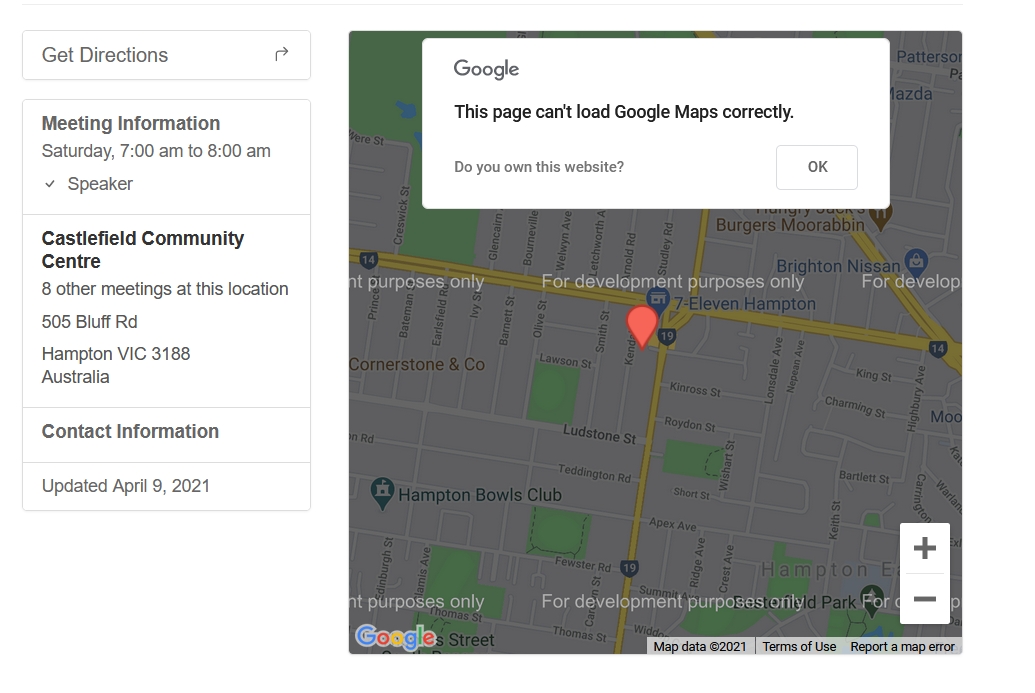
Answer
Check out some of the other Issues by searching with the word Google.
You can also look in your developer console and you'll see the likely clue. Most likely is says invalid API key or something similar.
This issue is caused because something happened with your mapping API key for Google Maps. Or, you switched from Mapbox to Google but don't actually have a key set up?
Map as default view
Show question & answer
Question
Hello,
Is it possible to have the map as a default view instead of the list?
If so, is it also possible to zoom in by location of the user?
Thanks!
Answer by @joshreisner
the issue here is it looks like you've been using the plugin a long time, and you've got a legacy url structure, because your groups link is to https://liferecoverygroups.com/meetings/?d=any&v=list&tsml-view=map
the "v" param was renamed to "tsml-view" a few years ago, so those two are in conflict. this link should work for you
https://liferecoverygroups.com/meetings/?tsml-day=any&tsml-view=map
TSML v3.11 UI Issue with Addresses for Online Meetings
Show question & answer
Question
TSML v3.11 has a UI issue with online meetings and how addresses (either specific or approximate) are displayed on a single meeting page.
These are the three general situations:
- A hybrid meeting (for which the the display of specific address is necessary).
- A natively online meeting (for which an approximate address is acceptable, but has limited value).
- An online meeting in lieu of a physical meeting that is temporarily inactive (for which it is not desirable to show an address that could confuse a user).
The trick is that with situation 2, the approximate address should show normally, while in situation 3, the specific address should be lined through or otherwise obscured. Yet, we don’t have an easy way to differentiate those with CSS.
We defined attendance_option as a single field and it doesn’t cleanly represent situation 3 above. TSML does have tsml-type-* css classes that could potentially be used to line through the specific address, but it is currently assigned to all meetings that have attendance_option=‘online’ and doesn’t differentiate natively online meetings from those established to take the place of a temporarily inactivated in-person meetings.
I see three options to address this:
- Rework the code to ensure
tsml-type-tcdoes not get assigned to the natively online meetings. This can then be used to line through the specific address described in situation 3 above. - Adopt the test included in the fix-lineout-single-page-tc branch, or a version that generates new css class to address situation 3 above.
- Remove the visible addresses on the
single-meeting.phppage for any meeting withattendance_option=‘online’.
Option 3 hides non-critical information from the end user without forcing the admin to remove it from the data. The meeting list page would still include the approximate location for natively online meetings. This would be best as part of a broader UI redesign.
Option 1 would probably be best handled by @brianw-area24 who made most of the attendance_option code changes. The merit of this approach increases if the team decides Option 3 is not suitable.
Option 2 is a quick fix that could be adopted in the interim.
Thoughts of @code4recovery/tsml-contributors?
Answer by @joshreisner
I believe this has been closed now with yesterday's release of 3.11.3
Meeting Map & List Icons - Can this be text?
Show question & answer
Question
I've had feedback from our audience asking where the meeting map is?
Is it possible for the meeting Map & List icons to be changed to text? If so, how do I make this edit?
Answer by @joshreisner
currently there's no way to customize this - however we're open to changing this for everyone to use text instead of icons - we're discussing it internally and will get back to you soon
Zoom Link on List Page
Show question & answer
Question
When clicking on the zoom link on the meetings list page (https://aaheartofva.org/meetings/), it would be great to go directly to the zoom address rather than the meeting detail page.
Answer by @anchovie91471
@timmcdaniels We don't include the link on the meeting listing because there is often important information on the meeting details screen related to the zoom meeting. (Notes)
We have had this feature in the past and it seemed to lead to more user confusion and frustration than having the extra click because the extra information was missed.