Getting Started
Installation, activation, and first-run setup.
60 questions — sourced from GitHub discussions & issues.
Meeting Page MISSING (?) Upgraded to 3.11.0
Show question & answer
Question
Describe the bug I upgraded from 3.10.0 to 3.11.0 and the meeting page is "just gone".
To Reproduce Steps to reproduce the behavior:
- Install WordPress
- Install 3.10.0
- Upgrade
Expected behavior https://aa-stlawrenceny.org/meetings-by-day/?tsml-day=any should show several meetings.
Screenshots
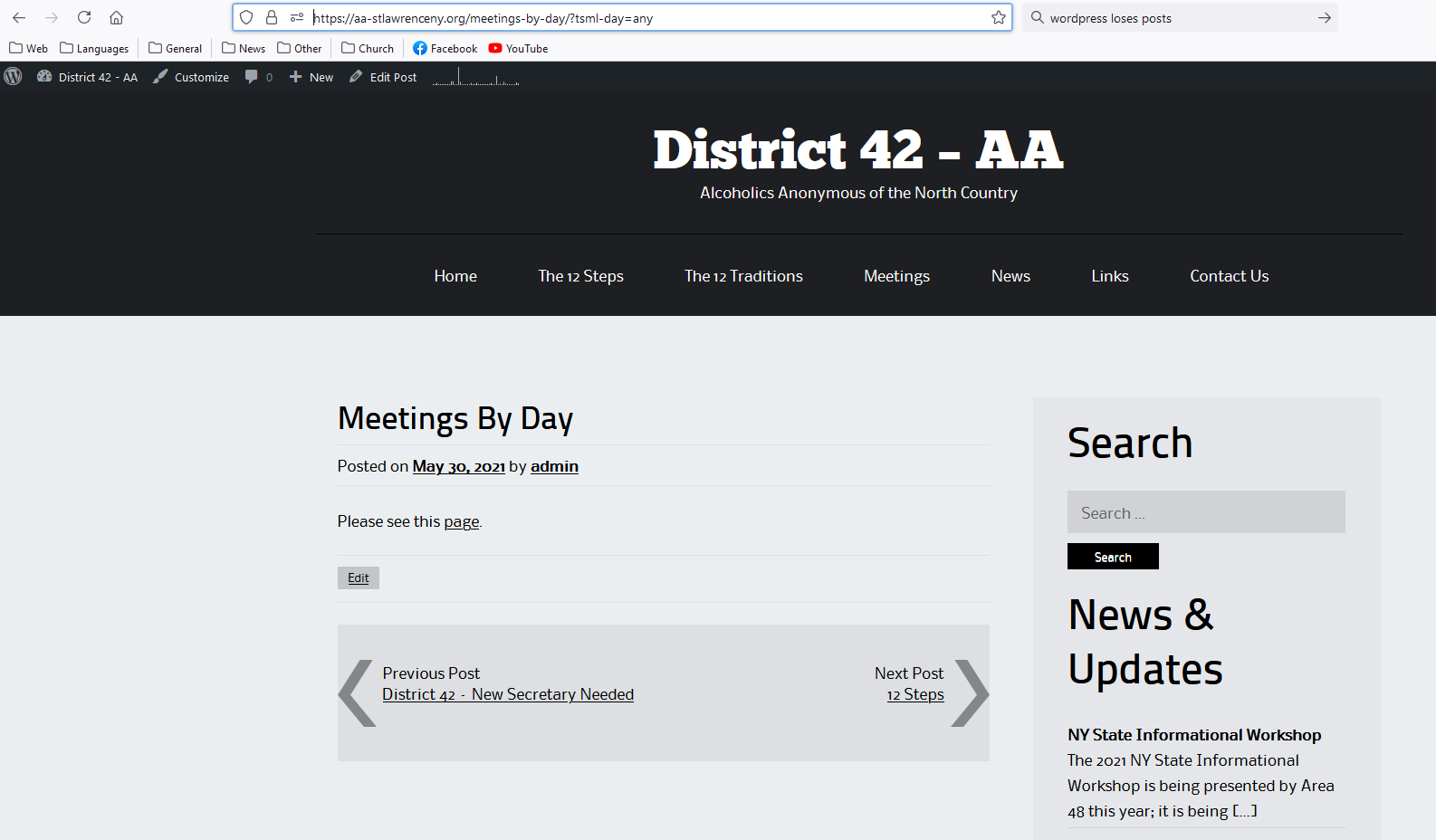
Additional context
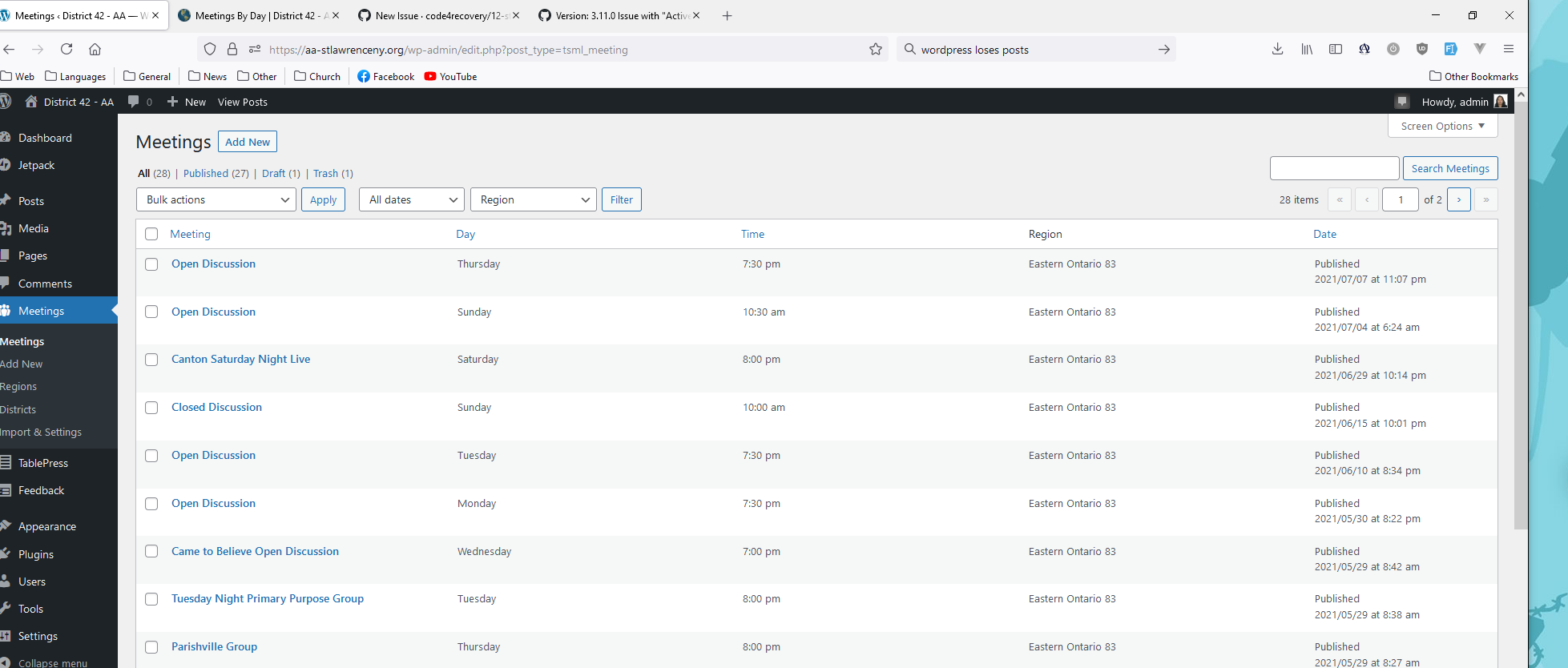
The system KNOWS the data is there.
It's possible the page for displaying the list of meetings have changed.
Answer by @tech2serve
I am able to navigate to your meeting page using this link.
Try navigating to Settings --> Permalinks, and then click on Save to refresh permalinks.
3.11 problems
Show question & answer
Question
Hi all, for 3.11 broke our site. I renamed the plugin Wanted to roll back but unable, because I couldnt find the previous version Finally re-enabled 3.11 the site now works but the /meetings/ page now seems to not exist, and redirects to the home page.
Will now make a backup and try to re-install the plugin but I dont have high hopes.
Any suggestions would be welcome
Much thanks,
Julien
Answer by @brianw-area24
Hi Julien,
Likely, everything is there, and it's an easy fix. Two things to try:
- In the Wordpress Dashboard, go to Settings->Permalinks, and save this page. Don't need to make any changes, just save it.
- If that doesn't work, edit a meeting click on "Update", again, you don't need to make any changes, just update.
Also see Discussion Items #414 and #431
Brian W
V3.11.2 Meetings with NO District (Group) POSSIBLY NOT Appearing in Meeting Guide
Show question & answer
Question
Describe the bug I think any meeting that has no District 42 association is not appearing in the meeting guide.
To Reproduce Steps to reproduce the behavior:
- Install 3.11.2
- Get a meeting in some state such that it has no "District" entry in the JSON cache
- I think you do (2) by having a meeting NOT be associated with a group
  \{
    "id": 2663,
    "name": "Open Discussion",
    "slug": "open-discussion-2",
    "updated": "2021-07-04 10:24:25",
    "location_id": 2664,
    "url": "https:\/\/aa-stlawrenceny.org\/meetings\/open-discussion-2\/",
    "day": 0,
    "time": "10:30",
    "end_time": "11:30",
    "time_formatted": "10:30 am",
    "attendance_option": "in_person",
    "types": [
      "D",
      "O"
    ],
    "location": "South Colton",
    "location_notes": "West off Route 56.",
    "location_url": "https:\/\/aa-stlawrenceny.org\/locations\/south-colton\/",
    "formatted_address": "9 Sugarbush Ln, South Colton, NY 13687, USA",
    "latitude": 44.5089377999999982193912728689610958099365234375,
    "longitude": -74.88738530000000537256710231304168701171875,
    "region_id": 36,
    "region": "Eastern Ontario 83"
  \},```

That meeting does not appear in the meeting guide.
{ "id": 2653, "name": "Canton Saturday Night Live", "slug": "canton-saturday-night-live", "notes": "Because of current guidelines, attendees will be asked to: bring a mask, practise social distance and use hand sanitizer when appropriate.\n\nA full statement can be found at the following URL:\n\nhttps://aa-stlawrenceny.org/canton-saturday-night-group-reopening-requirements/.", "updated": "2021-07-01 09:58:17", "location_id": 2268, "url": "https://aa-stlawrenceny.org/meetings/canton-saturday-night-live/", "day": 6, "time": "20:00", "end_time": "21:00", "time_formatted": "8:00 pm", "attendance_option": "in_person", "types": [ "D", "O" ], "location": "Canton", "location_notes": "Parking is available in rear of church.", "location_url": "https://aa-stlawrenceny.org/locations/uu-canton/", "formatted_address": "3 1/2 E Main St, Canton, NY 13617, USA", "latitude": 44.59626449999999664441929780878126621246337890625, "longitude": -75.1678313999999971883880789391696453094482421875, "region_id": 36, "region": "Eastern Ontario 83", "group_id": 2654, "group": "Canton Saturday Night Group", "district": "District 42", "district_id": 37 },```
This meeting does.
Expected behavior Shouldn't it appear on the meeting guide app?
--> The web-site is live at https://aa-stlawrenceny.org/meetings/?tsml-day=any --> This meeting DOES NOT appear https://aa-stlawrenceny.org/locations/south-colton/ --> This meeting DOES APPEAR: https://aa-stlawrenceny.org/meetings/fall-island-big-book-study/
It is possible that a meeting with NO group is not being listed in the meeting guide?
I attach the current JSON cache as a zip:
Answer by @tech2serve
Hi @lloy0076,
The answers to your questions can be summarized to say that any meeting that is in the website's JSON feed should show up in Meeting Guide unless they have set filters/fences or something isn't correct with the data; however, with 3.11.2, the likelihood of that being the case is less than with previous version because we've improved our validation of data.
So, what someone should do who wants to check this is to actually look at the live JSON feed (not the cache) from your site. One way to do this is to go to Meetings --> Import & Settings, and on the right you'll see an option for "Sharing". Set that to open, and a link will be shown to you to your JSON feed. Click on that, and then search for the meeting in question.
If the meeting is present in the feed, then it is being provided to Meeting Guide and you'll need to reach out to GSO to determine why it isn't showing in Meeting Guide.
If the meeting is not there, then make sure it isn't in DRAFT mode in your database. If it is indeed published, then come back here with the public link and we'll investigate further.
Retrieving JSON list of meetings from a TSML site
Show question & answer
Question
I am hoping to set up a JSON retrieval of meetings from an existing TSML site http://www.aacomm.org/. The plan is to cache that JSON on the site I manage https://www.d12aa.org so that our subset of meetings can be displayed there. Updates of the JSON would occur upon request when the list is older than ~10 min.
Viewers of our subset of meetings on d12aa.org would see only those within our district either by Longitude/Latitude or by selecting individual meetings within our district. We may want to include some other information on a meeting to be displayed on our site depending on today's date i.e. if childcare is available this week or if it is an open birthday meeting since it's the last Saturday of the month.
I see that someone else had a similar question project a couple years ago: https://wordpress.org/support/topic/structure-of-exported-json-file/
My questions are: 1) what is the URL of the JSON feed in TSML? and 2) is there a good guid to specify individual meetings in the JSON feed?
Answer by @tech2serve
Hi @jfieser --
If you search the TSML repo you'll find several discussions (mostly in the Issues today) about how to access/determine the URL of the JSON feed from TSML. The gist is to make your feed public (Sharing -> Open) on the Import & Settings page, and then navigate to the link that shows up under Public Feed:
<img width="274" alt="image" src="https://user-images.githubusercontent.com/31904316/127550049-ce697ad7-f306-4685-a33d-7d30d25db45b.png">
We do not have a guide or a process for filtering the meetings in the feed. This is something you'd have to write (are you a developer?)
We are having some convo about changing the entire process about how we share meetings between sites. Frankly, Wordpress doesn't readily support automation of this process and many have been unhappy with this fact.
Datasource issue
Show question & answer
Question
We are in the process of having the DCMs in the Spokane, WA area update the meeting information on the Spokane Central Office website aaspokane.org and having the data transferred to area92aa.org site. We installed the Advanced Access Management plugin on aaspokane.org to allow the DCMs to manage only their district meetings. I set up the datasource on area92aa.org, and we have duplicate meeting info showing up on area92aa.org for these four districts.
My plan to resolve this issue was to export a CSV of all the meetings on area92aa.org, delete the four district meetings and import the CSV.
I stopped because of these issues.
- I know the user management uses the "Editor" of the meeting info, and CSV doesn't show any editor info. (there is an author column with no data) If I delete existing meeting info, I am concerned that the editor info will be lost.
- I am not sure which import setting to use. When importing... don't delete anything delete only the meetings, locations, and groups for the regions present in this CSV delete all meetings, locations, groups, districts, and regions delete all meetings, locations, and groups not from a data source l would appreciate any help I can get. thanks,
-- Dan Maher Technology Chair for WSEA92. 509-551-6750
Answer by @kiyote33
Hi @DanGMaher, I think you pretty much have the correct plan to remove duplicates from your site:
- Export the current site to a meetings.CSV file using the Export Meeting List feature from our Import page.
- Remove aaspokane.org meetings from a copy of the meetings.csv file which will be imported via a data source feed.
- I would suggest selecting "delete all meetings, locations, groups, districts, and regions" after choosing your modified copy of the meetings.csv file.
- Hit the Begin button to Import your CSV file.
- When the CSV Import is finished, Refresh the Spokane data source feed to add those meetings and regions to your listing.
As regards to your concern about losing data used by another plugin, I've not used our 12 Step Meeting List (TSML) plugin in conjunction with the "Advanced Access Manager" plugin, but I would expect all of your data related to TSML to be preserved in your original meetings.csv export. Hope this helps alleviate your concerns.
Possible to connect data feed to Meeting Guide App and CER website?
Show question & answer
Question
I'm assisting a WebTeam in Portugal to setup a new English speaking website at: aaportugal.net. Their meetings are currently published on the CER website which has a data feed to the Meeting Guide App.
The new site in Portugal will be the official listing of English speaking meetings, and besides setting up a data feed to the Meeting Guide App, they want it to feed the CER website. Is it possible to have the data feed from aaportugal.net go to both Meeting Guide and CER? If so, would the CER feed need to be revised so Meeting Guide doesn't list the meetings twice?
Would also appreciate being directed to setting up the JSON data feed.
Answer by @joshreisner
hi @aamonterey - i've transferred the issue here.
they should be able to do this - the steps roughly are:
- make sure all the meetings are managed locally in 12 Step Meeting List on AA Portugal (and not being imported)
- create an "authorized app" data feed (or open up sharing) and provide it CER - more instructions on that here
- CER deletes its local listings for Portugal, and adds AA Portugal's feed to its imports (they are familiar with this process)
- provide the data feed to GSO (appsupport@aa.org) and tell them that all conflicts should resolve to AA Portugal, because they are the originating website
Change Detection Disabled > ENABLED
Show question & answer
Question
Our Area 59 site: https://area59aa.org uses (13) feeds from our Districts and Intergroups. When I set up our site, I did not use "Change Detection Enabled." How can I most easily update to begin using Change Detection?
Thank you for your service.
Scott F. | Area 59 web Servant | webservant@area59aa.org
Answer by @kiyote33
Hi @fritzisa, See our website FAQ "How Can I Enable Change Detection For My Disabled Data Source?" Let me know if you need anything else. If that link doesn't work for you, try this one: 12 Step Meeting List Documentation
New Webmaster - Really simple questions here
Show question & answer
Question
I am a new webmaster for our local AA Central Office. Our current website is at santafeaa.org.
We are creating a staging site in order to update the back-end of the existing site as well as making it easier for idiots like me to update and maintain. On the recommendation of our outside web designer, the site is based on twenty-twenty-three Theme and is built using WP 6.2. The thought is that the theme will probably be updated as our current Theme has not been updated in many years.
On the staging site, I have added the tsml plug in. I have added a couple of dummy meetings.
Here are my stupid questions (which might want to be considered to be added to the FAQ or to the installation notes):
How do I get the meeting list to appear on the staged website? I assume the address is mainurl/meetings/ (as noted in the import settings page of the plugin) but all I get there is a mal-formed page that ignores my site-wide header and footer, defaults to the stock theme and gives an error message of "Configuration error: data is not in the correct format."
Assuming that I could get the meeting list to appear, how do I format the meeting page so that it matches the style of the rest of the website?
How do I get the small box with upcoming meetings to appear on the side of our website pages? Is there some code that has to be created in order to do that?
How do I get to the place where listed meetings can give us feedback to update or confirm their meeting listing? Can that be done through the specific meeting page (preferable) or should I link to a google form to provide that info to us?
I apologize for the stupid questions, but the documentation seems to assume a fairly high level of CSS experience which I clearly don't have.
Thank you in advance -
Spence Santa Fe, NM
Answer by @TSWrightSF
Thank you all -
I have gotten the shortcodes to work thanks to your help. I believe my meetings database was screwed up as my dummy meetings were not assigned to a group. It looks like that option (the Individual meeting/Part of a group radio buttons) messed me up when I entered the placeholder meetings. Maybe that could be better documented as it seems to trip people up.
The page with the upcoming meetings widget (I used shortcode rather than the widget) is at staging.santafeaa.org
My "hello world" page to test the shortcodes is at https://staging.santafeaa.org/hello-world/. After importing our current meeting list, it looks more like Josh's workup.
Would it make sense to do more of a project on documentation? I'd be willing to help out, even if I'm a total n00b on this.
Thank you, everyone.
Spencer
On Fri, Jun 2, 2023 at 12:29 AM Anthony Baggett @.***> wrote:
> Have you tried using something like this in a theme template? (Like maybe > index.php). > > echo do_shortcode( '[tsml_meeting_count]' ); > > This isn’t a permanent solution, but it seems like there’s a plug-in or > something in your theme that is causing the shortcodes to fail. > > Have you tried other shortcodes to see if it’s a general shortcode issue > or if it’s specific to TSML? > > — > Reply to this email directly, view it on GitHub > <https://github.com/code4recovery/12-step-meeting-list/discussions/1121#discussioncomment-6068151>, > or unsubscribe > <https://github.com/notifications/unsubscribe-auth/A4SFFKFCEDKHMIW72M3HVJ3XJGB4BANCNFSM6AAAAAAXQKOCKE> > . > You are receiving this because you were mentioned.Message ID: > <code4recovery/12-step-meeting-list/repo-discussions/1121/comments/6068151 > @github.com> >
Miles default for meeting search
Show question & answer
Question
I have had the meeting setting for meetings to kilometres since set up, yet when selecting "Near Me" the meetings display in miles distance instead of kilometres. I noticed in the code miles is set as default - which is no doubt great for US & UK meetings but in Australia, we use "km".
So I want to know how to change this default in the code so our members see km/ kilometres when looking for meeting "near me" or look up distance.
See the attached screenshots to explain the above.
<img width="1220" alt="Screen Shot 2023-09-19 at 11 10 55 am" src="https://github.com/code4recovery/12-step-meeting-list/assets/23748349/c329095e-2b87-47fa-b6d8-871adac6c74b">
<img width="537" alt="Screen Shot 2023-09-19 at 11 11 27 am" src="https://github.com/code4recovery/12-step-meeting-list/assets/23748349/b10dd125-dd3b-40ac-a1dc-08aa48bbae6a">
If you'd like to test this yourself, [go to the test site](url:
Please ensure your location services are turned on, so the geolocation will be able to show you which meetings are closest to you by distance. This is the only time it appears in miles.
Answer by @joshreisner
hi @nataliefaith2
when you use TSML UI at the default /meetings page the distance units setting will get passed through, but in your case you are embedding TSML UI on a page using an embed code, which is fine, but means you must specify the distance units using the instructions: https://github.com/code4recovery/tsml-ui/#use-kilometers
but looks like you found them though? where you have
<div var tsml_react_config = \{
  distance_unit: 'km',
\};></div>
just change that to
<script>
var tsml_react_config = \{
  distance_unit: 'km',
\};
</script>
and you should be all right
Options for supporting search of TSML data via Wordpress
Show question & answer
Question
Wondering, if there are routes which members have used to better support search data saved within Twelve Step Meeting List - via external search:
- Wordpress search / Jetpack search / Relevanssi?
Atm Im using 301 director to setup manual redirects. Any thoughts / options users have found helpful very much more than helpful.
IF
CoDA UK Comms / Web https://codauk.org
Answer by @joshreisner
hi @k8fish3r i just tested your solution and it is pretty nice! i searched "birmingham" in the website search and i was automatically forwarded to the meeting search within 50 miles of birmingham, UK
typically for most of our users the website search is of limited value, so we recommend they hide it - depending on theme, it can often be removed at Appearance > Customize. or just hide it on the meeting page by creating an alternate menu there, or using CSS (you can use the body.tsml selector), eg
body.tsml .search-toggle-wrapper \{ display: none; \}
or another approach might be to customize the search results page with a banner / button like "did you mean to search for CoDA meetings with {terms}?" that takes people from /?s=test to /meetings?tsml-day=any&tsml-query=test
Exploring possibility of moving WP install/Meeting Guide to new folder
Show question & answer
Question
Hi there... I'm thinking of moving wp installation/meeting guide to a different folder (original was unfortunate/poor naming)... what will that do (if anything) to the daily feed? Is there anything to be done ahead of time?
Thanks so much, Gina, for www.area84aa.org
Answer by @SIA-WEBSUP
BTW, here's the link to your feed currently: https://area84aa.org/wp/wordpress/wp-admin/admin-ajax.php?action=meetings
Not sure if you've already moved your wordpress install to where you'd like it to be.
Using Divi Theme Using [tsml_ui] resulting in meeting list fields overlapping.
Show question & answer
Question
Hi,
 I'm using divi to setup a dedicated page for meeting listing, as it help manage the display width.

 When testing using phone sized display the 'meetings' fields are not overflowing resulting in overlapping.

 Working max width.
Overlapping.
Answer by @joshreisner
interesting that this is not an issue on https://staging17.aa-bristol.org/meetings/ - there i see that the alignment is weird, i bet you could add #tsml-ui \{ margin: 0 auto; \} to your custom CSS to get it to center-align - i will also take a note to make that our margin default
looks like in the second case our padding is getting overridden by style coming from the divi event calendar module, we can make it more resilient
overall, i'd recommend using the main listing page rather than the shortcode - that is usually subject to less interference from themes and plugins
tsml_custom_addresses() and imported JSON feeds
Show question & answer
Question
When importing JSON feeds, the addresses are run through Google for geocoding.
When, as happens on occasion, the geocoding is incorrect, TSML has a facility for overriding via tsml_custom_addresses()
However, when the meeting is coming from an external JSON feed, it seems to me that tsml_custom_addresses() is not invoked and the bad geocoding is reinintroduced on re-import.
Is this expected behavior? Is tsml_custom_addresses() invoked when importing a JSON feed?
Or is it the case that tsml_custom_addresses() IS invoked on import, but my JSON is not structured in the correct way for override to be picked up?
Alternatively, can the JSON entry contain more detailed info ( such as latitude / longitude ) that would prevent the bad geocoding from google to take effect without the need for an override via tsml_custom_addresses()?
Example:
Google incorrectly geocodes 1 Cedar Ave, Medford, 11763 to 1 Cedar Ave, Patchogue, 11772.
If you set up a test site to import the following feed which has a single meeting at this location: https://suffolkny-aa.org/tsml-custom-address-example.json
You'll notice that as part of the import process the address is incorrectly geocoded.
If you then add the following:
if (function_exists('tsml_custom_addresses')) \{ tsml_custom_addresses(array( '1 Cedar Ave, Medford, 11763, USA' => array( 'formatted_address' => '1 Cedar Ave, Medford, 11763, USA', 'city' => 'Medford', 'latitude' => 40.802802383659184, 'longitude' => -73.01712043064236, 'approximate' => 'no', ), )); \}
the override works as expected when editing the meeting from within the TSML plugin's admin screen.
However, if you re-import the JSON feed, the badly geocoded address returns.
So either tsml_custom_addresses() is not run when importing the JSON feed
OR
the way the address is encoded in the JSON does not match up with what tsml_custom_addresses() is expecting for the override to take effect.
Any insight on how I might alter the override in tsml_custom_addresses() (preferable) or change how the JSON encodes the address (less preferable) would be appreciated.
Answer by @joshreisner
looks like your override does not match the data coming in from JSON. try adding another entry for 1 Cedar Ave, MEDFORD, NY, 11763, US to see if that works, or change the JSON to use "formatted_address" => "1 Cedar Ave, Medford, 11763, USA"
Meeting types not shown if only one meeting?
Show question & answer
Question
If I set up the TSML plugin with just one import feed, and that one import feed has just one meeting, then that meeting is displayed (on its detail page) without showing the usual "type info" at the top. However, if I add a second meeting to that feed, then both meetings show up with that "type info" (including the one that was originally there and didn't show it). You can see this behavior on this staging site, which currently has just one meeting. If you ping me via GitHub, I can add a second meeting to the feed.
I have attached below two screenshots: the first shows the meeting detail when there are two meetings, and the second shows the meeting detail when there is just one meeting.
Is this expected behavior?
Two Meetings
<img width="410" height="525" alt="Two-Meetings" src="https://github.com/user-attachments/assets/fe32ee3b-0b09-4646-bf19-31b566a5db0c" />
One Meeting
<img width="420" height="529" alt="One-Meeting" src="https://github.com/user-attachments/assets/8ddd2f9f-0965-4e45-a441-b241b1bf4a00" />
Answer by @joshreisner
yeah that does look weird, we can review how that works
the reason it's happening is TSML UI subtracts any type that applies to every meeting. it looks odd on the meeting detail, but the reason we have it is so as not to clutter up the main filter dropdowns with types that don't do anything
for example, if every meeting met on thursday, then it wouldn't make much sense to have the day dropdown, since it would not do anything when you made a selection.
Trailing slash amendment in wordpress / amendment in TSML - has stopped certain TSML URLS from working?
Show question & answer
Question
Hi,
wondering is there any refinement which could lead references to 12SML urls (location) or (name) stop working?
Example I have, lots (many, many users) search for types of meeting and locations via "wordpress search" which cant interrogate 12SML meeting lists - well. I have been using a redirect component for years now as so many users dont search directly within the 12SML page.
A Wordpress search of Bramley is setup to redirect as below:
FROM: (Wordpress search URL) https://codauk.org?s=bramley
TO: (the URL a manual 12SML search would generate) https://codauk.org/meetings?distance=25&search=Bramley,Surrey&mode=location
INSTEAD the user lands here: https://codauk.org/meetings/?distance=25&search=Bramley,Surrey&mode=location
Its only just started happening. TSML URLS which search for meeting by physical location (town / city / county) no longer work TSML URLS which search for meeting by TSML region - still work. TSML URLS which search by meeting name - still work. TSML URLS which present meetings by type (online/physical/hybrid) still work TSML URLS which present meetings by day still work. TSML Near me URLS like "https://codauk.org/meetings/?type=in-person&distance=25&mode=me/" appear to be hundreds of miles out? TSML Near me URLS like "https://codauk.org/meetings/?tsml-day=any&mode=me&view=map&distance=50" dont resolve at all?
Any thoughts / anyone why TSML URLS aren't working out of the blue?
Answer by @joshreisner
hi @k8fish3r we just pushed an update to TSML UI that hopefully fixes this timing issue with bookmarked location searches - please let us know if you see any more issues
<img width="1728" height="1083" alt="Screenshot 2025-10-18 at 8 28 23 PM" src="https://github.com/user-attachments/assets/4ec0473c-ce21-4139-85b9-16643f37d4fd" />
update button is disabled when changing from hybrid to online-only
Show question & answer
Question
Never had a problem updating meetings before, but this is the first time I have been asked to change a meeting back to online-only.
I removed the location and address. Then change attend inperson from yes to no. The update button is disabled.
This is happening on three websites -- central office, intergroup, and area.
Both wordpress and TSML are at the latest versions.
Let me know what additional information you need. I will not provide login credentials in this forum, provide email address or phone number to contact.
Answer by @Grateful-Viv
You shouldn’t need to remove the address. Simply change option from yes to no about meeting in person, and make sure you put a valid URL in the meeting link area.
TSML-US 3.14.1 Cuts Out Top Lines
Show question & answer
Question
My site is setup to have the menu bar set at fixed to top on scroll which shows the menu bar when you are scrolling down a page.
When first selecting a meeting's detail, it jumps down too far. See picture.
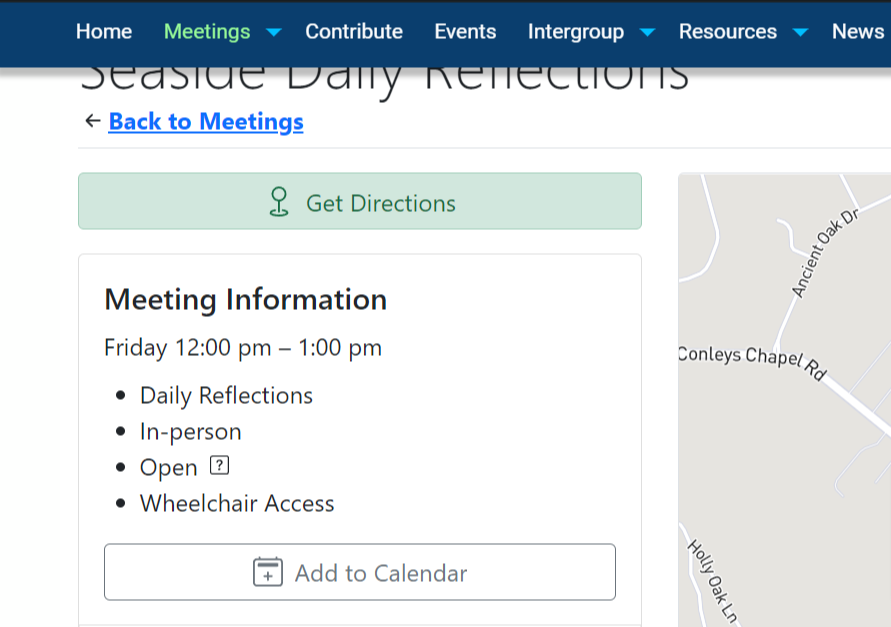
If I change to standard position (not fixed) for menu bar, the page with the meeting detail has the title of the meeting at the top, but it still is blocking the meeting top widget text (that I would love removed on the meeting detail - see #686).
Answer by @joshreisner
hi @Grateful-Viv try adding
* \{
  scroll-margin-top: 50px;
\}
you can adjust more or less depending on how much you need.
i know the widget request is underway
Categories are not applying / Refreshing
Show question & answer
Question
Hello,
I am having an issue with categories not applying without a refresh. For example if I select a different city in the region drop down nothing happens. I can see the url update, and if I hit refresh it will apply. I have disabled all plugins and re-installed and the same issue is present.
This is my first time posting here, so any support would be great. And let me know if I did it correctly.
Thank you,
Answer by @joshreisner
its great you disabled plugins. do you happen to have website caching enabled, maybe at the hosting level? we heard of a similar situation recently with godaddy wordpress caching.
Meetings URL broken
Show question & answer
Question
Hi all,
We've had the TSML plug-in installed for some time, but in the past few days it's started behaving oddly. Most recently, the URL district10nia.org/meetings stopped working. I'm new to this, but there is no such directory so I'm lost where to go to fix it. Is that something the TSML install is supposed to handle? I noticed that other working installs of TSML have this URL too, so I thought maybe if I uninstalled and reinstalled the plugin, that would fix it, but although a shortcode I have set up shows all meetings, the meetings URL still doesn't. Any suggestions welcome.
Answer by @tim-rohrer
A good first step to solve these types of issue is Settings—>Permalinks, and then simply click on Save. That should rebuild all of the Wordpress links.
Import Data Source for District
Show question & answer
Question
Hi! District 28 recently set up this plugin (see here) and it's awesome. We are using the "Import Data Sources" to pull the meeting list from our parent region (https://aavirginia.org/meetings/).
The issue we're having is that not all the meetings in our district are being imported. There doesn't seem to be a reliable region or group_id we can query on, and region_id returns the full set of meetings.
The two data source feeds we've tried are
- https://aavirginia.org/wp-admin/admin-ajax.php?action=meetings&group_id=161674 returns 52 meetings
- https://aavirginia.org/wp-admin/admin-ajax.php?action=meetings®ion=woodbridge returns 51 meetings
- https://aavirginia.org/wp-admin/admin-ajax.php?action=meetings®ion=woodbridge&group_id=161674 returns 49 meetings
The last one seems to do an AND between the two query params. Is there a way to do an OR? That would solve our problem. Also I'm not sure which of the fields should be for the district. I checked the JSON spec and didn't see anything about districts.
Thank you!
Answer by @joshreisner
it's sort of undocumented but you can actually use district for this eg https://aavirginia.org/wp-admin/admin-ajax.php?action=meetings&district=district-28-woodbridge
Meeting Sync
Show question & answer
Question
We received an email regarding data source changes detected-screenshot.1
It shows that the database only has 75 meetings. We checked our sheet and nothing has changed and we have 377 meetings listed. screenshot.2
We logged into the Import/Export menu and the refresh began immediately without being prompted by click. When navigating to that menu it displayed 75 meetings as well. Which is inaccurate. And after the Refresh Bar completed, it now shows we have 401 meetings.
Here is the spreadsheet we are using: https://docs.google.com/spreadsheets/d/1otk733FYwzF7JA4NlXfgEy6E1JKAkWOAxabjSOuuDIE/edit?usp=sharing
This is the second time we got this email. The first time I just canceled the feed and reimported bc I thought it was human error. But this now the 2nd time seems to be a bigger issue.
Please advise on what may be happening and how we can address the issue?
Answer by @joshreisner
hm, we'll look into it! sounds like change detection may not work as expected when importing from a google sheet
for now probably just ignore these emails
Hello Elementor Meetings Mobile View - 'Any Type' menu drop-down off page
Show question & answer
Question
We are using Elementor Pro with a Child Hello Elementor Theme. It's a fairly plain installation.
If I change the theme to twenty-twenty-four then the issue goes away.
When on a mobile device and looking at the meetings page the 'any type' drop down menu goes off the page.
URL: https://alanonventura.rockfaceit.com/meetings/
Screenshot with hello elementor theme: <img width="476" alt="Screen Shot 2024-02-19 at 10 41 41 PM" src="https://github.com/code4recovery/12-step-meeting-list/assets/37557944/424f8b48-1822-4d5a-8476-4805788bb7c4">
Screenshot with twenty twenty four theme: Looks fine <img width="485" alt="Screen Shot 2024-02-19 at 10 41 14 PM" src="https://github.com/code4recovery/12-step-meeting-list/assets/37557944/ed81b2b2-f780-40cc-b709-92ba3ef11247">
Is there some CSS I can install on Hello?
Thanks everyone!
Answer by @joshreisner
ok! with the latest TSML UI update hopefully you won't need the extra CSS anymore. but it won't hurt to leave it in either
Creating a Mapbox token correctly
Show question & answer
Question
We have just set up the Mapbox account and creating the token.
Do we leave the options pretty much as-is and just add the domains (production and staging) on which it will be used? Or do we have to configure this differently?
There are a lot of checkboxes!
Thank you so much
Answer by @joshreisner
@willinrecovery check to make sure the key is entered in the Mapbox field on the Meetings > Settings page (and not the Google field)
Trouble showing Region column
Show question & answer
Question
I have configured Regions for every city in our Intergroup and associated every meeting with a Region.
However, the Region column is not showing up for the meeting list even though I see it showing up on other sites using the 12-Step Meeting List plugin. Is there something else I need to do to activate that column and the corresponding filter in our meeting list?
Here is our meeting list:
<img width="1143" alt="Monosnap CECDA Staging 0 2024-03-03 15-19-50" src="https://github.com/code4recovery/12-step-meeting-list/assets/159723102/b3300b1d-84d7-4be3-b5e3-bc40fee7c1ab">
Here is the meeting list from another site using the same plugin. I notice it also says "Address / Platform" instead of just "Address" so I am wondering if I have missed a setting somewhere that turns these things on.
<img width="1316" alt="Monosnap Meetings 2024-03-03 15-22-10" src="https://github.com/code4recovery/12-step-meeting-list/assets/159723102/b826f9aa-3583-4690-a5d0-794989f72470">
Thank you so much!
Answer by @joshreisner
hm, you might try editing and saving changes on an individual meeting. i think this will repopulate the JSON feed
[Bug]: Area 93 District 7 (TSML) pulls meeting info from the Antelope Valley Central Office (CF) - TSML is now rejecting the feed from the CF
Show question & answer
Question
Contact Details
webservant@aascv.org; cherijones@cyberservices.com
Website With Issue
https://area93district7.org/ https://AVCentraloffice.org
What happened?
<html><body> <div>Take your time since all meetings are present. Since the JSON is not in the Code for Recovery format, I am not confident they can help. I did check the JSON, and I agree it is in a valid JSON format. <div><br></div><div>d</div><div><br></div></div><br><div class="gmail_quote"><div class="gmail_attr">On Fri, Aug 30, 2024 at 6:03 AM <<a href="mailto:cherijones@cyberservices.com" onclick="parent.window.phx.iac.notify('mail_compose', {'to':['cherijones@cyberservices.com']}); return false;" target="_blank">cherijones@cyberservices.com</a>> wrote:<br></div><blockquote class="gmail_quote" style="margin: 0.0px 0.0px 0.0px 0.8ex;border-left: 1.0px solid rgb(204,204,204);padding-left: 1.0ex;">
<div><div style="line-height: 1;padding: 0.5em;">The json feed seems to be ok - I am in Montana where they only pretend to have Internet so limited as to what I can do - do you know how to post this on GitHub - you can go to code <a href="https://deref-mail.com/mail/client/K95h8QXX7HY/dereferrer/?redirectUrl=http%3A%2F%2Frecovery.org" target="_blank">recovery.org</a> for the link<br><br>--<br>Sent with <a href="https://deref-mail.com/mail/client/Wx6gCtsMPRc/dereferrer/?redirectUrl=http%3A%2F%2Fmail.com" target="_blank">mail.com</a> Mail app from my phone</div><div style="line-height: 1;padding: 0.3em;"><div>On 8/30/24, 6:54 AM "Doug W." <<a href="mailto:webservant@aascv.org" onclick="parent.window.phx.iac.notify('mail_compose', {'to':['webservant@aascv.org']}); return false;" target="_blank">webservant@aascv.org</a>> wrote:</div><blockquote class="gmail_quote" style="margin: 0.8ex 0.0pt 0.0pt 0.8ex;border-left: 1.0px solid rgb(204,204,204);padding-left: 1.0ex;">
<div> Cheri: <div> <br> </div> <div> I'm sorry to bother you, but something changed or broke in the JSON feed <a href="https://deref-mail.com/mail/client/2-54eO6NKZk/dereferrer/?redirectUrl=https%3A%2F%2Favcentraloffice.org%2Fmap%2Fjson.cfm" target="_blank">https://avcentraloffice.org/map/json.cfm</a>, or the 12-Step meeting plugin update changed something for non-standard feeds. The SCV feed is fine. The 12-step plugin is used on the district WordPress site, which uses this JSON file and rejects it. The attached email shows that all AV meetings are out of sync, and the sync on the <a href="https://deref-mail.com/mail/client/eVgMexZ4KBs/dereferrer/?redirectUrl=http%3A%2F%2Farea93district7.org" target="_blank">area93district7.org</a> site goes through the motions but does not make the update, and it has been out of sync for the last couple of days. </div> <div> <br> </div> <div> It does not affect the meetings in the Meeting Guide App (I checked it this morning). </div> <div> <br> </div> <div> D </div> <div> <br> <div class="gmail_quote"> <div class="gmail_attr"> ---------- Forwarded message --------- <br> From: <strong class="gmail_sendername">WordPress</strong> <span><<a href="mailto:wordpress@area93district7.org" onclick="parent.window.phx.iac.notify('mail_compose', {'to':['wordpress@area93district7.org']}); return false;" target="_blank">wordpress@area93district7.org</a>></span> <br> Date: Fri, Aug 30, 2024 at 1:07 AM <br> Subject: [Area 93, District 7] Data Source Changes Detected: District 7, AV <br> To: <<a href="mailto:webservant@aascv.org" onclick="parent.window.phx.iac.notify('mail_compose', {'to':['webservant@aascv.org']}); return false;" target="_blank">webservant@aascv.org</a>> <br> </div> <br> <br><u></u> <div style="margin: 0.0px;padding: 0.0px;background-color: rgb(238,238,238);width: 100.0%;">
Updated | Surrender | Sunday
…
Answer by @joshreisner
hey @dougie-wougie are you having trouble importing the feed from antelope valley? what happens on your end? it seems to import to my test site ok.
<img width="1083" alt="Screenshot 2024-09-16 at 12 16 25 PM" src="https://github.com/user-attachments/assets/05d574dc-2806-4b9d-aa4e-3585d80d5cd7">
Has anyone seen this before? - ISSUE with new UI? -
Show question & answer
Question
This has suddenly occured on our website, but visiting another website using 12SML component - they dont have this issue. Unclear whats happened at the moment. Sharing mainly in case anyone knows what could cause this?
We've temporarily switched back to 'LegacyUI' as there are React errors in our console = 'New UI' is was built by our React ninjas at Code4Recovery. https://codauk.org/meetings/?tsml-day=any
One are of the site continues to use the react version: https://codauk.org/twentyfourseven/
Marked for everyone as its seems this isnt affecting every install of 12SML
Answer by @joshreisner
sorry about that @k8fish3r @cassandradc - this should be fixed now with a hard refresh
Translation loading triggered too early - WordPress 6.7.0+ compatibility issue
Show question & answer
Question
Add a description
I know this was reported previously but its either still there or back https://github.com/code4recovery/12-step-meeting-list/issues/1582. Note that the PHP Deprecation's I believe started with 8.0 or 8.1
Description
The plugin triggers translation loading before the init action, causing PHP notices in WordPress 6.7.0+ and preventing headers from being sent properly.
Error Messages
PHP Notice: Function _load_textdomain_just_in_time was called incorrectly. Translation loading for the `12-step-meeting-list` domain was triggered too early. This is usually an indicator for some code in the plugin or theme running too early. Translations should be loaded at the `init` action or later. (This message was added in version 6.7.0.)

PHP Warning: Cannot modify header information - headers already sent by (output started at /var/www/html/wp-includes/functions.php:6121)
Additional Issues
The following deprecated warnings also appear:
mb_detect_encoding(): Passing null to parameter #1 ($string) of type string is deprecatedin/includes/functions_import.phpon line 830preg_replace(): Passing null to parameter #3 ($subject) of type array|string is deprecatedin/includes/functions_import.phpon line 840
Environment
- WordPress Version: 6.8.3
- PHP Version: 8.3
- Plugin Version: [current version]
- Server: Apache (Docker)
Steps to Reproduce
- Install WordPress 6.7.0 or later
- Install and activate the 12-step-meeting-list plugin
- Enable
WP_DEBUGmode - Access the WordPress admin area or perform any plugin operation (Specifically imports)
- Check error logs
Expected Behavior
- Translations should load at the
initaction or later - No headers-already-sent warnings
- No PHP deprecation notices
Suggested Fix
Ensure all translation loading calls (load_plugin_textdomain(), __(), _e(), etc.) are hooked to the init action or later. Review plugin initialization sequence to ensure proper WordPress hook usage.
Docker Configuration
<details> <summary>Click to view Dockerfile and docker-compose.yml</summary>
Dockerfile:
FROM wordpress:6.8.3-php8.3-apache

RUN apt-get update && \
    apt-get install -y  --no-install-recommends ssl-cert && \
    rm -r /var/lib/apt/lists/* && \
    a2enmod ssl rewrite expires && \
    a2ensite default-ssl

ENV PHP_INI_PATH "/usr/local/etc/php/php.ini"

RUN pecl install xdebug-3.4.5 && docker-php-ext-enable xdebug \
    && echo "xdebug.mode=debug" >> ${PHP_INI_PATH} \
    && echo "xdebug.client_port=9003" >> ${PHP_INI_PATH} \
    && echo "xdebug.client_host=host.docker.internal" >> ${PHP_INI_PATH} \
    && echo "xdebug.start_with_request=yes" >> ${PHP_INI_PATH} \
    && echo "xdebug.log=/tmp/xdebug.log" >> ${PHP_INI_PATH} \
    && echo "xdebug.idekey=IDE_DEBUG" >> ${PHP_INI_PATH}

EXPOSE 80
EXPOSE 443
docker-compose.yml:
services:
  wordpress:
    depends_on:
      - db
    build: .
    restart: always
    ports:
      - 8080:80
      - 7443:443
    environment:
      WORDPRESS_DEBUG: true
      WORDPRESS_DB_HOST: db:3306
      WORDPRESS_DB_USER: wordpress
      WORDPRESS_DB_PASSWORD: wordpress
      WORDPRESS_DB_NAME: wordpress
      WORDPRESS_CONFIG_EXTRA: |
        define('WP_HOME', 'https://localhost:7443');
        define('WP_SITEURL', 'https://localhost:7443');
    volumes:
      - ../:/var/www/html/wp-content/plugins
      - ./logs/:/var/log/apache2

  db:
    image: mariadb:10.11
    restart: always
    ports:
      - 3306:3306
    environment:
      MARIADB_ROOT_PASSWORD: somewordpress
      MARIADB_DATABASE: wordpress
      MARIADB_USER: wordpress
      MARIADB_PASSWORD: wordpress
</details>
Reference
Answer by @joshreisner
yeah the error message isn't very helpful, since it doesn't say where we're calling it too early
the quick way to fix the message showing up is to disable debug mode - hopefully this is already done on everyone's production websites.
when you say your whole meetings page is down @cronin4392 , i doubt this is the cause. could you create a new discussion with a link to the page that's down? thanks
Filter buttons at top of meeting list don't activate on hover
Show question & answer
Question
The wordpress theme seems to be covering up the meeting filter buttons, Everywhere, Day Time etc. Our website is lewiscountyaa.org. We are a rural county with little to no tech expertise. Hope you can help. Thanks.
Brian S. Web Servant, District 28, Washington State
Answer by @tech2serve
Hey Brian (@BDS419),
Best I can tell, we completely missed your question here, and I feel horrible about that. I apologize, and wish there was a way to roll back the clock.
Looking at your website, it appears you got it working, yes? I would be curious to hear what you discovered and how you fixed it. It might help someone else in the future.
Tim
Mapbox Pricing
Show question & answer
Question
I'm redesigning our local AA website and discovered that Mapbox is a requirement for the new TSML UI. I'm not familiar with the mapbox solution, but was able to get it set up, integrated, and working correctly. My main question is about the API requests and pricing. My interpretation is that all requests from the 12 step meeting plugin would fall under "Mapbox GL JS" map loads for web. This particular utilization of the API comes with 50,000 free page loads and then $5.00 per 1000 page loads after that. Am I correct in my understanding of the cost and utilization of the Mapbox API for the 12 step meeting plugin? I apologize if this is already documented elsewhere. I couldn't find it.
Answer by @joshreisner
yes, that's right - here's some more context about the fees: https://github.com/code4recovery/12-step-meeting-list/discussions/1347
the tldr is we haven't heard of a site yet run into any fees, and mapbox's pricing is slightly better than google, last time i checked
12 Step Meeting List Wordpress Plugin not updating
Show question & answer
Question
Greeting folks, first time posting a question here so, please be patient. I'm the webservant for Harrisburg Area Intergroup in Central PA District 36 and we use the use the meeting guide app to post new meetings and update meeting info. I added an update on 2/5/2025 to a meeting and normally takes 2-4 hours to update however, it never updated.
12 Step Meeting List Wordpress Plugin not updating when information is put in. Is there an issues that you're aware of?
Answer by @SIA-WEBSUP
@harrisburg-area-intergroup,
Just to confirm—you’re reporting an issue with the Meeting Guide app listing, not the TSML plugin, correct?
You’ve updated the meeting details in the plugin, but the app displays 2 lstings; one with the old time and one with the new time?
In the Meeting Guide app, if you open a meeting’s detail screen and scroll to the bottom, you can see which AA entity is providing the meeting information. I suspect there may be two listings:
- An 8:00 PM meeting pushed by Area 59
- An 8:30 PM meeting pushed by Harrisburg Intergroup
The quickest fix would be for Area 59 to update their listing to match yours. You may want to reach out to them and request the update.
For more details on troubleshooting Meeting Guide app issues, check out: Meeting updates not changing in the app
Beyond that, there is a more involved solution you may want to explore:
I’m a bit surprised that both meetings are appearing instead of just one. Since both listings use the same approximate location (Online-Harrisburg, Harrisburg, PA, 17104), I expected the app to prioritize one entity's data over the other—just as it does for exact locations in in-person meetings.
This suggests one of two things:
- The Meeting Guide app doesn’t apply the same prioritization rules to approximate locations.
- The app is geocoding your two locations differently, causing both to display.
If the app can geocode both listings identically and choose just one, it would be good to decide which entity should take priority—likely the one that is in better contact with the meeting.
You may want to reach out to the Meeting Guide app support team for clarification: appsupport@aa.org
Online meetings that require zoom registration can no longer be entered
Show question & answer
Question
Hi
This online women's meeting - https://meetings.aa.org.au/meetings/online-womens-recovery-albert-park-saturday/ is set up so it require members to register before joining the meeting. The Group did this because, in the past, they had had a lot of trouble with trolls and zoom bombers. It is the way they prefer and the meeting has been operating like this for a number of years.
The zoom link they use is therefore not a standard zoom link (Example: https://zoom.us/j/1234567890)
They use a feature of zoom which allows members to register before attending the meeting. See https://support.zoom.com/hc/en/article?id=zm_kb&sysparm_article=KB0058219
Therefore, on their meeting in the 12 Step Meeting List on the Australian national website, they use this link in the meeting URL field https://us02web.zoom.us/meeting/register/tZAucu2pqjIpHtCNCNQ_R3OM7r6m6poOxArr#/registration This takes members to a form to fill out to register.
They have a note in the URL Notes field which says "Pre-meeting registration required using this link. Once women have registered for the Zoom meeting, they will receive an email that provides an individual link that will connect them to the meeting."
But in a recent update to the 12 Step Meeting List plugin, an error message has been added. It warns:
> Zoom conference urls require a valid meeting number. Example: https://zoom.us/j/1234567890
It hasn't been a problem until this week because their current listing has not changed and their link still works. But now they are asking for a couple of minor changes to their listing (change to the wording in the meeting notes and adding a phone number). Unfortunately, the plugin won't allow me to make the change because of the persistent error message shown above.
Can this be addressed please? The group wants to continue to to use the Zoom Meeting registration feature and continue to use the current url in the meeting URL field.
Thanks David M - Australia
Answer by @AATimes
Hi
Just worked out that the Zoom conference urls require a valid meeting number. Example: https://zoom.us/j/1234567890 error message has been temporarily removed in the latest version 3.16.18 This has overcome my immediate problem.
But, when this url check is put back, can you please make sure the registration option mentioned above will still work.
Thanks for all your wonderful work.
David M
Version 3.11: Urgent! Please include new 'in person/online' setting in import functionality and template
Show question & answer
Question
In the new 3.;10 version, the checkbox for Location Temporarily Closed has disappeared. Instead, a new radio button has been added in the Location Information section, to indicate if a meeting is in person, online or both. The code then decides, based on that radio button field how to tag the meeting.
After the upgrade, the tags applied to existing listings are randomnly incorrect. This is not acceptable. It means that as an admin I have to go through every single one of my hundreds of listings in the Wordpress interface to check and correct it. It would not be such an issue if the new radio button option was now included in the import template. But that template looks as if it has not been updated for a long time, e.g. the Location temporarily closed option is still present.
Please fix the import so that admins who have large Areas to administer online can decide to do a full refresh of their meetings using the import option.
I know that there are differences of opinion about all of our preferred methods (import full set regularly from a non-website datasource, strictly use the Wordpress UX to edit meeting listings and other). But we all do our service in the way that works best for us. So it would be wonderful to keep the import updated with whatever changes happen in the plugin.
I cannot justify to upgrade to the latest version as long as this is not fixed.
I find this new logic a bit wonky with too much chance of error for the simple reason that the conclusions in the code are implicit rather than explicit. The less verbal explanations are needed for new features, the more intuitive they are.
So I am just wondering why the decision was made to completely change the logic and make it worse instead of better. Is the show/hide map decision related to geocoding costing too much money?
Thinking of solutions, I would much prefer to have one or more 'settings' sections in the back-end, that the admins can use to impact what is shown or hidden on their meeting pages. The code can use the admin choices to come to transparent choices, and make those choices compatible with the AA meeting guide. The new radio button choice might be a first step to get there, but we need more.
A section 'meeting information' would have check boxes (=multiple options) to indicate language, special target groups (men, women, gay, transgender etc). We already have that in place and we are all familiar with the process.
A section 'meeting access' could simply show check boxes (=multiple options) for online, in person and hybrid.
A section 'display location' could simply show check boxes for display/hide address, strike through address, show/hide map.
Here is how I interpret what I have been told about the code rules in this version and where I see the many places that can lead to errors and confusion on the actual webpages:
ONLINE ONLY MEETING Listing needs:
- a 'No' in the new radio button field
- A valid URL for people to access the online meeting
- Something in the address section to ensure the website can show a general region; address does not have to specific
Results on this front end content:
- Meeting tag: In-person
- Address of the meeting: shows it as strike through
- The map: hidden
- Join with... button: displayed, provided there is valid info in the URL field; if there is none
Chance of confusion and errors:
- If I enter an invalid URL or if there is no URL to show because people have to email or phone to get access details, the meeting now reverts to 'in-person' and there is nothing I can do about that as admin. It is a realistic scenario and it causes an error that I have no influence on as the admin
- I can enter a bogus address that may or may not be recognised as a geographical location, however, the field region can contain something else entirely and is of no consequence for the plugin (apparently). No error code when the addre
…
Answer
We are discussing the importer and whether or not changes are warranted. Below I’ll share why I think it is working essentially the same as it was, that the GUI we’ve changed doesn’t fundamentally change the logic, and that some of your concerns may be a result of improvements to data validation and specification compliance.
> It means that as an admin I have to go through every single one of my hundreds of listings in the Wordpress interface to check and correct it. It would not be such an issue if the new radio button option was now included in the import template. But that template looks as if it has not been updated for a long time, e.g. the Location temporarily closed option is still present.
I’m glad you’re testing this extensively on your dev site first. As best I can tell, the lack of strictness regarding data in previous versions may be the real cause of the issue. Given the complexity inherent to tracking and supporting multiple attendance options vice just one means increased compliance and validation was necessary. Because of this, it may be necessary to massage the data in mass before migrating.
The TC type remains in v3.11 because it is necessary for compatibility with the Meeting Guide specification. Users can take advantage that with the importer.
In short, the issue with simply adding the field to the importer as you’ve proposed is that we then have to add code to validate other fields. For example, if the admin indicates a meeting should have the attendance option of online but then doesn’t include conference URL or phone, that meeting is not valid and shouldn’t publish, or should throw an error. A simpler and more accurate approach is that if the admin wants the meeting to include the online attendance option, the admin includes a conference URL/phone in that row.
If the admin wants the meeting to reflect an attendance option of in person, they should include a complete specific address.
If we don’t handle it this way, we’d have to write and maintain more code to validate the address on import. This simply isn’t necessary as the information necessary for online or in-person meetings must be entered anyway.
Handling meetings that are temporarily inactive is not quite as straightforward, but it isn’t any different than it is for previous versions released since the pandemic. For that, the admin should continue to include TC as a type.
> > Please fix the import so that admins who have large Areas to administer online can decide to do a full refresh of their meetings using the import option.
At this time, I don’t see the importer as broken but we’ll continue to investigate.
There are roughly three logic decisions to be made in the spreadsheet, and this really isn’t drastically different that previous versions:
- If the meeting is to be available to users online, include the conference URL or phone. If the meeting is to be only available online, use an approximate address.
- If the meeting is to be available to users in person, include a specific non-approximate address.
- If the meeting location is temporarily not available, add the TC type along with the specific non-approximate address, and the meeting should be flagged as inactive.
> > I know that there are differences of opinion about all of our preferred methods (import full set regularly from a non-website datasource, strictly use the Wordpress UX to edit meeting listings and other). But we all do our service in the way that works best for us. So it would be wonderful to keep the import updated with whatever changes happen in the plugin. >
I remain confident we have the code correct based on the Meeting Guide specification and our intentions. If we see the data which makes it clear we have a bug, we’ll work diligently to fix it. I sure won’t ever claim we’re bug free.
> I cannot justify to upgrade to the latest version as long as this is not fixed.
This is your call. If you
…
Region Hierarchy Lost on CSV Export/Import; Meetings Only Retain Two-Level Region Arrays
Show question & answer
Question
Add a description
Summary
When creating regions nested more than two levels deep, exporting meetings to CSV and re-importing them does not restore the original nested region hierarchy. Additionally, even after manually fixing region parent/child relationships post-import, meetings never re-establish their full ancestor region chain.
This results in permanently flattened region relationships in JSON Feed.
Steps to Reproduce
-
Fresh install of TSML
-
Create 4 nested regions
USA → California → San Francisco → Castro -
Create one meeting per region
-
USA
- Library of Congress
101 Independence Ave SE, Washington, DC 20540
- Library of Congress
-
California
- California State Capitol
1315 10th St, Sacramento, CA 95814
- California State Capitol
-
San Francisco
- San Francisco City Hall
1 Dr Carlton B Goodlett Pl, San Francisco, CA 94102
- San Francisco City Hall
-
Castro
- Castro Camera
573–575 Castro St, San Francisco, CA 94114
- Castro Camera
-
-
Confirm pre-export JSON
-
The Castro Camera meeting JSON correctly contains four nested regions in its
regionsarray:USA → California → San Francisco → Castro
-
-
Export meetings to CSV
-
Re-import the CSV deleting everything first
Imported CSV Structure (Relevant Columns)
| Name | Region | Sub Region |
|---|---|---|
| Library of Congress | USA | |
| California State Capitol | USA | California |
| San Francisco City Hall | California | San Francisco |
| Castro Camera | San Francisco | Castro |
(Expected limitation: CSV supports only Region + Sub Region)
Observed Behavior After Import
-
Regions are flattened, producing duplicate “middle” regions:
USA → California-1California-2 → San Francisco-1San Francisco-2 → Castro -
This flattening is expected given the CSV format.
-
Manually fixing the region hierarchy:
-
Regions are re-nested to match the original structure:
USA → California → San Francisco → Castro -
Some extra unused intermediate regions may remain.
-
-
Final issue:
- Inspecting the JSON feed shows that all meetings only ever contain two regions in their
regionsarray. - This remains true even after the region hierarchy is manually corrected.
- Inspecting the JSON feed shows that all meetings only ever contain two regions in their
Expected Behavior
-
After re-import and/or after manually fixing region parent-child relationships:
-
Meetings should re-establish their full region ancestry.
-
Example:
Castro Camera → USA → California → San Francisco → Castro
-
Actual Behavior
- Meetings remain permanently limited to two region levels in their
regionsarray. - Changes to region parents do not propagate to existing meetings.
Possible Issues (Likely Related)
-
Export / Import Limitation
- Nested regions deeper than two levels cannot be restored to their original hierarchy through CSV export/import.
-
Region Parent Update Bug
- Changing a region’s parent does not trigger a recalculation of the
regionsarray for associated meetings (missing antecedent parents).
- Changing a region’s parent does not trigger a recalculation of the
These may be separate bugs, but they compound to make it impossible to recover correct region nesting after import.
Answer by @joshreisner
thanks @SIA-WEBSUP for raising this issue. this reflects my understanding as well. we use the Region and Sub Region columns in the CSV import, and don't import (or even export, i think) the Regions as a column.
if i recall correctly, we added regions as a key in JSON to support TSML UI, but without a plan how, or if, to support it with CSVs
Bug when filtering by location >=10 miles away
Show question & answer
Question
I am working on an installation for South Palm Beach County, FL intergroup but I have come across what looks to be a bug that prevents moving toward production.
Searching near zip 33428 within 5 miles (https://dev.aainpalmbeach.org/meetings/?tsml-day=5&tsml-distance=5&tsml-mode=location&tsml-query=Boca+Raton%2C+FL+33428%2C+USA) results in 5 meetings (all at same clubhouse) but changing the search to within 10 miles, or greater, removes 2 of those results (the Sober Sunset and Cheer up @ 10:13 groups). I have tried changing wordpress timezone settings etc. to no avail. What does work is changing the time of those groups to <4:00 PM. Another thing that works is adding to the existing filters > Any time > Night. When night is selected and filter by 10+ miles from 33428, then the missing meetings reappear.
Answer by @joshreisner
Hey that sounds weird. Can you update to the latest and see if it's still a problem? Looks like you're on 3.3.3.
If it's still a problem after, can you attach a CSV or email one to info@meetingguide.org? I can look at it this weekend
Can't add a new meeting nor have current meetings list displayed on webpage.
Show question & answer
Question
I attempted to add a new meeting. It would not preview nor publish. Both Preview Changes and Update Buttons were grayed out. When I put in the address for the new meeting location the map would only display the whole planet not the address location.
I went back the main meeting list. I saw the new meeting I was working on, but it was in draft mode and it did not have the address nor day of the meeting saved.
I was able to successfully view and preview all the other listed meetings and view them on the main meeting list webpage.
I then decided to deactivate and then re-activate the plugin. When I did this, now all the meetings will view internally, but I can't preview them. They would all throw a page not found error. Also, the main meeting list webpage will not display.
Well, I thought, I can't make things worse by uninstalling and re-installing the plugin. I backed up my data and uninstalled the plugin. I then re-installed the plugin and imported my data successfully. Same issues. I cannot create and save a new meeting, nor can I preview/view any of the meeting pages that were re-imported.
The main meeting list page still does not display. I did not update any other plugins or anything else before this issue occurred. The night before this issue occurred I was able to successfully add a meeting.
Answer by @joshreisner
Hi, this isn't a great venue for support, much better to post over here on the support threads: https://wordpress.org/support/plugin/12-step-meeting-list/
That said, it sounds like you're having a geocoding issue, the plugin needs to look up your meeting's address after you enter it. I recommend carefully entering the address and clicking off of the field, so that the map registers it properly.
Also if you're having a javascript problem (sometimes other plugins can cause this) that can interfere with geocoding. If you want to check your broswer's javascript console that can tell you more info, or you can try disabling other plugins. The Events Calendar is a common culprit.
Finally, WordPress does have some issues with 404s when you install / reinstall plugins, you can usually solve these by going to Settings > Permalinks and hitting "Save Changes."
If you have further issues please post on the main support threads. Thanks
Meeting browsing page error 404
Show question & answer
Question
Describe the bug Anything is working but the meeting page. The location page for each meeting is working. The database is working. Tryed to de install and re-install with no result. I had Zoom link issues and decided to update to the last version and then lost access to my meeting page. I have a backup so I going to try going back in time. Wish me luck Marty !
Answer
@Carlsans, You had issues with version 3.7.1? We introduced a bug in 3.7.0 that left conference_url (i.e., Zoom link) out of the feed going to Meeting Guide, but that was quickly corrected in 3.7.1.
Sometimes the permalinks for your website need to be refreshed. Navigate to Settings-->Permalinks, and then scroll down and click on Save Changes. This will refresh the links and should resolve your 404 error.
Please keep us posted.
No location ability for new meeting setup
Show question & answer
Question
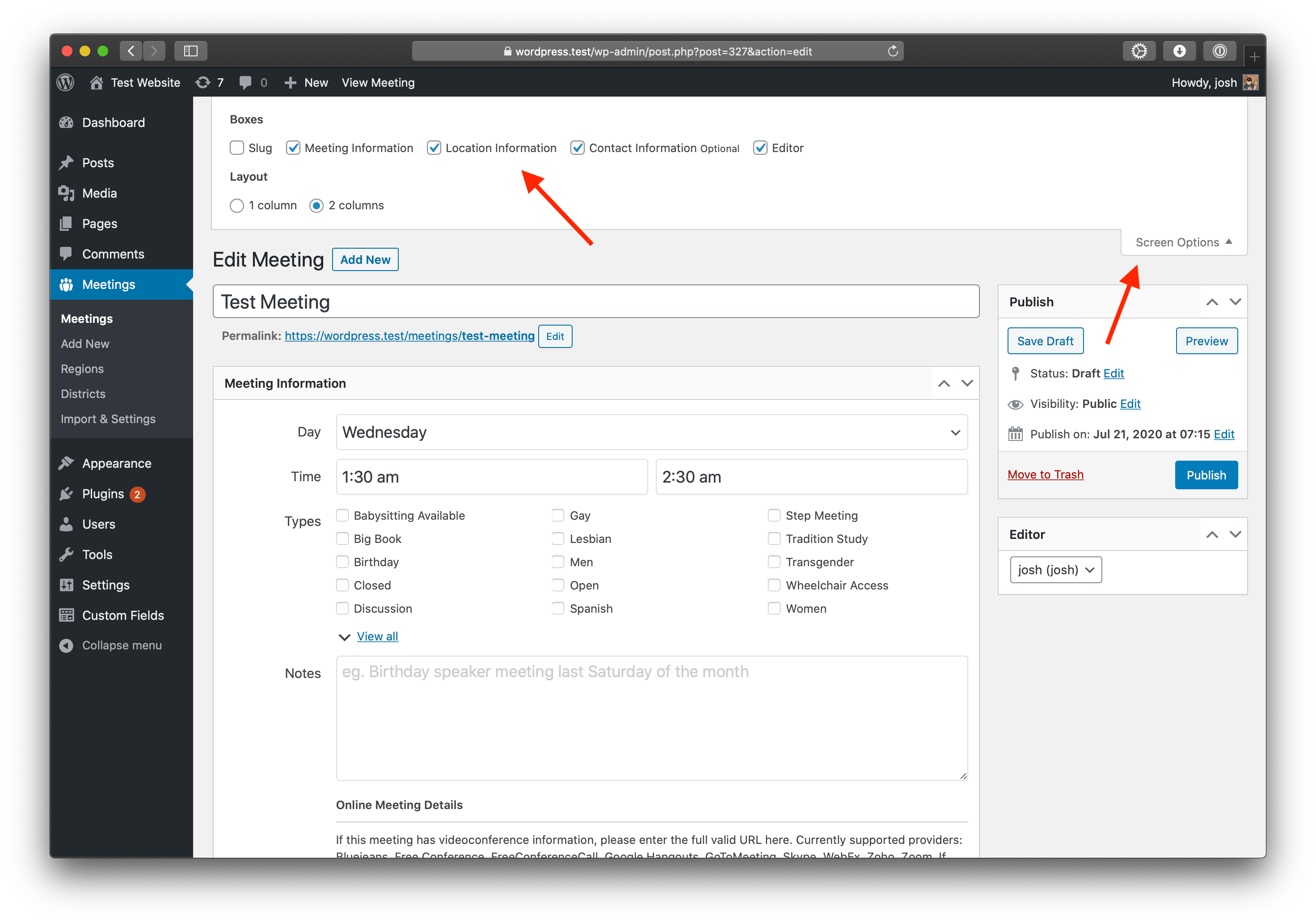
Describe the bug Setting up a new meeting in MG, and there is no place to put in physical location, this is only physical meeting.
To Reproduce Steps to reproduce the behavior:
- Go to 'Add New Meeting.'
- Click on '.Meeting Information.'
- Scroll down to 'Location - area is missing"
- See error
Desktop (please complete the following information):
- OS: [e.g. iOS] WIN 10
- Browser [e.g. Firefox latest]
- Version [e.g. 22]
Additional context Guide is updated to latest version.
Answer by @joshreisner
Hi @trivalleyaa I wonder if Location Information got unchecked somehow under Screen Options?
Create Meeting Type for In-Person Meetings
Show question & answer
Question
For people who are looking for an in-person meeting, there isn't an easy way for them to sort the list and just see meetings that are happening on-site. I'd love it if I could just check a "Type" when I'm listing the meetings that are in-person, so these folks can easily find what they need.
In contrast, I easily can tag online meetings (by adding the link for the videoconference) so the words "Online Meeting" show up in list view, but I can't see a way to add a tag that indicates a meeting is happening in person in a similar way.
I'd love to be able to choose a meeting "Type" to indicate a meeting was happening in-person. And having an in-person Type that I could multi-select would also solve for the growing number of meetings that want to indicate they're meeting onsite AND over zoom at the same time. I've been hearing that more and more meetings are planning to reopen (when they eventually reopen) with this kind of simulcast, in-person/zoom setup, so I'd love to get ahead of that need if I can.
If there's a way to do this that I haven't considered, please let me know! Definitely open to the ol' user error possibility. :)
PS I'm only choosing the "location closed" Type when a meeting is completely on hiatus for now, not meeting in any format for the foreseeable future, since I don't want any meetings that are actually happening to get greyed out/struckthrough in list view (and I think the zoom link gets erased when I choose "location closed" anyway).
Thank you!
Answer
In the plugin (and the Meeting Guide app) if a meeting isn't tagged with "Location Temporarily Closed", it is meeting in-person. Some groups are choosing to leave meetings active and adding the online meeting as a indicator that the groups is also using an online option.
I don't envision us adding another tag for "in-person" meetings (since that is the default), but groups are welcome to add their own custom types (see FAQ) although those will not show up in the Meeting Guide app.
When meeting list is filtered by an entry in the search box, selecting a filter value not present in current results should display "No Results"
Show question & answer
Question
Hi team,
This is not a serious bug, but I enter it as such because I am not sure it is a feature request either. I get a lot of questions from users when they use the filters in the meeting list. When nothing is found, 2 things can happen: Nothing (current list remains unchanged), or an empty list (nothing has been found).
I am using the plugin for an Al-Anon site. We have Al-Anon meetings and Alateen meetings. The latter category has no virtual meetings published. A user pulls up our list of electronic meetings - that is an action I have preprogrammed by using an URL link to all groups that I have renamed to "(elec) groupname". So the word 'Elec' is in the search box. The user is probably not aware of this. They then enter 'Alateen' in the type box. This does not result in anything found. But instead of reverting to an empty list, the filter just reverts back to 'Any type' where it was before the user changed it.
I find this confusing to explain.
It might be that the code is not set up to take into account that there is something in the search box.
I also get the feeling that any manual searches by users act as a 'constrain found set'. Which is fine by me, but I would still rather see that a result of 'none found' shows up as an empty list.
Any thoughts? A message to the user might be a good alternative.
As the situation is now, the user gets the impression that the search 'does not work'. Thanks!
Answer
On your staging site:
cd /var/www/wordpress-dev/wp-content/plugins
Or whatever is the correct path to the Wordpress site.
Then:
git clone https://github.com/YourGitHubUsername/12-step-meeting-list
NOTE: You may need to delete the existing 12-step-meeting-list before cloning.
After that, please point your browser to your staging website and test away.
Thanks!
First import
Show question & answer
Question
I am trying to demonstrate to another party the ease of use of the plugin. As I am preparing, I have a full csv file of all of my own meetings. The csv file is set up the way I use it for my own website. I can see that everything was nicely imported but when I view the meeting details page, it does not show a lot of into. The meeting list comes up with 'page not found'. Not the way I expected it.
I have no outstanding updates for plugins or themes, I use the same set up as my live website and by the looks of it, everything is where it should be. Addresses are valid and all that. Where should I look?
The spot where I see just a little bit of info is when I click 'Where is my info'.
My staging site is here: http://www.iamnow.today/meetings/
And the link in the main nav menu 'test Meetings' points to 'http://www.iamnow.today/meetings/
What am I missing?
This site will not stay public by the way, so if you find it under construction let me know.
thanks, Nicky
Answer by @OSAwebsite
I just deactivated, deleted and re-installed the plugin. No dice. The meeting list does not show up and the details page is just like a summary. When I perform a search for the meeting I do find it though. But the standard link to the meeting list does not want to work.
Testing Beta Version 3.9.0b - Need to Save permalinks
Show question & answer
Question
I installed the update from 3.80 to 3.9.0b on my test and home group websites. Before I could get to my meetings page I had to go in to Settings, Permalinks and save changes. Otherwise I was getting a page not found error.
The issue was the same if I deactivated the 3.9.0b version and activated the 3.8.0 version.
This is my first time testing, so this may be expected behavior, but I thought I'd point it out.
Answer
Thank you both. I didn't have to do that, and I'm not sure why.
Now it has me wondering if this is related to how we installed the version. Did you both deactivate the 3.8.0 before installing 3.9.0b?
Beta 3.9.0-rc
Show question & answer
Question
Updated to WP v5.5.2. and then installed TSML v3.9.0-rc
Though the meetings were visible after activating this version (yes, did de-activate previous version), trying to view the meeting returned me to home page. Trying to view meetings through the admin panel yielded no meetings visible. Had to reinstall all meetings from CSV file.
Other than very visible jQuery Migrate Helper — Warnings encountered issue stating /wp-content/plugins/12-step-meeting-list-3.9.0-rc.1/assets/js/admin.min.js: jQuery.parseJSON requires a valid JSON string everything else seems to be fine.
It's a nice feature to not have to put an actual street address for online meetings (these meetings have never met indoors as opposed to the ones that are relocated online), and with the update of the Meeting Guide app in which it will support online-only meetings with an approximate location (e.g. county/state), this will make more visual sense to people. See https://meetingguide.aa.org/online-meetings.
Describe the bug A clear and concise description of what the bug is.
To Reproduce Steps to reproduce the behavior:
- Go to '...'
- Click on '....'
- Scroll down to '....'
- See error
Expected behavior A clear and concise description of what you expected to happen.
Screenshots If applicable, add screenshots to help explain your problem.
Desktop (please complete the following information):
- OS: [e.g. iOS]
- Browser [e.g. chrome, safari]
- Version [e.g. 22]
Smartphone (please complete the following information):
- Device: [e.g. iPhone6]
- OS: [e.g. iOS8.1]
- Browser [e.g. stock browser, safari]
- Version [e.g. 22]
Additional context Add any other context about the problem here.
Answer
*** Warning: For anyone else reading this thread, these steps are not intended for non-beta testing users. Please do not make changes to your database except through the plugin ***
Thanks @Grateful-Viv.
Here are the steps I took in an attempt to reproduce the issue you experienced:
-
I removed all meetings from my database and rolled TSML back to v3.8.0. I also removed references in the
wp_optionstable that would have been updated through the beta testing process. I think reloaded my data from my csv. In doing these steps, I returned my system to the same state as non-beta testers -
I then updated to Wordpress 5.5.2.
-
Next, I (deactivated v3.8.0 of the plugin and) upgraded to "v3.9.0-rc.1".
I did experience any issues with the meetings, and I confirmed the correct changes occurred in the database.
What does this mean?
I'm hopeful that what you experienced was a fluke resulting from the multiple tests you've run. If you wish to confirm this, you can follow the steps I outlined above on your dev/staging site.
Updating customized fork to newest version
Show question & answer
Question
Needing some help here. Our area website was developed in 2016, and the person who built the website took the existing TSML plugin (2.01, I believe) and heavily customized it to our purposes. He told me that future updates were not backwards compatible, so the plugin was frozen. I need to update to the newest version for Wordpress compatibility and new features (specifically, online-only meetings by approximate location). I am certain that the new versions do everything that we need and currently use (and more). I am either looking for a process for upgrading our existing plugin or confirmation that I can do a meeting export, uninstall current plugin and install new version, then import. TIA.
Answer
I think I would start by spinning up a test Wordpress site and installing the latest TSML. Export the current template.csv to use as a guide for that fields/data the current TSML can accept.
On your existing site, export the data to a csv. Manually map to the new csv format, and then try importing into your test site.
Make sense?
Twelve Step Meeting List: Where is page to add [tsml_react] shortcode
Show question & answer
Question
We have Meeting Guide installed and working well for 4 years now. Some members want us to install TSML UI feature to change interface, etc. I know about shortcodes, etc. But for our Meeting Guide install, I do not see a page where I can add the shortcode? I tried creating a new page, but no luck. Already posted in TSML UI forum, and Josh recommended using this forum.
Answer
Hi @teach4learning,
TSMLui remains very experimental inside Wordpress and Twelve Step Meeting List (TSML). It isn't that it will cause issues or anything with your data, but simply that I'm not clear how all themes will handle the short code. And, at least for the time being, the TSMLui that displays in the plugin may not be the latest version.
So I'm grateful to hear you want to experiment with TSMLui. The basic steps are to simply add the short code into a new blank Wordpress page you create, and then publish that page and make a menu link to it. I believe Josh shared a link with you about how to add short codes to a page?
So, try that and please share any issues you have so we can work on them. Thanks!
Oh, and one last little bit of business. We're asking people to differentiate between TSML (the Wordpress plugin managed by Code for Recovery) and Meeting Guide which is the mobile app owned and managed by AAWS/GSO. Although we try to coordinate with them when possible, the two organizations are separate and the apps are unique.
Cheers, and thank you for your service.
I'm going to close this issue for now, but we can reopen it if you have trouble getting the short code to load or you're still not certain what needs to happen to make it work.
Enhance the 'Request a Change to this Listing' feature
Show question & answer
Question
name: Enhance Meeting Detail Feedback System
about: Replace or augment the existing Feedback feature of the Meeting Detail screen (single-meetings.php) with an enhanced New and Change Request input screen. Similar to the old feedback screen, the new/change request screens would remain hidden until activated by a user, only then replacing the map view in the right side column of the Detail page. The input fields would be transformed by the user in a controlled fashion prior to submitting the form data, ensuring that the website administrator receives a full set of accurate and auditable data with which to update the Meeting Information. The submitted data would be parsed and injected into an html table within an email, with changes highlighted in Red text for easy analysis and action by the system administrator.
title: 'Enhance Change Request System' labels: 'new feature/enhancement' assignees: ''
Is your feature request related to a problem? Please describe. Yes. The current Feedback feature relies on the average user to have more knowledge of the Meeting attributes than is reasonable to expect. Mistakes and misunderstandings are common-place which could easily be avoided by providing a formatted solution to guide the user input, giving a consistent, auditable, and accurate view of what the Requestor is wanting added or changed to the 12 Step Meeting List solution.
Describe the solution you'd like Ideally, all meeting attributes are available in the form of input controls, using radio buttons, checkboxes, and dropdown lists whenever possible. Free form text controls should suffice for the rest, with all controls being managed with validation mechanisms when possible. Hook into the existing Feedback feature activation mechanism, possibly giving system administrators the choice of overriding the simple Feedback form with the more enhanced Change Request form.
Describe alternatives you've considered An alternative could be to incorporate this as a new feature instead of an extension to an existing feature. Possibly create a separate stand-alone plug-in using Popups to configure the Request prior to submitting.
Additional context
Add any other context or screenshots about the feature request here.
See screenshots MeetingDetailScreen1.png, MeetingDetailScreen2.png, MeetingRequestSubmitted.png, and ChangeRequestEmail.png.
shortly). Focus above is on the Change Meeting Request, but the feature must include the associated Add New Meeting Request and Remove Meeting screens as well.
Answer by @kiyote33
Upcoming Active Meetings
Show question & answer
Question
This could be a feature or a bug. Putting it here.
When people go to the website to find a meeting, they want to see upcoming meetings (and only active ones). This issue is different from #396.
@joshreisner setup the UI version to show all the meetings for the week, starting from the time zone the user views it. That would be ideal since we'd no longer run into no meetings to display if it's late in the evening.
I don't know if you work on the WordPress TSML Widgets, but the Upcoming Meeting Widget would be great if there was a way to filter out inactive meetings and work in a similar fashion. It does give you the capability to select how many meetings you want to have displayed.
Thanks.
Answer
I’m adding the new feature/enhancement label, but not yet adding it to our project board until our group has a chance to discuss this.
I’m curious, how are you validating that the meetings you have as inactive are indeed still viable (meaning group/organizers truly intend to restart it sometime soon). I ask this because I’m hearing from an increasing number of admins that they are removing TC meetings(**) from their list unless they have confirmation they will reopen soon.
**By removing, they may be simply putting the meeting in draft status.
Timing out when adding an Intergroup's source
Show question & answer
Question
I ran into an error message when adding an Intergroup's source to our Area's website. This is the first time we've had a problem.
The source link they provided: [(https://york-pa-aa.org/wp-admin/admin-ajax.php?action=meetings&key=0571c77c2ddabe26ac1f98ce1a5d15bd)]
Our website/meetings: [(https://area59aa.org/meetings/]
Any assistance would be greatly appreciated!
<img width="1259" alt="Screen Shot 2021-12-07 at 2 09 41 PM" src="https://user-images.githubusercontent.com/95769327/145252519-9b33f8fe-6016-43d0-b785-e39bff91b543.png">
Answer by @joshreisner
i'm going to move this to the 12-step-meeting-list repo, but my strong suspicion is they have some kind of firewall that's blocking the request. i see that browser requests work, but if i ping that server from the command line i also get a request timeout
[Feature Request]: Whatsapp / SMS Support for meeting organiser - contact details
Show question & answer
Question
Contact Details
Requested Feature/Enhancement
With many meeting organisers / members preferring Whatsapp / txt - for communication it would be really helpful to add support to 12 Step Meeting List component.
Outcome for 12 Step Meetings List Component: From the back end:
- Contact numbers can be setup as Call / SMS / Whatsapp in the back end
From the front end:
- When selecting a Whatsapp contact / SMS Contact:
Approximately
<a href="https://api.whatsapp.com/send?phone=15551234567">Whatsapp Bob</a>Approximately<a href="sms:15551234567">Message Bob</a>
The requested action is launched, instead of just "Call Bob"
Assuming there's probably as many people who don't want to be called, they'd rather respond to a text / whatsapp?
Mindful ideas are like hands (everyone has them).
Answer by @ginslo
Hello @k8fish3r, development is in process to switch from Phone to SMS globally per your feature request #1463. Adding the ability to have a preference field or dropdown for Whatsapp and potentially other common chat providers is being considered.
AA Registered Group ID
Show question & answer
Question
Would it be possible to add a GSO Registered Group ID field? Ideally, it would pop up when toggling on the field "part of a group" when either adding/editing a meeting. It should not be a required field.
I do not want to install another plugin such as the one described in #584
Thanks
Answer by @tech2serve
For whatever reason, I can’t find #584.
In the past when this has been brought up, the consensus of the developers is the keep TSML focused on the meetings and the list, and not try to solve more general intergroup/district/CSO management tasks. The easiest solution is to put the number and other data in the Group notes field.
This isn’t to say we won’t revisit this as our group grows and we have more bandwidth.
Version 3.14 test results: a list of remarks, questions and change requests
Show question & answer
Question
First of all: Congratulations on rolling out a major new version! It looks a lot more organised and I see a lot of solved issues.
I am currently testing the new interface on my staging site. I have a list remarks, not sure they are bugs, or that this is just me misinterpreting or not understanding the rationale for changed/new features. I did not find an existing topic about this new version and test results : if there is, feel free to redirect this message.
First off and once more: I like the clarity of the new interface. I can see you put in a lot of hard work, so kudos for that! Thank you for working on the import sheet: I re-imported my entire meeting set in the staging site (300+) with the 'delete all' option ticked and it went smoothly and pretty fast.
Here are my test results - in no particular order
1. Import process: Error codes If something in a meeting csv does not work for the plugin, it shows a pretty technical errorcode and it is hit or miss that I can recognise what went wrong. That has not changed from before. But, I want to suggest an improvement.
I did the full import and it referred to the 271th import item and because of the content of the message I knew which one to look for.

It was a meeting that used double quotes in its meeting notes and that tends to break the import. So that is fine. But I wonder if there is additional information that could be shown. I was not sure whether that meeting was imported or not. It was not. Would it be possible to add to the message that one meeting was skipped? It is not an essential thing, but it would help to know where to look. I realise that you may not know which part of the import failed, just because there was an error in the field matching. But maybe there can be a summary of whatever was there to help us find which meeting to correct.
I still believe that the import could benefit from something in the interface that lets us preview the information we are importing. It could be done before the import starts, or it could show us, at the end of the import, any failing meetings with the field matches, so that we know where to go to correct the import sheet.
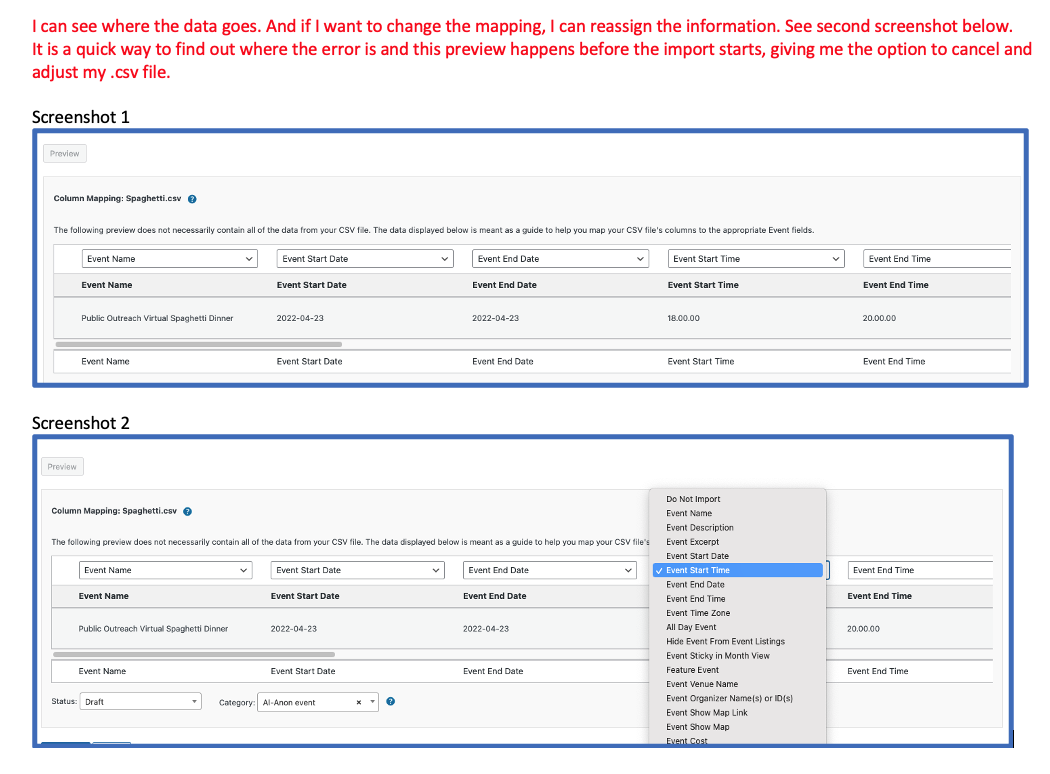
2. Redundancy in meeting day and time in group section details page In the meeting details page I feel that the repeating of the meeting day and time in the top of the page, the venue and group information seems a bit redundant if the group only has one meeting. I think the information was added to display multiple meetings and that makes sense. But I wonder if it is possible to adjust the code so that it only shows that information if there are more than one meeting? I also wonder if it makes sense to show meetings held at the same venue. In my case (AA may be different), I only have a hand-full of groups that have multiple meetings.
A suggestion for improvement might be to do the same you have done with the open/closed description. Make it a button that users can click to see which meetings are held at a particular venue. And change the multiple group meetings section with a button: show all meeting days, if the group has multiple meetings. Less is more, I think, in the details page, to keep it transparent, compact and clear. See screenshot: This is for a one meeting group page. The redundant information already takes up a lot of space.
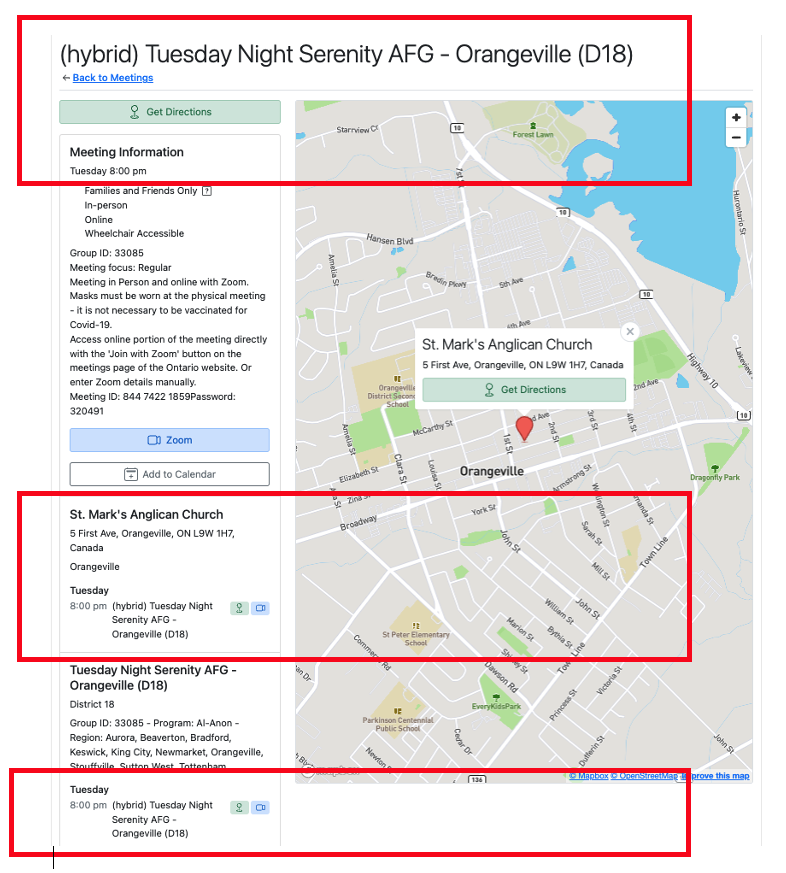
3. Performing a search I am having some trouble getting consistent results when performing a manual search in the most left filter box. It seem to be connected to the other boxe
…
Answer by @joshreisner
hi @OSAwebsite - as the maintainer of TSML UI i can answer a few of these items:
- not listing meetings in the sidebar when there's more than one meeting - good idea, thanks. i created an issue
- search: sounds like you're encountering a bug with the filtering. if you could share a URL with the issue i'm happy to look at it. keyword searches should preserve your current filters, they should not be clearing them
- sorting: meetings are always sorted chronologically (number of minutes from now). if that's getting lost somehow after searching then that's a bug and i'm happy to take a look with a URL. sortable columns is not on the development roadmap
- tooltips: not on the roadmap
- districts were removed from the Anywhere dropdown because they are program jargon. however they are still represented on the meeting detail screen, and they should still searchable. you could make a list of them and put them in site navigation, eg
/meetings?search=district+13 - feedback email: we are working on a major expansion of the form, coming soon, and will have a link to edit the meeting be a part of the message. we are a little bit limited here by the technology in terms of how they can be displayed, but we can address that when the feature is released
TSML UI does not work when templates are placed in theme directory
Show question & answer
Question
I have a brand new install at: https://aatorontoprdev.wpengine.com
In the meeting settings, I've selected TSML UI. This works fine, however in order to get it to work with my theme, when I place the templates in my theme's root folder, it kicks back to the legacy UI. Is this the expected behaviour?
I'm using Theme.co's X Pro theme.
My desired end-state is to use the TSML UI (which I think looks great), within my current theme. Any help you can provide would be greatly appreciated.
Thanks!
Answer by @joshreisner
that type of change would be a CSS change, for example:
#tsml-ui \{ max-width: 1400px; \}
i see your theme is adding a few extra CSS rules to the controls row that we're not used to seeing. try adding:
#tsml-ui form \{ margin: 0; \}
#tsml-ui form input \{ height: auto; \}
many themes have the ability to add "Additional CSS" under "Appearance > Customize" - you might not need to override
Direction button not working on mobile
Show question & answer
Question
So we have set up the maps for meetings and the maps themselves are showing up correctly on both desktop and mobile.
However, while the Directions button is working fine on the desktop (its seems to open a Google page) but it doesn't seem to work on mobile. I am just getting a blank screen.
Note: I am using the Arc browser (which is based on Chrome). It does seem to work on Chrome itself, however. In Chrome it seems to open the Maps app on my iPhone.
Answer by @joshreisner
ok thanks for the report @willinrecovery - i've created an issue https://github.com/code4recovery/tsml-ui/issues/365
JSON feed validator comes back with timeout error
Show question & answer
Question
Hi there, I had moved the area's wp installation to a different folder - all good and well. But, the JSON feed (in its new location) now does not validate. cURL 28 error (time out). The feed is here: https://area84aa.org/aa/wp-admin/admin-ajax.php?action=meetings This isn't a problem until there's a new meeting or any meeting changes. The App, right now, functions as expected. I've also posed this question to our server support team - but figured I'd ask you fine folks as well, for good measure. Any ideas? Thank you! Gina G. Area 84 Northeast Ontario
Answer by @SIA-WEBSUP
i would venture to guess that if the validator isn't able to pull this feed then the meeting guide app writ large is also unable to pull the feed. meaning the meeting guide app is showing you whatever information it was last able to pull for your area, which is why 'new meetings' and 'updates' aren't showing up on the meeting guide app.
was your feed previously on the exact website and sever, just one level up? and when it was there, did the meeting guide app ( and the validator ) able to pull the feed successfully?
Add phone number to "Call < username > buttons
Show question & answer
Question
Hi,
I used to amend buttons in TSML (OLD UI) via javascript. I offset the changes running until after the page loaded to ensure the DOM was visible. I don't seem to be able to edit the "meetings detail pages" in this way via javascript now.
Is there anything about the funky new TSML setup - operating as a single page application which would make the DOM elements uneditable via javascript now via document.getElementsByClassName ?
document.getElementsByClassName("css-1up26yg")[0].getElementsByTagName('a')[x].innerHTML +="<sub>Add subtext to button</sub>";
E.g. I'd like to edit the text on some meeting details buttons to TEXT , and adjust the action to send an SMS to the number via sms:// instead of call the number via tel:
Hopefully the picture below renders <img width="889" alt="image" src="https://github.com/code4recovery/12-step-meeting-list/assets/67172278/af3669fa-d947-4e97-9b57-862ac2230081">
Answer by @joshreisner
the blue phone button in the picture is for joining a meeting by phone, so that really needs to stay a call-only option
in this case we're really talking about this secondary contact button below
<img width="471" alt="Screenshot 2024-07-03 at 4 49 53 PM" src="https://github.com/code4recovery/12-step-meeting-list/assets/1551689/f697d2d4-7fa5-47ab-ad9f-71b3a50c974c">
we could potentially add a new field here, but what if we were just to change that globally to say Text \{name\} and use the sms: prefix everywhere? i feel like this is probably the preferred method 99.999999% of the time
Day and time being changed to appointment
Show question & answer
Question
This happens after an import, the csv file has valid dates and times in it but sometimes it's random ones that change, and sometimes it's all meetings. I can't find anything different in the import files, and this happened just today. I'm on version 3.16, which updated 4 days ago, but today may be the first time our secretary did an import. Therefore, it may be the version.
Answer by @joshreisner
i'm able to export and re-import on our demo site without losing any meeting times. could you share the file you're using?
Mapbox email asking to update phys addy???
Show question & answer
Question
I received an email from Mapbox Billing today asking me to update our physical address. In our area's doc for all web accounts, we didn't have one for Mapbox listed, so I was perplexed as to why the email was sent. I know that Mapbox token is used for the meeting settings on the area's website, but I think that comes from the Meeting Guide app settings.
QUESTION: When I went to the Mapbox website to update, it asked a lot of questions to set up an account. I'm looking for guidance on whether I really need to set up this Mapbox account or ignore (the email said I needed to update my billing address). Thanks in advance!
Answer by @anchovie91471
One of the members of Code4Recovery also received it and filled out the form. It seems legitimate.
Automating data updates
Show question & answer
Question
Hi team,
I've been working on simplifying the team's website admin and recently installed ACF to include meeting details under each Area's contact information. This allows us to automate a few processes on the website.
We have the 12 Step Meeting List Plugin installed and ideally we'd like to connect the User profile details for each Area's meetings to the 12 Step Meeting List details, if possible.
For example, Jack River manages the meeting in the Glenrock Area (not real names), and there's a meeting at 6:00 pm each Wednesday. Using ACF we've created fields that allow us to add/update this meeting information and export it to a csv or excel file. As these meeting details are under this customer User Profile it could allow Area leaders to update meeting details as and when they change for their particular Area (if they choose). This will allow the Management team to stay up to date with any changes to each Area's meeting information, and members to get the most up to date information on meeting in the Area too.
Can this data on the Customer profile to feed through to the 12 Step Meeting List plugin and update the meeting details for Glenrock and then go live on to the website? Do you think it's possible to set up a feed to automate this, or perhaps assign an User to a meeting?
I look forward to hearing your thoughts & feedback on if this is possible.
Cheers,
Answer by @tim-rohrer
Hi @nataliefaith2,
We're not quite following what you're asking. Would you provide a link to the site please, and some screen shots from the backend so we can try to better understand?
Thank you.
Add a hook for customizing the TSML configuration
Show question & answer
Question
(The history of this idea is in #1590.)
Different releases of TSML have set up the TSML configuration at different points in the request/response lifecycle. This makes it difficult to use one of the standard Wordpress hooks to do TSML custom configuration reliably.
I suggest that TSML add a custom hook (with do_action) that runs just after TSML has initialized its configuration but before it runs any code that affects the meeting database, and that this hook be documented. That way clients can use the hook to do their customization, and not worry about changes in lifecycle.
As part of this change, I would also suggest that the configuration instructions in the FAQ change to place all the custom configuration code in an action on the new hook. This would eliminate the need to check for the definition of the various functions, because the hook would never be invoked unless the TSML plugin was loaded (and the functions defined).
Answer by @joshreisner
thanks for the additional detail!
to the first point, we usually recommend people use child themes to add their customizations. i don't have any experience with the snippets plugin, but i personally prefer making my changes that way we've been recommending for performance and security reasons. that said, i can appreciate the logic of using a plugin, since it means fewer files to maintain, and allows you to change themes more easily.
it sounds like it's working for you now using the init hook, even if that's not preferred. i'm looking forward to learning more about wordpress hook hygiene.
a question on your example, here's the current code for tsml_custom_descriptions:
function tsml_custom_descriptions($descriptions)
\{
    add_action('init', function () use ($descriptions) \{
        global $tsml_programs, $tsml_program;
        $tsml_programs[$tsml_program]['type_descriptions'] = $descriptions;
    \});
\}
would you keep that how it is? so the tsml_additional_configuration runs before the init hook, and the actual customizations still run during init?
Updating meetings after installing TSML before going live on website
Show question & answer
Question
How do I keep the TSML plugin from being live on the website after initial installation? I need to update the individual meetings before it's ready to be seen on the website.
Answer
There isn't a way to do that directly, per se. But you have a couple of options.
First, please understand the meeting list won't be available on your site until you add a link to that list via a menu or link on a page. So, while the plugin is active, I doubt people will see the meeting list because you won't have added it to a menu. So, the process looks like this:
- Activate plugin.
- Add meeting data until you've got them all set.
- Use the link to the meetings list to create a menu item for the front page of your website.
Make sense?
Alternatively, your hosting provider may have a staging option where you don't fully make your site live until you have everything the way you want it.
I hope this answers your question. If there is still a concern, we can reopen the issue as necessary.
URL Validation for GoTo.com (was GoToMeeting)
Show question & answer
Question
Discussed in https://github.com/code4recovery/12-step-meeting-list/discussions/850
<div type='discussions-op-text'>
<sup>Originally posted by degrees57 July 2, 2022</sup> (I saw that someone posted this in the old WordPress support forum for the 12 Step Meeting List plugin, and thought that I could just re-direct them here -or- I could go ahead and bring it up here and then redirect them here. I chose the latter.)
narundi wrote:
History: On 02-Feb-2022 “GoToMeeting.com” company rebranded as “GoTo.com” TSML Version 3.14.4: Provides two URL Aliases ('gotomeet.me', & 'gotomeeting.com'). Recent: GoTo stopped redirection of legacy GoToMeeting.com URL's to GoTo.com Effect: GoTo.com meeting URL's do not validate & old-style meeting links (e.g. GoToMeeting.com/...) do not redirect. TSML Users See: Only a Phone-in meeting (i.e. the A/V URL has been suppressed) Work-around: In file "variables.php", within "$tsml_conference_providers", add “'goto.com' => 'GoToMeeting',” (without dbl-quotes) to list of valid URL's. Caution: This manual source code edit will be overwritten by Plugin Re-install or Update. Request: Please add GoTo.com validation mapping in next Version. Thanks.</div>
Answer by @joshreisner
this change has been merged and will be handled in the next release ✅